
Have you ever scheduled a post on your WordPress site, only to find it didn’t publish at the expected time? You’re not alone.
The mystery often lies in the WordPress timezone setting. Choosing the right timezone is crucial for keeping your site running smoothly and ensuring your content reaches your audience exactly when you intend. Imagine your carefully crafted post going live in the dead of night, missing peak engagement opportunities because of a simple setting.
You want to make sure that your audience is in tune with your updates, promotions, and announcements. So, what timezone setting should you set in WordPress to keep everything aligned? Let’s dive into this vital yet often overlooked configuration. Discover how mastering this small detail can enhance your website’s performance and keep your visitors coming back for more.
Importance Of Timezone Settings
Timezone settings are crucial for your WordPress site. They ensure posts appear at the right time. This helps followers see new content quickly. Setting the correct timezone is very important. It affects scheduling and publication of your posts. If the timezone is wrong, posts might show up late or early. This can confuse readers. It is important for global audiences. They need content at the right time. It keeps the site reliable and trustworthy. A correct timezone also helps with analytics. You get accurate data about user activity. Make sure your WordPress timezone matches your location. This keeps everything running smoothly. A site with correct timezone settings is more professional. It shows attention to detail. This builds trust with the audience. Always check your timezone settings after updates. This prevents any issues with content timing.
Default Timezone In WordPress
WordPress automatically sets the timezone. This is based on your server’s location. But this might not suit everyone. Many users need to set it manually. This helps posts show at the right time.
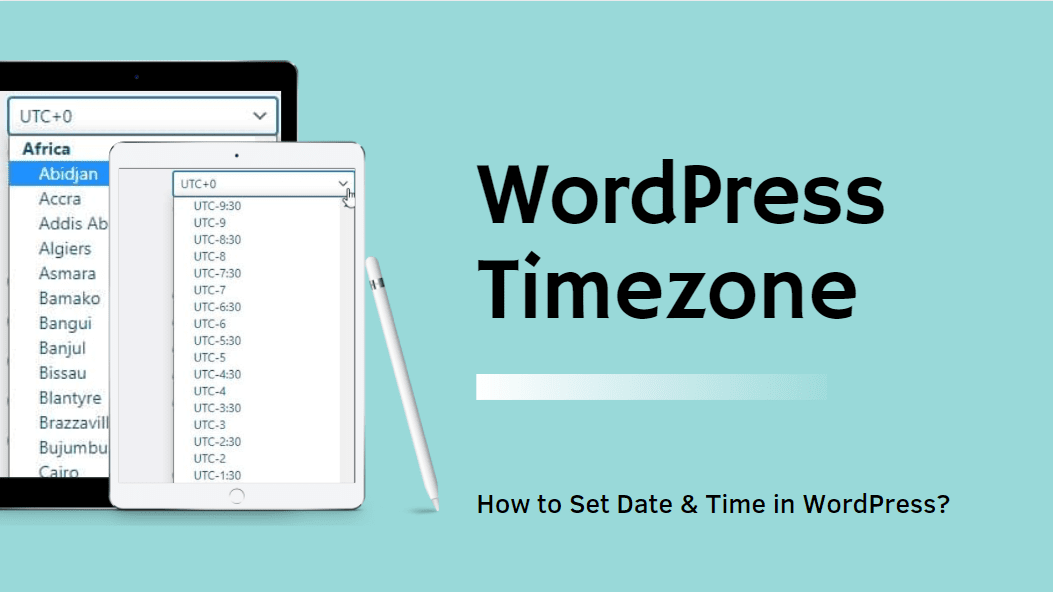
The default setting is UTC. This stands for Coordinated Universal Time. Users can change this in the settings. Find it in the WordPress dashboard. Go to “Settings” and then “General”. Here, you can pick your local time. Choose your city or offset from UTC.
A correct timezone ensures accurate post scheduling. Events will also display at the right time. This is crucial for global audiences. They rely on timely updates.
Factors To Consider When Choosing A Timezone
Setting the right timezone helps your audience. Think about where they live. If most are in one place, choose that timezone. It makes them feel closer. It shows you care about their needs.
Plan your posts wisely. Time matters. If you post at the right time, more people will see it. Know when your audience is active online. This can boost your engagement.
Your business hours matter a lot. Pick a timezone that matches your work hours. It helps manage tasks better. It aligns with your team’s schedule. This ensures smooth business operations.
Credit: www.inmotionhosting.com
How To Set Timezone In WordPress
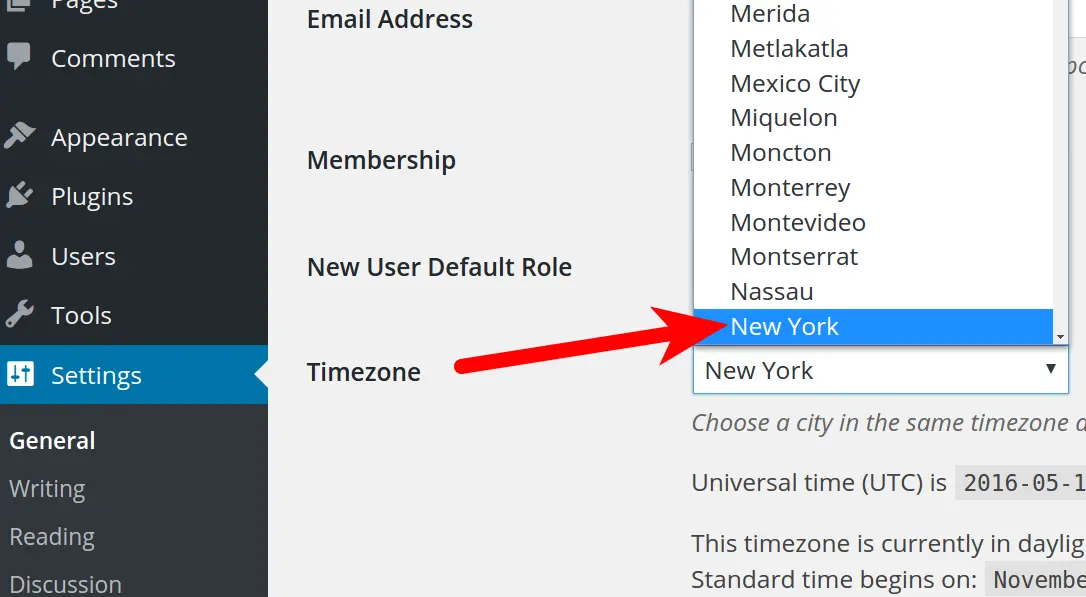
First, log in to your WordPress dashboard. Find the Settings menu on the left side. Click on General. This section lets you change important settings. One of these is the timezone.
Look for the Timezone option in the General settings. There is a dropdown menu. Click it to see a list of timezones. Choose the one that matches your location. For example, if you live in New York, select New York. After selecting, don’t forget to save changes at the bottom. This ensures your settings are updated.
Impact Of Incorrect Timezone Settings
Wrong timezone settings cause scheduling issues. Posts might go live at the wrong time. This confuses readers. It can harm engagement. Followers expect posts at specific times. Misaligned schedules upset regular visitors.
Incorrect timezone settings lead to analytics discrepancies. Data might not align correctly. This misleads site owners. Wrong data affects decision-making. Accurate analytics need correct time settings. Owners rely on precise numbers.
Timezone errors impact user experience. Visitors may see outdated content. They might miss new posts. Frustration grows when users can’t find expected updates. A seamless experience relies on correct time settings. Users prefer fresh content.
Common Timezone Mistakes To Avoid
Setting the wrong timezone can mess up your site’s schedule. Post times might be off. Users in different places could see incorrect times. This can confuse everyone. It is important to set the right timezone.
Many forget to update the timezone during daylight saving changes. This causes issues with scheduled posts. Remembering this can save headaches. Also, double-check your settings after updates. Sometimes, settings revert to default.
Always verify your timezone settings are correct. This is crucial. Especially if your audience is global. They rely on accurate post timings. Fix these mistakes to keep your site running smoothly.
Tools And Plugins For Timezone Management
WordPress has many plugins to manage timezones. These tools help keep your site time correct. WP Time Zone is one popular plugin. It lets you set the time zone easily. Another tool is TimeZone Calculator. This tool helps calculate different time zones. Both plugins are user-friendly and simple to use.
Event Calendar WD is another useful plugin. It helps schedule events across time zones. This is important for global audiences. World Clock Widget is great for showing current times. Use these plugins to make time zone management simple. They improve site accuracy and user experience.
Credit: woostify.com

Credit: woostify.com
Frequently Asked Questions
What Is The Default Timezone In WordPress?
The default timezone in WordPress is UTC (Coordinated Universal Time). It’s set automatically during installation. However, you should change it to match your local timezone. This ensures your posts and scheduled tasks align with your actual time.
How Do I Change Timezone In WordPress?
To change the timezone in WordPress, go to Settings > General. Scroll to the “Timezone” section. From the dropdown menu, select your desired timezone. Save your changes. This adjustment will affect your site’s time-related functions.
Why Is Timezone Important For WordPress?
Timezone settings in WordPress are crucial for accurate scheduling. They ensure posts are published at the intended time. Additionally, they affect timestamps on comments and other time-dependent activities. Proper settings improve user experience and site functionality.
Does Changing Timezone Affect Scheduled Posts?
Yes, changing the timezone affects scheduled posts. It may shift their publishing times. Always double-check scheduled posts after changing timezone settings. This ensures they are published at the correct local time.
Conclusion
Setting the correct timezone in WordPress is crucial. It ensures accurate scheduling for your posts. Visitors see the right time, improving their experience. Check your location and match it with the WordPress options. Consistency matters. Regularly update your settings if needed.
This prevents future confusion. Remember, a correct timezone helps in managing your website efficiently. Always keep your audience in mind. Happy blogging!


