
Have you ever found yourself diving into the depths of your WordPress theme, only to feel lost and confused about which file is responsible for what on your website? You’re not alone.
Navigating the maze of WordPress files can be daunting, especially when you need to make specific changes or troubleshoot issues. This is where “WordPress What the File” steps in to save the day. Imagine being able to pinpoint exactly which file you need to tweak, without the hassle and frustration.
With this tool, you can transform your WordPress management from a guessing game into a streamlined, efficient process. By the end of this article, you’ll not only understand how “WordPress What the File” works but also how it can make your life much easier. Ready to take control of your WordPress site with confidence and ease? Let’s dive in and explore how this can revolutionize the way you manage your website.

Credit: wordpress.org
What The File Plugin Overview
The What the File plugin helps you find which template is used on your page. It is a must-have tool for WordPress users. You can see the template name in the admin bar. This makes it easy to edit the right file. The plugin is simple and lightweight. It does not slow down your site. It is perfect for developers and designers. Beginners can use it too. It shows clear information about your theme files.
Install it from the WordPress plugin directory. Then activate it in your dashboard. See the template name in the top bar. It is that easy. No need to search through complex files. Make your edits faster and easier. Save time and avoid mistakes. A helpful tool for anyone working with WordPress themes.
Installation Guide
Installing WordPress What the File is very easy. First, log into your WordPress dashboard. Next, go to the Plugins section and click Add New. Type “What the File” in the search bar. When you find it, click Install Now. Once installed, activate the plugin.
After activation, a new option will show in the admin bar. This option is visible when you browse your site. Click on it to see which template files are used for the current page. This helps in understanding your site structure better.
You don’t need coding skills to use it. Anyone can understand it. This makes it a useful tool for beginners. Enjoy exploring your WordPress site!
Key Features
WordPress What the File helps find the right file. It shows you the exact file you need. This makes it easy to understand your site. You won’t have to search for hours. It’s a tool that saves your time. File identification becomes simple.
This feature helps you know which theme template is in use. You can see it right away. No need to guess. It’s clear and fast. This makes editing easy. You can change things quickly. Your site looks better.
The interface is very easy to use. Simple design helps you find things fast. Even kids can use it. No need for extra help. You learn quickly. You feel more confident. The process is smooth and hassle-free.
Credit: kinsta.com
How To Use
Discover the theme file behind any WordPress page using ‘WordPress What the File. ‘ Install the plugin, navigate to your site, and identify template files effortlessly. This tool simplifies theme editing by showing the exact file name used on the current page.
Accessing The Plugin
Start by installing the WordPress What the File plugin. Go to the plugin section in your dashboard. Click “Add New”. Search for “What the File”. Click “Install Now”. After installation, activate the plugin. Access it from your WordPress toolbar.
Navigating The Interface
The interface is simple. It shows templates used on your current page. Look at the WordPress toolbar. You will see the name of the template. Click the template name. This opens the editor for changes. It’s easy to find what template controls your content.
Interpreting Results
Results show which files are used. Check the toolbar for file names. Each name is linked to a specific template. Files like header.php or footer.php are common. Use the results to understand your site’s layout. Knowing file names helps in customizing your site. It’s a useful guide for changes.
Benefits For Developers
WordPress What the File simplifies theme development by quickly identifying template files used on any page. Developers save time by instantly knowing which files to edit, enhancing efficiency in customizing websites. This tool aids in streamlining workflow and reducing guesswork, making adjustments straightforward and precise.
Streamlining Workflow
Many developers spend hours figuring out which file to edit. What the File helps them quickly find the right file. This saves time. Developers can focus on coding instead. Time is valuable. The tool makes everything easier. It is a smart choice for busy developers. It helps them work faster. It reduces stress and confusion. Developers can complete projects on time. This makes clients happy. It is a win-win.
Enhancing Theme Customization
Themes need customization. What the File shows the exact file to change. This helps make themes unique. Developers can add personal touches. They can meet client needs better. This tool supports creativity. It helps make websites look special. Custom themes attract visitors. Visitors like fresh designs. They stay longer on sites. This helps businesses grow. Customization is key in web design. The tool makes it simple.
Reducing Debugging Time
Debugging takes time. What the File identifies errors quickly. Developers find mistakes faster. They fix problems without hassle. Less debugging means more productive hours. This tool helps keep projects on track. It supports efficient coding. Developers solve issues easily. Websites run smoothly. Users enjoy better experiences. Happy users return often. They recommend sites to friends. Quick debugging boosts user trust.

Credit: learn.wordpress.org
Common Issues And Solutions
Plugins can sometimes cause problems. They may not work well together. To fix this, disable one plugin at a time. See if the problem goes away. If it does, that plugin might be the problem. Update your plugins often. This can help fix many issues. Themes can also cause trouble. Switch to a basic theme like Twenty Twenty-One. Check if the issue is still there.
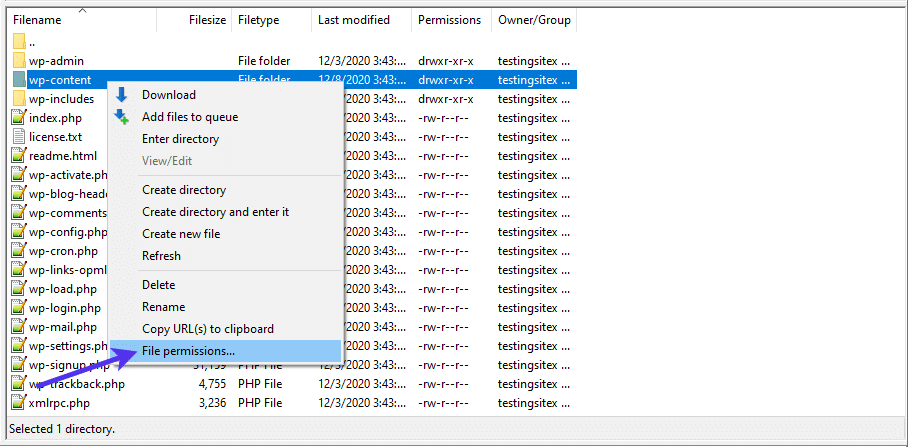
Errors can stop your files from being found. Clear your cache to see if that helps. This removes old, stored data. Sometimes settings cause problems. Check your WordPress settings. Make sure they are correct. If errors continue, check file permissions. Files need the right permissions to work. Change them carefully if needed.
Alternatives To What The File
Similar plugins offer different features. Some focus on ease of use. Others may have more advanced options. It’s important to find one that fits your needs. One popular choice is Theme Check. It helps you find errors in your themes. Another option is Debug Bar. It shows information about queries and cache. Both have their own strengths and weaknesses.
Each plugin has its own advantages and disadvantages. Some are easier to use. Others offer more features. Here’s a quick comparison:
| Plugin | Pros | Cons |
|---|---|---|
| What the File | Simple, direct | Limited features |
| Theme Check | Finds errors | Complex for beginners |
| Debug Bar | Shows detailed info | May slow website |
Best Practices
Keeping your WordPress plugins up-to-date is very important. Updates fix bugs and improve security. Always check for new updates. It helps in keeping your site safe. New features come with updates too. Do not ignore them. Staying updated ensures your site runs smoothly.
WordPress works well with many tools. Tools like Google Analytics help track visitors. You can connect it easily. Other tools enhance features. For instance, SEO plugins make search ranking better. Choose tools that fit your needs. Integrating right tools boosts site performance. Make sure they are compatible. It keeps the site stable.
Frequently Asked Questions
What Is ‘wordpress What The File’ Plugin?
‘WordPress What the File’ is a plugin that helps identify template files used on your page. When activated, it adds a menu option in the admin bar to quickly show you which template file is being used, making theme development and customization more efficient.
How Does ‘what The File’ Improve Workflow?
The plugin speeds up your workflow by instantly identifying template files used on your site. This eliminates guesswork and allows you to make quick and accurate adjustments to your theme, enhancing productivity and reducing development time.
Can ‘what The File’ Be Used On All Themes?
‘What the File’ works with most themes that follow WordPress coding standards. However, compatibility can vary based on theme structure. It’s always best to check if your theme supports the plugin’s functionality for optimal use.
Is ‘what The File’ Easy To Install?
Yes, installing ‘What the File’ is straightforward. You can install it directly from the WordPress plugin repository. Once activated, it adds a menu item to your admin bar, allowing instant access to template file information.
Conclusion
Exploring WordPress What the File simplifies your website management. Easily identify and edit files. Save time and effort. Enhance your WordPress experience with this plugin. Manage your site more efficiently. Boost your productivity with clear file insights. No more guessing which file to edit.
A practical tool for developers and beginners alike. Embrace smoother file handling. Keep your site updated effortlessly. WordPress What the File offers straightforward functionality. Improve your workflow. Ensure your site runs smoothly. A valuable addition to your WordPress toolkit. Enjoy a more organized approach to web development.


