
Have you ever stumbled upon a WordPress site and been captivated by its sleek design, only to wonder what template is being used? You’re not alone.
Many people, just like you, are curious about the secrets behind a website’s appearance. Unraveling this mystery can be the key to transforming your own site into something just as stunning. Imagine having the power to identify and utilize those templates to make your website stand out.
Intrigued? Keep reading to uncover the simple steps to satisfy your curiosity and enhance your WordPress game.
Basics Of WordPress Themes
WordPress themes change how your site looks. They control the layout, colors, and fonts. A theme makes your site unique. Some themes are free. Others cost money. Each theme has different styles and features. A good theme helps your site load fast. It also makes it look professional.
Choosing a theme is important. Think about your site’s purpose. A blog needs a simple theme. An online store needs more features. Check if a theme is responsive. This means it works on phones and computers. Look for themes with good reviews. These themes are usually reliable.
Credit: mekshq.com
Identifying Active WordPress Theme
Login to the WordPress dashboard. Look at the sidebar. Click on Appearance. Select Themes. Here, you see active themes. It is easy to find. The active theme is at the top. You can see its name clearly. This is the simplest method. No need for special tools.
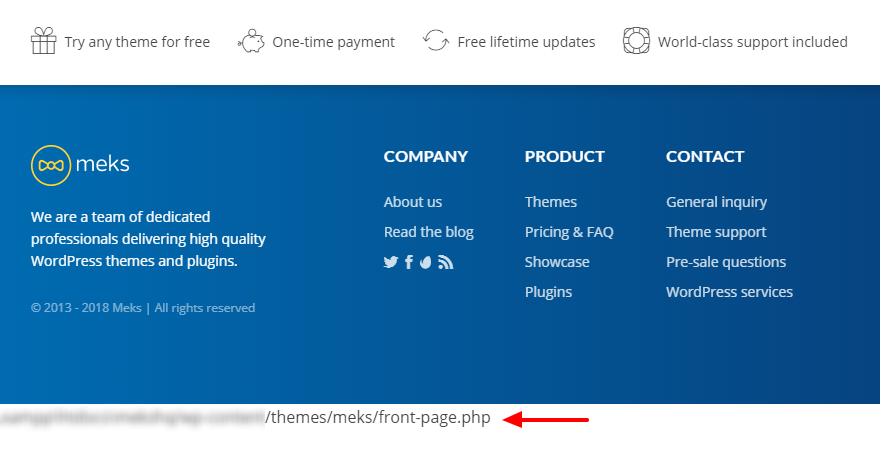
Open a web page. Right-click with your mouse. Select View Page Source. Look for style.css files. They show the theme name. You find this in the wp-content/themes section. It helps to know the theme without logging in. Requires some reading skills.
Several online tools can help. Tools like What WordPress Theme Is That are useful. Simply enter the website URL. The tool shows the theme used. This is great for fast results. No need to search code. Easy for beginners.
Common Tools For Theme Detection
WhatTheme is a simple tool. It helps you find the WordPress theme. Just enter a website URL. It tells you the theme name. It’s easy and quick. You get results fast. A great tool for beginners.
WPThemeDetector gives more details. Not just the theme name. It shows plugins too. It can be very helpful. You see the full list of plugins. This helps you understand the site better. A favorite among many users.
IsItWP is also a good choice. It checks if a site uses WordPress. You learn about the theme and plugins. It is very user-friendly. Results are clear and easy to read. A handy tool for everyone.
Manual Inspection Techniques
CSS files hold important clues. They show the look of a WordPress site. Checking these files can tell you about the template. Open your browser. Right-click on the page. Select “Inspect”. Look for stylesheets. Note the file names. They often match the template name. This simple check helps in identifying the theme.
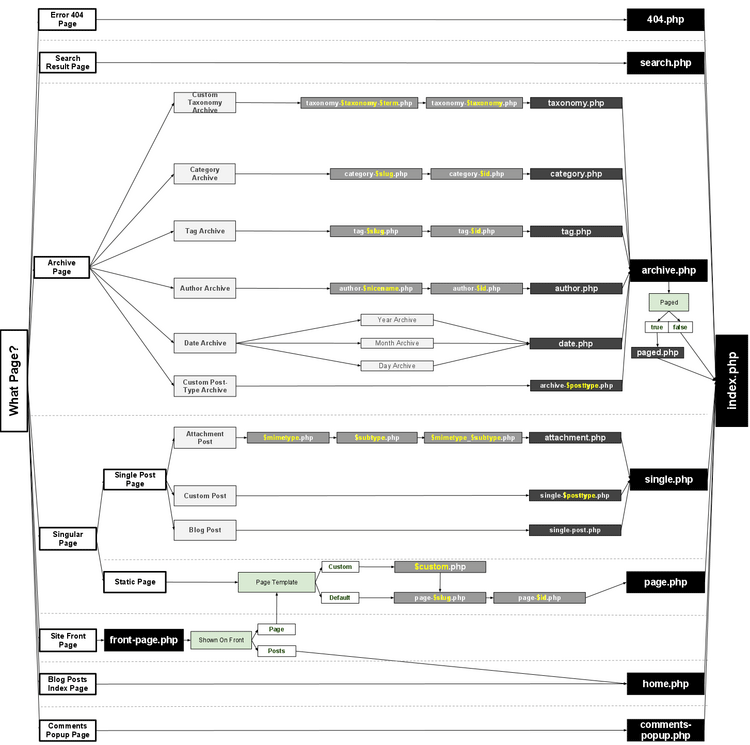
Theme functions give many hints. Each theme has special functions. These are found in the “functions.php” file. Access the WordPress dashboard. Go to “Appearance”. Choose “Theme Editor”. View the “functions.php” file. Look for unique code. This often reveals the theme type.
Security And Ethical Considerations
Understanding the importance of site privacy is crucial. Websites have private data. This data needs protection. Visitors should feel safe. Their info should stay private. Avoid actions that invade privacy. Respect every site’s rules.
Avoiding unauthorized access is vital. Always seek permission before exploring. Never hack into a site. It is illegal and wrong. Ethical behavior means respecting boundaries. Use official tools for checking templates.
Many sites use security measures. These measures protect their data. Violating them can have consequences. Always act responsibly online. It builds trust and respect.

Credit: mekshq.com
Troubleshooting Common Issues
Sometimes, the theme in WordPress isn’t found. This can happen for many reasons. One reason might be a plugin conflict. Plugins can block the theme detection. Check your plugins and disable them one by one. This helps find the problem plugin.
Another reason could be a cache issue. Clear your browser’s cache. This can solve the problem quickly. Also, check your theme files. Make sure they are not corrupted. You can do this by replacing them with fresh files.
Sometimes, WordPress shows wrong theme info. This can confuse users. Check your style.css file. This file has theme details. Make sure these details are correct. If they are wrong, fix them.
Also, check the theme folder name. It should match what’s in the style.css file. If not, change the folder name. This can fix the issue. Always use the latest theme version. Older versions might have bugs. Update your theme regularly for better performance.
Credit: coolestguidesontheplanet.com
Frequently Asked Questions
How To Identify The WordPress Template Used?
To identify the WordPress template, check the page source code. Look for the stylesheet link which often mentions the template name. You can also use online tools like “What WordPress Theme Is That? ” For quick identification. These methods help pinpoint the theme and template easily.
What Tools Reveal The WordPress Template?
Tools like “What WordPress Theme Is That? ” And “WP Theme Detector” can reveal the template. These tools analyze the website and provide detailed information about the theme and plugins used. They are user-friendly and quick, making them popular among WordPress users.
Can I Find Out The Template Without Plugins?
Yes, you can find the template without plugins. Inspect the page source code and look for the stylesheet. The stylesheet usually contains the theme name, helping you identify the template. This manual method is straightforward and doesn’t require any additional tools.
Why Know The WordPress Template Used?
Knowing the WordPress template helps in website customization and troubleshooting. It provides insights into design elements and functionalities. This knowledge can guide you in making informed decisions about theme modifications or when seeking support for theme-related issues.
Conclusion
Discovering the WordPress template is easier than you might think. Use tools and methods shared above. They help you find the template quickly. Knowing the template gives you design insights. It improves your website’s look and feel. Enhance your site with the right information.
Save time and effort by using these tips. Explore templates and find the best fit. Create an attractive and functional website today. Enjoy building your website with confidence. Your journey in website design starts now.


