
Are you diving into the world of WordPress and scratching your head over where exactly your pages are stored? You’re not alone.
Understanding the inner workings of WordPress can seem like a daunting task, especially when it comes to its database structure. But don’t worry, we’re here to simplify it for you. Knowing where your pages are stored isn’t just for tech experts; it’s a secret weapon for anyone looking to optimize their website’s performance, troubleshoot issues, or simply gain more control over their content.
We’ll reveal the specific table in the WordPress database where your pages find their home, and explain why this knowledge can empower you to manage your site more effectively. Ready to uncover the secrets of your WordPress database and enhance your site’s performance? Let’s dive in!
WordPress Database Structure
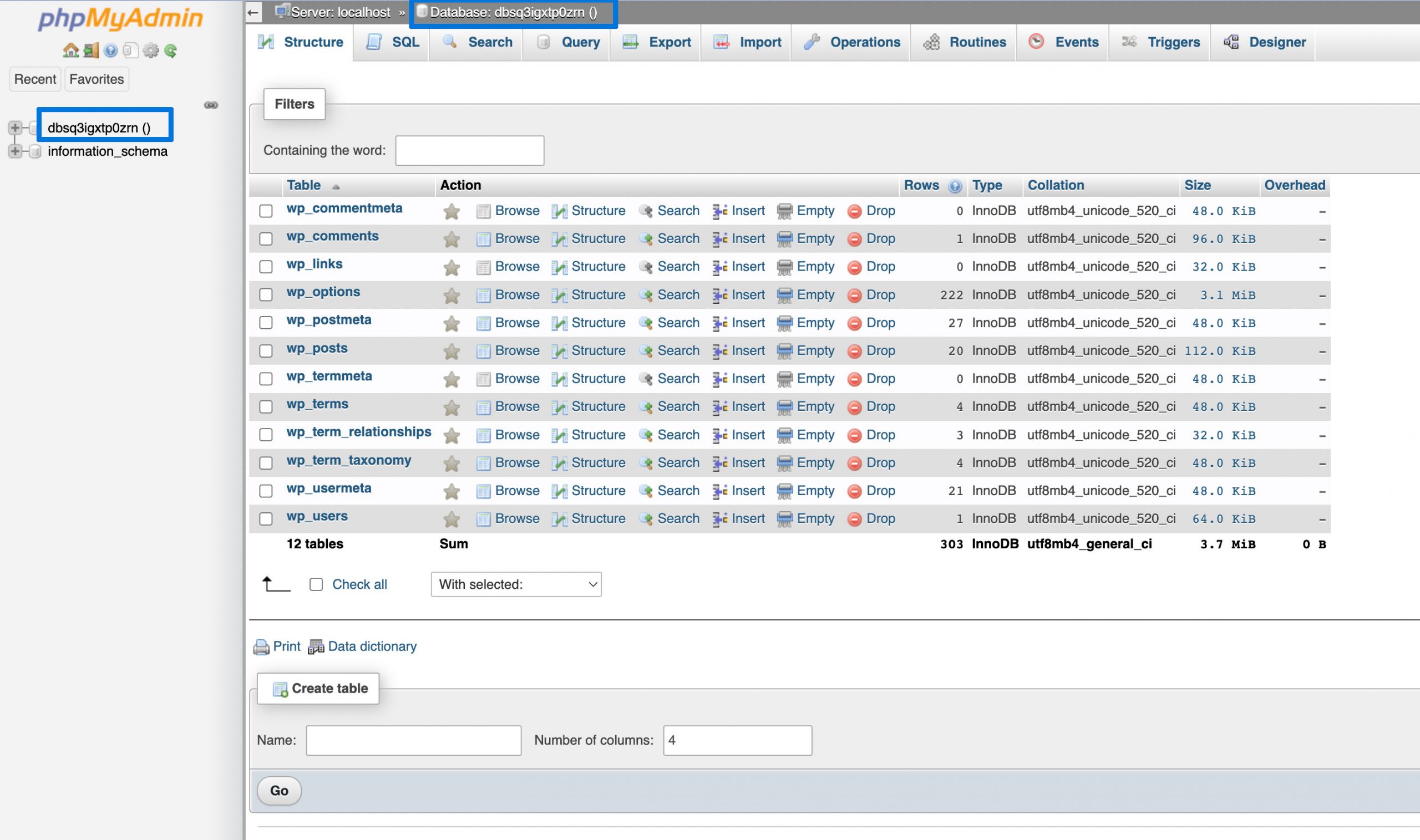
WordPress uses a database to store content. This includes pages, posts, and comments. The database organizes data into tables. Each table has a specific role. Pages are stored in the wp_posts table. This table also holds posts and custom types. It records important details like titles and content.
MySQL is the engine behind WordPress databases. It handles data requests. MySQL stores and retrieves data efficiently. It ensures data is safe and accessible. This makes WordPress sites fast and reliable. MySQL is a popular choice for many websites. It is trusted by developers worldwide.
Credit: widget-options.com
Understanding WordPress Tables
WordPress uses tables to keep data neat. Each table has a job. Pages are stored in the wp_posts table. This table stores different content types. Posts, pages, and attachments all go here. Other tables have other jobs. The wp_users table keeps user info. The wp_comments table holds comments data.
Plugin data stays in the wp_options table. Every table has a clear job. This makes data easy to find. And easy to manage.
Each table has unique data. The wp_posts table deals with content. Titles, content, and types are here. The wp_users table focuses on users. Names, emails, and passwords go here. The wp_comments table is for comments. It holds comment text and author info.
Tables have different structures. Some tables connect with others. Each connection makes data management smooth. Understanding these tables helps manage WordPress better.
Pages In WordPress
Pages in WordPress are special content. They are not like posts. Pages are static and timeless. You use them for content that doesn’t change. Examples are “About Us” and “Contact” pages. They are stored in a database table. This table keeps all page data safe. It’s named wp_posts. Both pages and posts are stored here. This makes it easy to manage.
Pages and posts are different. Pages are for permanent content. Posts are timely updates. Like news or blog entries. Pages do not have tags or categories. Posts do. This helps keep things organized. Pages are often linked in menus. Posts are usually shown in blog sections. Both are important for a website.
Credit: wpdatatables.com
Where Pages Are Stored
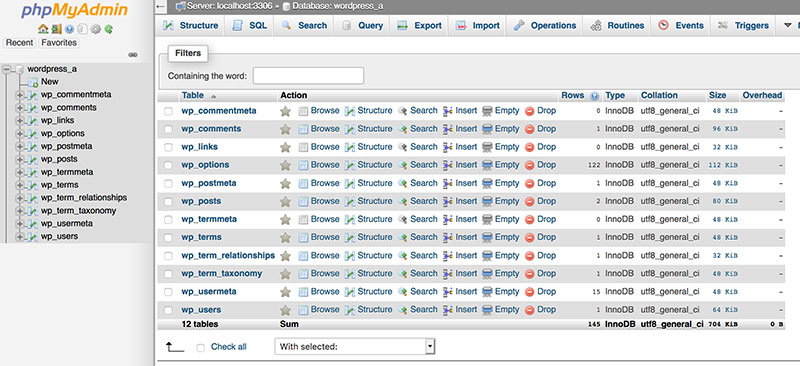
WordPress stores pages in the wp_posts table. This table holds a lot of data. It includes both posts and pages. Each page has a unique ID. This ID helps to find the page easily.
Page data includes the title and content. Also, it holds the author and date. The data is saved as rows in the table. Each row is a page or post. The post_type column helps to know if it’s a page. It will say “page” for pages. Simple and clear. Easy to find and manage.
Accessing Page Data
phpMyAdmin helps you see WordPress data. It shows the database tables. Pages are stored in these tables. To find pages, log into phpMyAdmin. On the left, click on your database name. You will see many tables.
The wp_posts table holds all the pages. This table stores posts too. Pages have a post_type of “page.” Use this to find all pages. Look for the post_status column. It shows if a page is published, draft, or trash. The post_title column shows the page title. This makes it easy to find specific pages.

Credit: sandersdesign.com
Customizing Page Storage
WordPress stores pages in the wp_posts table. This table holds all your page data. You can add custom fields to store extra information. Custom fields help to save unique data for each page. They make your page more useful. You can find plugins that work with custom fields. They offer easy ways to add and manage these fields.
Plugins can make page storage better. Some plugins let you use more custom fields. Others help you organize your page data. Plugins like Advanced Custom Fields are helpful. They let you add special fields to your pages. These tools can improve how your pages are stored. They make handling page data easy and clear. Choose plugins that fit your needs.
Optimizing Database Performance
Keeping the database clean is important. Remove old data often. This helps the database run fast. You can use plugins for this task. They make it easy and safe. Check for errors too. Errors slow down everything. Fix them as soon as you can.
Check the database size. Large databases take more time to load. Remove unnecessary data. This makes the database smaller and faster.
Backups keep your data safe. Always have a recent backup. Save it in a secure place. Use cloud storage for backups. This way, you won’t lose data.
Set up automatic backups. This saves time and effort. You can use plugins to do this. They work quietly in the background. No need to remember to backup.
Troubleshooting Common Issues
Errors can make websites confusing. Pages not showing is a frequent issue. This can happen due to wrong database settings. Another error is missing page links. This confuses visitors. Sometimes, pages show a 404 error. This means the page is not found. These errors can be very frustrating.
Fixing errors is important. Always check the database connection. Make sure it’s correct. Look at the permalinks too. They must be set right. If a page shows 404, check the URL. Make sure it’s correct. Update your plugins and themes. This can solve many issues.
Frequently Asked Questions
Where Are WordPress Pages Stored In The Database?
WordPress pages are stored in the `wp_posts` table in the database. This table holds all post types, including pages, posts, and custom post types. Each entry in this table is identified by its unique ID. The `post_type` column distinguishes pages from other post types.
What Is The Function Of The Wp_posts Table?
The `wp_posts` table stores all content types, such as posts, pages, and attachments. It includes fields for the content, title, and metadata. This table is essential for WordPress to manage and display content. It helps in organizing and retrieving content efficiently.
How Can I Access The Wp_posts Table?
Access the `wp_posts` table via phpMyAdmin or a similar database management tool. You’ll need database access credentials, usually found in the `wp-config. php` file. Once logged in, navigate to the database and locate the `wp_posts` table to view or edit entries.
Does Wp_posts Store All Post Types?
Yes, the `wp_posts` table stores all post types, including posts, pages, and custom types. It uses the `post_type` column to differentiate between them. This centralized storage makes it easier to manage different content types within WordPress.
Conclusion
Understanding where WordPress stores page data is essential. The ‘wp_posts’ table holds this data. This knowledge helps manage your site effectively. It ensures smoother site navigation and content updates. Regular backups of the database are vital. They protect your content from unexpected losses.
Always keep your WordPress version updated. This enhances security and functionality. Knowing these basics empowers better site management. It simplifies troubleshooting and customization tasks. With these insights, you can maintain a robust WordPress site. Happy managing!


