
Are you struggling to figure out the perfect size for your WordPress logo? You’re not alone.
Many website owners face this challenge, and getting it wrong can impact your site’s appearance and brand perception. Imagine visiting a website where the logo is either too tiny to notice or so large that it disrupts the entire page layout.
It’s frustrating, right? Your logo is a crucial part of your brand identity. It’s the first thing your visitors see and remember. By getting the size just right, you ensure that your brand makes a strong, positive impression. We’ll guide you through the ideal dimensions for your WordPress logo, helping you enhance your site’s visual appeal and user experience. Stay with us to unlock the secrets of crafting a logo that perfectly fits your WordPress theme.
Importance Of Logo Size
A logo is the face of a brand. It must be clear and recognizable. The size matters a lot. If it’s too small, details get lost. If it’s too large, it can overwhelm the page. Finding the right size is key to a balanced design.
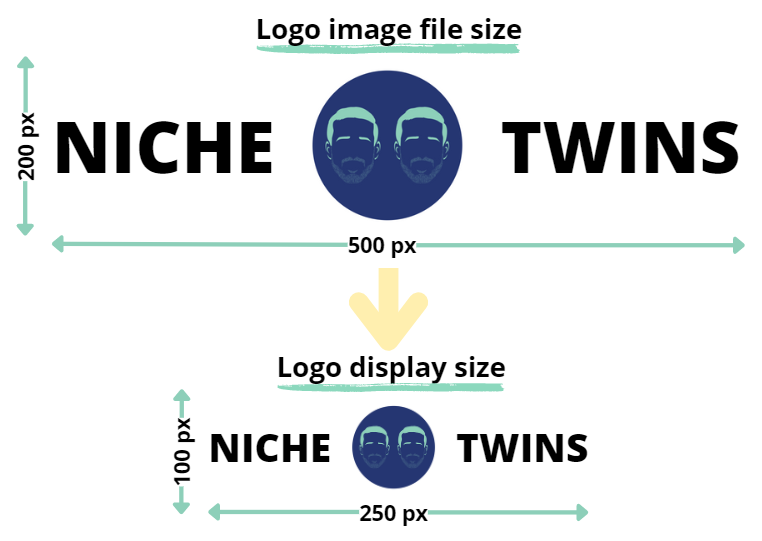
Logos should be visible on all screens. This includes phones, tablets, and computers. Common logo sizes range from 250 x 100 pixels to 400 x 100 pixels. This ensures the logo stays clear and sharp.
Using the right size makes sure the logo fits well. It helps in building trust and brand identity. A well-sized logo creates a good first impression. That’s why logo size is important for any website.
Credit: nichetwins.com
Standard Logo Sizes
The header logo is usually displayed at the top of a page. It should be wide but not too tall. A good size is 250 pixels wide and 100 pixels tall. This size fits well on most screens. It keeps your design clean and professional.
A favicon is a small icon in a web browser tab. It needs to be very small to fit. The best size is 16×16 pixels. This is the standard size for most browsers. A favicon is like your site’s tiny logo.
For mobile devices, logos should be clear and visible. Smaller screens need logos that fit well. A good size is 200 pixels wide and 50 pixels tall. This ensures the logo looks sharp and distinctive on phones.
Responsive Design Considerations
Logos need to work on all screens. They should be scalable. This means they can grow or shrink. A logo might look great on a computer. But it also needs to look good on a phone.
Some logos lose detail if they are too small. It is important to keep key parts clear. A simple design helps. This makes sure every part can be seen.
Clarity is key for logos. They should be clear on any device. Some logos have too much detail. This can make them hard to see. A bold logo is easier to read.
Think about the screen size. A big screen shows more detail. Small screens need less detail. This keeps the logo clear and easy to see.
Credit: enginescout.com.au
Tools For Resizing Logos
Graphic design software helps make logos the right size. Tools like Adobe Photoshop and Illustrator are popular. These tools offer many options for resizing. They keep the logo clear and neat. Canva is another option. It is user-friendly and great for beginners. This software works online, making it easy to access anywhere.
Online resizing tools are simple and quick. Websites like ResizePixel and PicResize are helpful. They do not need downloads. Just upload your logo and choose the size. The process is fast and saves time. These tools are great for people with little time. They are also free to use. This makes them a good choice for small budgets.
Best Practices For Logo Upload
Choose the right file format for your logo. Use PNG for logos with transparent backgrounds. JPEG works for colorful, non-transparent logos. Quality matters too. A high-quality logo looks sharp and clear. Avoid pixelated images. They look unprofessional and messy. Keep the logo size between 100KB and 200KB. This ensures good quality without slow loading.
Fast loading is key. A slow logo can frustrate visitors. Optimize your logo for speed. Use the right size. 250px by 100px is a good start. Compress the logo file. Tools like TinyPNG help reduce size. Smaller files load faster. Your website will perform better. Everyone loves a quick site. It’s important for user experience and SEO.
Common Mistakes To Avoid
Choosing the wrong logo size in WordPress can impact your site’s appearance and performance. Avoid using oversized logos that slow down page loading. Ensure your logo fits neatly without distorting the header design.
Overcomplicating Design
A logo should be simple and clear. Too many colors or details can make it hard to read. Simple shapes and bold colors work best. Avoid using more than two fonts. Consistency is key. The design should look good on all devices. Keep the design easy to recognize.
Ignoring White Space
White space is the empty space around your logo. It helps the logo stand out. Without enough white space, the logo can look cramped. Crowded designs are hard to focus on. White space gives the logo room to breathe. It makes the logo easier to see and remember. Use white space to make a clear and balanced design.

Credit: yaycommerce.com
Frequently Asked Questions
What Is The Ideal Logo Size For WordPress?
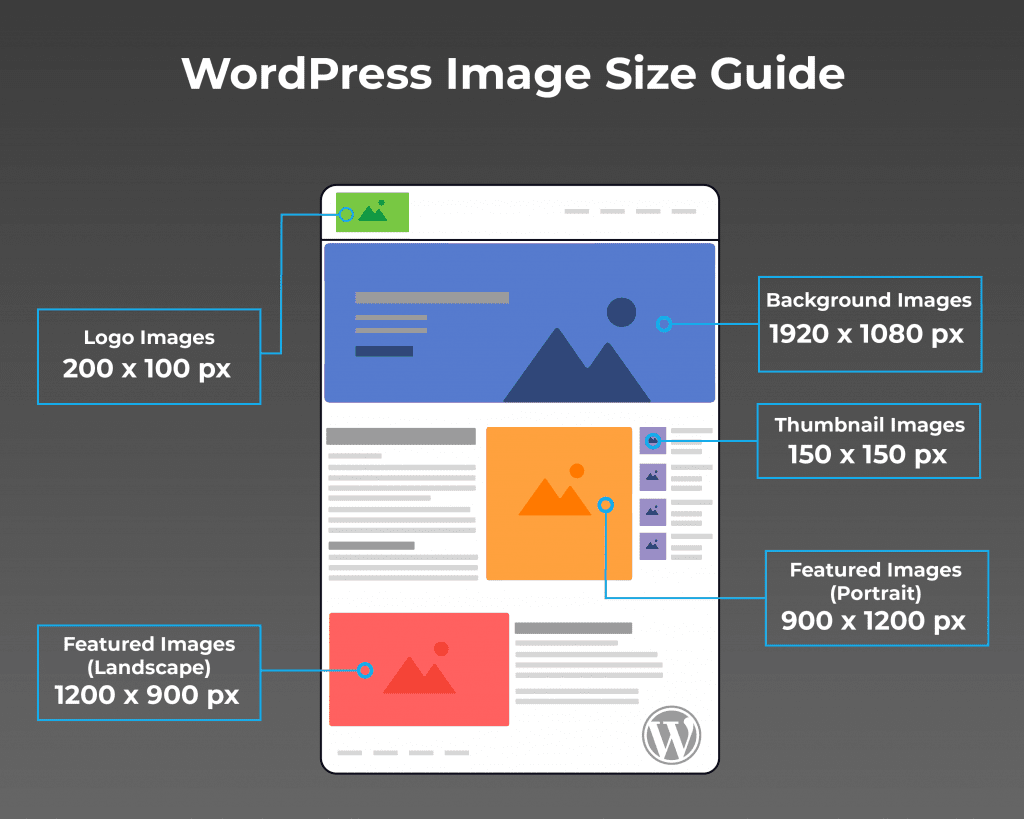
The ideal logo size for WordPress is 200 x 100 pixels. This size ensures clarity and visibility without overwhelming the header space. Always check your theme’s documentation for specific recommendations. Additionally, use vector formats for scalability.
How Do I Resize A WordPress Logo?
To resize a WordPress logo, use an image editing tool. Adjust dimensions to fit within your theme’s specifications. After resizing, upload the logo through the WordPress Customizer. Ensure the logo maintains quality and clarity.
Why Is Logo Size Important In WordPress?
Logo size affects website aesthetics and loading speed. A well-sized logo ensures professional appearance and user-friendly navigation. Large logos may slow down site performance. Proper sizing enhances brand visibility and consistency.
Can I Use A Svg Logo In WordPress?
Yes, you can use an SVG logo in WordPress. SVG logos are scalable and maintain quality across devices. To enable SVG support, use a plugin or modify your theme. Always ensure SVG files are secure.
Conclusion
Choosing the right logo size for your WordPress site is vital. It ensures your brand looks professional and clear. Always consider the space where the logo will appear. A logo that’s too big or small can harm your site’s appeal.
Test different sizes to see what fits best. Remember, a responsive design helps with different devices. Keep your logo simple for better recognition. A well-sized logo enhances your site’s user experience. It makes your brand memorable. So, spend time finding the perfect size.
Your brand’s image depends on it.


