
When someone lands on your WordPress homepage, you have mere seconds to make a lasting impression. What do your visitors see first?
Does it capture their interest, or does it make them click away? Imagine your homepage as the front door to your digital world. It should be welcoming, engaging, and a true reflection of what you offer. But how do you ensure that it ticks all the right boxes?
In this guide, we’ll uncover the essential elements that should be front and center on your homepage. By the end, you’ll know how to craft a homepage that not only grabs attention but also encourages visitors to stay, explore, and ultimately become loyal followers. Ready to transform your online entrance into a powerful magnet? Let’s dive in.
Importance Of A Compelling Homepage
A homepage is the first thing visitors see. It sets the tone for your website. A clear and neat design matters. People decide fast if they will stay. Use bright images and simple words. Make sure the navigation is easy. Visitors should find key information quickly. A good homepage leads to more visits. It helps in building trust with users.
Show them what your site is about. Use headings to guide them. Highlight what makes your site special. Offer a call-to-action. Invite them to explore more. A strong homepage keeps them interested. It encourages them to come back. Make a good first impression. It matters a lot.

Credit: crowdsignal.com
Clear Branding Elements
Logo placement is very important. It should be easy to find. Place it at the top left corner. Many people look there first. This makes it easy for visitors to know your brand.
Color scheme consistency helps in making your website look neat. Use the same colors everywhere. It should match your logo. This helps visitors remember your brand better.
Tagline visibility is key for clear branding. It should be short and catchy. Place it near the logo. Visitors can understand your brand quickly. Make sure it stands out.
Navigation And Accessibility
Visitors should find your WordPress homepage easy to navigate and accessible. Clear menus and readable text ensure a smooth experience. Highlight important sections to guide users effectively and enhance their browsing journey.
Simple Menu Design
A menu should be easy to use. Visitors must find what they need quickly. Use clear labels for each menu item. Don’t use too many words. Keep it short and simple. Make sure the menu is not too crowded. Visitors should not feel lost. Use familiar terms. This helps users feel comfortable.
Search Functionality
A search bar helps visitors find things fast. Place it at the top. It should be easy to see. Users can type in keywords. They get results quickly. Make sure it works well. This makes visitors happy. They stay longer on your site. More visits mean more success.
Mobile Responsiveness
Many people use phones for browsing. Your site must look good on small screens. Buttons and links should be easy to tap. Content must fit on the screen. No need to scroll left or right. Test your site on different devices. Ensure it works everywhere. This keeps visitors engaged.
Credit: www.lytics.com
Engaging Visuals
Big hero images grab attention fast. They tell a story. Videos do this too. They can be quick and fun. Show what your site offers. Make it clear and bright.
Call-to-action buttons are key. They guide visitors. Make them easy to see. Use bright colors. Clear words work best. Simple phrases lead to action. “Buy Now” or “Learn More”. That’s how you get clicks.
Image sliders show more in less space. Visitors love them. Galleries show a collection. Display products or ideas. Keep it organized. Show the best images first. Make it interesting.
Content Highlights
Featured articles catch attention. Highlight them on the homepage. Show top articles. Display popular products. Visitors love easy access. Make them visible. Engage your audience quickly. They stay longer. They explore more. Boosts interest and clicks.
Latest news keeps visitors informed. Share updates often. Fresh content attracts. Regular updates show activity. Share exciting news. Highlight changes. Visitors like current events. They feel connected. They return for more.
Testimonials build trust. Share happy customer stories. Positive reviews impress visitors. Display them proudly. Honest feedback matters. It guides new visitors. Makes decisions easy. Reviews boost confidence. Happy customers share their thoughts. People trust real experiences.
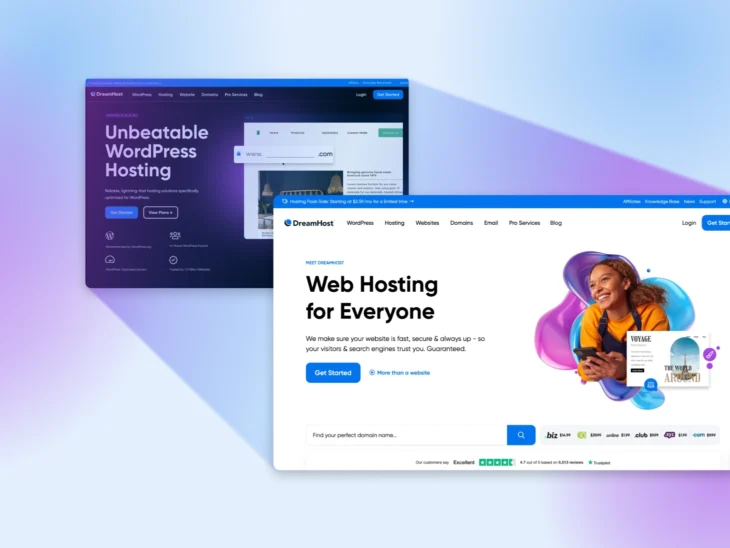
Credit: www.dreamhost.com
Social Proof And Trust Indicators
Client logos tell visitors you work with big names. They help build trust. People trust brands they know. Show logos proudly on your homepage. Make sure they are clear and visible.
Accreditations show you meet important standards. Certifications tell visitors you are skilled. These symbols boost trust quickly. Display them where they stand out. Visitors feel safer with them.
Reviews share what others think of you. Good reviews make people happy. They trust your services more. Show real customer words. Use stars and ratings for quick reading.
Contact Information
Make sure your email and phone number are easy to find. Place them at the top of your homepage. This helps visitors reach you quickly. Double-check your contact details. Correct any mistakes.
Add links to your social media profiles. This lets visitors connect with you. Use icons that are clear and visible. Facebook, Twitter, and Instagram are popular choices. Place them where people can see them easily.
Ensure your contact form is simple to use. It should work on all devices. Test it to avoid any issues. Keep it short with only necessary fields. This way, visitors can message you without hassle.
Loading Speed And Performance
Images make websites beautiful. But they need to load fast. Large images slow down websites. Use smaller images. Compress images before uploading them. This makes the site load quicker. Visitors will love a fast site.
Code is the backbone of a website. Messy code makes sites slow. Clean and neat code is better. Remove extra code lines. Keep it simple. This helps in loading faster. Visitors get happy and stay longer.
Caching saves data for later use. This makes websites faster. Stored data loads quickly. Use caching plugins in WordPress. They help save time. Visitors enjoy fast websites. Fast sites mean happy users.
Frequently Asked Questions
What Elements Are Essential For A WordPress Homepage?
An effective WordPress homepage should include a captivating headline, a clear call-to-action, and engaging visuals. Highlight your unique value proposition and ensure your navigation is intuitive. Incorporate testimonials or reviews to build trust. These elements help visitors understand your brand and encourage them to explore further.
How Can I Optimize My Homepage For Seo?
To optimize your WordPress homepage for SEO, focus on keywords, meta descriptions, and alt tags. Use headings effectively and ensure fast loading times. Incorporate internal and external links. Ensure your content is valuable and relevant. These strategies can improve your search engine ranking and enhance user experience.
Why Is A Call-to-action Important On A Homepage?
A call-to-action (CTA) guides visitors towards desired actions, like signing up or purchasing. It provides direction and encourages engagement. A well-crafted CTA can significantly boost conversions. Ensure it stands out visually and communicates value clearly. CTAs are crucial for turning visitors into loyal customers or subscribers.
How Can Visuals Enhance A WordPress Homepage?
Visuals on your WordPress homepage can grab attention and convey messages quickly. Use high-quality images, videos, or infographics to engage visitors. They can communicate your brand’s story and values effectively. Ensure visuals are optimized for fast loading. Well-chosen visuals enhance user experience and keep visitors interested.
Conclusion
Crafting the perfect homepage can boost visitor engagement. Focus on simplicity and clarity. Show visitors what your site offers right away. Use strong visuals to catch their attention. Ensure easy navigation for a seamless experience. Every element should align with your brand message.
Highlight key information to guide visitors effectively. Keep content updated to retain interest. A well-designed homepage makes visitors stay longer. Remember, your homepage is the first impression. Make it count.


