
Have you ever stumbled upon the term “xmlrpc.php” while managing your WordPress site and wondered what it actually does? You’re not alone.
Many WordPress users encounter this mysterious file and are left scratching their heads. Understanding xmlrpc. php is crucial, as it plays a pivotal role in how your WordPress site communicates with the outside world. But here’s the catch: it can also be a double-edged sword if not managed properly.
In this post, we’ll unravel the mystery behind xmlrpc. php and explain why it’s both a helpful tool and a potential risk. You’ll discover its functions, benefits, and what you need to do to safeguard your site against potential vulnerabilities. By the end of this article, you’ll not only know what xmlrpc. php is used for, but also how to use it to your advantage while keeping your site secure. Ready to dive in? Let’s get started!
Credit: blog.sucuri.net
Xmlrpc.php Basics
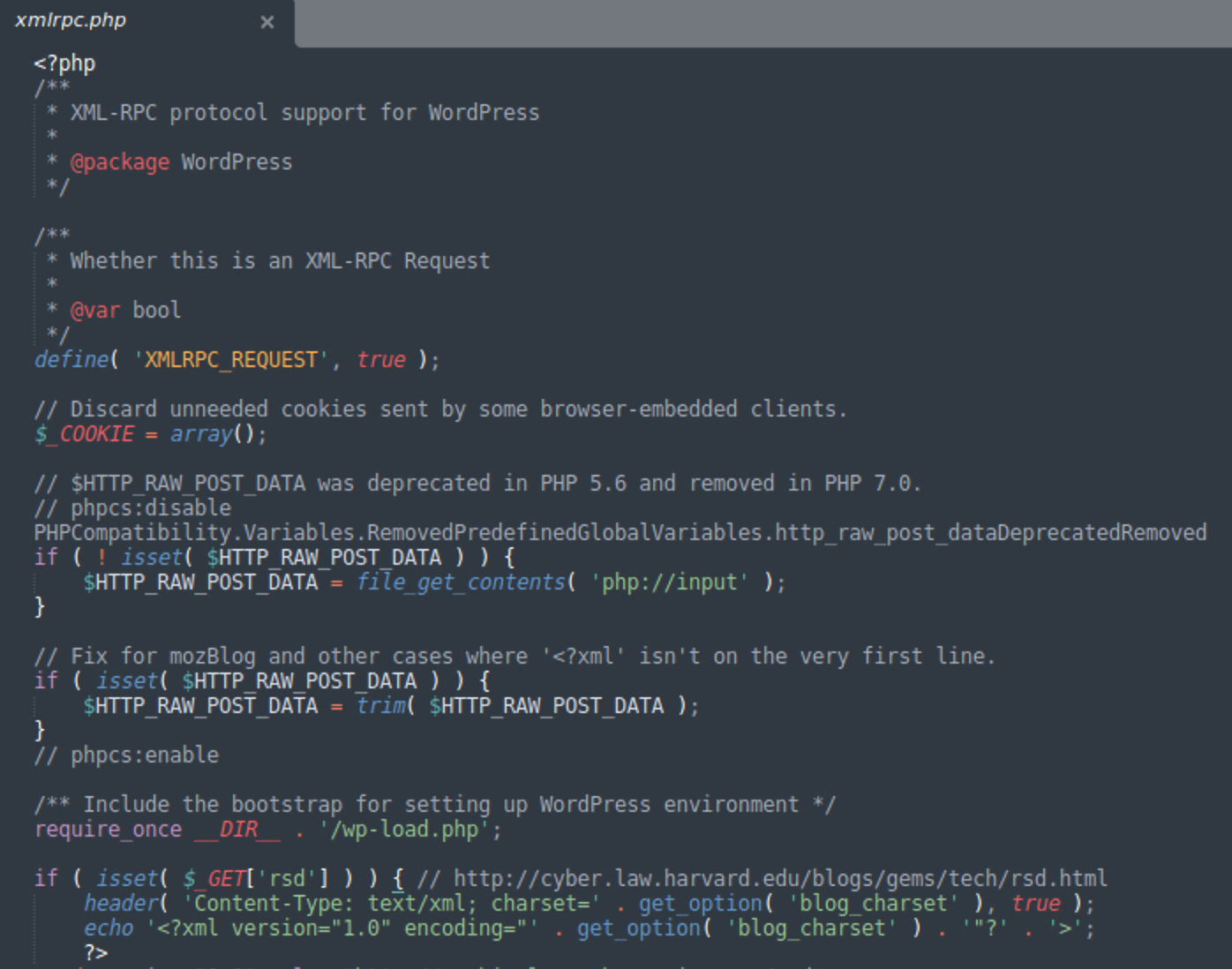
Xmlrpc.php is a special file in WordPress. It helps apps talk to your website. This file uses a language called XML-RPC. Apps use this language to send and get data. Xmlrpc.php makes it easy to post blogs. It also helps in controlling comments and settings. This file is like a bridge. It connects your site to other tools and services.
Sometimes, Xmlrpc.php can cause trouble. It can let in bad people who want to hack your site. Many users choose to turn it off. This can make the site safer. But, turning it off stops some apps from working. Users must decide what is best for their website.
Role In WordPress
Xmlrpc.php helps WordPress talk to other sites. It uses Remote Procedure Call. This helps in managing the site from far away. You can post new blogs without logging in. It makes mobile apps work better with WordPress. Some people use it for plugins too. These plugins add new features. Xmlrpc.php is like a bridge. It connects WordPress with other tools.
Security is important here. It can be a target for hackers. So, many people disable it. But, it has its benefits. It helps in automating tasks. Many site owners rely on it. It is a small file, but it does a lot. Knowing its role helps make better choices.
Remote Publishing Capabilities
Xmlrpc.php is a tool in WordPress. It helps with remote publishing. This means you can post content from far away. Using Xmlrpc.php, authors can upload posts without logging in directly. This feature is helpful for mobile apps. It allows easy blog updates from phones. Many plugins use Xmlrpc.php for extra functionality. It also connects WordPress with other platforms. This makes sharing content simpler. Xmlrpc.php is important for blogs with multiple authors. It lets them publish from different places. This keeps the blog active and fresh.
Mobile App Integration
Mobile apps need to connect to websites. WordPress uses xmlrpc.php for this. This file helps apps talk to WordPress. It allows them to share information. This is important for app updates. Users can update their blogs from the app. They don’t need a computer. This makes things easier. The process is fast and smooth.
Many apps use this feature. It helps them stay current. Users like this convenience. They can write posts on the go. Security is important too. WordPress works hard to keep it safe. Developers keep improving it. They fix problems when they arise. This keeps users happy and secure.
Security Concerns
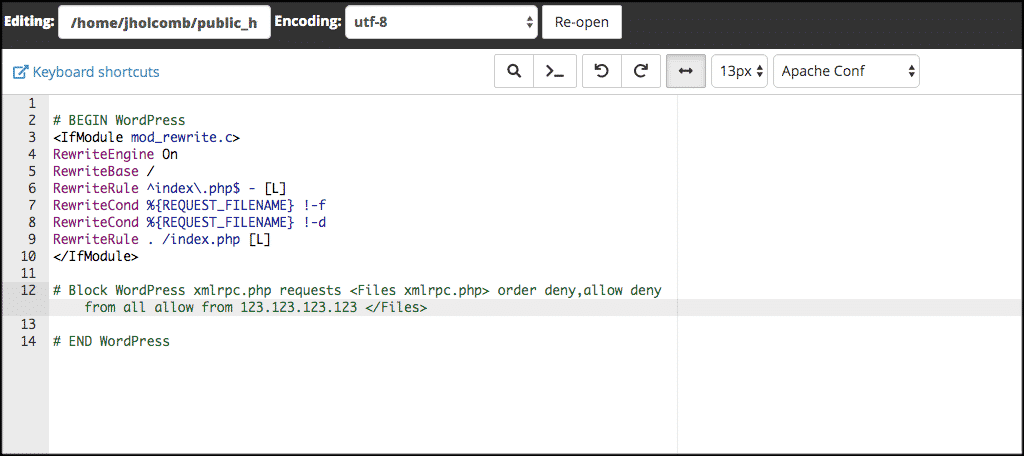
Xmlrpc.php can be a target for hackers. They use it to break into your site. Attackers often try brute force methods. These methods guess passwords many times. This can slow down your site. Hackers may also use it for DDoS attacks. These attacks flood your site with traffic. Your site might crash or become very slow. It’s important to protect xmlrpc.php. Use a plugin to limit access. You can also block it with your server settings. Keeping it safe is crucial.
Credit: www.greengeeks.com
Common Vulnerabilities
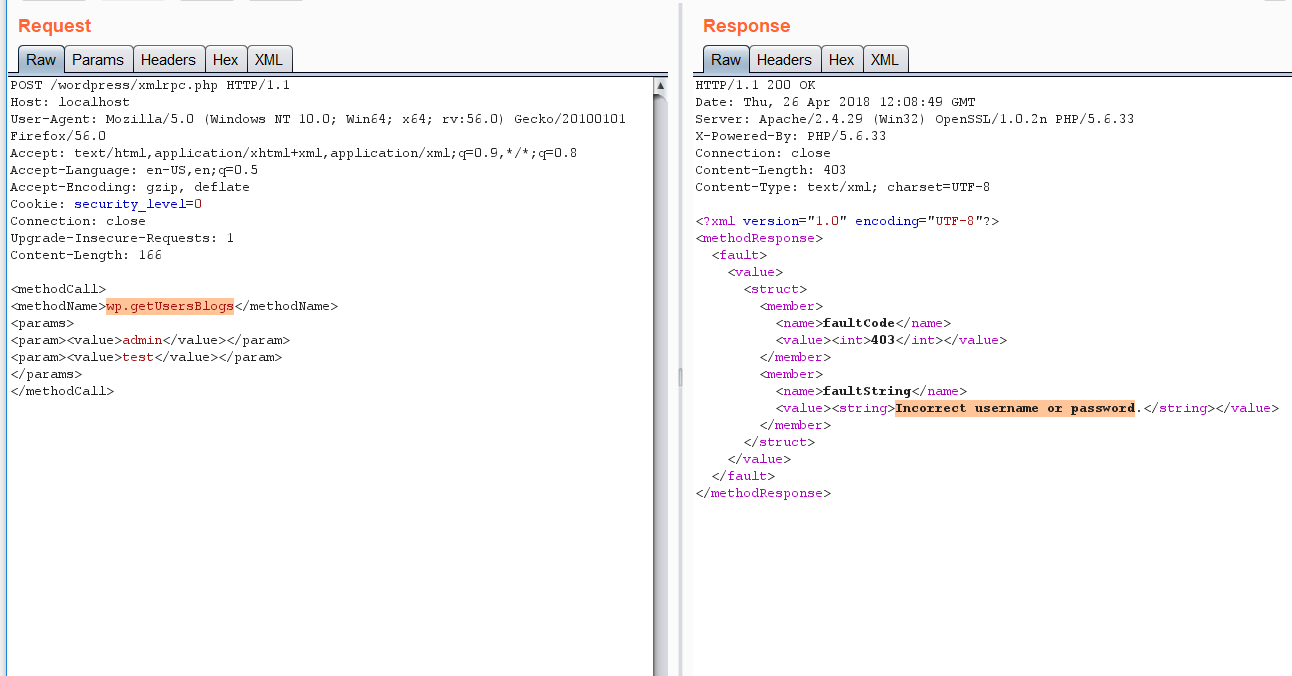
Xmlrpc.php can make WordPress sites unsafe. Hackers often use it to attack. They send many requests to overload the server. This is called DDoS attacks. Another danger is brute force attacks. Hackers try many passwords to get in. They use xmlrpc.php to do this fast. Sometimes, they use it to change or delete data. Data loss can be very bad for users. It is important to protect your site from these risks.
Blocking xmlrpc.php can help. Many plugins can do this. They make your site safer. Keeping your WordPress updated is also key. Updates fix bugs and improve security. You should always be careful with your site settings. Check them often to ensure safety.
Mitigation Strategies
Xmlrpc.php can be a target for hackers. It is important to protect your site. One strategy is to disable xmlrpc.php if not needed. This reduces risk. Use plugins to block suspicious requests. Plugins are helpful and easy to use. Check your site logs often. This helps to spot problems early. Keep WordPress updated. Updates fix security holes. Always use strong passwords. Passwords should be hard to guess. Limit login attempts to your site. This prevents unauthorized access.
Credit: the-bilal-rizwan.medium.com
Alternatives To Xmlrpc.php
Xmlrpc.php can cause security issues. Many sites are moving away from it. REST API is a popular choice. It is safer and faster. It helps to connect apps easily. GraphQL is another option. It gives more control over data. It is flexible and efficient.
JSON is simple and lightweight. Many developers prefer JSON. It is easy to use with JavaScript. SOAP is used for complex tasks. It supports different protocols. It is reliable for enterprise solutions. Developers must choose the right tool. Security and performance are key factors. These alternatives offer better security. They improve site functionality.
Future Of Xmlrpc.php In WordPress
Xmlrpc.php helps WordPress talk to other systems. It allows remote publishing. Users can post without logging in. They use apps or software to publish. This tool has been around for years. But, it has some issues. Hackers sometimes target it. So, it may change soon.
Developers are finding better ways. REST API is one option. It is newer and safer. Many think it will replace xmlrpc.php. Security is important for websites. So, WordPress wants the best tools. Xmlrpc.php still works now. But its future is not clear. Users should stay updated. They should know about changes. This helps keep sites safe and running well.
Frequently Asked Questions
What Is Xml-rpc In WordPress?
XML-RPC is a protocol in WordPress that allows remote procedure calls. It enables external applications to interact with WordPress sites. This feature allows users to publish content, manage comments, and perform other administrative tasks remotely. XML-RPC was introduced to facilitate connections with mobile apps and third-party services.
How Does Xmlrpc.php Improve WordPress Functionality?
The xmlrpc. php file enhances WordPress by enabling remote management capabilities. It allows external applications and services to interact with WordPress. This includes publishing new posts, editing content, and managing comments. It is especially useful for mobile apps and external platforms needing WordPress integration.
Is Xmlrpc.php A Security Risk For WordPress?
Yes, xmlrpc. php can pose security risks if not managed properly. It is often targeted for brute-force attacks and DDoS attempts. Disabling it can prevent unauthorized access and improve site security. However, if you need its functionality, consider using security plugins to limit its vulnerabilities.
Can I Disable Xmlrpc.php In WordPress?
Yes, you can disable xmlrpc. php to enhance security. Many WordPress users disable it to prevent potential attacks. You can achieve this through plugins or by adding code snippets to your. htaccess file. Before disabling, ensure you don’t rely on its functionality for remote management or third-party integrations.
Conclusion
Understanding xmlrpc. php in WordPress is crucial for website security. This file enables remote connections and plugin communications. It also poses security risks if not managed well. Disable it if unnecessary to reduce vulnerabilities. Always keep your WordPress updated to ensure safety.
Use security plugins for added protection. Regularly review your website settings. Stay informed on WordPress updates and security practices. By doing this, you can manage xmlrpc. php effectively. Keep your site secure and running smoothly.


