
Have you ever found yourself puzzled by the term “default domain” in WordPress? If so, you’re not alone.
Many WordPress users encounter this phrase and wonder what it really means for their website. Understanding your default domain is crucial, as it impacts your site’s visibility and user experience. Imagine the frustration of setting up your site only to realize visitors can’t find you.
That’s a scenario you definitely want to avoid. In this post, we’ll demystify what the default domain is in WordPress, why it’s important, and how it influences your website’s performance. Stick with us, and by the end, you’ll have a clear understanding of how to manage your WordPress domain effectively, ensuring your site is both accessible and professional. Ready to unlock this key piece of your online presence? Let’s dive in!
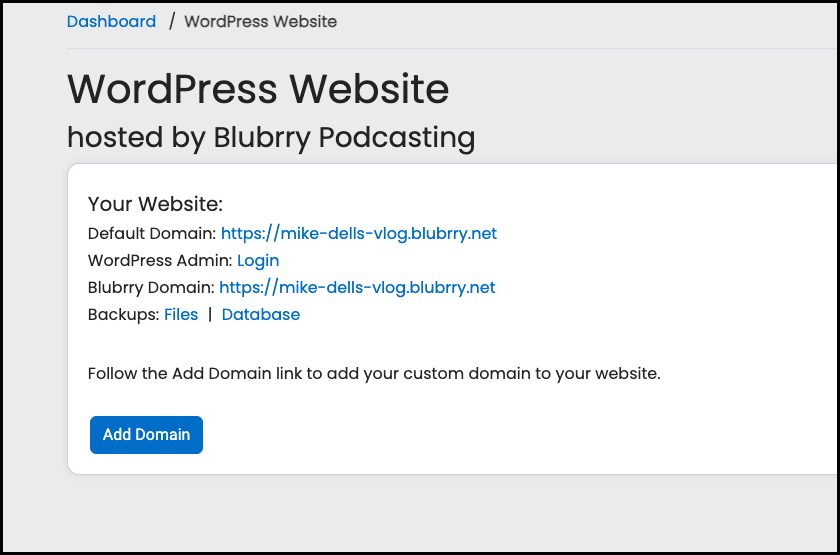
Credit: blubrry.com
WordPress Domains Explained
Every website needs a domain. A domain is like a home address. It helps people find your site. WordPress uses domains to show your content.
Default domains are set by WordPress. They help new users start quickly. You can change your domain later. Many users pick a custom domain for their website. Custom domains make your site look unique. It is easy to remember too.
Some domains are free. Others might cost money. Free domains often have limits. Paid domains give more features. Choose a domain that fits your needs. Make sure your domain is easy to spell.
Default Domain Basics
The default domain is like your website’s main address. Everyone uses it to find your site. When you set up WordPress, it asks for this. It could be your site’s name, like “www.mywebsite.com”. Once set, it helps users and search engines find your site.
This address is important. It affects how your site looks online. When people type it, your homepage opens. It’s the starting point for all other pages. Choosing a good name is key. It should be easy to remember and type.
Finding Your Default Domain
Knowing your default domain in WordPress is important. It is the main web address of your site. Sometimes, it can be tricky to find. Go to your WordPress dashboard. Look for Settings. Click it. Then, click on General. You will see a box that says WordPress Address (URL). This is your default domain.
Make sure it is correct. If not, your website may not work well. It should match your site’s main address. If it is different, you might need to change it. Be careful with changes. They can affect how visitors find your site.
Credit: learn.microsoft.com
Changing The Default Domain
Go to your WordPress dashboard. Find the Settings menu and click on it. Look for the General option. Here, you’ll see the WordPress Address (URL) and Site Address (URL). Change these to your new domain. Make sure to save changes. This will update the domain.
Access your server files. Locate the wp-config.php file. Open it with a text editor. Add or edit the following lines:
define('WP_HOME','http://yournewdomain.com');
define('WP_SITEURL','http://yournewdomain.com');
Replace yournewdomain.com with your new domain. Save the changes. This ensures your site uses the new domain.
Troubleshooting Domain Issues
Discover your default domain in WordPress to solve domain issues easily. Navigate to your WordPress dashboard settings. Find the ‘General’ tab to reveal your default domain name. This essential step simplifies managing your website’s domain configuration effectively.
Common Domain Errors
Many face issues with their WordPress default domain. Errors like domain not found or incorrect domain settings are common. Check if the DNS settings are correct. Verify the domain is active and registered. These steps can solve many problems.
Steps To Resolve Domain Problems
First, ensure the domain name is typed correctly. Then, update the DNS records to point to the right server. Clear your browser’s cache and cookies. This can fix display issues. If problems persist, contact the hosting provider. They can help resolve complex domain issues.
Impact Of Domain On Seo
The domain name is very important for SEO. It helps search engines find your website. A good domain makes your site easy to remember. Your default domain is what people type to visit your site. This should be simple and clear.
The default domain shows how a website should be reached. It tells search engines which version to use. This helps in ranking your site better.
A default domain can be with or without “www”. Both are good but stay consistent. If you use “www,” always use it. If you use just the name, stick to it. This avoids confusion for search engines.
- Keep your domain short and simple.
- Make sure it is easy to spell.
- Use keywords if possible.
- Avoid numbers and hyphens.
- Choose a trusted domain extension like “.com”.
Choosing A Custom Domain
Selecting a custom domain on WordPress enhances your site’s identity. The default domain often includes “wordpress. com” in it. Opting for a personalized domain name can make your website more memorable and professional.
Benefits Of A Custom Domain
A custom domain makes your website look professional. It is easier for people to remember. It can boost your brand’s image. Visitors trust sites with a custom domain more. It helps in SEO ranking. Your site will appear higher in search results. A unique domain sets you apart from others. It shows you take your website seriously. An easy-to-remember domain attracts more visitors. Your business grows faster.
How To Select The Right Domain
Choose a domain that matches your brand. Keep it short and simple. Avoid using numbers and special characters. Make sure it is easy to spell. Check if the name is available. Use tools like domain checkers. Avoid names that sound similar to others. Think about future growth. Make sure it can grow with your business. It should relate to your products or services. Keep it unique and catchy.
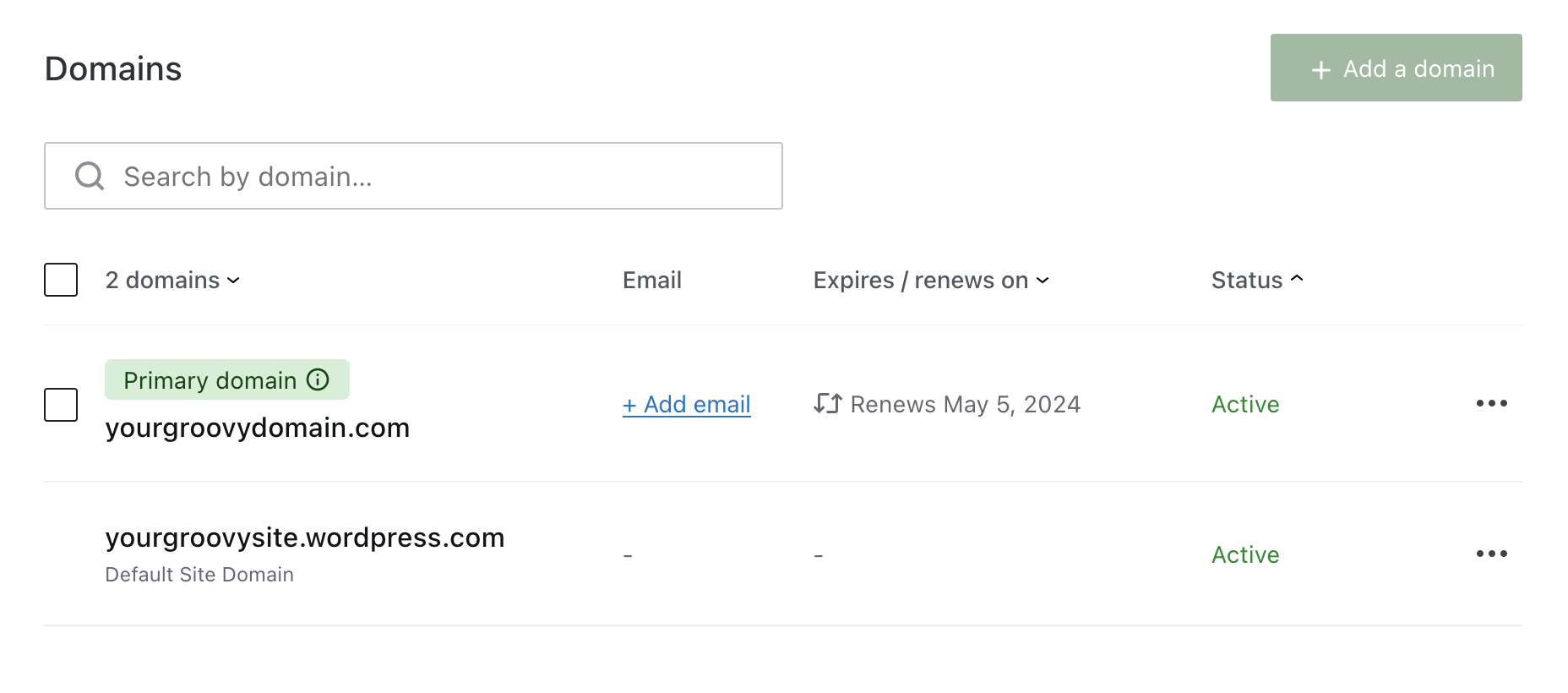
Credit: wordpress.com
Migrating To A New Domain
Start by backing up your website. This keeps your data safe. Next, update your Domain Name System (DNS) settings. This will point your domain to the new site. It’s important to check if all links work. Broken links can confuse visitors.
Redirect old URLs to new ones. This helps users find pages easily. Test your website thoroughly. Check every page and feature. Make sure everything functions well. Update your sitemap and submit it to search engines. This helps search engines index your site.
Monitor traffic after migration. Watch for any drops in visits. Fix any issues quickly. Communicate changes to your audience. Let them know about the new domain. Keep them informed. Lastly, maintain regular updates. This ensures your site stays fresh and relevant.
Frequently Asked Questions
What Is The Default Domain In WordPress?
The default domain in WordPress is usually the URL you set during installation. It is the address users type in their browsers to access your site. You can find it in the WordPress settings under “General. ” Changing this domain can affect your site’s accessibility.
How Do I Find My WordPress Default Domain?
You can find your WordPress default domain by navigating to the “Settings” tab in your WordPress dashboard. Under “General,” you’ll see your site’s URL listed as the “WordPress Address (URL)” and “Site Address (URL). ” These fields indicate your default domain.
Can I Change My WordPress Default Domain?
Yes, you can change your WordPress default domain. Go to “Settings” in your WordPress dashboard and click on “General. ” Update the “WordPress Address (URL)” and “Site Address (URL)” fields. Ensure you have the necessary domain configurations to avoid site issues.
Why Is My Default Domain Not Working?
Your default domain might not work due to DNS issues or incorrect server settings. Ensure your domain is registered and DNS settings are correct. Also, check your hosting provider’s configurations. If issues persist, contact your hosting provider for assistance.
Conclusion
Understanding your default domain on WordPress is essential. It helps streamline your website management. Knowing the basics enhances your site’s functionality. This knowledge supports better decision-making for domain settings. Always remember to check your WordPress settings. Keep your domain consistent for easy access.
A consistent domain improves user experience and search engine ranking. Don’t overlook this aspect of WordPress management. It significantly impacts your site’s success. Keep exploring and learning for a better WordPress experience. Your website will benefit greatly from this knowledge.
Happy WordPress managing!


