
Have you ever wondered what exactly a “Single Post” is in WordPress and why it matters? Whether you’re new to WordPress or just looking to enhance your blogging skills, understanding the concept of a single post can make a world of difference.
Imagine having the power to control how your individual blog entries are displayed and accessed by your audience. This isn’t just about aesthetics; it’s about crafting a compelling narrative that keeps readers hooked and eager to explore more of your content.
By grasping the nuances of a single post, you’re not only enhancing your blog’s user experience but also boosting its visibility and engagement. Ready to unlock the secrets behind crafting a perfect single post in WordPress? Let’s dive in and transform the way you connect with your audience!
Single Post In WordPress
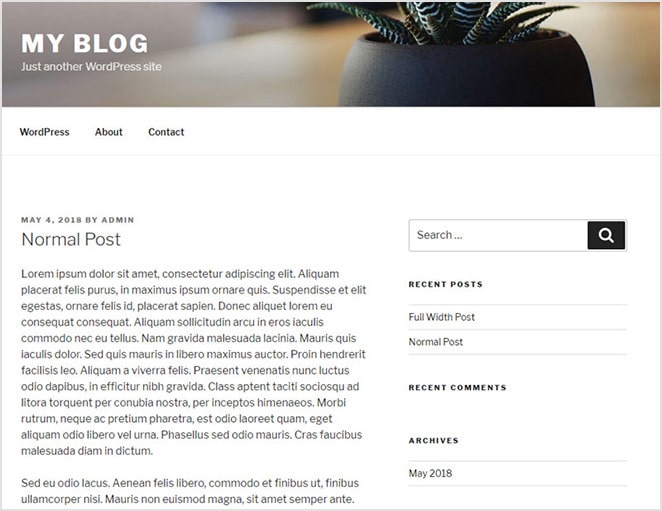
A single post in WordPress is a specific article or entry. It is part of a blog or website. Each post has a unique URL. Readers can find it easily. Posts usually have a title, content, and date. They may include comments, tags, and categories. This helps with organization and search.
Single posts have many features. They can include images and videos. Authors can add links to other pages. Posts can be shared on social media. This helps reach more people. Readers can leave comments. This allows interaction with the author.
Single posts help share ideas. They are important for communication. They can attract readers to a site. This helps with SEO and visibility. Regular posts keep a website fresh.
Key Features
Permalinks are the web addresses for your posts. They help in finding your post easily. You can set them in WordPress settings. Choose a style that is simple. This helps people to remember it. A good permalink is short and clear. It should have the post title in it. This makes it easy for search engines too.
Metadata is like a summary of your post. It includes the author’s name, date, and category. Readers find this information helpful. It tells them who wrote the post. And when it was written. Categories help to group similar posts. This makes browsing easier.
The comments section allows readers to share thoughts. It is found below the post. This section encourages interaction. Readers can ask questions here. Or they can give feedback. This makes the blog lively. Blog owners can reply to comments. This helps in building a community.
Customization Options
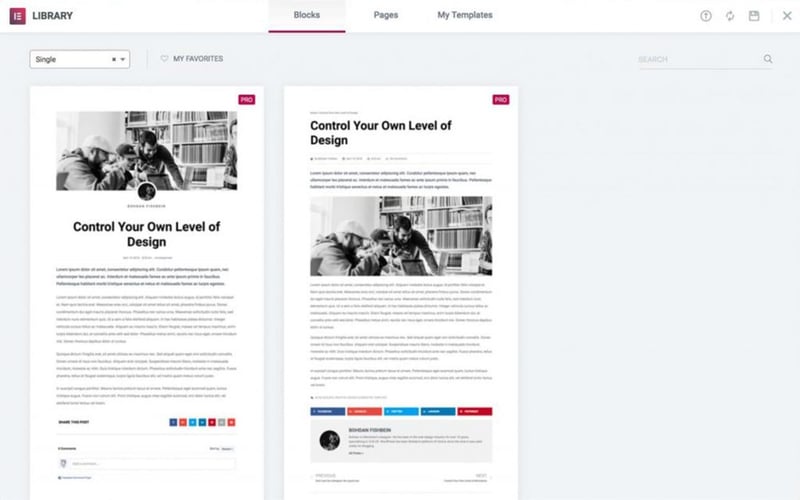
WordPress offers many themes to choose from. Each theme changes the look of your site. Templates help in setting the layout of your posts. Changing templates is easy. You can also use page builders. They make designing fun and simple. Kids can do it!
Plugins add extra features to your posts. Some plugins make your site faster. Others help with SEO. There are plugins for social media sharing too. You can find both free and paid plugins. Most plugins are easy to install. They make your site better in many ways.
Credit: elementor.com
Seo Considerations
Creating high-quality content is vital for SEO. Use simple words and short sentences. Make sure your content is clear and easy to read. Add relevant keywords naturally. They help search engines understand your content. Keep paragraphs short. This makes them easy to read and follow. Use bullet points for lists. They break up the text nicely. Engage your readers with interesting information. Keep them on the page longer.
Tags and categories help organize your posts. They make it easier for users to find content. Tags are specific labels for topics. Categories are broader groups. Use tags wisely. They should match the post topic. Categories should cover larger themes. Both help with navigation. They improve the user experience. Good structure aids SEO performance. It helps search engines index your site.
Benefits Of Single Posts
Single posts help readers focus on one topic. This is great for keeping their attention. Readers can easily find what they want. No need to search through many topics. This makes reading fun and simple.
With single posts, content is clear and easy to read. No extra distractions. Readers stay on topic. They get the main idea quickly. This is good for learning new things.
Single posts make readers feel involved. They can comment and share ideas. This builds a community. People love to be part of something. It makes them come back for more.
Credit: toolset.com
Common Challenges
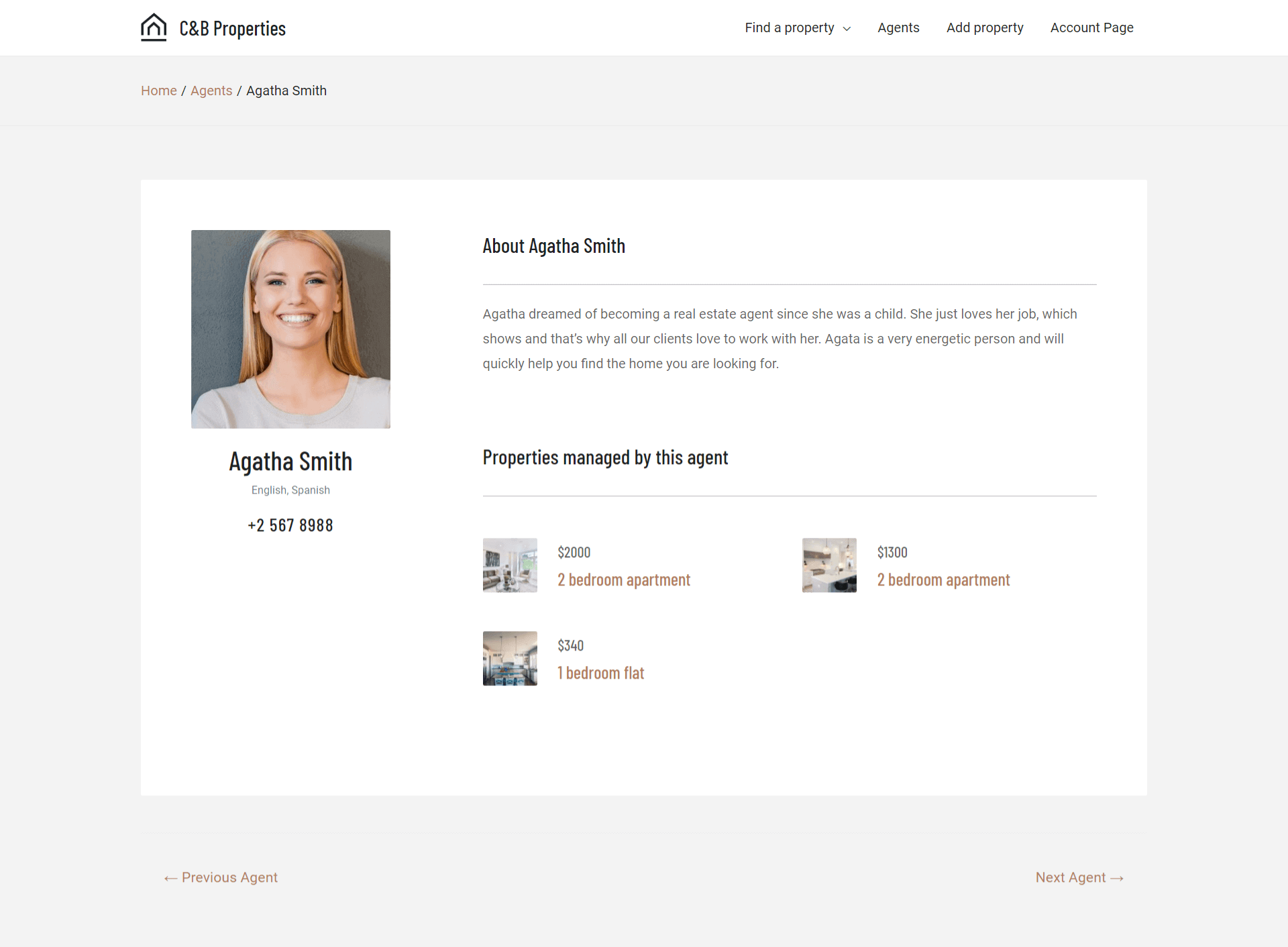
Keeping a consistent design can be tricky. Each post should match the site’s style. Fonts, colors, and layout need to be the same. Visitors get confused if each post looks different. Design should follow the theme of your site. Consistency helps build trust. It makes your site look more professional. Pay attention to small details. They make a big difference. Make sure each post aligns with your overall design vision.
Slow loading speed is a big issue. Visitors leave if a page takes too long to load. Images should be optimized. Large files slow down your site. Use plugins to help speed things up. Reduce unnecessary scripts. They can delay loading time. Aim for a fast and smooth user experience. Keep your site light and efficient. Quick loading keeps users happy. They are more likely to stay and read your posts.
Best Practices
Effective Use of Visuals can enhance a blog post. Pictures and videos make content more engaging. They catch the reader’s eye. Images should be clear and relevant. Always use high-quality visuals. This makes the blog look professional. Videos should be short and to the point. Keep the visuals related to the topic. This helps readers understand better. Ensure images have alt text. It helps those who can’t see them. Alt text describes the image. It also helps with SEO.
Encouraging Comments creates a sense of community. Ask readers questions. This makes them want to reply. Thank them for their feedback. Respond to comments quickly. This shows you care about their opinions. Keep the tone friendly and open. Invite readers to share their thoughts. A lively comment section attracts more readers. It makes the blog more interactive.
Credit: wpengine.com
Frequently Asked Questions
What Is A WordPress Single Post?
A WordPress single post is an individual blog entry. It showcases detailed content like text, images, and media. Single posts are essential for sharing specific topics, opinions, or news. They allow for comments and interaction, enhancing user engagement. Each post has a unique URL, making it easily shareable and searchable.
How Do I Create A Single Post In WordPress?
Creating a single post in WordPress is simple. Navigate to your WordPress dashboard. Click on “Posts” and then “Add New. ” Enter your content, add images, and format as needed. Once satisfied, click “Publish. ” Your post will now be live on your site, accessible to all visitors.
What Are The Benefits Of Using Single Posts?
Single posts in WordPress offer several benefits. They enhance SEO by targeting specific keywords. Each post engages readers with focused content. They encourage user interaction through comments. Single posts also allow easy sharing on social media. They contribute to building your site’s authority and content richness.
Can I Customize A Single Post Layout?
Yes, you can customize a single post layout in WordPress. Use themes or page builders for layout adjustments. Modify elements like headers, footers, and sidebars. Add widgets and plugins for enhanced functionality. Customization helps create a unique and engaging reader experience, aligning with your brand identity.
Conclusion
Understanding a single post in WordPress boosts your blogging skills. It helps in organizing content effectively. Readers find it easier to navigate your blog. This improves user experience. Better user experience can lead to more engagement. Engagement often means more traffic.
Traffic is crucial for any blog’s success. Single posts also enhance SEO. They make content clear and focused. This clarity benefits both readers and search engines. So, mastering single posts is essential. It’s a simple step towards a better blog.
Start refining your WordPress skills today. Your blog will thank you.


