
Are you looking to enhance your WordPress site with a modern design that’s as flexible as it is functional? Imagine creating a website layout that adapts effortlessly to different devices and screen sizes, all while giving you the power to customize every detail with ease.
In this post, we’ll dive into the world of WordPress themes and show you how to create a widgetized Flexbox design. You might be wondering what makes Flexbox so special. Well, it’s like giving your website a secret weapon — the ability to organize content beautifully without the headaches of traditional layout methods.
Whether you’re a seasoned developer or a passionate blogger, understanding how to harness the power of Flexbox within WordPress can transform how you manage your site’s appearance and functionality. We’ll break down the process into simple steps, guiding you through every aspect, from setting up your Flexbox layout to seamlessly integrating widgets that boost your site’s interactivity. By the end of this guide, you’ll have the skills to make your WordPress theme both visually stunning and user-friendly. Keep reading, because mastering these techniques could be the key to elevating your website to new heights!
Credit: elementor.com
WordPress Themes Basics
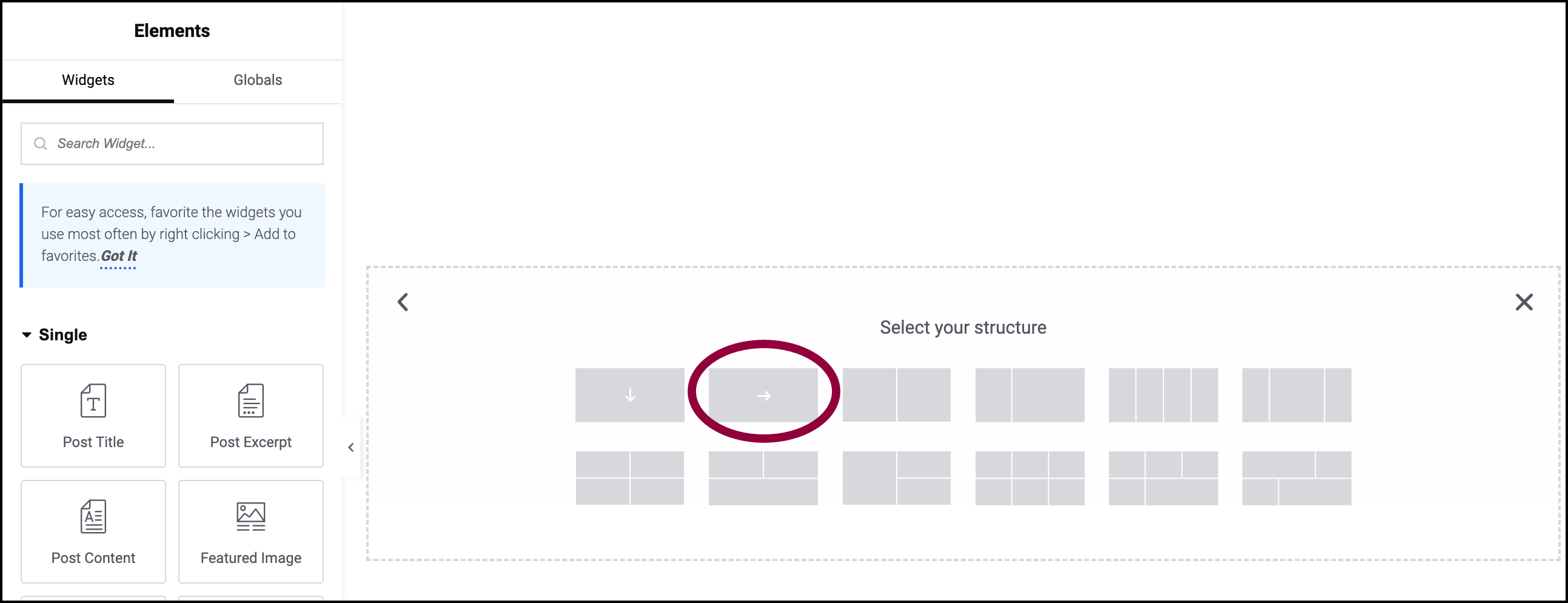
Creating widgetized Flexbox in WordPress themes involves customizing layouts for flexibility and responsiveness. It allows easy organization of widgets in various areas of a website. With basic understanding of Flexbox properties, developers can enhance user experience through structured and adaptable design.
Theme Structure
A WordPress theme is like a house for your site. It has a header, footer, and many sections in between. Each part does a different job. The header usually shows your site’s name. The footer tells people more about you. Other parts can show text, images, or videos. Themes help your site look good and work well. They make your site special and unique.
Understanding Widgets
Widgets are small blocks on your site. They can show text, images, or links. Widgets make your site look fun and useful. You can find them on the side or bottom of a page. Most themes allow you to add or move widgets. You do this by dragging them with your mouse. Some common widgets include a search bar, recent posts, and categories. They help visitors find what they need quickly. Widgets make your site easy to use.
Credit: elementor.com
Introduction To Flexbox
Flexbox is a layout model. It helps design websites easily. Items can be aligned and distributed in a container. This model is responsive. It adjusts to different screen sizes. Flexbox offers flexibility. It makes building layouts simple and efficient.
Flexbox uses containers and items. Containers hold items. Items are flexible within the container. You can set direction. Items can be placed in rows or columns. Spacing is easy to control. Align items with ease. Choose how items appear. Use justify-content and align-items. These properties control placement. Flexbox is powerful for layout design.
WordPress themes use Flexbox. Flexbox helps create widgetized areas. You can add widgets in many places. It makes themes customizable. Themes look modern and responsive. Flexbox increases design options. Themes are easy to adapt. WordPress users enjoy better layouts. Flexbox is a great tool for WordPress themes.
Creating A Widgetized WordPress Theme
Start by choosing a basic theme. This will be your foundation. Themes have different styles and features. Look for a theme that’s simple. Flexbox is a good choice for layouts. It’s flexible and easy to use.
Use CSS to adjust your theme. Change colors and fonts. Make sure it’s easy to read. Use media queries for different screen sizes. This will help your site look good on phones and tablets.
Widgets add extra features to your theme. You can add sidebars and footers. First, register the widget areas in your theme. Use functions.php file to do this. Create unique names for each area.
Place widgets in these areas. Use the WordPress dashboard. Drag and drop widgets where you want them. Widgets can be text, images, or links. They help make your site more interactive.
Credit: wpmet.com
Implementing Flexbox In WordPress
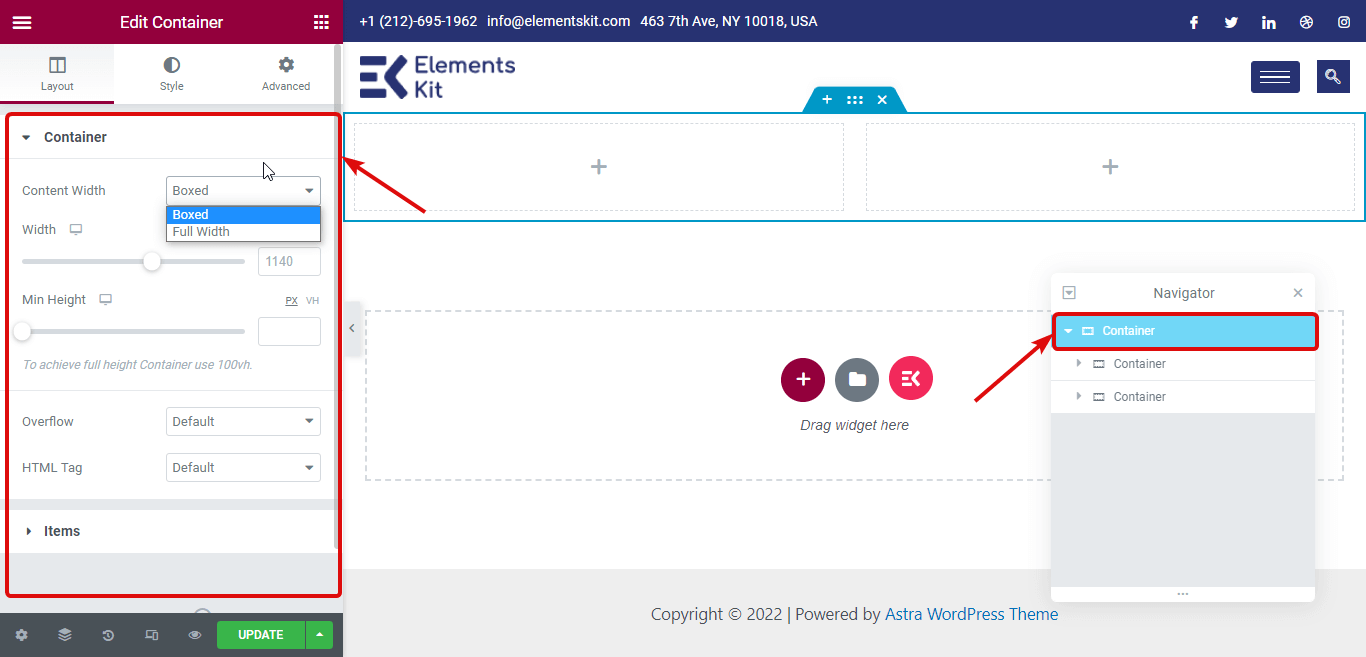
Flexbox can help make your WordPress theme look neat. It helps in aligning items easily. With Flexbox, you can organize widgets in rows or columns. This makes your website look tidy. Each widget can have its own space. This way, nothing looks crowded.
Using Flexbox can make the site flexible. You can adjust the size of items. It means the layout can change as needed. Every part of the page can fit well. This makes your site responsive to different devices. Your site will look good on both phones and computers.
Customizing Widgets With Flexbox
Flexbox helps to arrange widgets neatly. Widgets can be moved easily. Change their size and position with simple commands. Make widgets fit any screen. Flexbox is great for responsive designs. Widgets will look good on all devices. Arrange them in rows or columns. Perfect for any layout needs.
Add more style to widgets with Flexbox. Use CSS to change colors and fonts. Make widgets interactive by adding hover effects. Flexbox allows for nested layouts. Create complex designs with ease. Experiment with different styles. Make your site unique and interesting. Widgets can have animations too. Keep visitors engaged and happy.
Testing And Debugging
Widgets sometimes don’t show up. This can be because of a missing code. Make sure all codes and tags are in place. Sometimes, the layout breaks. This can be because of incorrect flexbox settings. Always check your flexbox properties. Another issue is the theme not loading. This might happen with a large file size. Try reducing the size to fix this.
Different browsers show themes differently. Always test your theme on many browsers. This ensures it looks good everywhere. Also, check on mobile devices. A lot of people use phones. Your theme must be mobile-friendly. Sometimes, plugins may not work. Ensure they are updated. Old plugins can cause issues. Always use the latest version for best results.
Optimizing Performance
Crafting widgetized Flexbox in WordPress themes enhances performance by organizing content efficiently. Flexbox layouts create responsive designs that adapt to any screen size, improving user experience. Widgets provide customizable features, making websites more interactive and engaging for visitors.
Loading Speed
Faster loading speed means happier visitors. It also helps your site rank better. Use lightweight themes to improve loading times. These themes have fewer files and code. Always compress images before uploading them. Smaller images load quicker. Enable browser caching to store data locally. This reduces server requests. Use a Content Delivery Network (CDN) for faster access across regions. Minimize use of external scripts. Each script can slow down your site. Optimize your database regularly. This keeps data organized and quick to access.
Best Practices
Keeping themes updated ensures optimal performance. Updates often fix bugs and improve speed. Limit the number of plugins. Too many plugins can slow down your site. Choose plugins known for efficiency. Use lazy loading for images. This loads images only when visible. Avoid large video files on your homepage. They increase load time. Test your site’s speed often. Tools like GTmetrix can help. Regular checks help maintain performance.
Resources And Tools
Plugins make WordPress fun. Widget Options is a top pick. It helps in customizing widgets easily. Another is Elementor. It allows for drag-and-drop building. Widget Logic is also great. It adds logic to widgets. Try these for more control.
Flexbox Froggy teaches Flexbox with a game. It is fun and engaging. Flexbox Grid offers a simple grid system. It helps in building layouts quickly. CSS Tricks provides a complete guide. It is very detailed and helpful. Use these tools to learn Flexbox better.
Frequently Asked Questions
What Is A Widgetized WordPress Theme?
A widgetized WordPress theme allows users to add dynamic content easily. It integrates flexible widget areas, enabling customization without coding. Users can drag and drop widgets into designated sections. This enhances user experience and design versatility, making it simpler to create engaging websites.
How Does Flexbox Benefit WordPress Themes?
Flexbox offers responsive design capabilities for WordPress themes. It allows elements to adjust based on screen size, ensuring consistency. Flexbox simplifies alignment and distribution of space among items. This results in cleaner layouts, enhancing both aesthetics and functionality across various devices.
Can I Create Custom Widgets In WordPress?
Yes, you can create custom widgets in WordPress. Use the WordPress widget API to define your widget’s structure and functionality. Custom widgets allow for tailored content and design, meeting specific site needs. This helps in enhancing user engagement and site interactivity.
Is Flexbox Compatible With All Browsers?
Flexbox is compatible with most modern browsers, including Chrome, Firefox, and Safari. However, older versions of Internet Explorer may have limited support. Always check browser compatibility to ensure consistent display across devices. Using CSS fallbacks can help manage any discrepancies.
Conclusion
Creating widgetized flexbox themes in WordPress is easier than it seems. Start by understanding basic flexbox properties. Next, integrate these into your theme’s design. Use widgets to enhance your site’s functionality. They offer flexibility and customization. Remember to test your design on various devices.
Ensure responsiveness and user satisfaction. Regular updates keep your theme modern and efficient. With practice, your skills will improve. Soon, you’ll create dynamic and engaging WordPress themes. So, dive in, experiment, and transform your website. Happy designing!


