
Are you feeling frustrated with your WordPress site’s sluggish performance? You’re not alone.
A slow-loading website can drive visitors away before you even have a chance to showcase your content or products. But here’s the good news: the culprit might just be a few heavy plugins slowing things down. Imagine being able to pinpoint exactly which plugins are causing the lag and regaining control over your site’s speed.
That’s exactly what we’re going to explore here. By identifying these slow plugins, you can enhance your site’s performance, improve user experience, and boost your SEO rankings. Curious to know how you can make your WordPress site faster and more efficient? Let’s dive in and uncover the secrets to a quicker, smoother website.
Identifying Slow Plugins
Websites get slow sometimes. It happens without warning. Maybe pages load slowly. Or images take forever to appear. These are signs of performance issues. Slow plugins might be the cause. Plugins can eat up resources. They can make your site drag. Visitors get frustrated. They leave quickly. This is bad for business. A fast site keeps them happy.
Some plugins are guilty. They make sites slow. Heavy plugins cause trouble. Too many plugins can be bad too. Some popular ones are known for this. Security plugins often slow things down. Backup plugins might do the same. Even social sharing plugins can be sneaky. They seem harmless but they lag the site. Be careful with these types. Choose plugins wisely.
Credit: chriswiegman.com
Tools For Diagnosing Performance
WordPress has tools to see plugin speed. Use the Site Health tool. It shows your site’s health. Query Monitor plugin can help too. It checks slow queries. These tools are easy to use.
Many plugins check site speed. P3 (Plugin Performance Profiler) is one. It shows which plugins are slow. GTmetrix is another. It gives detailed reports. These plugins help make your site faster.
Some tools work online. Pingdom checks load time. It shows fast and slow parts. Google PageSpeed Insights is free. It gives tips to speed up your site. These tools are easy to use.
Analyzing Plugin Impact
Plugins can slow down your website. Some plugins take longer to load. You need to check each plugin’s load time. Tools can help you measure this. Look for plugins that slow your site. You might need to replace or update them. Fast plugins are better for your site.
Compare plugins to see which are fast. Some plugins use more resources. These plugins might slow your site. Testing helps find fast plugins. Pick plugins that perform well. Remove plugins that slow your site.
Optimizing Plugin Usage
Many plugins on WordPress are not needed. Too many plugins can slow your site. Check which plugins you use often. Deactivate plugins you do not need. This can make your site faster. A fast site is better for visitors.
Plugins should be up-to-date. Old plugins might not work well. Update them for better performance. Some plugins need settings changes. Optimize settings for best use. This keeps your site running smoothly.
Some plugins have better options. Look for newer plugins that do the same job. New plugins might be faster. They can save time and resources. Always look for simple solutions to your plugin needs.
Maintaining Optimal Performance
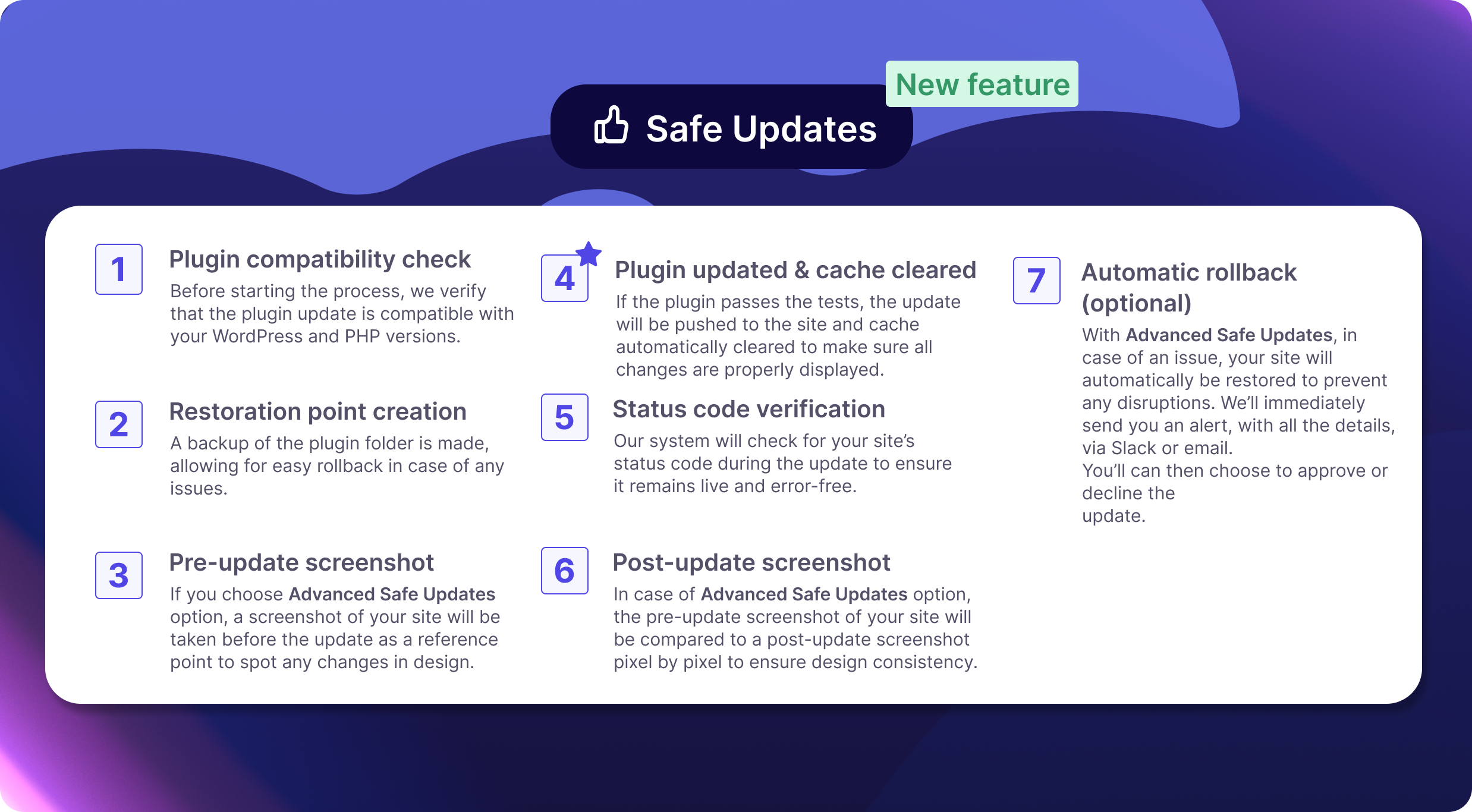
Regular Performance Monitoring helps keep WordPress fast. Check your plugins often. Slow plugins can cause problems. Use tools to see which plugins slow things down. Track changes after updates. This helps you spot issues early. Fixing problems quickly is important. It keeps your site running smoothly.
Follow these Best Practices for Plugin Management. Choose plugins wisely. Pick ones with good reviews. Delete plugins you don’t use. Less is more. Too many plugins can slow your site. Update plugins regularly. New versions fix bugs. They improve speed. Always backup your site. Before making big changes. Stay safe and secure.

Credit: make.wordpress.org
Credit: wp-umbrella.com
Frequently Asked Questions
How To Identify Slow Plugins In WordPress?
To identify slow plugins, use the Query Monitor plugin. It provides detailed performance insights and highlights slow plugins. Alternatively, tools like New Relic can help. Regularly monitoring plugin performance ensures a faster WordPress site.
Why Are Some WordPress Plugins Slow?
Some plugins are slow due to inefficient code or excessive database queries. They may also load unnecessary scripts. Regular updates and optimization can help improve performance.
Can Too Many Plugins Slow Down WordPress?
Yes, too many plugins can slow down your WordPress site. Each plugin adds load time and server requests. It’s crucial to regularly review and deactivate unnecessary plugins.
How To Optimize WordPress Plugin Performance?
Optimize plugin performance by updating them regularly. Deactivate or delete unused plugins. Use caching solutions and consider lightweight alternatives for heavy plugins.
Conclusion
Identifying slow plugins boosts your WordPress site’s speed. Faster sites enhance user experience and reduce bounce rates. Regularly check and update your plugins. This ensures optimal performance. Utilize tools to monitor plugin impact. They help pinpoint issues quickly. Always prioritize essential plugins.
This minimizes site load. Keep your WordPress site efficient. Consistent checks lead to lasting improvements. Happy users stay longer and engage more. Your site will benefit greatly.


