

Have you ever felt stuck because your software just doesn’t fit the way your business works anymore? You’re not alone.
Business rules change, and when they do, your software needs to keep up. But how do you know the right time to update or change your software? If your current system slows you down or stops you from reaching your goals, it might be signaling that it’s time for a change.
Keep reading to discover the key moments when business rules change software—and how you can make sure your tools keep working for you, not against you.

Credit: klariti.com
Why Business Rules Matter
Business rules guide how software works. They set the limits and actions within the program. Changing these rules can affect many parts of the software. Understanding why business rules matter helps us see their value in software development.
Role In Software Functionality
Business rules define what the software can do. They control the steps the program follows. These rules tell the software when to allow or block actions. Changing rules can add new features or fix problems. Without clear rules, software may not work as expected.
Impact On User Experience
Users depend on software that behaves predictably. Business rules shape how users interact with the system. Well-set rules make software easy and smooth to use. If rules change, users may see new options or limits. Good rules keep users happy and reduce confusion.
Influence On Data Integrity
Data integrity means keeping information correct and reliable. Business rules help check data for errors or fraud. They stop invalid data from entering the system. Changing rules can improve or harm data quality. Strong rules protect the trustworthiness of software data.
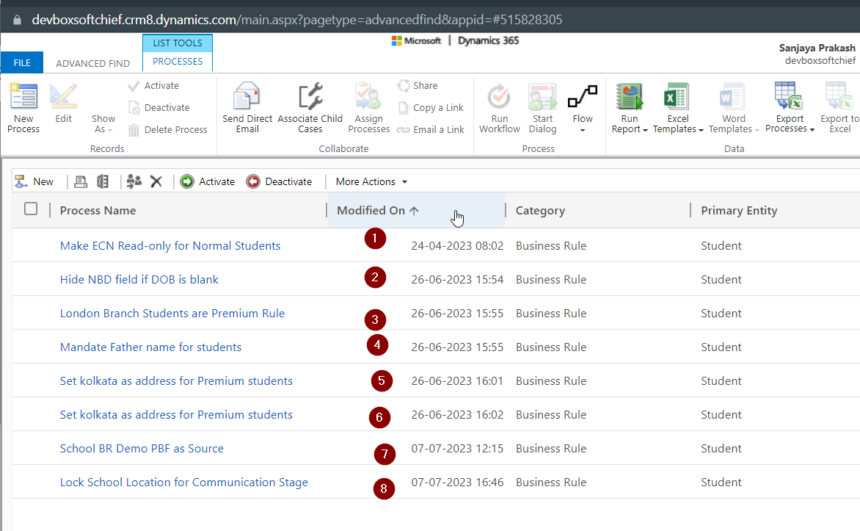
Credit: softchief.com
Triggers For Changing Business Rules
Business rules guide how software operates within a company. These rules do not stay the same forever. They change to keep up with new needs and conditions. Understanding what triggers these changes helps businesses stay efficient and competitive.
Regulatory And Compliance Updates
Governments often update laws and regulations. Companies must adjust their software to follow these new rules. This keeps businesses legal and avoids fines. Compliance updates can affect data handling, reporting, and security rules.
Market And Customer Demand Shifts
Customer needs change over time. Markets evolve with new trends and preferences. Businesses update their rules to meet these demands. This helps companies offer better products and services. It also improves customer satisfaction and loyalty.
Technological Advancements
New technology creates new opportunities. Software must adapt to use these tools effectively. Changes in hardware, software platforms, or digital tools require rule updates. This keeps systems efficient and competitive in the tech landscape.
Internal Process Improvements
Companies often improve their workflows and methods. These changes lead to updates in business rules. Streamlining processes reduces errors and saves time. Software must reflect these internal changes to support smooth operations.
Signs Software Needs Rule Changes
Software follows rules to work correctly. These rules guide how the software processes data and makes decisions. Over time, these rules may need updates. Changes in business needs or technology can cause this. Recognizing signs that software rules need change is important. It helps keep the software reliable and efficient.
Frequent Manual Overrides
Manual overrides happen when users fix software decisions by hand. If this happens often, it signals rule problems. The software may not match real business needs. Too many overrides slow down work and cause errors. Rules should be updated to reduce manual fixes.
Inconsistent Output Or Results
Software should give steady results for the same tasks. Different answers for similar inputs show rule issues. Inconsistent results confuse users and reduce trust. Changing rules can help produce clear and reliable output.
Rising Error Rates
An increase in errors suggests the software rules are outdated. Errors waste time and cost money. They can cause delays and unhappy customers. Updating business rules helps cut down mistakes and improve performance.
User Feedback And Complaints
Users notice when software does not work well. Complaints and feedback point to rule gaps. Listening to users shows what needs fixing. Adjusting rules based on feedback improves user satisfaction and software quality.

Credit: www.amazon.com
Evaluating The Impact Of Rule Changes
Evaluating the impact of business rule changes is essential before updating software. It helps teams understand how changes affect the entire system. This process prevents errors and ensures smooth operation after updates. Clear evaluation saves time and reduces costly fixes later.
Assessing System Dependencies
Start by identifying all parts of the software affected by the rule changes. Check how these rules connect with other modules or features. Look for data flow and integration points that rely on these rules. This step helps spot hidden impacts and avoids breaking other functions.
Estimating Development Effort
Next, estimate the time and resources needed to implement changes. Consider coding, configuration, and documentation updates. Factor in the complexity of the rule and its reach within the system. Accurate estimates guide planning and budgeting for the project.
Planning For Testing And Deployment
Prepare a testing plan to verify rule changes work correctly. Include unit tests, integration tests, and user acceptance tests. Plan deployment steps to minimize disruption. Ensure backup and rollback options are ready in case of issues.
Best Practices For Managing Changes
Managing changes to business rules in software requires careful planning. Changes can affect many parts of the system. Following best practices helps keep the software stable and reliable. It also makes sure everyone knows what is changing and why.
Version Control And Documentation
Use version control to track all changes. This keeps a history of updates and who made them. Document every change clearly. Include what was changed and the reason behind it. Good documentation helps avoid confusion and errors later. It also supports quick troubleshooting if problems arise.
Stakeholder Communication
Inform all stakeholders about upcoming changes early. Stakeholders include developers, testers, and business teams. Clear communication prevents surprises and helps prepare for updates. Regular updates keep everyone aligned and reduce misunderstandings. Use simple language to explain the changes and their impact.
Continuous Monitoring
After applying changes, monitor the software closely. Look for bugs or unexpected behavior. Continuous monitoring ensures the system works as expected. It allows quick action if issues appear. Use automated tools when possible to track performance and errors. Monitoring supports maintaining software quality over time.
Frequently Asked Questions
When Do Business Rules Typically Change Software?
Business rules change software when company policies, regulations, or market conditions evolve. Updates ensure software aligns with new requirements, improving accuracy and compliance. Regular reviews help identify necessary modifications to keep systems effective and relevant.
How Do Business Rule Changes Impact Software Functionality?
Changes in business rules can alter workflows, data processing, and decision-making within software. This impacts user experience, system outputs, and integration with other applications. Proper implementation ensures software continues to meet business goals and operational needs.
Why Is It Important To Update Software With New Business Rules?
Updating software with new business rules maintains accuracy and regulatory compliance. It prevents errors, enhances performance, and supports business growth. Timely updates reduce risks and improve overall efficiency by reflecting current operational realities.
What Triggers A Business Rule Change In Software?
Triggers include legal regulations, market trends, customer feedback, or internal process improvements. Technological advancements and competitive pressures also prompt changes. Identifying these triggers early helps businesses adapt software proactively.
Conclusion
Business rules change software to keep up with new needs. It helps companies stay efficient and avoid errors. Changes can come from laws, markets, or internal goals. Software that adapts quickly saves time and money. Regular updates ensure the system matches current business ways.
This keeps work smooth and users happy. Always watch for signs that rules need updating. Being ready to change software helps businesses grow and succeed.


