
Navigating the world of WordPress can feel like deciphering a complex puzzle, especially when it comes to understanding the different roles available. Have you ever wondered about the differences between being an Administrator, Editor, Author, Contributor, or Subscriber on your WordPress site?
Knowing who can do what is crucial for maintaining the security and efficiency of your website. Imagine the peace of mind you’ll have, knowing exactly who has the power to make changes, publish content, or manage users. You’ll not only enhance your site’s security but also streamline your team’s workflow.
So, let’s dive into the specifics of these roles and see how they can impact your WordPress experience.

Credit: wpengine.com
WordPress Roles Overview
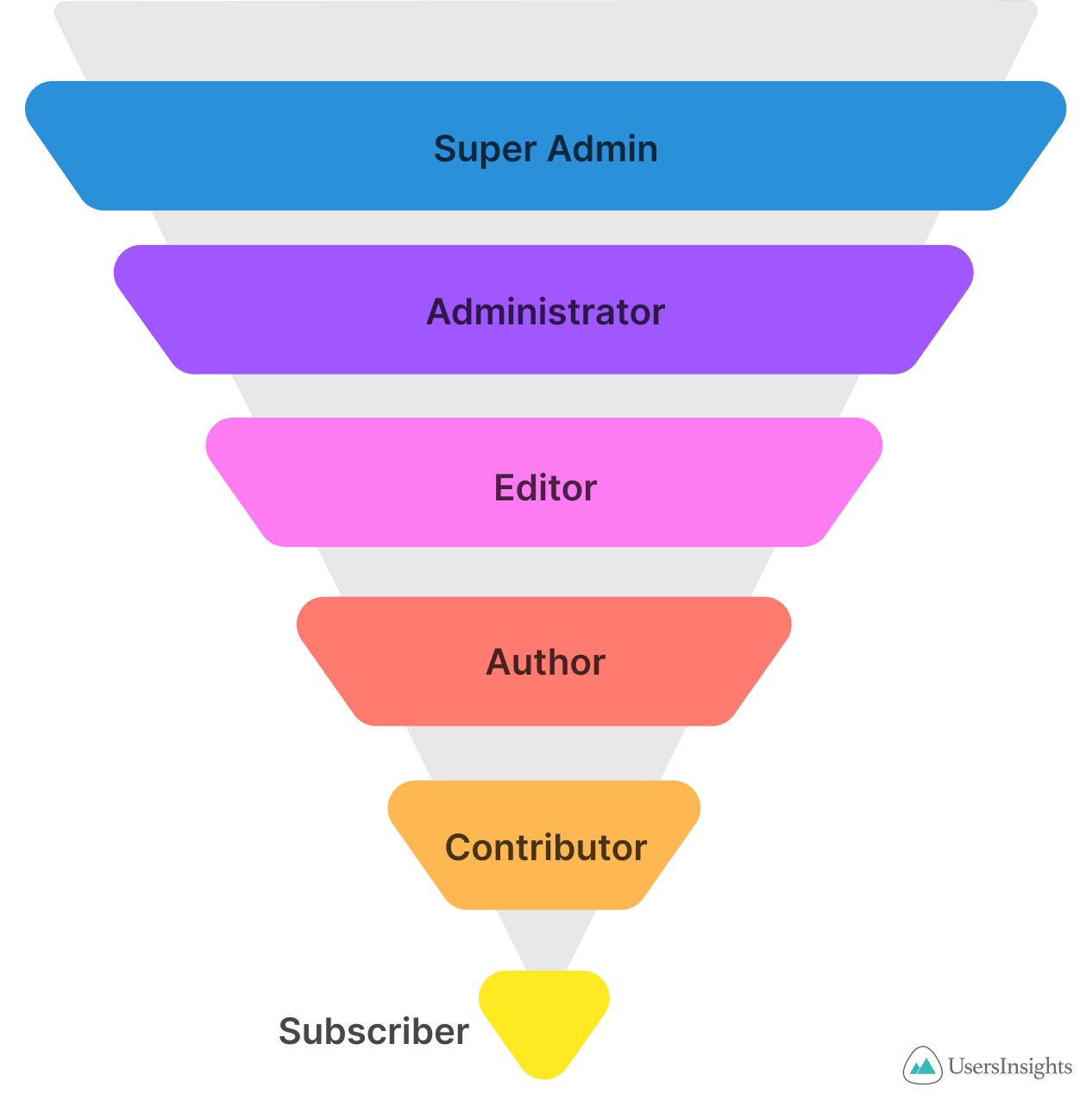
WordPress offers different roles for users. Each role has specific permissions and tasks. The main roles are Administrator, Editor, Author, Contributor, and Subscriber. An Administrator manages everything. They can change settings and add users. Editors can publish and manage posts. They can edit others’ posts too. Authors can only publish and manage their own posts. Contributors can write posts but not publish them. Subscribers only have a profile. They cannot write posts.
These roles help keep the site organized. They ensure tasks are done by the right people. Understanding each role helps manage a WordPress site effectively. Assign roles based on what someone needs to do. This makes the workflow smooth and easy.
Administrator Responsibilities
Administrators have full control of a WordPress site. They can add and remove users. They manage plugins and themes. Changing site settings is part of their role. They can write, edit, and delete posts. They approve comments and manage spam. Backup creation is crucial for site safety. This role demands trust and responsibility.
Administrators can also manage site security. They ensure the site runs smoothly. They handle site updates and maintenance. They can also adjust user roles. Their decisions impact the entire site. So, their role is very important.
Editor Capabilities
Editors play a key role in managing content on WordPress. They can add, edit, and delete posts and pages. This means they can change words, add pictures, and make the website look nice. Editors can also manage categories and tags. This helps organize the content and make it easy to find. They can even approve or delete comments. This helps keep the site clean and friendly. Editors cannot change the website’s settings. They also cannot add new users. These tasks need higher permissions. Editors focus on keeping content fresh and accurate. They make sure everything looks good and makes sense. Editors have a lot of power, but they have limits too. This keeps the site safe and secure.

Credit: the-web-design-company.co.uk
Author Functions
An author on WordPress has many tasks. They can write and edit their own posts. Authors cannot publish or delete posts of others. This role is good for writers. They focus on their own content.
Authors can also add tags and categories to posts. This helps people find the content. Authors do not have access to settings. They cannot change themes or plugins. This keeps the site safe.
Authors see comments on their posts. They can reply to them. But they cannot delete comments. This role is simple and focused. Perfect for writers who just want to write.
Contributor Tasks
Contributors can write posts. They don’t have permission to publish them. Their posts are saved as drafts. An editor or admin needs to review them. After approval, the post goes live.
Contributors cannot add images. They cannot change settings. They focus only on content. This keeps their role simple. They are great at writing. They help keep blogs updated.
Subscriber Permissions
Subscribers have simple tasks. They can read and comment on posts. They can’t write posts or make changes. Their main job is to engage with the content. Subscribers see their profiles. They can update their info. They can’t change site settings. This role is perfect for new users. It helps them learn the site. It’s a safe role with no risks.
This role doesn’t allow creating posts. They cannot edit others’ posts. Subscribers have limited powers. They can only enjoy the content. They can’t change themes or plugins. They have the least control. It’s the best role for reading only. They can follow blogs they like. This is the basic role on WordPress.
Custom Roles Creation
Creating custom roles in WordPress is simple. First, you need a plugin. Many plugins help make roles. Choose one that suits you best.
Custom roles let you control what users can do. For example, a writer can create posts. An editor can publish them. You decide who can do what. This helps keep your site organized and safe.
Custom roles are flexible. They can fit any need. This is great for big teams. Each person can have their own role. This helps everyone know their job.
Managing User Roles
WordPress allows different people to do different tasks. It uses user roles to manage this. There are many roles like Administrator, Editor, and Author. Each role has different powers.
Administrators have the most control. They can change anything. Editors can change posts and pages. Authors can only write their own posts. These roles help keep the website safe. Giving the right role to the right person is important.
Some roles can only read. Others can write and change things. This makes managing a website easier. Everyone knows what they can do.
Role-based Security
WordPress uses roles to manage access and permissions. Each role has specific powers. The Administrator can change everything. They have the highest access. They can edit, delete, and add new users. Editors can change content. They can publish posts and pages. Authors can write and publish their own posts. They can’t change other people’s posts. Contributors can write but need approval to publish. Subscribers can only view content. They can’t change or add anything.
Security depends on these roles. More powers mean more responsibility. Incorrect roles can lead to security problems. Always assign roles carefully. Know what each role can do. This keeps the website safe.
Common Role Mistakes
Many people mix up WordPress roles. A common error is giving too much access to users. For instance, making someone an Administrator who only needs to be a Contributor. This can lead to security risks and unwanted changes. Another mistake is forgetting to update roles as users’ tasks change. If a person leaves, their role might still be active, causing problems.
Some users might not understand their role clearly. They might try to do tasks they’re not allowed to. This can cause confusion and errors. Always check and clarify roles with your team. Make sure everyone knows what they can and cannot do. This keeps your WordPress site safe and organized.
Credit: usersinsights.com
Frequently Asked Questions
What Are The Different WordPress Roles?
WordPress includes roles like Administrator, Editor, Author, Contributor, and Subscriber. Each role has specific permissions and capabilities. Administrators have full control, while Subscribers have minimal access. Understanding these roles helps in managing user access effectively.
How Do WordPress Roles Affect Website Management?
WordPress roles determine what users can and cannot do on your website. Properly assigning roles enhances security and workflow. Administrators manage settings, Editors control content, and Authors write posts. Contributors submit content for review, while Subscribers have limited access.
Can WordPress Roles Be Customized?
Yes, WordPress roles can be customized using plugins. Plugins like User Role Editor allow you to modify existing roles and create new ones. This helps tailor user permissions to suit your website’s needs, enhancing flexibility and security.
Which WordPress Role Is Best For Content Creators?
The Author role is ideal for content creators. Authors can create, edit, and publish their own posts. They cannot manage other users’ content or settings, maintaining site security while allowing creative freedom.
Conclusion
Understanding WordPress roles is crucial for effective website management. Each role has specific permissions. Administrators control everything. Editors manage content. Authors focus on their posts. Contributors submit drafts. Subscribers view content. Choose roles carefully to maintain security and efficiency. Assign tasks based on user expertise.
This helps in streamlining workflow. Ensure users know their roles. This minimizes confusion and enhances productivity. A well-managed team leads to a successful website. Keep learning and adapting to new updates. This way, your WordPress site remains robust and user-friendly.


