
Imagine you’re diving into the world of WordPress, eager to build your dream website. You might find yourself puzzled by a seemingly simple question: What’s the difference between posts and pages?
This is a common conundrum for many WordPress newcomers, but understanding it is crucial for shaping the right content strategy for your site. When you grasp the distinct roles posts and pages play, you unlock a new level of control over your website’s design and functionality.
Knowing when to use each can enhance your visitor’s experience, improve navigation, and boost your site’s SEO performance. Are you ready to discover how mastering this difference can transform your WordPress site from ordinary to extraordinary? Let’s unravel the mystery together and take your website to the next level.
WordPress Basics
WordPress is a popular tool for making websites. It has posts and pages. Posts are like blog entries. They appear in a timeline. New posts go on top. You can add categories to posts. This helps in organizing them. Pages are different. They are for static content. Like an “About Us” page. Pages do not change often. They do not have categories. Both posts and pages are important. But they serve different purposes. Posts are for updates. Pages are for important information.

Credit: media-studies.com
Defining Posts
Posts are used for blogging. They are like articles or news updates. The main goal is to share fresh content. People usually read posts for news or ideas. Posts help in keeping the website dynamic and lively.
Posts appear in a timeline. Newest posts show first. Older posts go down the list. This makes it easy to find the latest content. Posts have a date and time stamp. This helps readers know when the post was made.
Posts can have categories and tags. Categories are like big groups. Tags are more detailed. They help in organizing posts. Readers can find related content easily. This makes the website user-friendly.
Understanding Pages
Pages in WordPress hold static content. This means the content does not change often. People use pages for important information. Examples are “About Us” or “Contact”. Pages are not for news or updates. They stay the same for a long time.
Pages can have a hierarchical structure. This means you can have parent and child pages. A parent page can have many child pages. This helps organize content well. For example, a parent page called “Products” can have child pages like “Toys” and “Books”.
Pages are best for evergreen content. This is content that always stays useful. Businesses use pages for policies. Schools use them for rules. You can also use pages for FAQs. Pages help readers find important info quickly.
Key Differences
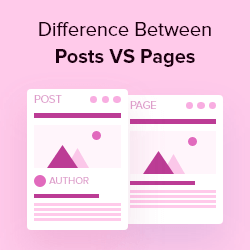
WordPress posts are dynamic and appear in reverse chronological order, ideal for blogging and updates. Pages offer a static format, perfect for timeless content like contact or about sections, providing a clear structure for essential information.
Content Nature
Posts are timely. They are for news or updates. Posts appear in order. The newest post comes first. Pages are static. They hold timeless info. Examples are the About page or Contact page. Pages do not change often. Posts are part of a blog. Pages are part of a site.
Organization And Navigation
Posts use categories and tags. These help in sorting. Posts are linked to each other. They appear on the blog page. Pages do not have tags. Pages are linked in menus. They are easy to find. Pages have a fixed place. Posts move down as new ones come.
Seo Implications
Posts can boost SEO. They have keywords. Frequent updates help SEO. Posts attract visitors often. Pages are less about keywords. Pages provide stable links. They help with site structure. Both pages and posts matter for SEO.
Practical Applications
Posts are great for news and updates. They are ideal for daily or weekly content. Use posts for blog entries. They help engage readers. Readers can comment on posts. Posts are organized by categories and tags. This helps in easy searching. Posts appear in reverse chronological order. Latest posts come first. This keeps content fresh and dynamic.
Pages suit static content. They are best for important information. Use pages for About Us and Contact details. Pages do not have comments. They are not part of the blog timeline. Pages are not organized by categories. They stay fixed and unchanging. Perfect for evergreen content. Pages give structure to a website. They help guide users. Easy to access essential details.
Credit: www.wpbeginner.com
Customization Options
WordPress offers customization options that differentiate posts and pages. Posts are dynamic and ideal for blog entries. Pages provide a static format, perfect for about or contact sections. Users can tailor each to fit their website’s needs, ensuring content stands out effectively.
Themes And Templates
Posts and pages have different customization options in WordPress. Themes affect the appearance of both. Pages often use templates to maintain a specific layout. Templates help keep pages consistent in design. Posts can use themes to change their look. Themes offer more flexibility for posts.
Plugins And Widgets
Plugins add features to both posts and pages. Widgets help place elements like menus or sidebars. Plugins often enhance functionality. Widgets are usually visible on pages. Posts can have plugins for sharing or comments. Pages use widgets to show important information. Plugins make posts and pages interactive and dynamic.
Common Misconceptions
Many confuse WordPress posts with pages, thinking they serve the same purpose. Posts are timely and appear in sequence, perfect for blogs. Pages are static and ideal for timeless content like “About” or “Contact” information.
Interchangeability
Many people think posts and pages are the same. This is not true. Posts are for blogs. They update often. Pages are for static content. They stay the same. Posts show in a blog list. Pages do not. Posts can have categories and tags. Pages cannot. Each serves a unique purpose.
Impact On User Experience
Using posts and pages wrongly can confuse users. Users expect posts to change. They look for new info there. Pages should feel permanent. Think of them as pillars of your site. This helps users find what they need easily. Good structure makes a big difference. It keeps users happy.
Best Practices
Posts and pages in WordPress serve different purposes. Posts are timely and appear in reverse order on your blog. Pages are static, used for timeless content like your “About” or “Contact” page.
Content Management
Posts are great for news updates. They show new content often. Pages are better for static content. Pages stay the same for a long time. Use posts for blogs or articles. Use pages for About Us or Contact info. This helps users find information easily. Posts can be categorized and tagged. This helps in easy searching. Pages don’t use categories or tags. Plan your content wisely. This ensures smooth flow of information.
Site Organization
Organizing a site is key to user experience. Posts appear on the blog roll. Users see them in reverse order. Pages are linked in menus. This helps users navigate easily. Keep menu items clear and simple. Posts can be archived over time. Pages stay in the menu. This keeps the site structure stable. Always update your site regularly.

Credit: amandaschoedel.com
Frequently Asked Questions
What Are WordPress Posts?
WordPress posts are dynamic entries used for blogging. They appear in reverse chronological order. Posts support categories, tags, and archives. They’re ideal for news updates and regular content. Readers can comment on posts, enhancing engagement.
How Do WordPress Pages Differ?
WordPress pages are static and timeless. They’re suited for content like “About Us” or “Contact”. Pages don’t support categories or tags. Unlike posts, pages lack a timestamp, making them evergreen. They don’t appear in blog feeds.
Can Posts And Pages Be Combined?
Posts and pages serve different purposes but can complement each other. Use pages for static content and posts for dynamic updates. Combining them effectively enhances site navigation and user experience.
Are Comments Available On Pages?
By default, WordPress pages do not include comments. However, comments can be enabled manually. Enabling comments on pages may be useful for feedback. It’s less common than on posts, where interaction is more frequent.
Conclusion
Understanding the difference between WordPress posts and pages is crucial. Posts are dynamic. They suit time-sensitive content like news or blogs. Pages are static. Ideal for timeless content like “About” or “Contact” sections. Both have unique roles on your site.
Use them wisely. Enhance your website’s structure and user experience. Clear navigation improves visitor engagement. Remember, every piece has its place. Choose the right format for your content’s purpose. This ensures your message reaches the audience effectively. Knowing these differences helps maintain an organized, user-friendly site.
Keep learning and adapting for optimal website performance.


