
Are you building a website and feeling overwhelmed by the endless sea of WordPress plugins? You’re not alone.
With thousands of plugins available, choosing the right ones can feel like finding a needle in a haystack. But here’s the secret: selecting the right plugins can transform your website from ordinary to extraordinary. Imagine having a site that’s not only visually appealing but also performs seamlessly, enhancing your visitors’ experience and keeping them coming back for more.
We’ll cut through the noise and reveal the essential WordPress plugins that can supercharge your website. Get ready to simplify your choices and unlock the true potential of your site!
Essential Plugins
Yoast SEO is a great plugin for beginners. It helps with keywords and meta tags. Another useful tool is All in One SEO Pack. This plugin offers XML sitemap support. Both plugins can improve your site’s visibility.
Wordfence is a top choice for security. It offers firewall and malware scanning. iThemes Security is another option. It provides two-factor authentication. These plugins protect your site from hackers.
UpdraftPlus is simple to use. It allows automatic backups. You can save your data to cloud services. BackupBuddy is also popular. It helps with site migration. Keeping backups is very important.
Performance Boosters
Caching plugins make your website faster. They store copies of your pages. Visitors get these copies quickly. This reduces the server load. Popular caching plugins include W3 Total Cache and WP Super Cache. These plugins are easy to set up. They help improve your site speed. Faster websites keep users happy.
Large images slow down your site. Image optimization tools compress images. They make images smaller without losing quality. Plugins like Smush and EWWW Image Optimizer do this job well. They help improve your site’s loading time. Faster loading keeps users engaged. Optimized images save storage space too.
Your database stores important data. Over time, it gets cluttered. Database management plugins clean it up. Plugins like WP-Optimize remove unnecessary data. This helps your site run smoothly. A clean database boosts performance. It also reduces the risk of errors. Keep your data organized and tidy.
Design And Customization
Choosing the right WordPress plugins enhances design and customization. Essential plugins streamline design, improve site functionality, and boost user engagement. Carefully select plugins based on your site’s needs and goals for optimal performance.
Page Builders
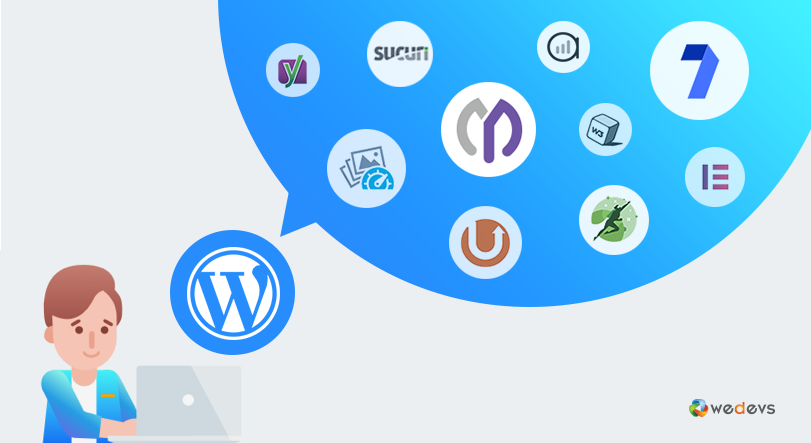
Page builders are tools that help design web pages. They let you drag and drop elements. They are easy to use. They make your site look nice. You don’t need to know coding. Popular choices are Elementor and Beaver Builder. They offer pre-made templates. You can customize layouts quickly. These plugins save time. They improve user experience.
Theme Customizers
Theme customizers change the look of your site. You can adjust colors and fonts. They allow you to add logos easily. You can preview changes live. WordPress has its own customizer. Some themes have special features. They offer more options. These tools make design simple. They help your site match your brand.
Custom Css Plugins
Custom CSS plugins let you add custom styles. CSS changes how your site looks. You can tweak layouts and colors. These plugins are great for advanced users. They offer full control over design. Simple Custom CSS is a popular choice. It is easy to install. You can make your site unique. These plugins enhance design flexibility.
Credit: wedevs.com
E-commerce Solutions
WordPress has many plugins for shopping cart integration. WooCommerce is a popular choice. It helps you create a simple online store. Easy Digital Downloads is great for digital products. These plugins make shopping easy for your users.
Choosing the right payment gateway is key. PayPal and Stripe are easy to use. They are also secure. These plugins let you accept credit cards. They help keep your payments safe. Users can trust your site more.
Keeping track of stock is important. Stock Manager is a useful plugin. It helps you manage products easily. WP Inventory Manager is another good choice. It keeps your inventory up-to-date. This way, you never run out of items.
User Engagement
Social media plugins link your site to platforms like Facebook and Twitter. Visitors can share posts easily. This sharing boosts your site visibility. More people find your content. This creates engagement. Visitors return for more. Your site becomes a hub. Popular platforms attract new users. Social media helps keep your audience active.
Comments allow users to talk about your posts. They ask questions and share ideas. This builds a community. Plugins make comments easy to use. Users can post quickly. They get notifications for replies. Engaging comments make your site lively. Discussions keep visitors coming back. People enjoy sharing thoughts. Comments turn users into active participants.
Email plugins help you send newsletters. Users get updates about new posts. They learn about special offers. This builds loyalty. Users feel connected to your site. Email keeps your audience engaged. It reminds them to visit often. Newsletters are a friendly way to stay in touch. They encourage repeat visits and long-term engagement.
Credit: ajaymaanju.com
Analytics And Tracking
Keeping track of website visitors is important. Visitor analytics plugins help with this. They show who visits your site. You can see how many people visit each day. You can also see where they come from. This helps you know what people like.
Heatmap tools show where people click on your site. They use colors to show popular spots. Red areas get lots of clicks. Blue areas get fewer clicks. You can see what parts of your site need changes. This helps make your site better for visitors.
Event tracking shows what actions people take. It tracks button clicks and form submissions. You can see if people sign up for newsletters. You can also see if they watch videos. This helps you know what content is engaging.
Content Management
Efficient workflow tools help organize your posts. They keep your team on track. Editorial calendars are very helpful. They show what content is due next. Plugins like Edit Flow or CoSchedule can be used. These plugins offer features like task assignment. They also have deadline reminders.
Scheduling ensures posts go live on time. Plugins like SchedulePress make this easy. You can plan posts weeks in advance. Just set a date and time. The plugin will do the rest. This keeps your blog active even when you’re busy. Readers will see new content regularly.
Managing duplicate content is crucial. Duplicate Post plugin helps with this. It allows you to clone posts with ease. Cloning saves time on repetitive tasks. You can quickly create drafts from old posts. This ensures consistent formatting. It also prevents errors in new posts.
Accessibility And Compliance
Websites need to be easy for everyone to use. This includes people with disabilities. ADA compliance is important for this. Plugins can help make your website follow ADA rules. This means you can reach more people. And avoid legal problems. Look for plugins that check your site’s accessibility. They can fix issues quickly. These tools are easy to use. And they make a big difference.
Your website should speak to all visitors. Language translation plugins make this easy. They help translate your content into many languages. This way, more people can understand your site. Choose a plugin that supports many languages. Some even translate automatically. Others let you do it manually. This can help you reach a wider audience. And improve user experience.
Images are important on websites. But they need alt text for those who can’t see them. Alt text generators create this text for you. This helps with SEO. And makes your site more accessible. Choose a plugin that integrates well. It should be simple to use. This way, your images will always have the right text. And everyone can enjoy your content.
Credit: whitelabelcoders.com
Frequently Asked Questions
What Are Essential WordPress Plugins?
Essential WordPress plugins enhance functionality and security. Key plugins include Yoast SEO for optimization, Akismet for spam protection, and WooCommerce for e-commerce solutions. Jetpack offers site analytics and performance enhancements, while WPForms simplifies form creation. These plugins improve site efficiency and provide valuable features for various needs.
How Do Plugins Affect Site Speed?
Plugins can impact site speed by adding extra code and functionalities. It’s crucial to choose lightweight and well-coded plugins. Overloading your site with plugins can slow it down. Regularly update and audit your plugins to ensure optimal performance and compatibility with your WordPress version.
Are Plugins Necessary For Seo?
Plugins are vital for optimizing SEO on WordPress sites. SEO plugins like Yoast or All in One SEO streamline tasks like meta tags, sitemaps, and keyword analysis. They offer invaluable insights and tools to improve your site’s search engine visibility, making them essential for effective SEO strategies.
How To Choose The Right Plugins?
Select plugins based on your site’s needs and goals. Check reviews, ratings, and compatibility with your WordPress version. Opt for well-supported and regularly updated plugins to ensure security. Test plugins on a staging site to assess their impact on functionality and performance before implementation.
Conclusion
Choosing the right WordPress plugins boosts your website’s functionality. Start with essential plugins for security, SEO, and performance. Consider adding tools for backups and social media integration. Always evaluate plugin reviews and updates before installation. This ensures compatibility and reliability.
Keep your site lean by avoiding unnecessary plugins. This helps maintain site speed and user experience. Regularly update and check plugins for optimal performance. Remember, a well-chosen set of plugins enhances your site’s capabilities. They support your goals and improve visitor engagement.
Choose wisely and watch your website thrive.


