
Ever found yourself puzzled over what exactly a WordPress widget is in the world of HTML? You’re not alone.
Understanding the type of HTML element a WordPress widget represents can feel like trying to solve a complex puzzle. But once you crack it, the world of web design becomes clearer and more exciting. You’ll be able to enhance your site’s functionality and user experience significantly.
Imagine effortlessly customizing your website’s sidebars and footers with just a few clicks, all while knowing exactly what’s happening under the hood. This article is your key to unlocking that knowledge. Dive in to discover how WordPress widgets fit into the HTML landscape and gain the confidence to make your website stand out.
WordPress Widgets Basics
WordPress widgets are small blocks on your website. These blocks help add features and functions. Widgets can show text, images, or even a calendar. Many widgets are built into WordPress. You can find them in the Appearance menu. They are simple to use. Drag and drop them into your sidebar or footer. Widgets are like tools. They make your site better for visitors. You can use them to show recent posts or popular tags. Some plugins add extra widgets. These widgets can do more things. Remember, widgets help you customize your site easily.
Html Elements In Widgets
WordPress widgets often use basic HTML elements. Common elements include div, span, and ul for lists. These elements help structure the widget’s content. Div is used to group content. It acts as a container. Span is used for inline content. It is small and specific. Ul creates unordered lists. Perfect for lists of items. Widgets can also use input elements. These are for forms or search bars. Widgets may include images too. They use the img tag. This makes widgets interactive and informative. HTML elements bring life to widgets. They shape the look and feel. Essential for visual appeal.
Common Widget Types
Text widgets display text in a website’s sidebar or footer. They are simple to use. You can add any type of text. Want to share a short message? Use a text widget. Want to add a list? Use a text widget. Text widgets are flexible.
Image widgets showcase images. They enhance website appearance. Images catch the eye. They make the site lively. Want to share a picture? Use an image widget. Want to display a logo? Use an image widget.
Custom HTML widgets offer more control. They allow custom code. Want to add a special feature? Use a custom HTML widget. Want to add a unique design? Use a custom HTML widget. They are for advanced users.
Role Of Html In Widget Functionality
WordPress widgets use HTML elements to show content. A widget can be a simple text box or a complex gallery. Each widget has its own HTML code. This code tells the browser how to display the widget. Div and span tags are common in widgets. They help in organizing the content neatly.
CSS makes widgets look nice. It changes the color, font, and size of the text. CSS can also add borders and backgrounds. This helps the widget match the website’s design. Without CSS, widgets would look plain and boring.
JavaScript makes widgets interactive. It allows users to click buttons or hover over images. This makes the widget more engaging. JavaScript can also show alerts or pop-ups. It brings life to the static HTML and CSS.
Customizing Widget Html
Widgets use HTML elementsedit HTML to change widget looks. First, find the widget area. Then, open the HTML editor. Make changes carefully. Save changes often. Errors can break your site.
Plugins make editing easier. Some plugins help with HTML. They provide visual editors. No coding needed. Plugins can add new features. Check plugin reviews before use. Update plugins regularly. Outdated plugins can cause problems.

Credit: zapier.com
Best Practices For Html In Widgets
Widgets should look good on all devices. Use flexible layouts and media queries. This helps the widget change size with the screen. Avoid fixed widths. They can break the layout on smaller screens. Keep elements in a neat order. This helps users see everything without scrolling too much.
Make widgets easy for everyone to use. Use alt text for images. This helps people who can’t see the images. Use clear labels on buttons. This helps users know what each button does. Ensure text is easy to read. Use simple fonts and good color contrast. This makes the text clear to all users.
Troubleshooting Html Issues
HTML can be tricky. Sometimes, tags are not closed properly. This can cause display problems. Forgetting the closing tag is common. Also, using the wrong tag for an element can create issues. Sometimes, we forget to nest tags correctly. This is a frequent mistake.
Check for typos in tag names. Missing or extra spaces can also be a problem. Use simple code tools. They help find errors fast. Validation tools are useful too.
Always check your code twice. Start by looking for missing tags. Then, check for nested tag errors. Use a code editor with colors. It helps spot mistakes fast. Use the browser’s developer tools. They are free and helpful.
Refresh your page often. Sometimes, the browser caches old code. Clear your cache if needed. It can solve problems quickly.
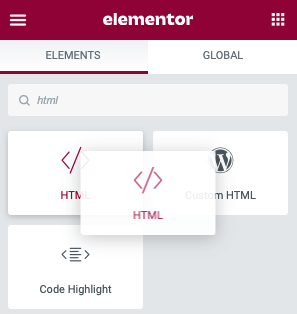
Credit: elementor.com

Credit: make.wordpress.org
Frequently Asked Questions
What Is A WordPress Widget In Html?
A WordPress widget is an HTML element that enhances website functionality. It provides users with additional features like search bars, recent posts, and social media links. Widgets are designed to be user-friendly, requiring no coding skills. They can be easily added or customized in a WordPress theme’s widget area.
How Do Widgets Differ From Html Elements?
Widgets are pre-coded, interactive elements integrated into WordPress themes. Unlike basic HTML elements, which require manual coding, widgets simplify adding complex functionality. Widgets can include dynamic content, such as recent posts or comments. HTML elements form the building blocks, while widgets offer ready-to-use features.
Can WordPress Widgets Contain Html Elements?
Yes, WordPress widgets can contain HTML elements. Widgets often use HTML, CSS, and JavaScript to function. They create interactive sections, like forms or galleries, using these elements. Users can customize widget content using HTML to suit their needs. This flexibility makes widgets versatile tools for enhancing website design.
How Are Widgets Added In WordPress?
Widgets are added in WordPress through the Appearance > Widgets menu. Users can drag and drop available widgets into designated widget areas. These areas are pre-defined by the theme, such as sidebars or footers. Once placed, widgets can be customized using the settings provided, allowing for personalized content and functionality.
Conclusion
WordPress widgets enhance site functionality. They act like HTML elements. Widgets simplify user experience. They offer dynamic content without coding. Users easily add features. Consider widgets for customization. They blend seamlessly into design. Widgets improve site interaction. A valuable tool for web creators.
Understanding widgets boosts web efficiency. Widgets offer flexibility and ease. Perfect for non-coders. Enhance your WordPress site. Keep exploring widget options. They transform site functionality. Easy and efficient. Ideal for personalizing your website. Embrace the power of widgets. Elevate your web experience.
Widgets make your site user-friendly and engaging.


