
Migrating your WordPress site to a new server can feel like a daunting task, but with the right preparation, it doesn’t have to be. Imagine the peace of mind you’ll have once your site is up and running smoothly on its new home, reaching your audience faster and more efficiently.
Before you dive into the migration process, there are crucial steps you need to take to ensure everything goes off without a hitch. By following these steps, you can avoid potential pitfalls and ensure a seamless transition. Are you ready to learn what you need to do before moving your WordPress site to a new server?
Let’s get started and make this process as stress-free as possible.
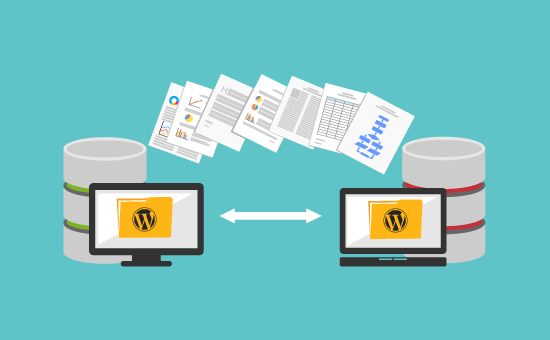
Credit: www.wpbeginner.com
Backup Your Website
Create a full backup of your site. This keeps all your data safe. Use a plugin or manual method. Both are good. A full backup captures everything. Your themes, plugins, and settings. It’s like a snapshot of your site. Store this backup in a safe place. A USB or cloud storage works well.
The database is very important. It holds all your site content. Posts, pages, and comments. Always back up your database. Plugins can help with this task. Export your database to a SQL file. This file is your safety net. Keep it secure.
Media files are your images and videos. They make your site look nice. Back them up separately. Use FTP or a plugin for this. Download all files to your computer. This ensures no media gets lost. Your site will look the same on the new server.
Credit: www.elegantthemes.com
Check Hosting Requirements
Verify hosting requirements to ensure compatibility. Check server specifications, PHP versions, and database support. Ensure smooth WordPress migration by confirming server capabilities.
Server Compatibility
Ensure the server supports WordPress. Check if it has Linux or Windows. Verify support for Apache or Nginx. These are important for running sites smoothly.
Php And Mysql Versions
PHP version must be 7.4 or higher. MySQL version should be 5.6 or higher. Update if versions are older. New versions help with security. They also improve performance.
Disk Space Needs
| Requirement | Details |
|---|---|
| Basic Site | At least 1 GB disk space |
| Media-heavy Site | Minimum 10 GB disk space |
| Large Site | Over 50 GB disk space |
Calculate space before moving. More space means more content. Ensure room for growth.
Update WordPress And Plugins
Always ensure your WordPress is up-to-date. This keeps your site secure. It also ensures smooth performance. Check for any available updates in the dashboard. Click update now to install the latest version. Remember, outdated versions can cause problems.
Plugins make your site function better. But, they must be compatible with the new server. Check each plugin’s documentation. Look for any compatibility issues. If a plugin is not updated, consider removing it. This avoids potential conflicts.
Your theme should also be updated. This ensures it works well on the new server. Visit the theme settings in your dashboard. Look for update notifications. Apply updates to avoid design issues. A current theme keeps your site looking great.

Credit: www.hostitsmart.com
Fix Broken Links
Before migrating, check all your links. Use tools like Google Search Console. They help find broken links. Note each one down. Broken links lead to errors. They confuse visitors. They affect your site’s SEO.
Set up redirects for broken links. Use 301 redirects. They send users to the right page. This keeps them happy. It also helps keep your site’s ranking. Use plugins like Redirection. They make it easy.
Test all links before going live. Click each link. Ensure it leads to the right page. Fix any issues quickly. Testing saves time later. A working link makes users happy. It also keeps your site professional.
Optimize Database
Remove unnecessary data. It can slow your site. Delete old revisions and drafts. Clear out spam comments and trashed items. This keeps your database tidy. A clean database runs faster.
Fix any damaged tables. Use a plugin for help. This ensures all data is safe. Repaired tables work better. Your site runs smoother. No broken pieces to slow it down.
Improve table performance. Use a tool to optimize. It reduces space used. Makes your site load faster. Optimized tables are efficient. Every bit counts.
Deactivate Unnecessary Plugins
Identify Unused Plugins on your WordPress site. These plugins take up space and can slow down your site. Check each plugin in your dashboard. See which ones you really need. Make a list of the ones you don’t use.
Next, Deactivate and Delete those plugins. Go to your plugin page. Click on the deactivate button first. Then, click delete. This will free up space and help your site run better.
Check Site Performance after you remove plugins. Your site should load faster now. Use online tools to measure this. Faster sites make users happy. This step is important before moving to a new server.
Secure Your Site
Ensure all security plugins are updated. New updates fix bugs and improve safety. Outdated plugins make your site vulnerable. Hackers love weak spots. Regular updates keep them away. Check for plugin updates every week.
SSL certificates protect user data. Verify if they are active. An expired certificate risks user information. It can lead to trust issues. Keep certificates updated for secure connections. Check renewal dates often. Renew before expiry.
Ensure only trusted people have access. Review who can log in. Remove unwanted users. Limit permissions to necessary roles. Admin access should be limited. More users mean more risk. Keep your site safe with proper user control.
Test Site Functionality
Forms must work properly. Fill out each form on your site. Submit them to see if they send data. Widgets should display correctly. Look at each widget on different pages. Make sure they are not broken.
Click on each menu item. Make sure it leads to the right page. Check the dropdown menus too. They should open and lead to correct pages. Broken links can confuse users. Fix any broken links you find.
Put items in the cart. Try to buy something. See if checkout works. Payment gateways must process payments. Make sure all payment options are available. Check if receipts and confirmations are sent. These features are crucial for sales.
Prepare New Hosting Environment
Begin by setting up the new server. Choose a reliable hosting provider. Ensure the server meets your needs. This includes storage and performance. Secure the server with firewalls. Keep it safe from threats.
Download the latest WordPress version. Upload it to your server. Create a new database. Use simple names. Connect WordPress to the database. Follow setup instructions carefully. Check everything works fine.
Update your DNS settings next. This directs your domain to the new server. Access your domain registrar. Locate DNS management tools. Modify the A record to point to the new IP address. Wait for changes to propagate. This may take a few hours.
Plan Migration Process
Pick a migration method that fits your needs. Some methods are easy. Others are complex. You can use a plugin for simple migration. Or, transfer files manually. Check if the new server supports your chosen method. Consider your tech skills. Plan ahead to avoid issues.
Tell users about the downtime. Pick a time with less traffic. This reduces impact. Announce on social media. Use email alerts if needed. Keep downtime short. This keeps users happy. Try to do it during off-peak hours.
Make a checklist for tasks. List all files to move. Include database and plugins. Check file permissions. Ensure backups are ready. Review server settings. Track each task as you complete it. This helps keep things organized. A checklist ensures nothing is missed.
Frequently Asked Questions
How Do I Backup My WordPress Site?
Before migrating, create a full backup of your WordPress site. Use plugins like UpdraftPlus or BackupBuddy for easy backups. Ensure you save files, databases, themes, and plugins. Store backups securely on external storage or cloud services. This prevents data loss during server migration.
What Are Important Pre-migration Steps For WordPress?
Start by checking server compatibility. Update WordPress, themes, and plugins to their latest versions. Fix broken links and clean databases. Disable caching plugins to avoid conflicts. Finally, ensure you have administrative access to both servers. These steps optimize migration and minimize potential issues.
Why Update WordPress Before Migrating Servers?
Updating WordPress ensures compatibility with the new server environment. It reduces security risks and improves performance. Keeping themes and plugins updated prevents conflicts during migration. This proactive approach facilitates smoother transitions and enhances site functionality after migration.
How Do I Test WordPress Migration?
Test migration by setting up a staging environment on the new server. Verify functionality, links, and appearance match the original site. Check plugins and themes operate correctly. This step helps identify potential issues before finalizing migration, ensuring a seamless transition.
Conclusion
Migrating your WordPress site requires careful planning. Start by backing up all data. Check compatibility of plugins and themes. Update your WordPress to the latest version. Choose a reliable hosting provider. Test the new server environment thoroughly. Monitor the migration process closely.
Resolve any issues promptly. Always verify everything works after migration. This ensures a smooth transition without hiccups. Migrating can be stress-free with proper preparation. Take these steps seriously for best results. Your site deserves a seamless move. Happy migrating!


