
Choosing the right text editor for WordPress can significantly boost your productivity and enhance your website’s performance. With a multitude of options available, it’s easy to feel overwhelmed.
But don’t worry, we’re here to guide you. Imagine effortlessly managing your content, with tools that feel tailor-made for your needs. Picture your work flowing seamlessly, as you craft engaging posts that captivate your audience. You’ll discover the best text editors tailored for WordPress, empowering you to make informed decisions.
We’ll break down their features, benefits, and unique offerings. By the end, you’ll feel confident in selecting the perfect tool that aligns with your goals. Ready to unlock the full potential of your WordPress site? Let’s dive in!
Choosing A Text Editor For WordPress
Easy use is important for text editors. They should help you write quickly. Good editors have spell check. It helps fix mistakes. Auto-save keeps your work safe. No more losing files. Customizable options make writing fun. Change colors and fonts. It should feel nice to use.
Editors must work well with WordPress. They should not cause errors. Look for plugins that help connect editors to WordPress. This makes writing easy. Some editors have built-in tools for WordPress. They help with code and layout. The right editor makes your blog better.
Credit: kaydee.net
Popular Text Editors For WordPress
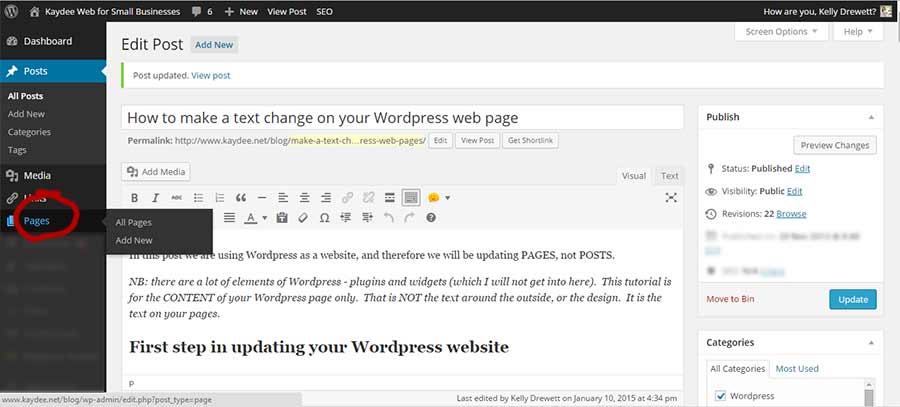
The Classic Editor is simple. It looks like Microsoft Word. Many people like it because it is easy to use. You can write posts fast. You can add pictures and links too. Some users prefer it for its basic features. It is good for small blogs and websites.
Gutenberg is new and exciting. It uses blocks to build pages. Each block is different. You can move blocks around. Add text, pictures, and videos in blocks. This editor gives more creative freedom. Some people find it hard at first. But it becomes fun with practice.
Elementor is very powerful. You can design pages with ease. This editor has many features. Drag and drop elements to create stunning designs. You can see changes instantly. Many people love its visual editing. It is great for designers and developers.
Advanced Text Editors
Choosing the right text editor for WordPress enhances efficiency. Advanced options like Sublime Text, Atom, or Visual Studio Code offer features tailored for developers. These editors provide syntax highlighting, code completion, and easy customization, making WordPress development smoother and more enjoyable.
Visual Composer
Visual Composer is a powerful tool for WordPress users. It offers drag-and-drop features. You can create beautiful pages without coding. Templates help beginners design quickly. The interface is clean and easy to use. It supports responsive design for mobile devices. Many people love its flexibility and customization options. It integrates with other plugins smoothly. Updates keep it fresh and bug-free. Visual Composer can make any website look professional.
Beaver Builder
Beaver Builder is another great choice. It is user-friendly and intuitive. The editor works well with WordPress themes. Live previews show changes instantly. It has many modules for design. Customizing is simple with drag-and-drop. Beaver Builder supports SEO-friendly layouts. It helps improve website speed. The community offers strong support. Builders can share ideas and tips. Regular updates ensure smooth performance.
Comparing Free And Paid Options
Free editors are a great start for beginners. They cost nothing and are easy to download. These editors often have basic features that are easy to use. You can write, edit, and format text simply. Some popular free options include Notepad++ and Atom. Both are user-friendly and good for simple tasks. Free editors also have large communities. This means you can find help easily. Many users share tips and tricks online.
Premium editors offer more features. They are good for advanced users. These editors often have better tools for editing. You can also get customer support from the company. Premium options like Sublime Text and Visual Studio Code are popular. They help you work faster with smart features. Premium editors update regularly. This means you get the latest tools. They can save you time and effort in the long run.
Customization And Flexibility
Plugins and extensions make text editors powerful. They add features you need. WordPress has many options. Some plugins help with SEO. Others help with design. Choose what suits your needs. Keep your editor light and fast. Too many plugins slow it down. Select wisely for better performance.
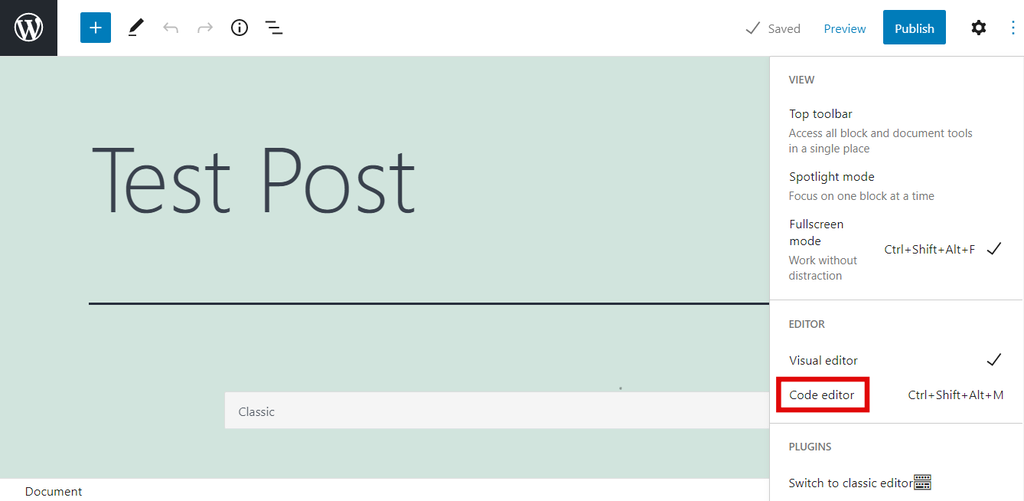
User Interface Design is key. A simple interface is easier to use. Colors and icons help you find tools. Easy navigation saves time. Clear buttons improve your workflow. Find an editor that feels right. Test different options. Find the one that makes tasks easy.
Credit: www.hostinger.com
Performance And Speed
A fast text editor can make your site load quicker. Slow editors may cause delays. They can increase the load time of your site. This affects the user experience. Users may leave if a site loads too slowly. A good editor helps pages load faster. It makes your site more efficient.
An editor should help you write clean code. Clean code is easy to read. It is easy to fix mistakes. Good editors suggest code as you type. This helps you code faster. They also highlight errors in real-time. This saves you time and effort. Efficient coding means less work later. It makes your site run better.
Security Considerations
Text editors must keep your data safe. Encryption is key. It hides your information. Look for editors with strong encryption. Check if they have automatic backups. These save your work. Always choose editors with secure connections. They protect data online. Your data should be safe from hackers. Regular updates help keep software secure. They fix old problems. Make sure your editor supports these.
Vulnerabilities can let hackers in. Use editors that have security patches. These fix weak spots. Open-source editors can be safer. Many people check them for problems. Two-factor authentication adds another layer. It’s like a double lock. Strong passwords are also important. Don’t use easy ones. Pick editors with built-in security features. They help keep your work safe.
Credit: www.wpbeginner.com
Frequently Asked Questions
What Is The Best Text Editor For WordPress?
The best text editor for WordPress is subjective. Many prefer Atom for its customizability and extensions. Sublime Text is popular for its speed and simplicity. Visual Studio Code offers robust features and integrations. Consider your needs and preferences for the best fit.
Can I Use Notepad++ With WordPress?
Yes, you can use Notepad++ with WordPress. It’s lightweight, free, and supports various programming languages. Notepad++ offers syntax highlighting and code folding, making it easy to manage WordPress files. It’s a great option for beginners and those who prefer simplicity.
Is Visual Studio Code Good For WordPress?
Visual Studio Code is excellent for WordPress development. It offers numerous extensions and integrations. Its IntelliSense feature provides smart completions based on variable types. Debugging is streamlined with its built-in tools. It’s favored for its versatility and user-friendly interface.
Does Atom Support WordPress Coding?
Atom supports WordPress coding well. It’s customizable and has numerous packages for enhanced functionality. Its GitHub integration is particularly useful for collaborative projects. Atom’s interface is clean and intuitive, making it easy to navigate and manage WordPress files.
Conclusion
Choosing the right text editor for WordPress is important. It affects your workflow and productivity. Consider your needs. Some editors offer simple interfaces. Others provide advanced features. Balance between ease of use and functionality matters. Make sure it suits your style.
Experiment with different options. Find what feels natural and efficient. Remember, the best tool is one you enjoy using. Stay updated with new releases and improvements. This helps keep your editing experience fresh. Happy editing!


