
You’ve just installed WordPress, and you’re excited to get your website up and running. But then comes the big question: What should you do next to make sure your site is SEO-ready?
This is where many website owners stumble, often leaving their websites hidden in the vast corners of the internet. Don’t let that happen to you. You want your site to be visible, to attract visitors, and to rank well on search engines.
You’ll learn the essential steps to take right after your WordPress installation to optimize your site for SEO success. We’ll break down the process into easy, actionable steps, making it simple for you to follow along. By the end, you’ll have a solid foundation that not only boosts your site’s visibility but also enhances user experience. Ready to transform your WordPress site into an SEO powerhouse? Let’s dive in!
Optimize Permalinks
Changing permalinks is important for SEO. Permalinks are your page links. They should be clean and easy to read. A good link helps search engines. It also helps users. Go to the settings. Choose “Permalinks”. Pick “Post Name”. This makes links short. Short links are better for SEO.
Avoid using numbers in links. Numbers do not help users. Use words instead. Words are more meaningful. Make sure links are descriptive. Descriptive links tell about the page. This helps in ranking. Remember to save changes. Check your links after changing. Ensure they work. Working links are very important.
Credit: wearewebdesign.com
Install Seo Plugins
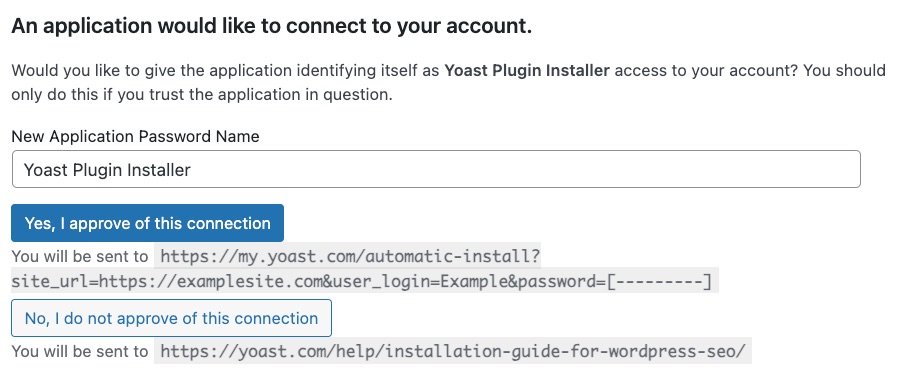
Yoast SEO helps you with better search rankings. It suggests ways to improve your content. You can also check your keywords and readability. A simple traffic light system guides you. Green means good, and red means needs work. Easy to understand and use.
The All in One SEO Pack is another great tool. It offers many features. You can edit your title and meta tags. It also helps with XML sitemaps. User-friendly and effective for improving your website.
Rank Math is a powerful SEO plugin. It gives you control over your site. You can optimize your posts and pages. It also helps with keyword suggestions. A simple setup wizard guides you. Helps you with everything you need.
Configure Google Analytics
Google Analytics helps track your website’s visitors. Start by signing up on the Google Analytics website. Use your Google account for this. After signing up, you will receive a tracking code. This code needs to be added to your WordPress site. Go to your WordPress dashboard. Find the “Appearance” menu. Click on “Editor.” Choose the “header.php” file. Paste the tracking code in the section. Save changes to apply the code.
Check if the tracking works. Visit the Google Analytics dashboard. Look for real-time traffic data. If you see visitors, the setup is complete. Google Analytics provides insights. Understand how users interact with your site. This is vital for SEO. Adjust your strategies based on this data.
Credit: yoast.com
Set Up Google Search Console
Google Search Console helps you see how your site performs. It shows you errors and helps you fix them. First, sign in with your Google account. Add your website to the console. Verify ownership using the HTML tag method or domain provider. This step is important. It tells Google your site is real and yours. Once verified, explore the dashboard. Look at the performance section. This shows you the clicks and impressions. Check the coverage section for indexing errors. You want Google to find all your pages. Use the URL inspection tool to check specific pages. It helps to see if Google understands your page. Regularly check the console. It keeps you updated on your website health.
Create Xml Sitemap
An XML sitemap helps search engines find your pages. This file lists all the pages on your site. It tells Google and others where to go. A sitemap is like a map for search engines. Use a plugin like Yoast SEO to create it.
After installing, go to the plugin settings. There, find the sitemap option. Click to generate your sitemap. Once done, submit it to Google Search Console. This helps your site get indexed faster.
Remember, a sitemap doesn’t boost rankings. But it makes your site more visible. Search engines can find new pages easier. Keep your sitemap updated. It’s important for good SEO.
Enhance Website Speed
Boosting website speed is crucial after installing WordPress. Optimize images and use caching plugins to enhance loading times. Regular updates and clean code contribute to a faster site, improving user experience and SEO performance.
Use Caching Plugins
Caching plugins save your site’s data. This helps your site load faster. Visitors see your page quickly. Choose plugins like W3 Total Cache or WP Super Cache. They make your site speed up. Faster sites are better for SEO.
Optimize Images
Optimizing images makes them smaller. Small images load faster. Use tools like TinyPNG or ShortPixel. They reduce image size without losing quality. Fast-loading images improve site speed. This helps with SEO.
Minify Css And Javascript
Minifying CSS and JavaScript means removing extra spaces and lines. This makes files smaller. Smaller files load faster. Use plugins like Autoptimize or WP Rocket. They help your site run quickly. A fast site gets better SEO results.
Implement Ssl Certificate
SSL certificates help keep your site safe. They protect data. Search engines like Google prefer sites with SSL. This can help your ranking. Visitors trust sites with SSL more. It’s important to set up SSL after installing WordPress.
Many hosting providers offer free SSL certificates. Use these to secure your site. Check if your host provides automatic SSL setup. This makes installation easy. Manual setup may be needed sometimes. Follow your host’s guide for this.
Once installed, your site will show HTTPS instead of HTTP. This means your site is secure. Double-check everything works fine after setup. Test your site to ensure SSL is active. Update all links to use HTTPS. This helps keep site data safe.
Enhance Mobile Responsiveness
Make sure your site works well on phones. Many people use phones to browse. Responsive design is key. It makes your site fit any screen size. Check your theme settings. Many themes have mobile options. Test your site on different devices. Use tools like Google Mobile-Friendly Test. They show how your site looks on phones. Optimize images for fast loading. Small images load quickly. This helps users and boosts SEO. Use clear fonts. They should be easy to read on phones. Simplify navigation. Users should find pages easily. Avoid long menus. Keep links and buttons large. They should be easy to tap.
Utilize Structured Data
Rich snippets are special bits of information. They make your site stand out. These snippets appear in search results. They help users find your site. You can add structured data to your website. This helps with rich snippets. Use tools like Google’s Structured Data Markup Helper. They are easy to use. They guide you step by step. Add schema markup to your pages.
Schema markup is a code. It tells search engines about your website. This helps search engines understand your content. It improves your site’s visibility. Use schema for articles, products, and reviews. Schema markup is important for SEO. It gives search engines extra details. This can boost your site’s ranking.
Optimize Meta Tags
Title tags are very important. They tell search engines what your page is about. Keep them short. Use keywords. Make them clear. The title should match the content. Users will click if they know what to expect.
Meta descriptions help users understand your page. Keep them under 160 characters. Use keywords. Describe the page well. Make it interesting. Users read them before clicking. They should match the page content.
Conduct Keyword Research
Keywords help people find your website. Choose words people search for. Use tools like Google Keyword Planner. These tools show what people search. Find words related to your topic. Pick words with low competition and high search volume.
Focus on long-tail keywords. These are specific phrases. They attract the right visitors. Make a list of these keywords. Use them in your blog. Put them in your titles and headings. This helps search engines understand your content. Research is key for good SEO.
Credit: superdevresources.com
Enable Social Sharing
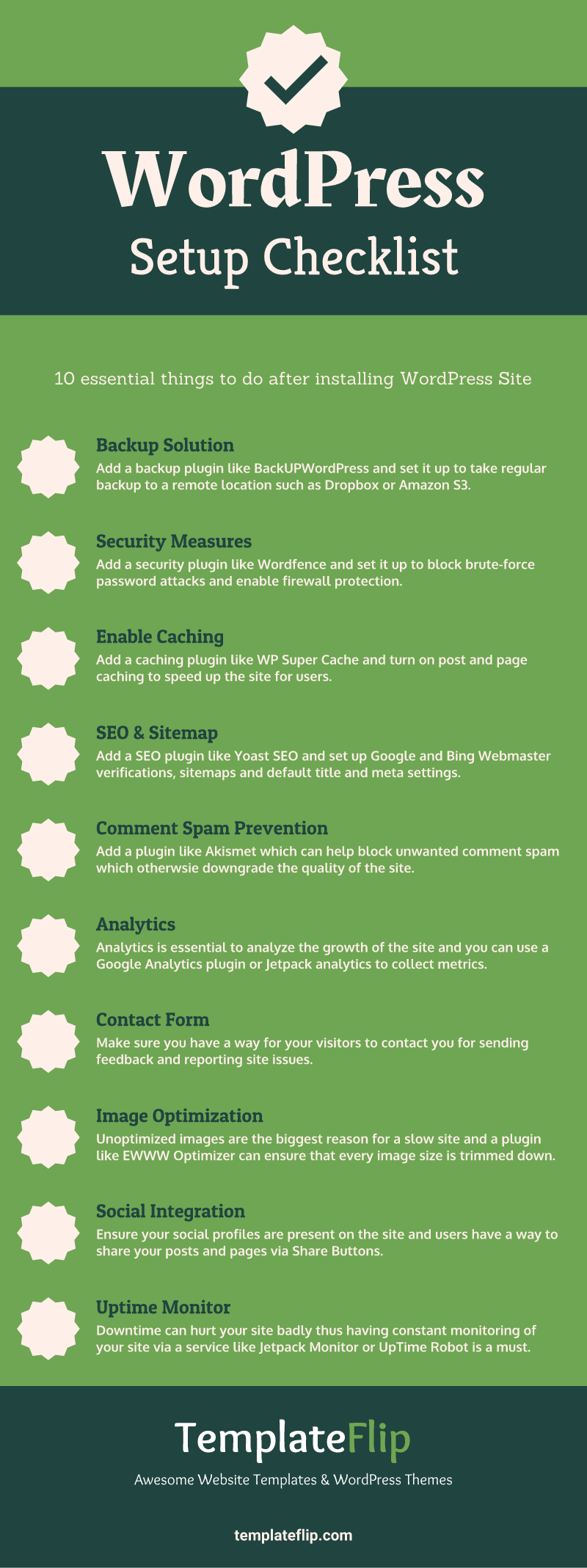
Adding social sharing buttons is important. They help people share your posts. This makes more people visit your site. You can use plugins like Social Warfare or AddToAny. They are easy to set up. Place these buttons where people can see them. Top or bottom of posts works well.
Choose buttons for popular platforms. Facebook, Twitter, and Instagram are good choices. Keep it simple. Too many buttons can be confusing. Make sure buttons look nice on mobile devices. Many people use phones to read blogs. Test the buttons to see if they work. Ask a friend to try them too.
Create Quality Content
Always focus on making content valuable. Write about things your readers care about. Use simple words. Make sentences short and easy. This helps everyone understand your message.
Keep your information accurate. Check facts before posting. This builds trust with readers. They will come back for more.
Add pictures or videos when needed. They make posts more interesting. Visuals help explain ideas better. People like to see examples.
Frequently Asked Questions
How To Optimize WordPress Permalinks For Seo?
After installing WordPress, customize permalinks for SEO by selecting ‘Post Name’ under settings. This format is concise and descriptive. It ensures URLs are clean, readable, and keyword-rich, enhancing search engine visibility. Avoid using default settings like ‘Plain,’ as they are less SEO-friendly.
Which Plugins Improve WordPress Seo?
Install SEO plugins like Yoast SEO or All in One SEO Pack. These plugins help optimize your site’s content and meta tags. They provide insights on keyword usage, readability, and other SEO factors. Regularly update them to benefit from new features and security improvements.
How To Set Up An Seo-friendly Homepage?
Create an SEO-friendly homepage by using a clean, responsive theme. Ensure your homepage loads quickly and includes targeted keywords. Add a compelling meta description and title tag. Use internal links to guide visitors and search engines to important pages on your site.
What Are Essential Seo Settings In WordPress?
Configure essential SEO settings by customizing permalinks, installing a sitemap plugin, and setting up robots. txt. Optimize titles and meta descriptions for each page. Use SEO tools to analyze and improve site speed. Regularly update content to keep it relevant and engaging.
Conclusion
Setting up WordPress for SEO is just the beginning. Next, focus on creating quality content. Optimize your images for faster load times. Use keywords naturally in your posts. Always keep your plugins updated. Regularly check your website’s performance. Engage with your audience through comments.
Don’t forget to share your posts on social media. Keep learning about SEO trends. With consistent effort, your website will grow. Stay patient and persistent. Success will come with time.


