
Are you feeling overwhelmed by the limitations of default user roles in WordPress? Imagine having the power to customize these roles to fit the unique needs of your website.
What if you could effortlessly manage who can access what, all with just a few clicks? Plugins that add user roles in WordPress can be your game-changer. They offer flexibility, control, and peace of mind. Dive into this guide to uncover the best plugins that can revolutionize how you manage user roles on your site.
You won’t want to miss this chance to enhance your WordPress experience and take your site’s management to the next level.
Credit: wordpress.org
Understanding User Roles
WordPress has five main roles. Each role has different powers. The Administrator can do anything on the site. They are the site boss. Editor can change posts made by others. They cannot change settings. Author can write and publish their own posts. Contributor can write but cannot publish. An editor must approve their work. Subscriber can only read posts and manage their profile.
User roles keep websites safe. They control who can do what. Admins set roles to protect the site. Roles help in managing content. They stop mistakes from happening. Each role is important for site safety. They help share work without losing control. Roles make sure the right people have the right access.
Credit: wedevs.com
Popular Plugins For User Roles
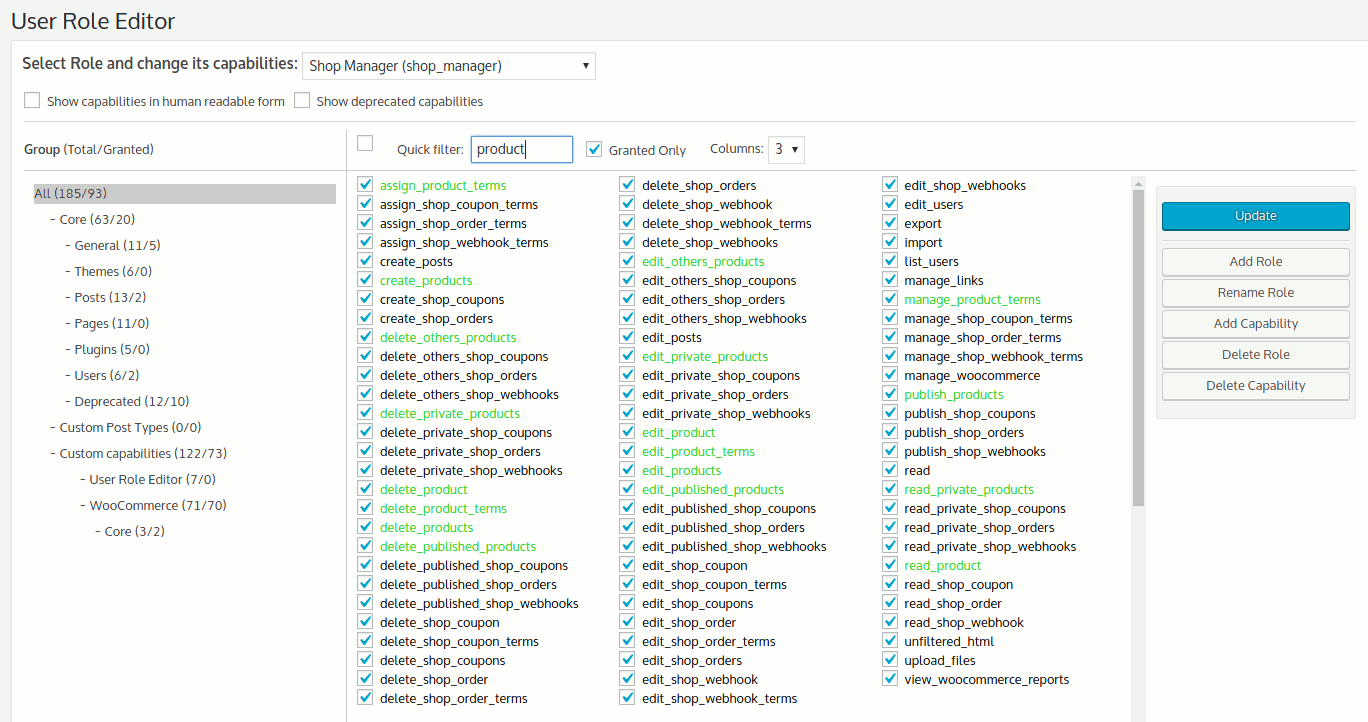
User Role Editor is a handy tool for WordPress. It allows you to modify user roles with ease. You can change what each user can do. It helps to control access to your site. You can also create new roles if needed. This plugin is great for customizing permissions.
The Members Plugin is another great choice. It offers role management features. You can edit roles and capabilities easily. It also lets you restrict content based on roles. This plugin is perfect for those who need advanced control over user access.
WPFront User Role Editor is simple to use. It helps you manage user roles quickly. You can create, edit, and delete roles. It offers a clear interface. This plugin provides all the basic tools needed for role management.
Features Of User Role Plugins
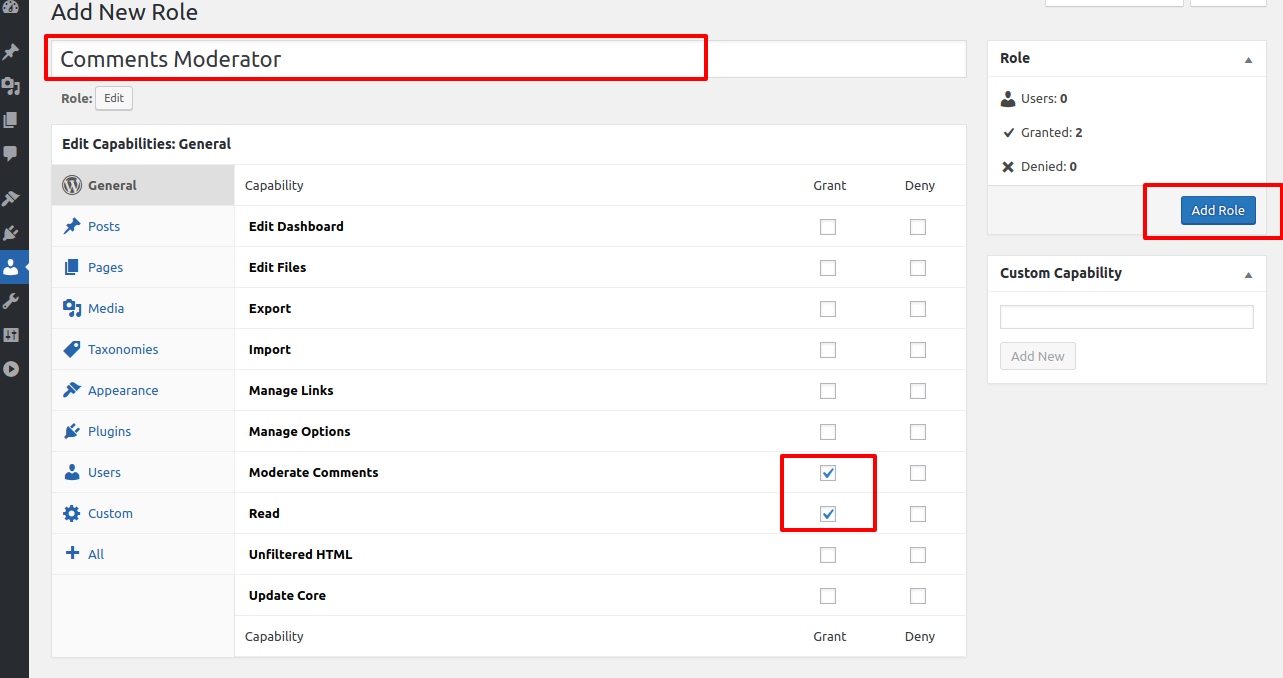
User role plugins allow you to create new roles. These plugins let you edit existing roles. You can name roles as you wish. Each role can have unique permissions. This helps in organizing your site. It makes the management easier.
Managing roles becomes simple with these plugins. You can assign roles to users. You can delete roles you don’t need. You can change roles for any user. This keeps your site secure and efficient. Everyone gets the right access.
Assigning capabilities is easy. You can add or remove capabilities. Each role can have specific tasks. For instance, editors can publish posts. Authors can write posts. The plugins help in setting these capabilities clearly.
Choosing The Right Plugin
Compatibility is key when choosing a plugin for user roles. Ensure it works with your WordPress version. Some plugins might cause conflicts. Always check the compatibility list. Avoid plugins that slow down your site.
Ease of use matters. Plugins should be simple to understand. Look for those with a clear interface. Avoid complex settings. You should manage user roles without any hassle. User-friendly plugins save time and energy.
Plugin support is vital. Choose plugins with regular updates. Support keeps plugins secure and functional. Check if the plugin has active developers. Avoid plugins that are rarely updated. Updates fix bugs and improve features.
Tips For Managing User Roles
Protect your WordPress site by using strong passwords. Update them regularly. Limit login attempts to prevent unauthorized access. Avoid using the default “admin” username. Create unique usernames for each user role. Use plugins to monitor user activity. This helps in spotting any suspicious behavior. Regularly update all plugins and themes. This keeps your site secure from vulnerabilities.
Perform audits to ensure user roles are correct. Check for any unnecessary permissions. Review roles every few months. Remove access for users who no longer need it. This reduces security risks. Document any changes made to user roles. This helps in keeping track of updates. Use plugins to automate audit processes. This saves time and ensures accuracy.
Always keep a backup of your WordPress site. This protects your data from loss. Use plugins for automatic backups. Choose a plugin that offers easy restore options. Store backups in multiple locations. This adds an extra layer of safety. Regularly test your restore process. Ensure that everything works correctly.

Credit: wedevs.com
Troubleshooting Common Issues
Plugins can simplify adding user roles in WordPress. Popular choices include “User Role Editor” and “Members,” offering customizable roles. These tools help manage permissions efficiently, enhancing site security and functionality.
Role Conflicts
User roles can sometimes conflict. A plugin might give two roles the same powers. This can cause confusion. Users may get access they should not. It’s important to check role settings. Ensure each role has unique permissions. Adjust settings as needed. This keeps your site secure.
Plugin Conflicts
Some plugins don’t work well together. They might clash. This can break site features. Always test new plugins. Use a staging site first. This helps find issues early. If two plugins fight, choose one. Remove the other. This avoids problems later.
Performance Impacts
Plugins can slow your site. Too many plugins make it worse. They use more server resources. This can affect load times. Users dislike slow sites. Keep plugins to a minimum. Only use what you need. Check site speed regularly. Remove plugins that slow things down.
Future Trends In User Role Management
Automation makes role management easy. Plugins can change user roles automatically. This saves time and reduces errors. Tasks can be set to run at specific times. Automatic notifications inform users of their role changes. This keeps everyone in the loop.
User roles can now connect with other platforms. This helps in managing accounts across multiple sites. Platforms like CRM and e-commerce sites work together. Users enjoy a seamless experience across platforms. This means less logging in and out.
New plugins offer better security for user roles. They protect sensitive data from unauthorized access. Two-factor authentication is becoming common. This adds an extra layer of protection. Role-specific permissions ensure only the right users see certain information.
Frequently Asked Questions
What Are WordPress User Roles Plugins?
WordPress user roles plugins help manage and customize user permissions. They offer flexibility in assigning specific roles. These plugins enhance site security by restricting access. Popular options include Members and User Role Editor. They simplify user management and improve workflow efficiency.
How Do Plugins Modify User Roles?
Plugins modify user roles by adding or changing permissions. They allow customization to fit your site’s needs. You can create new roles or edit existing ones. This flexibility improves user management. Most plugins offer a user-friendly interface for easy role adjustments.
Are User Role Plugins Secure?
Yes, user role plugins are generally secure. They enhance security by controlling access levels. Always choose reputable plugins with regular updates. Check reviews and ratings before installation. Ensure your WordPress site is also up-to-date. Regular maintenance minimizes security risks.
Why Use Plugins For User Roles?
Plugins offer customizable user roles, enhancing site functionality. They allow precise access control for different users. This improves site security and workflow. Plugins simplify managing multiple users on your site. They’re essential for websites with varying user responsibilities.
Conclusion
Choosing the right plugin for user roles enhances your WordPress site. It simplifies management and boosts efficiency. Each plugin offers unique features. Consider your needs carefully. Explore options like User Role Editor or Members. These tools empower site administration. They are easy to use and effective.
Balance functionality with simplicity. Ensure compatibility with your theme and other plugins. A well-organized user role system saves time and effort. It also improves user experience. Invest time in research and testing. This ensures you select the best tool for your WordPress site.


