
Are you navigating the vast ocean of WordPress plugins, unsure of which ones will truly elevate your website? You’re not alone.
With thousands of plugins available, finding the right ones can feel overwhelming. But choosing the right plugin isn’t just about adding functionality; it’s about enhancing your site’s performance and user experience. Imagine effortlessly boosting your site’s speed, security, and SEO, all with a few clicks.
Intrigued? You’re about to discover how to transform your WordPress site from ordinary to extraordinary with the right plugins. Dive in, and let’s unlock the potential of your website together.
Essential Plugins
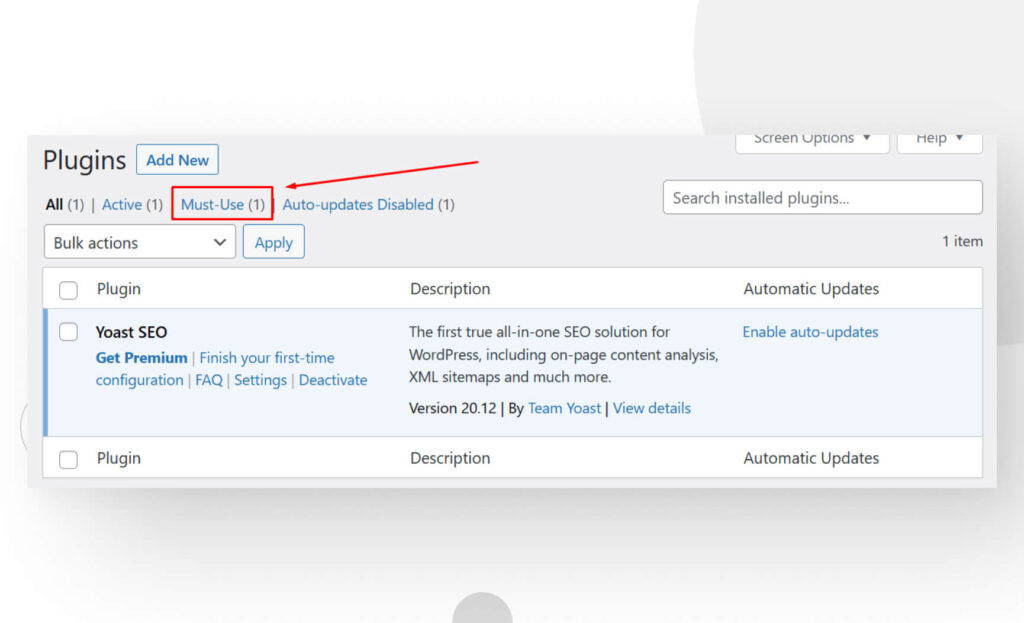
Plugins help your site show up on Google. Yoast SEO is a popular choice. It helps with keywords and meta tags. You can also use Rank Math. It offers many features for free. Both make your site easy to find online. This means more visitors.
Keeping your site safe is important. Wordfence Security is a good plugin. It protects against hackers. Sucuri Security is another great option. It gives you a firewall and malware scanner. These plugins help keep your data safe. They protect your site all the time.
Fast sites make people happy. Caching plugins can help. WP Super Cache makes your site load faster. W3 Total Cache is also effective. It improves speed by reducing load times. Faster sites mean more smiles and fewer bounces.
E-commerce Solutions
WordPress plugins can help with shopping carts. These plugins let users add items to their cart. They save items until users are ready to buy. Plugins keep track of products easily. They make shopping simple and fun for customers. Plugins also support many payment options. This means customers can choose how to pay. They feel safe and secure when paying.
WordPress plugins offer various payment gateways. They connect your store to banks. This helps process payments quickly. Customers can use credit cards or PayPal. Payment gateways keep transactions safe. They ensure money is transferred securely. Users trust the plugins for safe payments. They enjoy a hassle-free shopping experience.
Plugins help with product management. They let you add or update items easily. You can organize products in categories. This helps customers find items quickly. It keeps your store organized and neat. Plugins also track inventory levels. They alert you when stock is low. This ensures products are always available.
Content Management
Visual editors make content look great. They help create posts fast. Drag and drop features are easy. Anyone can use them. No coding needed. These tools save time. Changes appear in real-time. This helps in editing. Choices like colors and fonts are simple.
Pictures and videos add life to posts. They make content engaging. Plugins help with this. Uploading files is easy. You can add audio, too. Multimedia makes stories clear. Readers enjoy visuals. It keeps them on the page longer.
Planning posts is smart. Scheduling tools help do this. They publish content at the right time. You set the date and time. Content goes live without worry. This keeps the site active. Regular posts keep readers happy. It’s like a content calendar.
Credit: wcanvas.com
Social Media Integration
Sharing tools help your content reach more people. Plugins like ShareThis or Simple Share Buttons make it easy. You can add buttons to your posts. These buttons let readers share your content quickly. More shares mean more traffic to your site.
Displaying social feeds on your site keeps visitors engaged. Plugins like Smash Balloon show posts from your social media. This keeps your website content fresh. Visitors see your latest posts without leaving your site.
Engaging with your community builds trust. Plugins like BuddyPress or bbPress create forums. Forums let users talk and share ideas. Strong communities lead to loyal followers. Loyal followers often return to your site.
Analytics And Tracking
Plugins help track how many people visit your site. They show numbers and graphs. You can see peak times and low times. This helps plan content better. Knowing visitor count is important. It helps measure site popularity.
Conversion rate shows how many visitors take action. Like buying or signing up. Plugins track these actions. They can tell what makes people click. Improving this rate is key. It means more success for your site.
Understanding user actions is helpful. Plugins track what users do on your site. They see which pages users like most. Knowing user behavior helps improve content. It makes the site more user-friendly. Happy users mean more visits.
Credit: codecanyon.net
Customization Options
Theme Enhancements make your site look better. They add new colors and styles. Plugins can offer more fonts and designs. You can change backgrounds easily. Make your site unique with these tools. Just a few clicks can transform your theme.
Custom Widgets are little tools that boost site functions. Add clocks, calendars, or social media links. Widgets can show weather updates or recent posts. They fit into sidebars or footers. Easy drag-and-drop setup. They enhance user interaction.
Layout Modifications help change the site structure. Arrange text blocks and images. Plugins allow flexible grid systems. Choose different page templates. Make your site more organized. Simple tweaks make a big difference. Users find info faster.
Backup And Recovery
WordPress plugins make saving data easy. They schedule backups. This means your site is safe. Even if you forget, the plugin remembers. No need to worry about losing information.
Lost data can be a big problem. Plugins help bring back lost files. They restore your site quickly. It feels like magic. One click, and your site is back. No need for tech skills. It’s simple and fast.
Disasters happen unexpectedly. Plugins help when things go wrong. They protect your site. You can recover your data easily. It is like having a safety net. Your site stays secure. Your work stays safe.
Credit: www.fixrunner.com
Frequently Asked Questions
What Is The Best WordPress Plugin?
The best WordPress plugin depends on your needs. For SEO, try Yoast SEO. For security, consider Wordfence Security. If you need e-commerce, WooCommerce is popular. Always choose plugins that are well-reviewed and updated frequently.
How Do I Choose A WordPress Plugin?
Choose a plugin by checking its reviews, active installations, and update frequency. Ensure compatibility with your WordPress version. Consider the plugin’s features and how they align with your needs. Check for support and documentation availability.
Are WordPress Plugins Free?
Many WordPress plugins are free, but premium versions exist. Free plugins offer basic features, while premium ones provide advanced options. Check the WordPress plugin directory for free options. Always evaluate if the free version meets your requirements before purchasing.
How Many Plugins Should I Use On WordPress?
Use only necessary plugins to avoid site slowdowns. Too many plugins can affect performance and security. Aim for minimal, essential plugins. Regularly review and deactivate unused ones to maintain optimal site health.
Conclusion
Choosing the right plugin boosts your WordPress site’s efficiency. Plugins offer various features to enhance user experience. They help customize your site effortlessly. With the right tools, managing content becomes seamless. Explore different plugins for diverse needs. Security, speed, and design matter.
Always check reviews and ratings before installing. Keep your site updated with essential plugins. Regular updates ensure smooth performance. Stay informed about new plugin releases. Make your WordPress site stand out. Prioritize compatibility with your theme. Balancing functionality and simplicity is key.
Happy blogging!


