
Ever wondered how to make your WordPress site stand out and attract more visitors? You might have heard about tags, but what exactly do they mean in WordPress?
Understanding this simple yet powerful tool can transform how your content is discovered and engaged with. We’ll demystify WordPress tags and show you how they can enhance your site’s visibility and user experience. Imagine effortlessly guiding your readers to the content they crave, boosting your SEO, and keeping your site organized—this isn’t just a possibility; it’s a reality with the right knowledge about tags.
Ready to unlock the secrets of WordPress tags and take your site to the next level? Let’s dive in and explore how you can make the most of this essential feature.
Tags In WordPress
Tags are words or phrases. They describe the content of a post. Tags help organize posts. They make it easy to find similar topics. Think of tags as labels. Labels for your blog posts. Tags help with navigation. They improve the user experience. Visitors find posts faster.
Tags are not the same as categories. Categories are broader. Tags are more specific. Tags should be short. One or two words. Use simple tags. Tags should relate to the post. Avoid using too many tags. This can be confusing. Keep tags clear and simple.
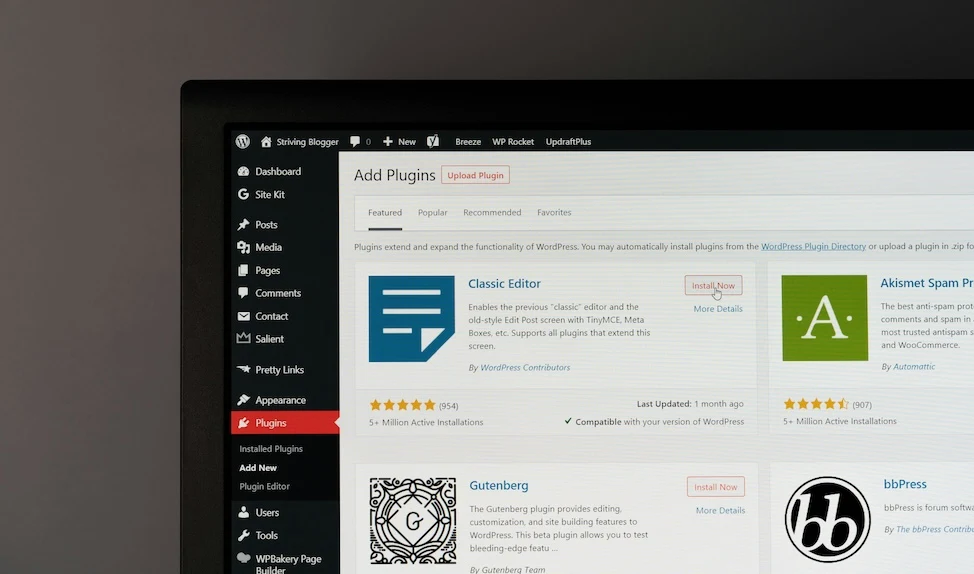
Credit: www.liquidweb.com
Purpose Of Tags
Tags help organize content on your WordPress site. They act like labels. Each tag groups posts with similar topics. This makes it easier for readers to find related content. Tags improve the site’s navigation. Users can click on a tag and see all posts with that tag.
Tags also help search engines. They understand what your post is about. This can improve your site’s visibility. It makes your site more user-friendly. Tags are easy to add when you write a new post. Simply type words that describe your content. Use multiple tags to cover different topics.
Tags Vs Categories
Tags and categories help organize content. Categories are like big folders. They group related posts. Tags are more specific. They describe details about a post. Imagine a library. Categories are like book genres. Tags are like book topics. Both help users find content. Categories are broad. Tags are detailed. Use both for better organization. Tags can be many. Categories are usually few. Choose wisely to aid navigation. A clear structure improves user experience. It helps with SEO too. Search engines understand your site better. They index your content more effectively. This boosts your site’s visibility.
Creating Tags
Tags in WordPress help organize content. They make it easy to find posts. To add a tag, go to your post editor. Look for the tags box. Write your tag name there. Click “Add” to save it. Tags can be words or short phrases. They should relate to your post topic. Good tags improve search results. They help readers find similar posts. Tags are different from categories. They offer more specific details. Use tags wisely. Avoid too many tags. This keeps your site tidy and clear.
Adding tags is simple. First, open your post editor. On the side, find the tags section. Type in your tag name. Click “Add” to attach it. You can add many tags. But do not go overboard. Choose tags that describe your post. Tags should be relevant. This helps in searching. Readers find posts easily with good tags. Tags make navigation simple.
Managing tags keeps your site neat. Go to the tags page in WordPress. View all your tags here. You can edit or delete tags. This helps control your site’s structure. Remove tags that are not useful. Edit tags that need changes. Keep tags simple and clear. This helps readers understand your site. Organizing tags improves user experience. It also helps in search engine ranking. Proper tag management is important.
Seo Benefits
Tags in WordPress help to organize blog content. They act like labels for your posts. This makes it easy for readers to find related topics. Better organization means better user experience. Good user experience can lead to more page views.
Using tags correctly can improve your website’s search engine ranking. Search engines like Google use tags to understand your content. Relevant tags can make your content appear in more searches. This brings more visitors to your site.
Tags can make content more visible on your website. They connect related posts, making it easy to find more information. Visitors will stay longer if they find what they are looking for. Longer visits can be good for SEO.

Credit: taxopress.com
Organizing Content
Tags help keep content tidy. They group related posts together. This helps users find what they need fast. Each tag acts like a label. This makes it easy for users to explore topics. Tags are like keywords. They make searching simple and quick. A well-organized site means happy visitors. Happy visitors return more often. So, using tags wisely is key.
Tags make navigation easy for users. They guide users to related posts. Users can find similar articles quickly. This saves them time and effort. Clicking on a tag shows all related posts. This means users spend more time on the site. More time on the site boosts user engagement. Engaged users are more likely to share content.
Tags create paths for users to follow. They connect different posts on the same topic. This makes exploring the site fun. Users can jump from one topic to another easily. Using tags improves site structure. A better structure means a better user experience. Users will appreciate the clear paths. This increases their chances of returning.
Best Practices
Tags help readers find related content. Choose tags that describe your post. Use words that make sense. Readers should understand the tag meaning. Avoid long tag phrases. Short tags are better. They are easier to read and remember. Use tags that fit the topic. This helps with search engines. It makes content easy to find.
Too many tags can confuse readers. Use only a few tags per post. Five to ten tags work well. More than this may not help. It can make your site messy. Focus on quality, not quantity. Less is often more. Tags should add value. They should not clutter content. Keep your tags simple and clear. This helps readers and search engines.
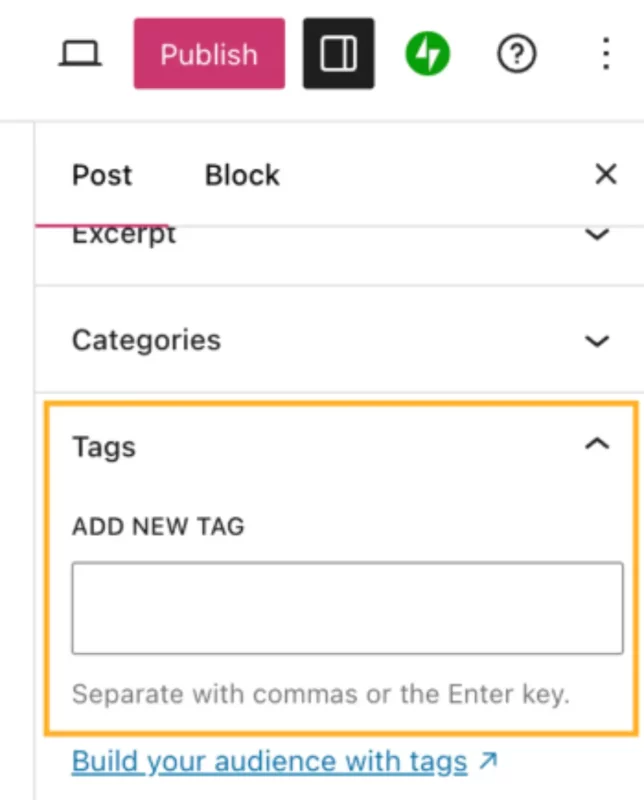
Credit: devdiggers.com
Common Mistakes
Using too many tags can confuse readers. It clutters the website. Tags should be specific and relevant. Mixing up categories and tags is a common error. Categories are broad. Tags are specific. Each serves a different purpose.
Some people forget to use tags. This makes it hard to find content. Tags help users locate posts easily. They improve site navigation. Avoid using the same tag as a category. This can create duplicate content. It can harm your site’s SEO.
Always check for spelling errors. A misspelled tag can lead to broken links. It can confuse readers. Use tags wisely. Make sure they add value to your site.
Frequently Asked Questions
What Are Tags In WordPress?
Tags in WordPress are keywords that help categorize posts. They assist in organizing content, making it easier for users to find related articles. Tags improve website navigation and enhance SEO by linking similar topics, providing a better user experience and potentially boosting search engine rankings.
How Do Tags Differ From Categories?
Tags are more specific and flexible than categories. While categories organize broad topics, tags offer detailed classification. Tags can describe multiple aspects of a post, whereas categories group content under general themes. This specificity aids in better content discovery and enhances SEO.
Can Tags Improve Seo In WordPress?
Yes, tags can enhance SEO by connecting related content. They facilitate user navigation and improve site structure, potentially boosting search rankings. Properly used, tags can increase content visibility and engagement, helping search engines understand the relevance and context of your content.
How Many Tags Should I Use Per Post?
Using 5-10 relevant tags per post is ideal. Tags should be descriptive and directly related to the content. Overusing tags can lead to confusion and dilute SEO benefits. Focus on quality and relevance to optimize user experience and improve search engine visibility.
Conclusion
Tags in WordPress help organize content efficiently. They make navigation easier for users. With tags, finding related posts becomes simple. You can enhance user experience with proper tagging. This boosts engagement on your site. Tags also improve SEO by categorizing content.
Search engines like organized content. Tags are crucial for better site visibility. They guide readers to relevant information quickly. So, utilize tags wisely in your WordPress site. Make your content accessible and organized. A well-tagged site is user-friendly and search engine friendly.
Keep tags relevant and concise for best results.


