
Picture this: You’ve just started your journey into the world of WordPress, eager to craft a stunning website or blog that stands out. But suddenly, you stumble upon a word that seems a bit mysterious: “taxonomy.”
What on earth is WordPress taxonomy, and why should you care? Well, you’re in the right place! Understanding taxonomy in WordPress is like discovering a secret map that helps you organize your content effortlessly. It’s the key to making your site not only user-friendly but also a magnet for readers and search engines alike.
Imagine guiding your visitors through a seamless experience where they find exactly what they’re looking for, instantly. Ready to unlock this magic? Keep reading, and you’ll soon be the master of your content universe.
Credit: kinsta.com
WordPress Taxonomy Basics
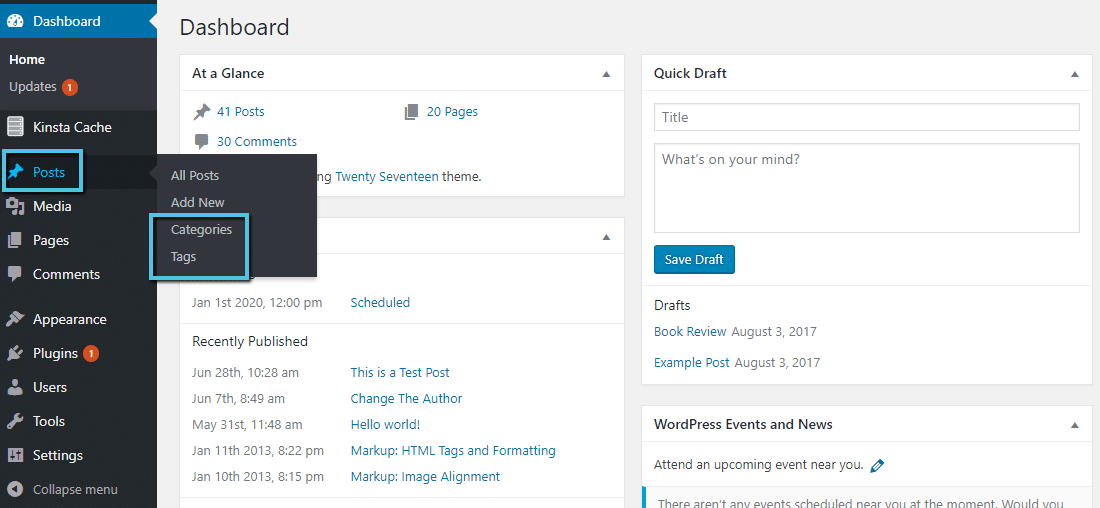
WordPress taxonomy helps you organize content. It groups related posts together. This makes it easier for users to find content. There are two main types: categories and tags. Categories are broad topics. Tags are more specific. They describe details of the post. Both are useful for better navigation. They improve the website’s user experience.
Categories are like the main folder. Tags are like labels. You can use many tags. But each post has one category. Taxonomies help with search engine optimization. They make it easier for search engines to understand your content. This can help your site rank better. Understanding taxonomy is key for managing a WordPress site. It keeps your content organized and accessible.
Categories Vs Tags
Categories and tags help organize content. Categories are broad groups. They cover main topics. Tags are more specific. They highlight details. Both help users find posts easily. Categories are like folders. Tags are like labels. Use categories for big ideas. Use tags for small details. They make searching simple.
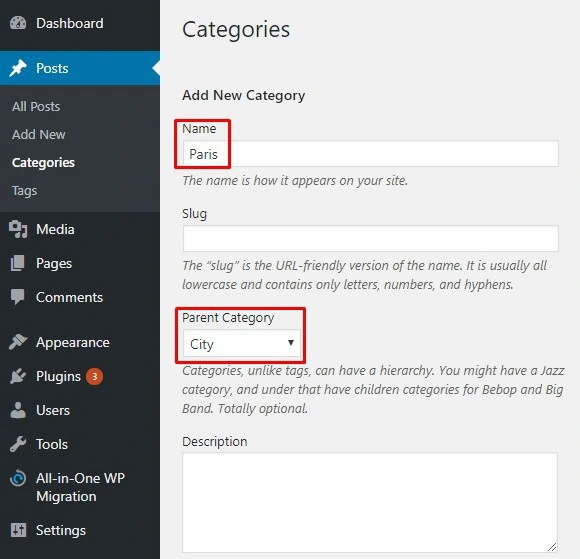
Categories can have sub-categories. Tags cannot have sub-tags. Categories affect site structure. Tags do not affect structure. Use both for better organization. It helps readers and search engines. Keep categories limited. Use many tags if needed.
Custom Taxonomies
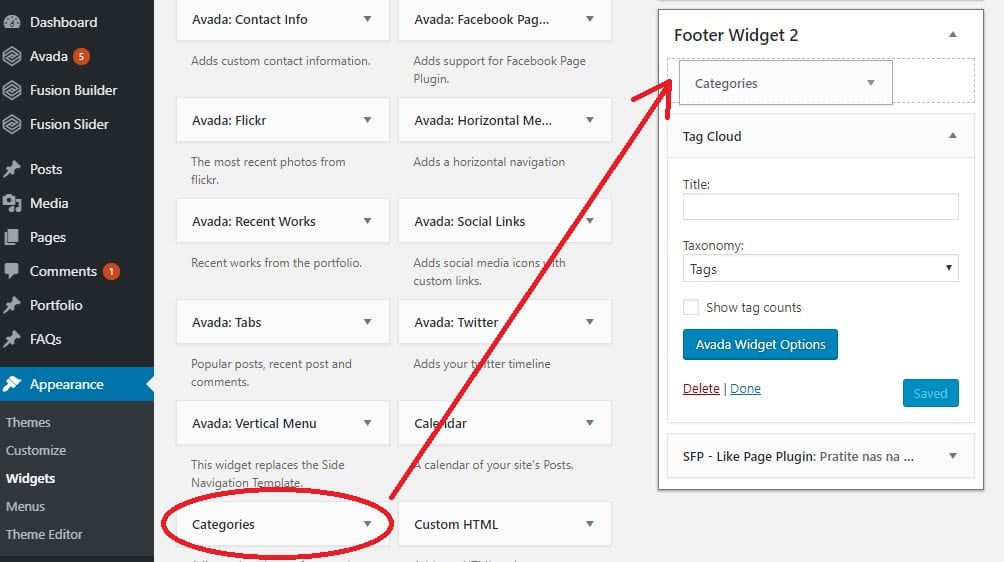
Custom taxonomies help organize content in WordPress. They are like labels or categories. You can make your own to fit your needs. Custom taxonomies make finding content easy. They help users and search engines.
Custom taxonomies offer many benefits. They keep your site neat and tidy. Visitors find what they need quickly. Improved navigation is a key benefit. It leads to a better user experience. Another benefit is better SEO. Search engines understand your content better with taxonomies. They can improve your site’s visibility. Custom taxonomies are flexible. You can create them to suit any type of content.
Taxonomy In WordPress Themes
Taxonomies help organize content in WordPress. They group posts and pages. This makes searching easier. Themes can display these taxonomies. A theme may show categories or tags. Custom taxonomies can be added. They provide more organization. For example, a book theme might use genres.
Developers should plan taxonomy use. Understand the website’s needs first. Use simple taxonomies for better user experience. Avoid complex terms. Testing is important. Check how taxonomies appear in the theme. Make sure they are easy to find. Use clear names for taxonomies. This helps users understand better. Organize taxonomies well.
Taxonomy Plugins
WordPress taxonomy organizes content using categories and tags. It helps users navigate and find relevant information easily. Plugins enhance taxonomy, allowing custom structures for better content management.
Popular Taxonomy Plugins
WordPress offers many plugins for managing taxonomy. Custom Post Type UI is a popular choice. It helps create custom post types easily. Toolset Types is another option. It allows users to build complex sites without coding. Pods plugin provides flexibility for creating custom content. ACF or Advanced Custom Fields helps add fields to taxonomy terms. Each plugin has unique features. They make organizing content simple.
Choosing The Right Plugin
Choose a plugin based on your needs. Think about your site goals. Consider ease of use. Some plugins are user-friendly. Others need technical skills. Review plugin compatibility. Ensure it works with your theme. Check for updates. Regular updates mean better security. Read user reviews. Reviews can provide helpful insights. Try different plugins. Test them to see which fits best.
Credit: www.fixrunner.com
Seo And Taxonomies
Using taxonomies can boost your website’s SEO. Taxonomies help organize content. Search engines love organized content. This means better rankings for your site.
When you group similar content, users find information easily. This improves user experience. A good experience keeps visitors longer. Longer visits are good for SEO.
Ensure your taxonomies are relevant. They should match your site’s focus. Avoid using too many categories. This can confuse search engines. Simple and clear categories work best.
Many websites misuse taxonomies. Some have too many categories. This can harm SEO. Others use vague names. This confuses search engines and users.
Avoid duplicate content in taxonomies. Duplicate content confuses search engines. It can hurt your rankings. Always use unique titles and descriptions.
Keep taxonomies updated. Outdated categories can mislead users. This affects user trust and SEO. Regular updates ensure accuracy.
Managing Taxonomies
WordPress taxonomies help organize content. They group similar items together. This makes finding information easier. Categories and tags are common types. Categories group posts on big topics. Tags are smaller labels for specific ideas. Both help in content arrangement. Users can sort and filter posts quickly. This saves time and improves browsing. Proper organization enhances user satisfaction. A tidy site keeps visitors happy.
User experience becomes smooth with taxonomies. Visitors find content without hassle. Simple navigation boosts site usability. Organized posts attract more readers. People stay longer and explore more. Easy paths lead to desired information. Visitors appreciate fast access to content. Happy users often return. A well-structured site is user-friendly. This helps in growing audience numbers.
Future Of WordPress Taxonomy
New trends in WordPress taxonomy are exciting. Custom taxonomies are gaining popularity. They help organize content better. People want more flexible options. Developers are working on this. AI is also a trend. It helps suggest the right tags. This saves time and effort.
Community contributions play a big role too. Enthusiasts share their ideas online. They build useful tools and plugins. These make taxonomy more powerful. It’s a team effort. Everyone can contribute. This spirit of sharing makes WordPress better.
Credit: www.hostinger.com
Frequently Asked Questions
What Is WordPress Taxonomy?
WordPress taxonomy is a system for classifying content. It organizes posts, pages, and custom post types into categories and tags. This helps users and search engines find related content easily. Taxonomies improve site navigation and enhance SEO by grouping similar topics together.
How Do Taxonomies Improve Seo?
Taxonomies improve SEO by organizing content into relevant categories and tags. This enhances website structure, making it easier for search engines to index pages. Proper use of taxonomies helps visitors find related posts, increasing engagement and reducing bounce rates.
Can I Create Custom Taxonomies In WordPress?
Yes, WordPress allows custom taxonomies for better content organization. Custom taxonomies help tailor your site’s structure to specific needs. They enable unique categorization beyond default categories and tags, enhancing user experience and SEO.
How Are Categories Different From Tags?
Categories are broad groupings for posts, while tags are specific keywords. Categories help define the main topics of your site. Tags offer more detailed classification, allowing users to find related content easily.
Conclusion
WordPress taxonomy is a helpful tool for organizing content. It makes finding related posts easier. Categories and tags are the main types. They help structure your site. You can create custom taxonomies too. This adds flexibility to your website. Proper use of taxonomy enhances user experience.
Visitors stay longer when content is easy to navigate. Search engines also like well-organized sites. Better organization can improve your site’s visibility. So, understand and use taxonomy wisely. It makes your WordPress site more efficient. Keep learning and experimenting with taxonomy options.
Your site will benefit greatly.


