
When you’re thinking about building a website, WordPress often pops up as a go-to solution. But is it the right choice for you?
Understanding the pros and cons can help you make an informed decision. Imagine having a tool that is both powerful and flexible, yet simple enough for beginners. WordPress offers exactly that, but it also comes with its own set of challenges.
By the end of this article, you’ll know exactly what WordPress can do for you and where it might fall short. Dive in, and discover how WordPress could be the key to unlocking your online success.
Introduction To WordPress
WordPress is a tool used by many for creating websites. It is easy to use. No need to know coding to start. With WordPress, anyone can build a site. It offers themes and plugins to customize websites. Many people love its flexibility. It can be used for blogs, shops, or portfolios. WordPress is popular worldwide. Millions of websites use it daily. It is both powerful and user-friendly.
Some find WordPress challenging at times. It may require updates often. Large sites can be slow without good hosting. Security is another concern. Sites can be hacked if not protected. Yet, many find solutions to these issues. WordPress stays a favorite choice. It has many benefits but also some drawbacks.
Ease Of Use
WordPress offers a simple, easy-to-navigate interface. Users can find tools quickly. The dashboard displays clear options. Menus are organized logically. Creating posts and pages is straightforward. The design is intuitive. Most actions require only a few clicks. Beginners can learn quickly.
The learning curve is gentle. Users start with basic skills. Over time, they gain advanced skills. Tutorials help with learning. Many resources are available online. Community forums offer support. Users can ask questions freely. Patience is key to mastering WordPress.
Customization Options
WordPress offers extensive customization options, allowing users to tailor websites with themes and plugins. These tools enhance functionality and design, making personalization accessible. While flexibility is a major advantage, managing numerous plugins can lead to slower performance.
Themes And Plugins
WordPress offers many themes. Users can choose a theme to change the look of their site. Themes are easy to install. They make your site look different. Plugins add new features to your site. There are plugins for contact forms, SEO, and more. You can find plugins for almost anything. Both themes and plugins can be free or paid. This gives you many choices. You can mix themes and plugins to suit your needs.
Design Flexibility
WordPress allows great design flexibility. You can adjust colors, fonts, and layouts. Drag-and-drop tools make design easy. Anyone can create a unique look. Designers and beginners find this useful. You can change your site anytime. Edit pages and posts easily. This makes WordPress a popular choice for websites. Create a site that matches your style.

Credit: www.youtube.com
Cost-effectiveness
WordPress offers cost-effectiveness by providing free themes and plugins. Users can minimize expenses while customizing their websites. Despite some limitations, its affordable solutions cater to diverse needs efficiently.
Free Features
WordPress offers many free features. You can create a basic blog. Use free themes to change the look. Add plugins to boost functions. Small businesses can save money. Bloggers can start without spending.
Premium Costs
Some features cost money. Premium themes look better. They offer more designs. Paid plugins add advanced functions. Large businesses may need these. Costs can add up over time. Choose wisely based on needs.
Seo Capabilities
WordPress offers a flexible platform for website creation, with user-friendly design and vast customization options. Some drawbacks include reliance on plugins for added functionality and potential security vulnerabilities.
Built-in Seo Tools
WordPress offers many built-in SEO tools. These tools help improve your site’s visibility. You can use them to edit meta tags easily. They also allow you to create SEO-friendly URLs. These features make SEO tasks simple. Beginners find them very helpful. You don’t need to be an expert to use these tools. They guide you step by step. Your site’s ranking can improve with them.
Third-party Integrations
WordPress supports many third-party SEO plugins. These plugins enhance the site’s SEO capabilities. Yoast SEO is a popular choice. It offers keyword optimization and content analysis. All in One SEO is another option. It provides sitemap generation and social media integration. These plugins offer more features than built-in tools. They make SEO tasks easier and more effective. Users can choose plugins based on their needs. This flexibility is a great advantage.
Security Concerns
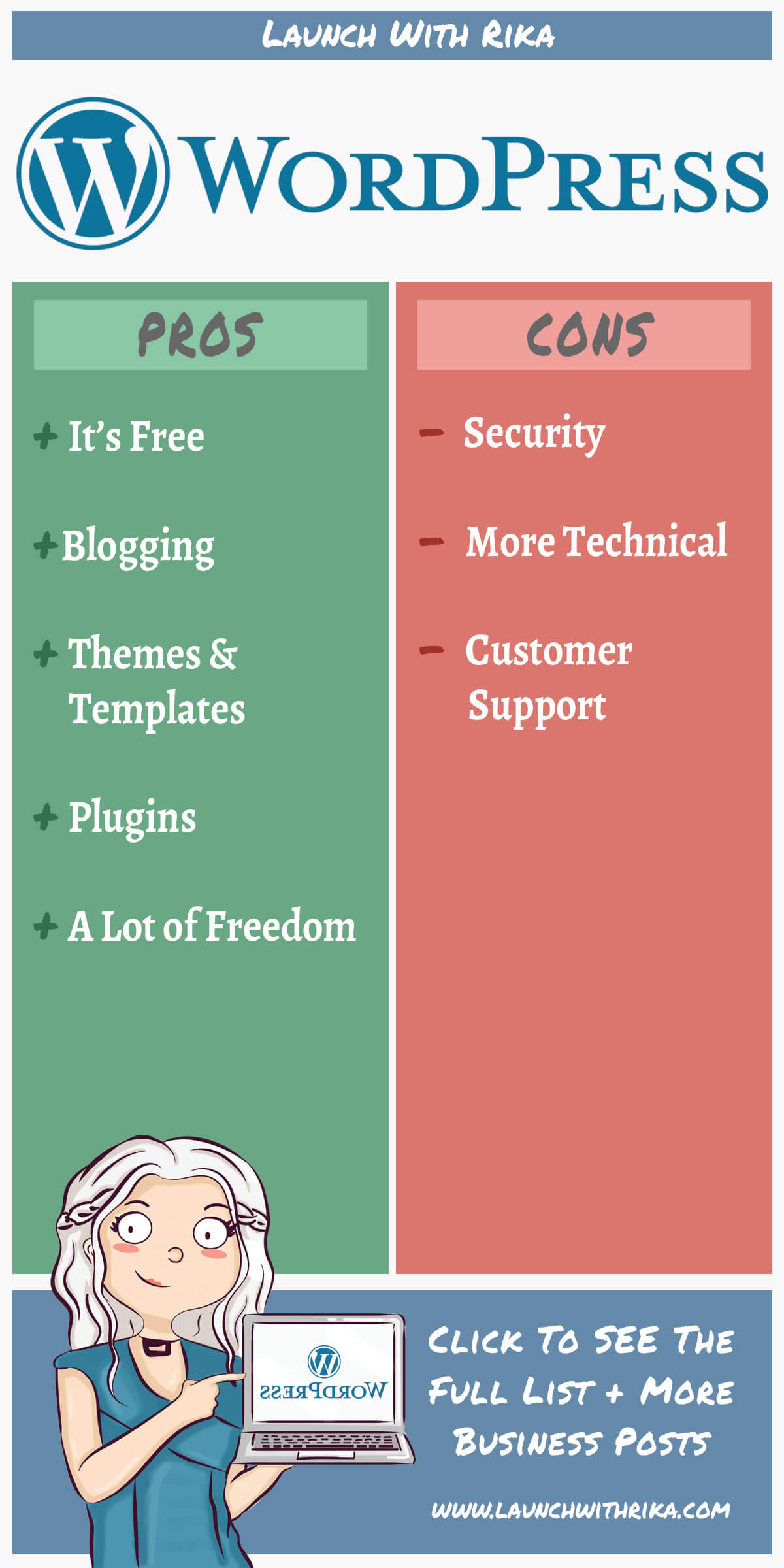
WordPress is popular. This makes it a target for hackers. Vulnerabilities can be found in themes and plugins. Hackers exploit these weaknesses. Regular updates help fix these issues. But some users skip updates. This puts their site at risk. Hackers can steal data. They can also damage the site.
Security plugins protect WordPress sites. They block hackers. Plugins like Wordfence and Sucuri are popular. These plugins scan for threats. They alert users about suspicious activity. Some plugins offer two-factor authentication. This adds extra protection. Users should choose trusted plugins. Regular updates are important. This keeps the site safe.
Support And Community
WordPress offers many online resources. You can find tutorials and guides. Many people share their knowledge. They write articles and make videos. You can learn at your own pace. These resources are often free. They help you solve problems quickly.
The WordPress user community is very big. You can join forums and groups. People like to help each other. They share tips and tricks. You can ask questions. Someone will answer soon. This makes learning WordPress easier. Being part of a community is fun.
Credit: www.markup.io
Scalability
WordPress can handle large websites. It is flexible and adaptable. Many big sites use it. It may need more plugins and resources. This helps with high traffic.
Content management becomes easier. Organizing pages and posts is simple. Developers can customize it. They can use themes and plugins. It fits different needs.
Speed is important for websites. WordPress can be fast. It needs some tweaks. Caching plugins help a lot. They store data for quick access. This improves load time.
Image optimization is also key. Smaller images load faster. There are plugins for this. They reduce the size without losing quality. Regular updates keep the site secure and smooth.
E-commerce Integration
WooCommerce is a popular tool for online stores. It helps you sell products on your website. Many businesses use WooCommerce for its easy setup. You can add products quickly. It supports different types of products. Digital, physical, and even subscriptions. Customize your store to look unique. WooCommerce has many themes. Plugins add more features. You can find free and paid plugins.
Payment gateways are key for online shopping. WooCommerce supports many gateways. PayPal, Stripe, and Square are popular choices. These gateways help you receive money safely. Customers can pay with credit cards. You can also use direct bank transfers. Choose a gateway that fits your needs. Some gateways charge fees. Check the fee before using. More payment options mean more sales. Make sure your gateway is secure and reliable.
Credit: www.launchwithrika.com
Comparison With Other Platforms
WordPress offers flexibility with numerous plugins and themes, making it easy to customize. It may require technical skills for advanced features. Compared to other platforms, it’s popular for its user-friendly interface but can be slower if not optimized.
WordPress Vs. Wix
WordPress is flexible and great for bloggers. It offers many plugins. You can customize it a lot. Wix is easy to use. It has a drag-and-drop builder. This helps beginners. WordPress needs more setup. Wix is faster to start. But, WordPress has more features. Many people like WordPress for its power. You own your content. Wix hosts your site. That means less control. Both have pros and cons. Choose based on your needs.
WordPress Vs. Squarespace
WordPress is more open. You can change themes and plugins. Squarespace is closed. It has fewer templates. But, they look nice. WordPress is good for big sites. Squarespace works well for small sites. WordPress has a learning curve. Squarespace is easier for beginners. You pay more for Squarespace. It is all-in-one. WordPress can be cheaper. But, you need a host. Many like WordPress for freedom. Squarespace is for simplicity.
Final Thoughts On WordPress
WordPress is a popular tool for building websites. It’s easy to use and offers many features. You can create a blog or a full website. The platform is open-source, so it’s free to use. Many themes and plugins are available to customize your site. This makes WordPress flexible and adaptable. You can make your website unique without coding skills.
There are some downsides to consider. Regular updates are needed for security. Some plugins might not work well together. This can cause issues on your site. WordPress sites can also be slow if not optimized. Choosing the right hosting service is important. It can affect your site’s speed and security.
Overall, WordPress is a great choice for many users. It’s suitable for beginners and experts alike. Just be sure to maintain your site regularly. This will help keep it running smoothly.
Frequently Asked Questions
What Are The Main Pros Of WordPress?
WordPress offers flexibility, ease of use, and a vast library of themes and plugins. It’s SEO-friendly, supporting various optimization tools. The platform is suitable for beginners and experts alike, accommodating different website needs. Its large community provides extensive support and resources, making it a reliable choice for many users.
Why Is WordPress Popular For Bloggers?
WordPress is popular among bloggers due to its user-friendly interface and powerful features. It allows easy content management and customization. The platform supports multimedia content and offers numerous plugins for enhanced functionality. Its SEO capabilities help bloggers reach a wider audience, making it an ideal choice for content creators.
Are There Security Concerns With WordPress?
Yes, WordPress can have security concerns if not properly managed. Regular updates and security plugins are essential for protection. Vulnerabilities often arise from outdated themes and plugins. However, with proper maintenance and security practices, WordPress can be a secure platform for any website.
Can WordPress Handle E-commerce Websites?
Yes, WordPress can effectively handle e-commerce websites using plugins like WooCommerce. It offers customizable product pages, inventory management, and secure payment gateways. Its flexibility allows for unique store designs and seamless user experiences. WordPress’s robust features make it a popular choice for online businesses of all sizes.
Conclusion
WordPress offers both benefits and challenges. It’s user-friendly and versatile. Perfect for beginners and experts alike. Customization possibilities are endless. Yet, it requires regular updates. Security can be a concern. Some plugins may slow sites. Costs can add up with premium features.
Still, it’s a top choice for many. Ideal for blogs, businesses, and portfolios. Evaluating your needs is key. WordPress might be your ideal platform. Or, it may not fit your goals. Understanding its pros and cons helps. Make an informed decision for your site.
Choose wisely based on your specific requirements.


