
Have you ever wondered how WordPress manages to seamlessly display dynamic content on your website? The secret lies in its powerful yet often overlooked feature: the default template tags.
Whether you’re a seasoned WordPress user or just starting out, understanding these tags can transform the way you build and manage your site. Imagine having the ability to easily display posts, categories, and other essential elements without diving into complicated code.
Sounds appealing, right? By mastering WordPress default template tags, you can enhance your site’s functionality while saving time and effort. Intrigued? Let’s delve deeper to unlock the true potential of your WordPress site with these essential tools.
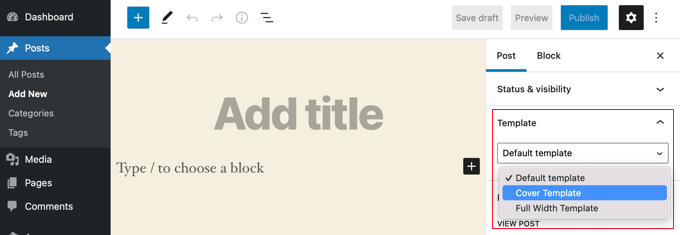
Credit: www.wpbeginner.com
WordPress Template Tags
WordPress template tags are small pieces of code. They help in displaying content. These tags are easy to use. They are built into WordPress. Every tag has its own job. Some tags show the date. Others might display the title. Tags make themes work better. They allow custom designs. No need for coding skills. Just use the tags provided.
Purpose and Usage of these tags is simple. They help design unique sites. Beginners can use them too. They are very user-friendly. Just place them where needed. Change the look of your site easily. Use them to add dynamic content. They are powerful tools for developers. Make your site interactive and engaging.
Common Default Template Tags
WordPress uses header and footer tags to build parts of a site. These tags make the top and bottom of the page look nice. get_header() and get_footer() are functions that help in this process. They call the header and footer files. This makes it easy to manage site design. Changing these files changes the look of the whole site.
The loop is a big part of WordPress. It shows posts and pages on a site. Tags like have_posts() and the_post() are used here. These tags check and display posts one by one. content tags help show text and images. the_content() is a popular tag. It shows the main content of a post.
Navigation tags help users move around a site. wp_nav_menu() is a key tag for this. It shows menus on a page. Menus can have links to other pages. This makes the site easy to explore. Users can find what they want quickly.
Customizing Template Tags
WordPress offers default template tags for themes. These tags can be modified. Changing them helps you customize your site. You can alter how content appears. Use functions to change tags. This helps in creating unique designs. Adding new features to existing tags is possible. This makes your site feel personal. Modify tags to fit your needs. It’s simple and effective.
Creating custom template tags is exciting. You can build unique elements. They add special features to your site. Custom tags help in personalizing themes. Use PHP to create these tags. This makes them more versatile. Beginners can start simple. Advanced users can explore more. Custom tags enhance functionality. They make your site stand out. These tags are easy to manage.
Best Practices
Efficiency in Theme Development is key for smooth websites. Use the default template tag wisely. It helps reduce coding time. This tag simplifies tasks. Developers can focus more on design. Less coding, more creativity.
Using this tag ensures themes run consistently. It helps avoid errors. The site loads faster. Users enjoy a better experience. Fast sites keep visitors happy.
Maintaining Compatibility
Compatibility keeps themes working with future updates. Template tags are updated regularly. They ensure themes stay functional. Developers can rely on them. Themes remain compatible with plugins. This helps prevent conflicts. Everyone stays happy.
Using template tags means less work later. Themes stay current. No need for major changes. It saves time. Users get a smooth experience. Websites stay modern. They continue to work well.
Troubleshooting
Template tags may not work sometimes. Errors can happen due to a missing tag or a wrong function. Check the spelling of the tag first. A misspelled tag breaks the site. Also, verify the location of the tag. Tags must be in the right file.
Start with small changes. One change at a time. Use the error log in WordPress. This helps find mistakes. Enable debugging in the wp-config file. Look for warnings or errors. Try using a child theme. It protects your main theme.
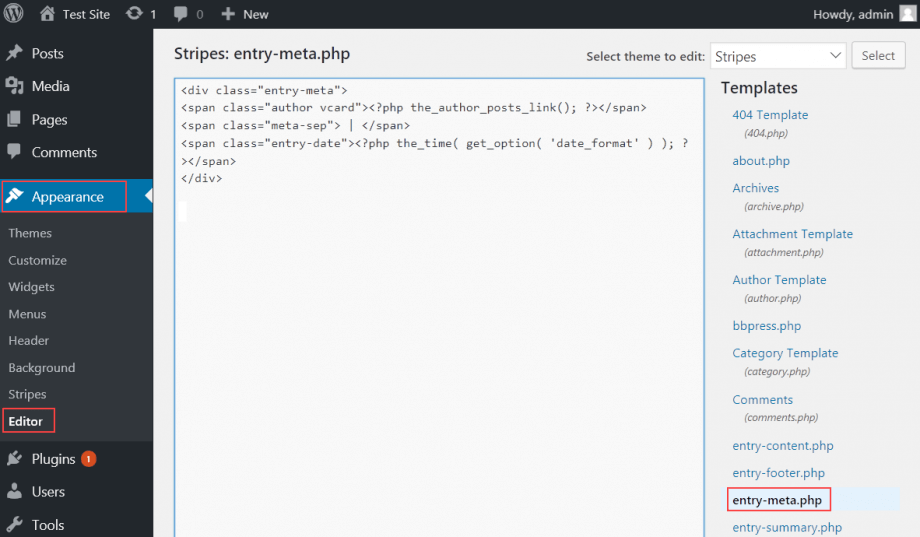
Credit: www.hostpapa.com

Credit: wordpress.stackexchange.com
Frequently Asked Questions
What Is A Default Template Tag In WordPress?
A default template tag in WordPress is a function that retrieves and displays data. These tags are used to dynamically generate content. They make it easier for developers to access information like post titles, categories, and more.
How Do Template Tags Enhance WordPress Themes?
Template tags enhance WordPress themes by providing dynamic functionality. They allow developers to pull in data without hardcoding. This flexibility ensures themes are adaptable and maintainable. It also allows non-developers to customize content effortlessly.
Can I Modify Default Template Tags?
Yes, you can modify default template tags using hooks and filters. This customization allows you to change functionality without editing core files. It ensures updates don’t overwrite your changes. Always back up your site before making modifications.
Where Can I Find WordPress Template Tag Documentation?
You can find WordPress template tag documentation on the official WordPress Codex. It’s a comprehensive resource for developers. The Codex provides detailed explanations, usage examples, and related functions. It’s essential for anyone developing WordPress themes or plugins.
Conclusion
Understanding WordPress default template tags can boost your website’s efficiency. These tags offer flexibility in displaying content. They help you customize layouts and design. Using them correctly saves time and enhances site functionality. Start by exploring basic tags. Then, move on to advanced ones as you gain confidence.
Remember, practice makes perfect. Don’t hesitate to experiment and learn. With these skills, your WordPress site can perform better. Keep learning and adapting to new changes. Your website will thank you for it. Happy blogging!


