
Have you ever stumbled across a piece of code in WordPress and wondered, “What does this syntax mean?” You’re not alone.
As you dive deeper into customizing your WordPress site, you might encounter various lines of code that seem like a foreign language. But here’s the good news: understanding WordPress syntax doesn’t require a degree in computer science. It’s about unlocking a new skill that empowers you to take full control of your website.
Imagine the possibilities when you can tweak your site exactly how you want, without waiting for a developer. This is more than just learning code; it’s about gaining the confidence to create a unique online presence. We’ll demystify WordPress syntax, transforming what once seemed complex into something clear and manageable. Ready to turn confusion into clarity? Let’s dive in and make your WordPress experience smoother and more enjoyable.

Credit: secure.wphackedhelp.com
Understanding WordPress Syntax
WordPress uses a language called PHP. This helps make websites work. PHP is like the brain of a website. It tells the website what to do. WordPress also uses HTML and CSS. HTML builds the website. CSS makes it look nice. Together, they create a complete website.
Inside WordPress, there are themes and plugins. Themes change how a website looks. Plugins add new features. Both use special syntax to work. Learning this syntax can help you customize your site. It makes your website unique.
Syntax in WordPress is not hard. It just takes practice. Start with small changes. Then you can do bigger ones. Remember, always backup your site first. This keeps your work safe.
Basic Syntax Elements
PHP is the backbone of WordPress. It powers most functions. PHP tags start with <?php and end with ?>. These tags tell the server to process PHP code. Variables in PHP store data. They begin with a dollar sign, like $myVariable. Functions perform tasks. For example, get_header() loads the header. PHP works with loops to repeat tasks. A loop can show posts on a page.
HTML builds the structure of a WordPress site. It defines elements like headers, paragraphs, and links. CSS styles these elements. It changes colors, sizes, and positions. HTML tags start with and end with . CSS uses selectors to apply styles. A selector targets an HTML tag. For instance, p {color: blue;} changes paragraph text to blue.
JavaScript makes WordPress sites interactive. It reacts to user actions. Scripts can show alerts, hide elements, or change content. JavaScript code often starts with and ends with . Functions in JavaScript execute code blocks. Functions might change the background color. JavaScript can also handle events. An event could be a mouse click or key press.
Template Tags Explained
WordPress uses template tags to display content on your site. These tags are like shortcuts. They help you show posts, pages, and comments easily. The_title() tag shows the title of a post. The_content() tag shows the post’s text. Get_footer() adds the footer part of your site. Use get_header() to add the header. These tags make site building easier.
You can customize template tags to change how things look. Use PHP code to edit tags. Want a unique header? Change the get_header() tag. Add your custom style. Modify the the_content() tag for special text effects. Use extra parameters to customize. Make your site look the way you want. Template tags give you power to change.
Shortcodes And Their Use
Shortcodes are small pieces of code in brackets. They make your website powerful. You can create a shortcode using functions in WordPress. First, make a function in your theme’s functions.php file. This function will tell the shortcode what to do. Next, use add_shortcode() function to register it. Now, you can use the shortcode in your posts or pages. Just type it in brackets. For example, [your_shortcode]. It’s simple and saves time.
Many shortcodes are popular in WordPress. The gallery shortcode shows photos in a nice grid. The audio shortcode plays sound files. It supports formats like MP3. The video shortcode is for videos. You can add videos from your library. The caption shortcode adds text under images. These shortcodes make your site look good. They are easy to use and very helpful.
Theme Syntax Essentials
WordPress themes have a special structure. They use many files. Each file has a job. The style.css file holds the theme’s style. It makes the site look nice. The index.php file is the main file. It shows the content.
Another important file is functions.php. It adds features to the theme. The header.php file shows the top part of the page. The footer.php file shows the bottom part. These files work together.
Templates like single.php show single posts. The page.php is for pages. Each file helps the theme work. They make WordPress sites unique and special.
Plugin Syntax Basics
Building a WordPress plugin can be fun. Start by creating a new folder. Inside, you put a PHP file. This file is the heart of your plugin. Add a simple code to see your plugin in action. Use a header comment. This tells WordPress about your plugin. Include name, description, and version. Now, activate your plugin in WordPress. You made your first plugin!
Hooks and filters make plugins powerful. Hooks let you add features. Filters change data before showing it. WordPress has two types of hooks: action hooks and filter hooks. Action hooks run when something happens. Filter hooks change content before showing it. Use hooks to add or change features in WordPress. They make plugins flexible and useful.
Troubleshooting Syntax Errors
Understanding syntax errors in WordPress can be challenging. These errors often occur due to incorrect code formatting or missing elements. Identifying the source of the error helps in resolving it quickly.
Common Syntax Mistakes
Syntax errors happen in WordPress often. A missing semicolon or extra bracket can cause problems. These mistakes stop your website from working right. It’s like a puzzle with a piece in the wrong place. Always check for missing punctuation. Pay attention to special characters. Even a small error can break things.
Debugging Techniques
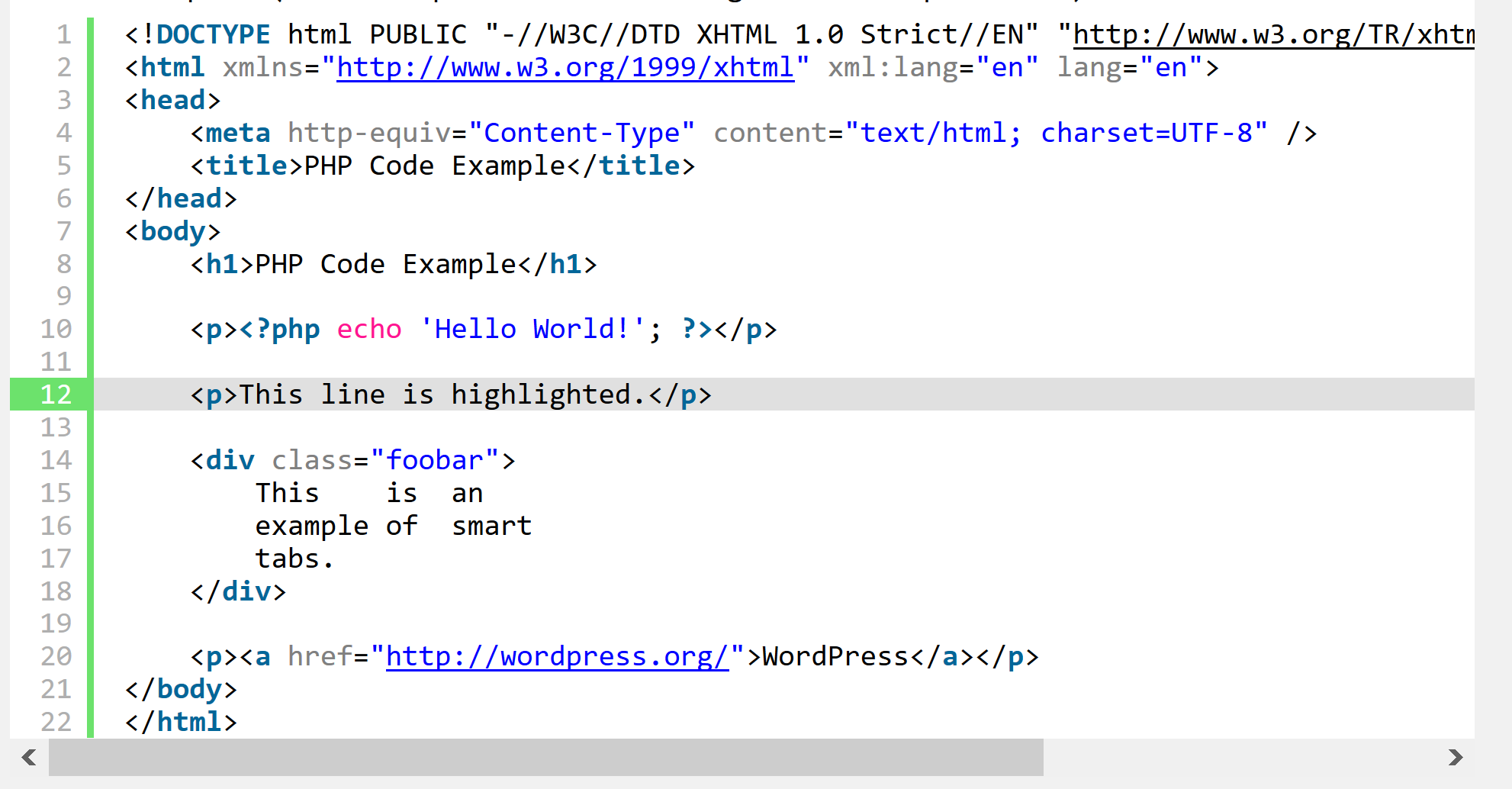
Debugging helps find syntax errors. Start by looking at the error message. It tells where the problem is. Use the WordPress Debugging Mode. Turn it on to see errors clearly. Another way is using a code editor. It highlights mistakes. Fix errors step by step. Check each line of code. Make sure everything looks right.
Credit: wordpress.org
Resources For Learning More
Online tutorials can help you learn WordPress syntax. Many websites offer free lessons. Check out popular platforms like Udemy and Coursera. They have courses for beginners. These courses teach with videos and exercises. You can learn step-by-step. It makes learning easy and fun. Also, they let you learn at your own speed. This helps you understand better. Finding good courses online is simple.
The official WordPress documentation is a great resource. It explains everything about WordPress. You can read about different topics. The documentation is clear and detailed. It helps you find answers to your questions. You can use it to understand syntax better. New updates and features are also included. The documentation is trusted by developers. It is an important tool for learning.
Credit: wp-staging.com
Frequently Asked Questions
What Is WordPress Syntax?
WordPress syntax refers to the coding language and structure used in WordPress themes and plugins. It includes HTML, CSS, PHP, and JavaScript. This syntax helps developers create functional websites and customize designs. Understanding WordPress syntax is crucial for effective website development and customization.
How Do I Use WordPress Functions?
WordPress functions are pre-written PHP code snippets that perform specific tasks. To use them, you call them within your theme or plugin files. They help in adding features like navigation menus, post loops, and widgets. Proper use of functions enhances your site’s functionality and user experience.
Why Is Php Crucial For WordPress?
PHP is the scripting language that powers WordPress. It processes data and interacts with the server, enabling dynamic content. WordPress themes and plugins rely heavily on PHP for functionality. Understanding PHP is essential for customizing WordPress sites and developing new features.
Can I Customize WordPress Syntax?
Yes, you can customize WordPress syntax by editing theme and plugin files. Use child themes to safely modify your site without losing changes during updates. Customizing syntax allows you to tailor site design and functionality to meet specific needs. Ensure compatibility with WordPress standards when customizing.
Conclusion
Understanding syntax in WordPress helps improve your website. It’s essential for customizing themes and plugins effectively. By grasping basic coding concepts, you can make your site unique. Practice regularly to enhance your skills. Don’t fear making mistakes. Each error is a learning opportunity.
Use online resources and forums for support. They provide valuable insights and solutions. Keep experimenting and exploring new ideas. Your confidence will grow over time. Remember, patience and persistence are key. With dedication, you’ll master WordPress syntax. Enjoy the journey of creating a better website.


