
Have you ever wondered about the role of the “page.php” file in your WordPress site? It might sound technical, but understanding its use can greatly enhance your website management skills.
Whether you’re a blogger, a small business owner, or just curious about WordPress, knowing how “page. php” works can empower you to customize your site’s appearance and functionality. Imagine having the ability to tailor each page to your liking, ensuring your content shines and engages your audience effectively.
By the end of this article, you’ll not only grasp the purpose of “page. php” but also learn how to leverage it for your website’s success. Ready to dive in and unlock new potential for your WordPress site? Let’s get started!
Role Of Page Php In WordPress
Page PHP is a special file in WordPress. It helps show web pages correctly. This file tells how each page looks. It uses code to do this job.
Every theme has its own page PHP file. It can change the page style. Some themes make pages look simple. Others make them look fancy. This file is important for designing websites.
Without page PHP, pages might not show up right. This file is like a guide for your pages. It tells them what to do.
Using page PHP is easy for developers. They can change it as needed. This helps websites look unique. It is a key part of WordPress themes.
Creating Custom Page Templates
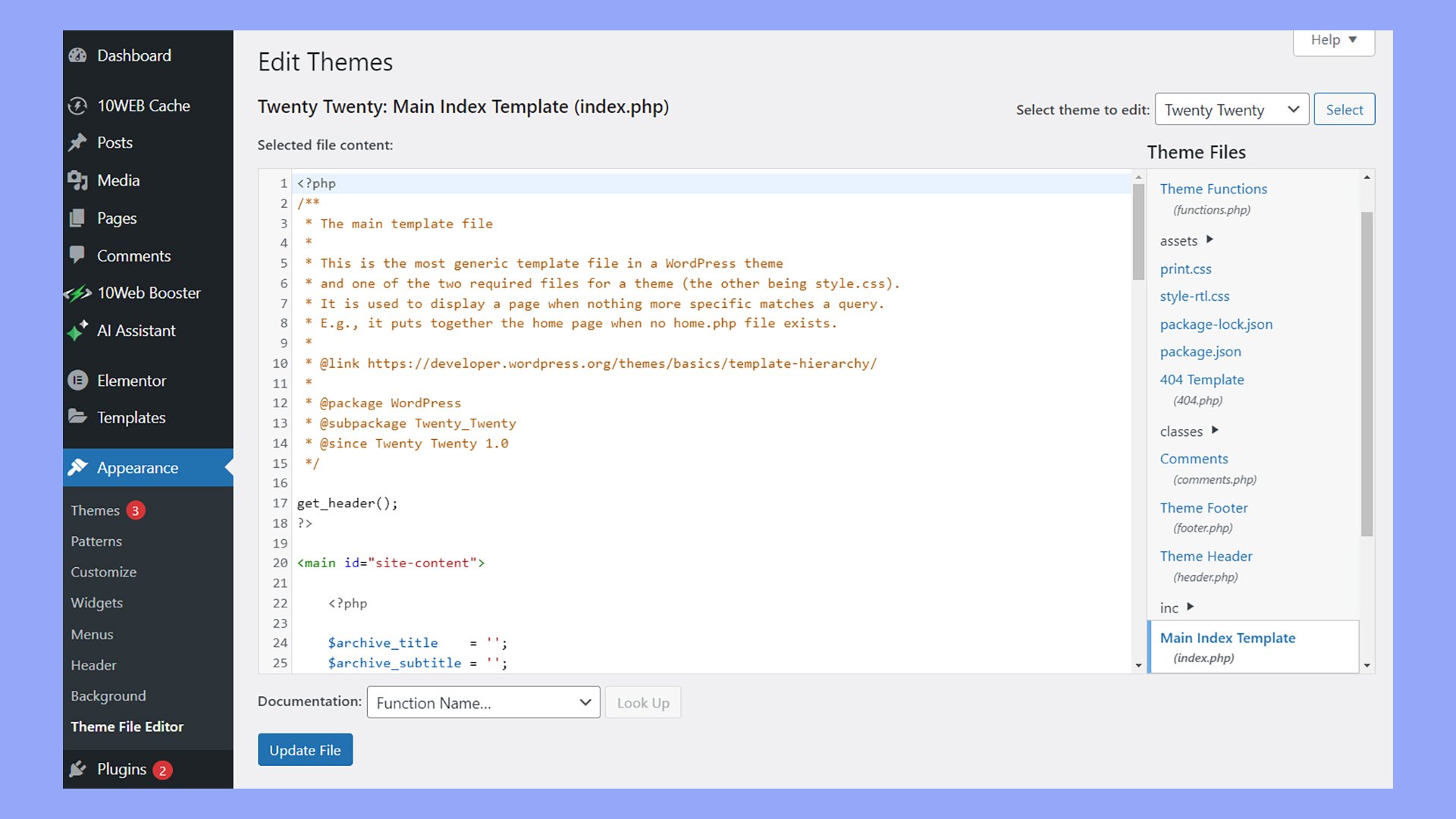
WordPress has a special file called page.php. It helps make different page designs. You can use it to create custom page templates. This is great if you want pages to look unique. Each page can have its own style.
Designers use HTML and CSS to change how pages look. They add special codes to page.php. This file is a template. It guides how the page should look. You can have pages with different colors or layouts.
Anyone can change page.php. This makes WordPress flexible and fun. You can make your website look special. It’s easy to use and change.
Enhancing Page Functionality
Page Php in WordPress helps in creating custom pages. It is like a special tool. You can make your pages look unique. This file is part of the theme. It controls how pages show up. Users can add features to their pages. Make them better with Page Php. Adding code here changes design. It can change the layout too. It is important for developers. They use it to make websites pretty. Page Php can include widgets. It can include forms. It makes pages interactive.
Navigation bars can be added. It helps users find things easily. You can use it for styling. Change colors and fonts with Page Php. It makes sites more fun. Users love pretty websites. Page Php is a key part. It helps in enhancing WordPress sites. It is good for creativity. Page Php is a valuable tool.
Customization Options
Page PHP helps change how your site looks. It allows you to modify design elements easily. You can change colors, fonts, and layouts. This makes your site unique and special. Every element can be styled to your liking. You have the power to make it look exactly how you want.
This tool lets you add cool features. Want a special button? You can add it. Need a custom menu? It’s easy to create. With Page PHP, your site can have unique features. This makes your site more interesting. Users will find it more fun to explore. Custom features make your site stand out.
Improving User Experience
WordPress makes websites better with Page PHP. It helps create special pages easily. Users love easy navigation. This makes them happy and stay longer. Sites look more organized with custom layouts. Users can find information fast. Fast websites are better for everyone. Nobody likes waiting. So, Page PHP helps load pages quickly.
Visitors enjoy using sites without problems. Happy visitors return often. They share good sites with friends. This means more people visit. A good experience keeps visitors coming back. Easy-to-use sites are the best. With Page PHP, every site can be user-friendly. It helps make changes without trouble. Websites stay fresh and updated.
Credit: 10web.io
Seo Benefits
Page Php helps websites rank better. It improves site structure. Search engines like organized sites. A good structure leads to better indexing. It also boosts site speed. Fast sites rank higher. Visitors stay longer on quick sites.
It aids in customizing meta tags. Meta tags help search engines understand your content. Better understanding means better ranking. Users find sites with relevant content faster. This boosts user engagement. Engaged users often return. Returning users boost site rankings.
It allows easy integration with SEO plugins. Plugins offer tools for SEO improvement. These tools are user-friendly. They help with keyword optimization. Optimized keywords improve search visibility. Better visibility brings more visitors. More visitors mean more site success.
Common Mistakes
Many users confuse page.php with post templates. They use it for posts. This creates display issues. They don’t check the template hierarchy. This leads to errors. Another mistake is not using child themes. This makes updates hard. Users often don’t test changes. This results in broken pages.
Some ignore backup files. This can lose important data. People forget to update plugins. Old plugins can break pages. Beginners may not understand PHP code. They copy code without understanding. This causes errors. Always check your code. Back up your site. Test changes. This keeps your site safe.

Credit: developer.wordpress.org
Best Practices
Page templates help in designing unique pages. These templates can be used to create a special look. Not all pages need to look the same. Use templates to make pages stand out. They can help in organizing content better. Each template serves a different purpose. Choose one based on your needs.
Using custom coding can add special features. It allows for more control over design. Custom code lets you add unique elements. This can enhance user experience. Make sure the code is clean. Always test it before going live. It should not slow down the site.
Good SEO practices help pages rank better. Use keywords wisely. They should fit naturally in content. Ensure pages load fast. Fast-loading pages improve user experience. Optimize images and videos. Keep URLs short and simple. This helps search engines understand content.

Credit: www.youtube.com
Frequently Asked Questions
What Does Page.php Do In WordPress?
Page. php is a template file in WordPress that defines the layout of individual pages. It controls the appearance and structure of static pages, distinct from posts. Customizing page. php allows you to tailor the design and functionality of your WordPress pages, enhancing user experience and SEO.
How Can I Customize Page.php?
You can customize page. php by editing the file in your theme’s directory. Use HTML, CSS, and PHP to modify the layout and design. Ensure backups are taken before making changes. Customization allows personalized styling and features, improving the website’s user interface and functionality.
Is Page.php Necessary For WordPress Themes?
Yes, page. php is essential for WordPress themes. It provides a template for static pages, ensuring consistent design across pages. Without page. php, pages may not display correctly, affecting user experience. It’s crucial for themes that require distinct page layouts separate from posts.
Can Page.php Improve Seo?
Yes, page. php can improve SEO by optimizing page structure and design. Using clean code and relevant headings enhances search engine visibility. Customizing page. php allows better content organization and navigation, contributing to improved search rankings and user engagement on your WordPress site.
Conclusion
Understanding the role of page. php in WordPress is crucial. It helps manage individual pages efficiently. This file controls page layouts and design. Developers use it to customize page appearance. Better design leads to improved user experience. Page. php ensures consistency across the site.
It simplifies the process of styling pages. This file is essential for those enhancing WordPress sites. With page. php, customization becomes straightforward. Regular updates ensure compatibility with new WordPress versions. Learning to use page. php empowers site owners. It creates a seamless and professional look for visitors.
So, explore its functions and make your site better.


