
Are you trying to enhance your WordPress site but feeling overwhelmed by all the tools and features at your disposal? You are not alone.
Many WordPress users, both beginners and seasoned, are often puzzled by the concept of template tags. But understanding them could be your golden ticket to unlocking the full potential of your website. Imagine having the ability to effortlessly customize the look and feel of your pages without diving deep into complicated code.
Sounds like a dream, right? Well, template tags can make this a reality. Dive into this article, and you’ll discover how these powerful snippets can transform your site, making it not only more appealing but also more functional. You deserve a website that stands out, and understanding template tags is the first step in making that happen. So, are you ready to take control? Let’s get started!
Template Tag Basics
A template tag is a small piece of code. It is used in WordPress themes. These tags help display content. They make it easy to add dynamic content. Template tags can show the date, post title, or author. They make themes more flexible. You can reuse them in different places. This saves time for developers. It also helps keep the design consistent.
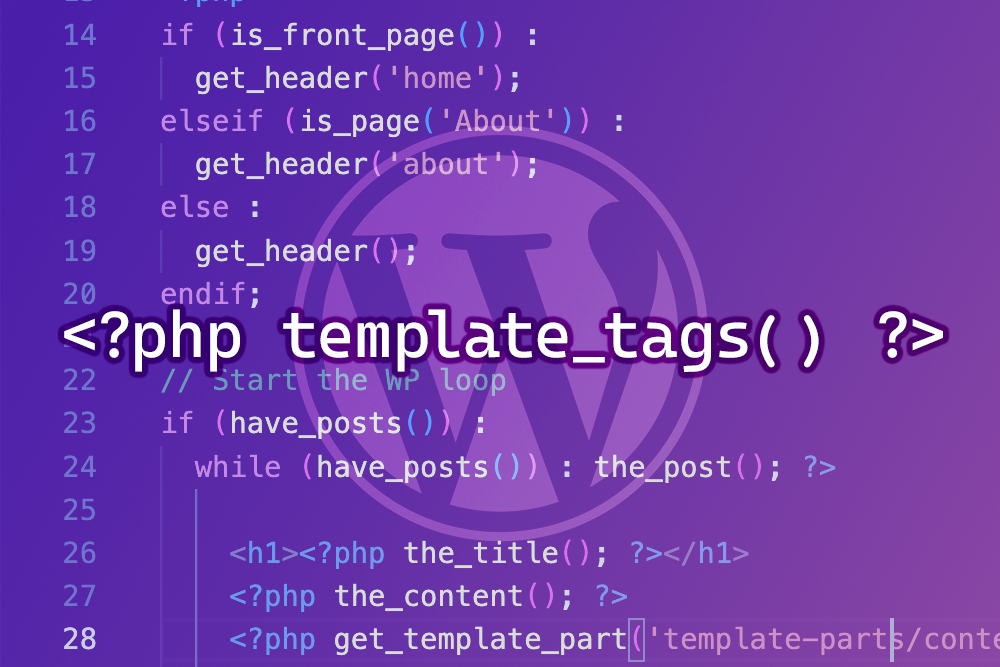
Template tags are like shortcuts. They tell WordPress what to do. When you use a tag, WordPress fetches data. It then shows that data on the website. For example, the php the_title(); ? tag shows the post title. Developers use these tags in PHP files. They can be placed in headers, footers, or sidebars. This makes WordPress sites dynamic and engaging.
Common Template Tags
Header and footer tags help structure your site. They organize content at the top and bottom. They make navigation easier. Header tags often include the site title and logo. Footer tags might show contact info or social links. Use them to keep pages neat. They are basic but very useful.
Loop tags are important for content display. They control how posts appear. Every post uses these tags. They help show the title, date, and author. You can customize how posts look. Loop tags make managing posts simple. They are versatile and handy.
Sidebar and widget tags add extra features. They place content to the side. Sidebars might have menus or links. Widgets can show recent posts or ads. These tags help improve site interaction. They allow easy updates. Sidebars and widgets make sites lively. They enhance user experience.
Creating Custom Template Tags
PHP powers WordPress. It helps in creating dynamic content. Template tags use PHP to display different elements. They can show posts, categories, or comments. Simple PHP code makes it work. PHP files are stored in the theme folder. They are easy to edit.
- Find the functions.php file.
- Open it in a text editor.
- Write a new function using PHP.
- Use add_action or add_filter.
- Save the file and test the tag.

Credit: wordpress.stackexchange.com
Template Tags Vs. Shortcodes
Template tags and shortcodes help add features to WordPress. They are both useful, yet different. Template tags are used in theme files. Shortcodes work inside posts and pages. Template tags need coding knowledge. Shortcodes are easier for beginners. Tags are for structure. Shortcodes are for content.
Use template tags for changing themes. They are best for layout tasks. For adding small features, use shortcodes. Great for inserting galleries or forms. Tags are more complex. Shortcodes save time. Choose tags for design changes. Select shortcodes for quick content tweaks.
Best Practices
Template tags in WordPress are essential tools for displaying dynamic content. They simplify coding tasks by fetching data directly from the database, enhancing site functionality. Easy to use, they help developers create customized templates efficiently.
Efficient Use Of Template Tags
Template tags help in creating dynamic themes. They make themes more flexible. Always use tags in the right way. Keep code neat and easy to read. Place tags inside theme files correctly. Use comments to explain what your code does. This helps others understand it better.
Avoiding Common Mistakes
Avoid placing tags in the wrong files. This can break the theme. Never hard-code URLs or paths. This makes themes less flexible. Use tags to fetch data instead. Test your theme often. Make sure everything works well. Check for any errors or warnings.
Credit: medium.com
Troubleshooting
Template tags in WordPress are small code snippets. They help display dynamic content on your site. These tags simplify adding headers, footers, or other elements. Understanding them can improve your site’s functionality.
Common Issues
Template tags can sometimes cause problems. The website might not show the right content. Or it might load slowly. Another issue is that the tags don’t update. This can confuse visitors. Tags not working can break the site. It might even look strange. Check if the theme is old. Old themes might not support new tags. Plugins can also cause issues. They might not be compatible. Always update plugins and themes. This can solve many problems.
Debugging Tips
Start by checking the error log. It shows where the problem is. Next, disable all plugins. Then, activate them one by one. This helps find the bad plugin. Also, switch to a default theme. If the problem goes away, the theme is the issue. Use a child theme for custom changes. This keeps the main theme safe. Use clear cache after changes. Sometimes, old data causes issues. Finally, ask for help in forums. Many people have the same issues. They can give useful tips.
Credit: www.hongkiat.com
Frequently Asked Questions
What Is A Template Tag In WordPress?
A template tag in WordPress is a PHP function used within themes. It helps display dynamic content, like posts or categories. Template tags enhance the flexibility and functionality of WordPress themes, making content management easier.
How Do Template Tags Work In WordPress?
Template tags work by retrieving data from your WordPress database. They then display this data in your theme files. These tags simplify the process of displaying dynamic content, ensuring your website remains dynamic and up-to-date.
Can Template Tags Be Customized?
Yes, template tags can be customized in WordPress. Developers often modify them for specific design or functionality needs. Customizing template tags allows for more personalized and tailored website experiences.
Are Template Tags Essential For WordPress Themes?
Template tags are essential for WordPress themes. They enable the dynamic display of content, enhancing user engagement. Without template tags, themes would be static and less interactive, reducing the website’s functionality.
Conclusion
Template tags in WordPress simplify web design. They offer flexibility and control. With them, you can customize themes easily. You can enhance your site’s functionality. Template tags make your website unique and user-friendly. They are essential tools for developers and beginners alike.
Understanding template tags boosts your WordPress skills. Experiment with them to learn more. Enjoy the creative process. Make your website stand out. Always stay updated with new features. Keep exploring and improving your site. Happy designing!


