
Are you curious about the latest version of WordPress PHP and how it can impact your website’s performance? You’ve come to the right place.
Whether you’re a seasoned developer or just starting out, staying updated with the latest PHP version is crucial for the security and efficiency of your WordPress site. Imagine unlocking faster speeds, enhanced security, and smoother functionality—these are just some of the benefits the latest PHP version can offer you.
Knowing what version you’re running and why it matters can put you ahead of the game. Dive into this article to discover how the latest PHP updates can transform your WordPress experience and keep your site running at its best.
Current WordPress Php Version
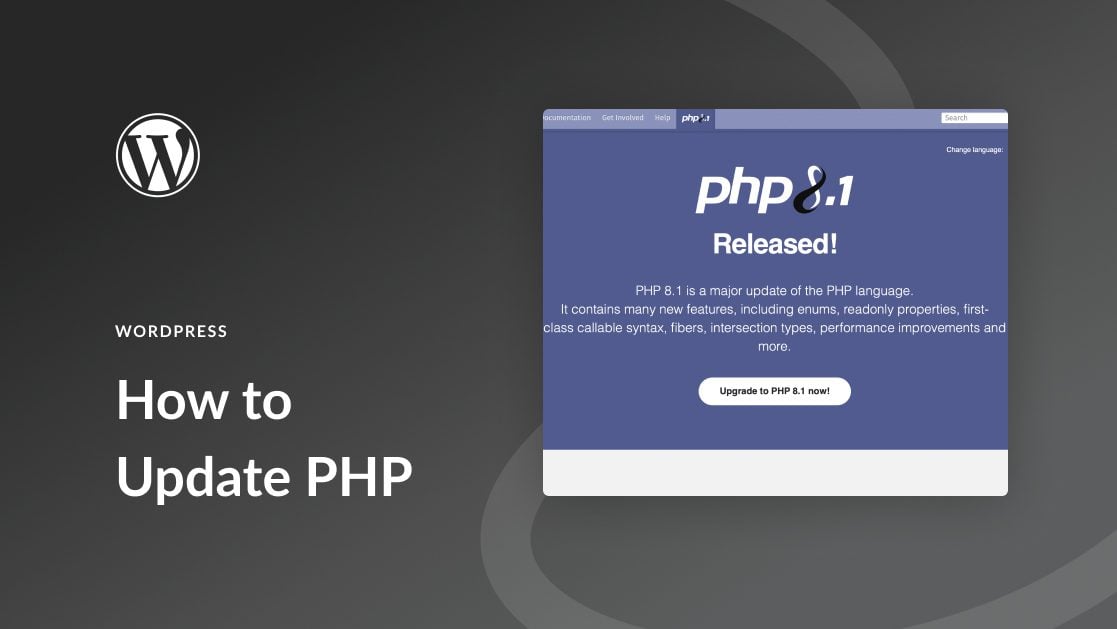
WordPress is a popular tool for building websites. It uses a computer language called PHP. The latest version of PHP helps WordPress run better. This version is PHP 8.2. It is faster and safer. Using this version makes websites load quickly. It also protects them from bad people on the internet.
Many web hosts now offer PHP 8.2. It’s wise to check with your host. Make sure your site uses this version. Some plugins need updates to work with PHP 8.2. Always update plugins for best results. This keeps your site running smoothly.
Importance Of Php Version Updates
Security Enhancements are key with new PHP versions. They help protect your website. Older versions may have security holes. Hackers can use these to harm your site. Keeping PHP updated is crucial for safety.
Performance Improvements are another benefit. New PHP versions often run faster. This means your website loads quickly. Visitors enjoy fast sites. Google ranks fast sites higher. Speed matters for user experience and SEO.
Compatibility with Plugins and Themes is vital. New PHP versions support modern plugins. Old PHP may not work with the latest themes. Problems arise without compatibility. Updates ensure everything runs smoothly. Your site stays functional and looks great.
How To Check Your WordPress Php Version
Log in to your WordPress dashboard. Find the Tools section on the left. Click on Site Health. Look for the Info tab at the top. Click it. Scroll down to the Server section. Here, you will see your PHP version. It is simple and quick.
Go to your hosting account. Find the Control Panel or cPanel option. Click on it. Look for the PHP or Software section. Click on PHP Manager or similar option. You can see your PHP version here. This method is easy too.
Steps To Update Php Version
Make sure to backup your website before updating PHP. This keeps your data safe. Use a plugin or your hosting service for backups. Save the backup file in a secure place. This is important if something goes wrong.
Ensure your plugins and themes are compatible with the new PHP version. Old versions might not work well. Check the plugin and theme sites for updates. Update them if needed. This helps avoid errors.
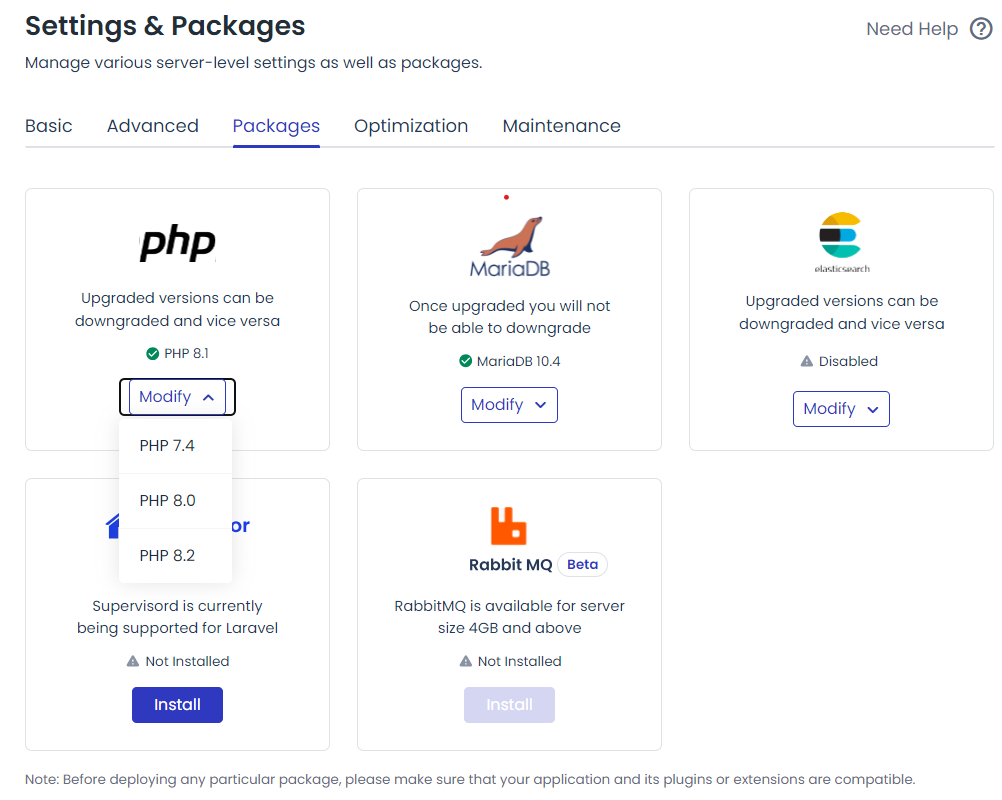
Log into your hosting account. Find the PHP version settings. Choose the latest PHP version available. Save the changes. Test your site to ensure everything works smoothly.
Common Issues After Php Update
Plugins sometimes stop working after a PHP update. This can cause errors or make your site act strange. Check if your plugins are up-to-date. Updating plugins often fixes issues. If a plugin still acts up, disable it for a moment. Test your site without it. If problems go away, contact the plugin maker for help. They might have a solution.
Themes can also break after PHP updates. Your website might look weird or lose parts. Ensure your theme is updated to its latest version. Newer versions are usually more compatible. If updating doesn’t help, switch to a basic theme for testing. If issues vanish, your theme might need fixing. Reach out to the theme’s developer for advice. They can guide you on what to do next.
Credit: www.elegantthemes.com
Benefits Of Using The Latest Php Version
Enhanced Security is a major benefit. New PHP versions fix old security holes. Your site becomes safer with the latest updates. Hackers have a harder time breaking in. Your data stays safe. This is very important for all websites.
Improved Website Speed is another advantage. Faster PHP makes your site load quickly. Visitors enjoy a smooth experience. They stay longer and come back often. A fast website is a happy website.
Better Resource Management helps your site run smoothly. The latest PHP uses less memory. Your server can handle more visitors. This means fewer crashes and better performance. Your site stays up and running.
Future Php Updates And WordPress
WordPress now supports PHP 8. 2, enhancing performance and security. Regular updates keep your website running smoothly. Stay informed about future PHP versions for better compatibility and features.
Expected Changes
PHP updates bring new features. WordPress might need changes. Plugins will adapt to new PHP versions. Themes might need updates too. Security will improve with updates. Speed could be better. Developers watch for changes closely. Users will see benefits. Hosting providers will prepare for changes. Stability is important for everyone.
Preparing For Upcoming Releases
Staying ready for new releases is smart. Keep backups for safety. Update plugins regularly. Check themes for compatibility. Read WordPress news often. Practice with test sites first. Learn from forums and experts. Ask for help when needed. Updating PHP versions is crucial. Keep your site secure and fast. Regular checks are key.
Credit: www.cloudways.com
Credit: www.wpbeginner.com
Frequently Asked Questions
What Is The Latest WordPress Php Version?
The latest WordPress PHP version is PHP 8. 2. It’s vital to keep your site updated with this version. It offers enhanced performance, security improvements, and new features. Regular updates ensure compatibility and optimal site performance, safeguarding against vulnerabilities.
How Can I Check My WordPress Php Version?
To check your WordPress PHP version, log into your WordPress dashboard. Navigate to Tools > Site Health. Under Site Health Status, you’ll find information about your PHP version. Keeping PHP updated is crucial for security and functionality.
Why Update To The Latest Php Version?
Updating to the latest PHP version ensures your site runs smoothly. It improves performance, enhances security, and supports new features. Outdated PHP versions can expose your site to vulnerabilities. Regular updates help maintain compatibility with WordPress themes and plugins.
Does WordPress Support Php 8.2?
Yes, WordPress supports PHP 8. 2. Upgrading to this version can enhance your site’s performance and security. It ensures compatibility with modern themes and plugins. Always check with your hosting provider before upgrading to ensure server compatibility.
Conclusion
WordPress PHP version updates ensure better performance and security. Staying updated is crucial. It helps your website run smoothly. Always check for the latest PHP version. Update your WordPress site regularly. This practice enhances website speed. It also improves security.
Protects your data from threats. Updates can prevent compatibility issues. Keep your plugins and themes updated too. Regular maintenance ensures optimal performance. Your website visitors will notice. A faster, more secure site provides a better experience. Stay informed. Maintain your WordPress site effectively.
This keeps it running efficiently. Happy blogging!


