
Imagine building a house without knowing its blueprint. You wouldn’t know where the kitchen is, where the bedrooms are, or even where to put the furniture.
The same applies to WordPress. Understanding its directory structure is crucial for managing your website effectively. It’s like having a map that guides you through the essential components of your site, helping you make informed decisions about customization, troubleshooting, and optimizing performance.
When you delve into the WordPress directory structure, you gain control over your website’s inner workings. You discover where themes and plugins are stored, where your media files live, and how WordPress organizes its core files. This knowledge empowers you to enhance your site’s functionality, improve security, and even speed up your website. Curious to uncover the secrets hidden within your WordPress files? Want to learn how the directory structure can influence your site’s performance? Keep reading to unlock the potential of your WordPress site, making it not just a tool, but a powerful ally in your digital journey.
Credit: www.malcare.com
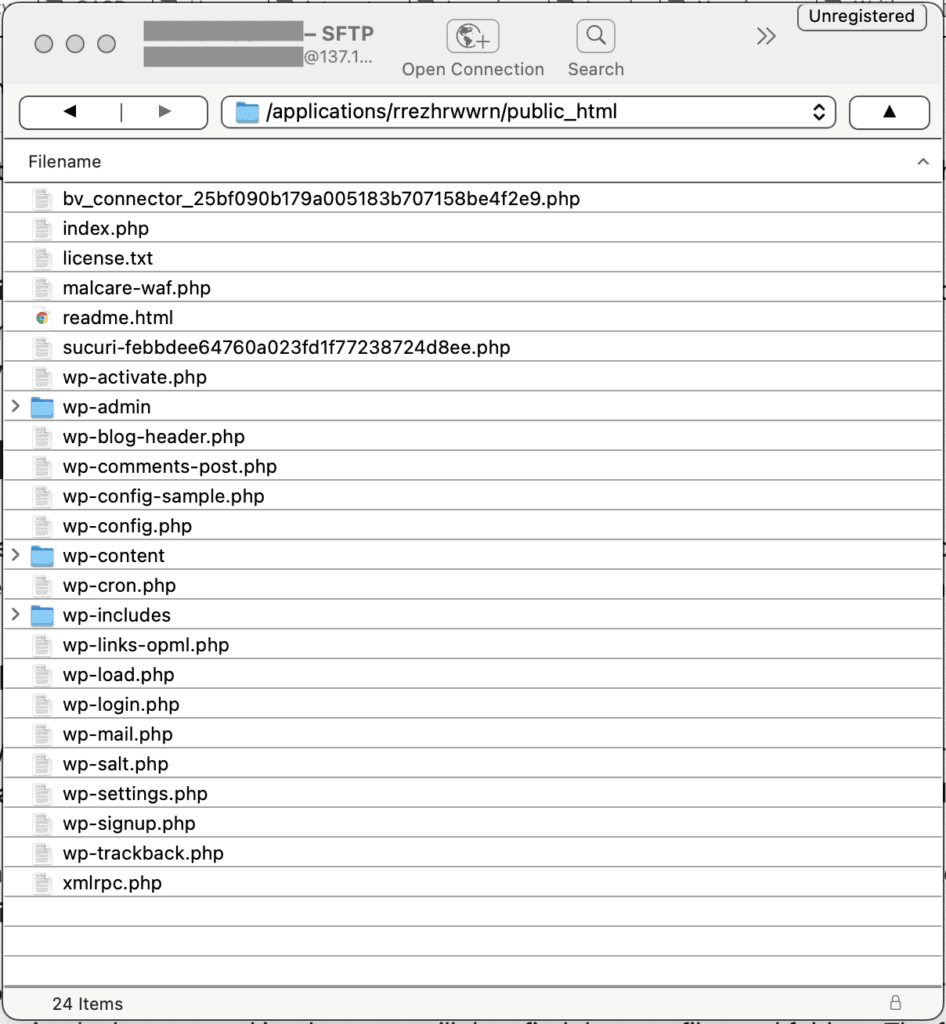
WordPress Core Files
The wp-admin folder is where site management happens. It holds files for the admin dashboard. You can find tools here to control your site. It is the heart of site management. Changes to your site start here. The dashboard is in this folder.
wp-includes stores important code files. It contains functions and features for your site. This folder makes sure your site works smoothly. Images, texts, and designs rely on these files. It is crucial for site functionality.
wp-content is where your site’s uniqueness shines. Themes and plugins live here. It holds media files and uploads. Everything you create is stored in this folder. Customization happens in wp-content. You can make your site special here.
Wp-admin Directory
The wp-admin directory holds important files. These files control the admin interface. They help manage your WordPress site. You can find files like admin.php and index.php. These files help you log in and navigate. They are crucial for site administrators.
The dashboard has many parts. It shows site updates and stats. You can see recent posts and comments. The dashboard uses many files to work. These files are in the wp-admin directory. They help display different sections. This makes managing your site easier. Each file has a special job. Together, they keep things running smoothly.
Wp-includes Directory
This directory is important for WordPress. It holds the core functionalities. You will find files that help WordPress work. These files are not for editing. They ensure WordPress runs smoothly. Many important functions are here.
Inside wp-includes, you will find useful libraries and utilities. These help WordPress with tasks. Libraries are collections of code. They make things easier for developers. Utilities perform specific jobs. Together, they support WordPress.
Wp-content Directory
The Themes Folder holds all the design templates. These templates decide how your site looks. Every theme has its own folder. You can switch between themes easily. Themes can change colors and layout. They add uniqueness to your website.
The Plugins Folder stores small programs. These programs add features to your site. Each plugin has its own folder. Plugins help improve your site. They can add contact forms or SEO tools. Always update plugins for safety.
The Uploads Folder is for media files. Photos, videos, and documents go here. When you add a photo, it saves here. It keeps your files organized. This makes finding files easy. Regularly check and clean this folder.
Themes Folder Structure
Template files are essential for your WordPress theme. They decide how your site looks. Every theme has several templates. Common ones include header.php, footer.php, and index.php. Each file has a specific role. Together, they build your website’s appearance.
Stylesheets help in styling your website. They are usually in a file called style.css. This file controls the colors, fonts, and layout. It makes your site look good. Without stylesheets, your site would look plain.
Theme functions are in a file named functions.php. This file adds special features to your theme. It can add widgets or change the way your site works. Functions make your theme unique. They are like magic tools for developers.
Plugins Folder Structure
WordPress plugins are stored in the wp-content/plugins folder. Each plugin has its own directory. The directory holds all files for that plugin. This structure keeps things organized. It helps WordPress find and use plugins easily.
Plugin Files
Plugin files are the heart of a WordPress plugin. These files include the main PHP file. It is often named after the plugin. Other files may include stylesheets and JavaScript. These files make the plugin work and look good.
Plugin Configuration
Configuration files set how plugins behave. They are often written in PHP. These files let users change settings. For example, users can turn features on or off. This makes plugins flexible and easy to use.
Uploads Folder Structure
The uploads folder stores your media files. Pictures, videos, and audio files go here. It keeps your website tidy and organized.
Files are stored by year and month. This makes finding files easier. Imagine looking for a picture from a summer trip. You just check the folder for that month.
This system helps keep things simple. No messy file names everywhere. Your media is always in the right spot.
Credit: www.wpbeginner.com
Config Files
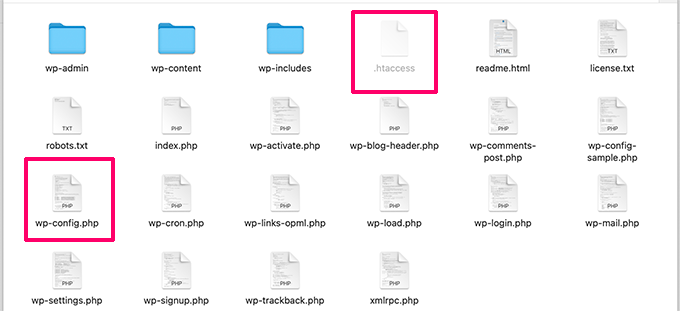
The wp-config.php file is important. It holds settings for your WordPress site. The file connects your site to the database. Without it, your site won’t work. This file is in the main WordPress folder. It is easy to find.
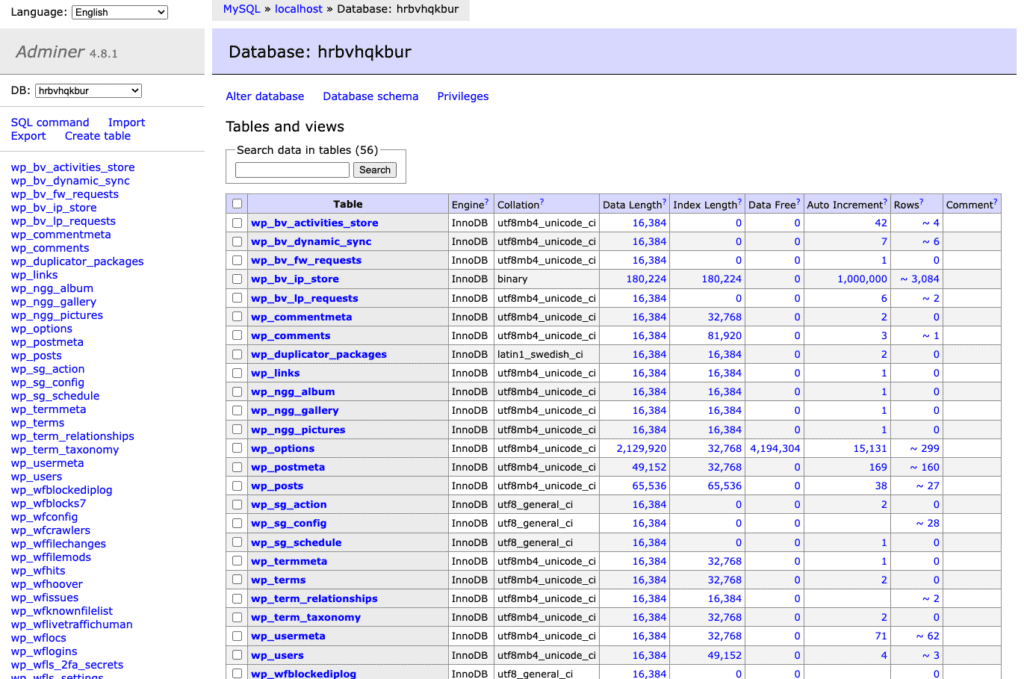
Inside, you will see database settings. These include the database name, user, and password. They tell WordPress where to find your site data. Always be careful with this file. Keep it safe. Never share it with anyone.
Additional Files
The index.php file is very important. It acts as a doorway. This file helps in loading your website. It connects to your themes. Without it, your site might not work well. Every WordPress site has it. It is a small file but does a big job.
The .htaccess file is also important. It controls how your site behaves. This file helps in redirecting users. It can make your site more secure. It keeps your site safe from bad people. Many web servers use this file. It is hidden, but you can find it. Always be careful while editing it.
Credit: www.malcare.com
Frequently Asked Questions
What Is WordPress Directory Structure?
The WordPress directory structure organizes files for website functionality. It includes the wp-admin, wp-content, and wp-includes folders. These directories store core files, themes, plugins, and uploads. Understanding this structure is crucial for managing and troubleshooting WordPress sites effectively.
Where Is Wp-content Located?
The wp-content folder is in the root directory of your WordPress installation. It contains crucial files like themes, plugins, and uploads. This directory is essential for customizing your WordPress site. Regular backups of this folder are recommended to safeguard your data.
Why Is Wp-admin Important?
The wp-admin directory is the core of your WordPress dashboard. It contains files necessary for site management and administration. Through this area, you can create posts, manage settings, and configure your site. Securing wp-admin is vital for protecting your website from unauthorized access.
How Can I Access Wp-includes?
The wp-includes folder is located in the root directory of WordPress. It contains essential files that manage core functionalities and libraries. Direct modification is not recommended for beginners, as it might affect site functionality. Always back up files before making changes to this directory.
Conclusion
Understanding WordPress directory structure is essential for website management. It helps in organizing files efficiently. Users can troubleshoot issues with ease. This structure supports customization of themes and plugins. It enhances the website’s functionality and appearance. Knowing it empowers users to make informed decisions.
It also aids in keeping the site secure. Proper management ensures better performance and reliability. Start exploring your WordPress directory today. This will improve your site management skills. Happy managing!


