
Are you diving into the world of WordPress and feeling a bit overwhelmed by all the jargon? You’re not alone.
One of the first puzzles you might encounter is understanding the difference between pages and posts. These are the building blocks of your website, and knowing how to use them effectively can make a big difference in how your site performs.
Imagine your website as a house. Posts are like the daily mail you receive, fresh and timely, providing new information regularly. Pages, on the other hand, are the sturdy walls and doors of your house—steady and permanent, providing structure and essential information. We’ll unravel the mystery behind pages and posts, helping you decide when to use each to engage your visitors and boost your site’s performance. Stick around to discover how mastering these elements can transform your website into a powerful tool for communication and engagement.
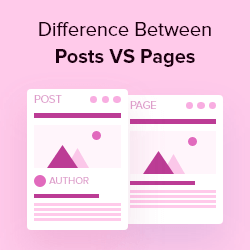
Credit: www.wpbeginner.com
Pages Vs. Posts
Pages and posts are key parts of a WordPress site. Both have their own uses. Pages are static and permanent. They do not change often. Examples are “About Us” and “Contact”. These are not part of the blog. They do not appear in the blog feed.
Posts are dynamic. They are timely and arranged by date. Each new post appears at the top of the blog. Posts can have categories and tags. This helps in sorting and finding. Blog entries, news, and updates are usually posts.
Both pages and posts can have media. Images, videos, and links are common. Pages are for important information. Posts are for regular updates. Both are easy to edit in WordPress.
Defining Pages
Pages in WordPress are static. They do not change often. Think of them as permanent parts of your site. Examples include “Contact Us” and “About Us” pages. Pages are not tied to time. They are timeless. Pages do not show date or author. They are standalone. Unlike posts, pages are not part of a blog. Pages do not have tags or categories. They keep your site organized. Pages can have sub-pages. These are called child pages. Pages help visitors find information easily. Pages are important for navigation. They make sites user-friendly.
Characteristics Of Pages
Pages in WordPress are static, ideal for timeless content like contact or about us sections. They lack categories and tags, unlike posts which suit dynamic, regularly updated content such as blog entries. Pages often serve as the backbone of a website’s structure, providing essential information.
Static Nature
Pages stay the same unless you change them. They do not move in the list like posts. Pages are good for showing important information. Like contact details or about us.
Hierarchical Structure
Pages can have parent and child pages. This means you can make a page under another page. It helps keep content organized. For example, a “Services” page can have many sub-pages.
Common Uses
Pages often hold timeless content. They are used for contact pages, privacy policies, and terms of service. These pages do not change much. They give important details about the site.

Credit: media-studies.com
Defining Posts
Posts are for blogging. They show in a list on your blog page. New posts go to the top. Old ones move down. Each post has a date. Posts can have categories and tags. This helps you sort them. People can comment on posts. It’s a way to talk to readers. Posts are good for news and updates. They change often.
Posts appear in the RSS feed. This helps people follow your blog. They get updates when you post new stuff. This is useful for building a connection. Posts are part of a series of entries. They work well for ongoing stories. Each post can link to other posts. This keeps readers on your site longer.
Characteristics Of Posts
Posts in WordPress are timely entries that appear in reverse chronological order on the blog page. They are ideal for sharing news, updates, and fresh content regularly. Each post can be categorized and tagged for better organization and searchability.
Dynamic Content
Posts are known for their dynamic content. They change and get updated often. Blogs use posts to share new ideas. Posts keep websites fresh. Readers see new content regularly. This helps keep them engaged.
Chronological Order
Posts follow a chronological order. New posts appear first. Older posts move down the list. This order helps readers find recent updates easily. It’s useful for news and events. Readers can track changes over time.
Categories And Tags
Posts use categories and tags for sorting. Categories group similar posts together. Tags highlight specific topics. These tools help in organizing content. Readers find related posts quickly. It improves navigation and user experience.

Credit: amandaschoedel.com
Seo Implications
Pages are used for static content. They do not change often. This makes them good for important information. Pages help with site structure. They make it easy for visitors to find things. Search engines like this. Having clear pages can improve your site’s ranking.
Posts are for regular updates. They are like a blog. Posts help to keep content fresh. Search engines love fresh content. This can help with SEO. Posts are organized by categories and tags. This helps visitors find related content. Good posts can attract more visitors to your site.
User Interaction
Posts invite readers to interact. Comments allow this. Readers share thoughts here. They can ask questions too. Bloggers reply to these comments. This builds a conversation. It keeps readers engaged. Posts often get many comments. This shows interaction is high.
Pages are more formal. They provide important information. Comments are usually off. Pages do not invite interaction. They are steady and unchanging. This makes them reliable. Readers can read, but not comment. Pages are for reference, not chat. Static interaction suits some content. It keeps information clear and direct.
Design Considerations
Understanding the difference between pages and posts in WordPress is crucial. Pages are static, ideal for timeless content like ‘About Us’. Posts are dynamic, suited for regular updates, such as blog entries. Each serves distinct purposes in web design.
Page Templates
Pages have special templates in WordPress. These templates help in designing the look of each page. They provide a unique style that is different from posts. You can set custom headers and footers on pages. Templates allow for static content that does not change often. This is great for important information. Designers use templates to make pages look professional. Pages often have a consistent layout. This helps visitors find information easily.
Post Formats
Posts use formats to change their appearance. Formats include standard, aside, gallery, and more. Each format gives a post a different look. Formats allow for dynamic content that updates often. Posts are perfect for blogs and news updates. They keep visitors engaged with fresh content. Designers choose formats based on the type of information shared. Formats make posts interesting and varied. This ensures content is visually appealing.
Use Case Scenarios
WordPress pages are static, ideal for timeless content like contact information. Posts are dynamic, suitable for blog entries and updates. Pages don’t appear in your blog feed, while posts are listed chronologically.
When To Use Pages
Pages are great for static content. Think about content that doesn’t change often. An “About Us” page is a good example. Pages are also used for contact information. They help visitors find what they need. Pages are not part of a blog timeline. They stand alone. This makes them ideal for essential information. Pages are often found in website menus. They provide easy navigation for users.
When To Use Posts
Posts are different. They are perfect for timely content. Blog articles fit here. Posts appear in a timeline. Newer posts show up first. People often read posts to get updates. Posts can be organized by categories. They are easy to search. Posts also allow for comments. This helps in engaging with readers. Posts are shared on social media more often. They keep the audience informed and connected.
Frequently Asked Questions
How Do Pages Differ From Posts In WordPress?
Pages are static content like ‘About Us’, while posts are dynamic and appear in blog sections. Pages are timeless, often hierarchical, and don’t have tags or categories. Posts are timely, regularly updated, and use tags and categories for organization. Pages typically don’t appear in RSS feeds, unlike posts.
Can You Edit Both Pages And Posts In WordPress?
Yes, both pages and posts can be edited in WordPress. WordPress offers a user-friendly editor for updating content. You can change text, add media, and adjust layouts. Pages often use templates for design consistency, while posts can be updated individually or in bulk using various tools.
Are Pages Or Posts Better For Seo?
Both pages and posts have SEO benefits but serve different purposes. Posts are great for engaging content and frequent updates, boosting SEO with fresh material. Pages provide evergreen content, important for static information. Using proper keywords, meta descriptions, and internal links enhances SEO for both types.
Do Pages Have Categories In WordPress?
No, pages do not have categories in WordPress. Categories and tags are exclusive to posts. Pages are organized hierarchically, allowing parent-child relationships. This structure helps in creating a site map and improving navigation. You can use menus and links to organize pages for user-friendly access.
Conclusion
Understanding the difference between pages and posts in WordPress is crucial. Pages offer static content, like “About Us” or “Contact. ” They provide a timeless presence. Posts are dynamic and ideal for blog entries. They appear in reverse chronological order.
This keeps your content fresh and engaging. Knowing when to use each enhances website organization. It also improves user experience. Choose pages for permanent details. Use posts for updates and news. This knowledge helps build a well-structured WordPress site. Ultimately, it makes managing your content more effective and straightforward.
Your readers will appreciate the clarity.


