
Are you eager to build your own website but overwhelmed by the prospect of learning WordPress? You’re not alone.
WordPress is a powerful tool, but diving into it without guidance can feel daunting. The good news? Mastering WordPress doesn’t have to be a struggle. In this guide, you’ll discover the best ways to learn WordPress efficiently and effectively. We’ll break down the steps so you can start creating your dream website without frustration.
Whether you’re aiming to launch a personal blog or a business site, understanding WordPress is within your reach. Stick around, and you’ll soon be navigating WordPress like a pro.

Credit: www.godaddy.com
Understanding WordPress
WordPress is a tool for building websites. It is free and easy to use. People use it to create blogs and online stores. WordPress helps you make websites without knowing how to code. It has many themes to change how your site looks. You can add features using plugins. Over 40% of all websites use WordPress today. This makes it very popular.
Web development becomes simpler with WordPress. It saves time and effort. Many developers prefer it for its flexibility. Customizing websites becomes easy with its tools. Even beginners can create professional sites. Businesses use WordPress for e-commerce, blogs, and more. It supports multiple languages, reaching a global audience. This makes it a key player in web development.
Getting Started
Begin with a good laptop or computer. This is important. You need a stable internet connection too. Install a web browser like Chrome or Firefox. These tools help you access WordPress online. Set up a local server using tools like XAMPP or MAMP. These tools make it easy to create a testing site on your computer. Always keep your software updated for the best performance.
Hosting is where your website lives. Choose a reliable host. Look for good support and speed. Shared hosting is a good start. It’s budget-friendly and easy to use. Bluehost and SiteGround are popular options. They offer simple setup and support. Always compare plans before you buy. Make sure it fits your needs and budget.
Exploring WordPress Dashboard
The WordPress dashboard is your control center. Here, you manage your website. It has many tools and features. The dashboard shows recent activity and updates. You can write new posts or edit old ones. Check site stats to see visitors. Also, you can install plugins and themes.
Make the dashboard yours. Change its look to fit your style. Use widgets to add important info. Rearrange sections for easy access. Choose your favorite color scheme. This makes it fun and easy to use. Your dashboard should feel like home.

Credit: wpkraken.io
Learning Through Tutorials
Many websites offer free tutorials for learning WordPress. These resources are easy to follow. They often include videos and articles. Websites like WordPress.org and YouTube are great places to start. Here, you can find step-by-step guides that explain everything.
Some platforms offer courses for beginners. These courses cover all the basics. Websites like Udemy and Coursera have courses with interactive lessons. These lessons help you understand WordPress better. Many courses are affordable or free. Always check the course reviews before joining. This helps you find the best ones.
Hands-on Practice
Building a Simple Website is fun and easy. Start with a basic idea. Choose a name for your site. Go to WordPress and sign up. Pick a basic theme. Add your first page. Write a welcome message. Add pictures if you want. Your site grows with each click.
Experimenting with Themes and Plugins is like playing with toys. Themes change the look of your site. Try different colors and styles. Plugins add cool features. Maybe a contact form or a photo gallery. They make your site better. Try new things. See what you like. It’s all about learning by doing.
Joining WordPress Communities
Discover the best way to learn WordPress by joining WordPress communities. Gain insights from experienced users and ask questions. Participate in discussions and access valuable resources.
Benefits Of Community Engagement
Joining WordPress communities can be very helpful. You learn from others. Experts share their knowledge. They answer questions. Beginners feel welcome. Everyone grows together. Sharing ideas is fun. You get new tips. Problems are solved faster. Friends are made. Connections become strong. Being part of a community makes learning easier.
Popular Forums And Groups
There are many places to join. WordPress.org forums are popular. People ask questions there. Reddit has groups too. Facebook has WordPress groups. Meetup events happen in cities. Slack channels are active. Each group has its style. Some are big. Others are small. Find the right fit for you. Enjoy learning with others. Being part of a group is fun.
Keeping Up With Updates
Staying updated with WordPress is very important. New updates bring better features. They also fix bugs. Following WordPress news helps a lot. News tells you about changes. You learn about new tools and themes.
Reading blogs and forums is useful. Many experts share tips there. You can find answers to problems. WordPress events are great too. You meet other WordPress users. They share experiences and advice.
Joining online groups is helpful. Many users talk there. They discuss updates. You can ask questions. Getting updates is easy. WordPress has notifications. Always check for them. Update plugins and themes regularly. This keeps your site safe.
Overcoming Common Challenges
Learning WordPress can be challenging. Start with online tutorials and practice on a demo site. Join forums to ask questions and share experiences.
Troubleshooting Tips
WordPress can be confusing sometimes. Problems might show up without warning. Learn some handy tips to solve them. First, check if plugins are causing trouble. Turn off all plugins. Turn them on one by one. This can help find the problem. Another tip is to clear your browser cache. Sometimes, old files mess things up. Clearing cache gives WordPress a fresh start.
Getting help is important. WordPress has many support options. Visit the official WordPress forums. There, users share problems and solutions. You can also look for WordPress tutorials online. Many videos and articles explain fixes. Contacting hosting providers can also help. They often have support teams ready to assist. Remember, asking for help is okay. Many people face similar issues. Solutions are always available.
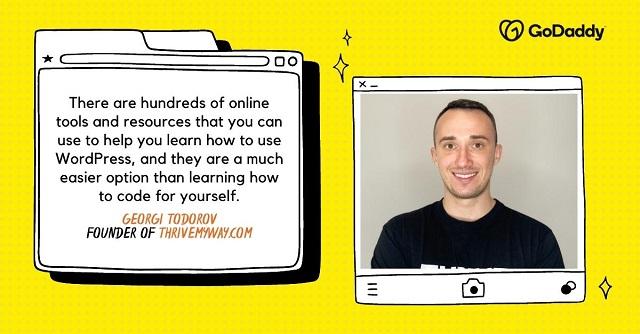
Credit: www.godaddy.com
Frequently Asked Questions
What Is The Easiest Way To Start Learning WordPress?
The easiest way is to explore WordPress’s official website and tutorials. They provide comprehensive guides for beginners. You can also experiment with WordPress by creating a free account. This hands-on approach helps in understanding its features and functionalities quickly.
Can I Learn WordPress Without Coding Knowledge?
Yes, you can learn WordPress without any coding knowledge. Its user-friendly interface allows you to build and manage websites easily. Many themes and plugins offer drag-and-drop functionality. This makes it simple for beginners to create professional-looking websites without coding.
How Long Does It Take To Learn WordPress?
Learning WordPress basics can take a few days to weeks. Mastering advanced features might take a few months. It depends on your dedication and previous experience with similar platforms. Consistent practice and exploring online resources can speed up your learning process.
Are There Free Resources To Learn WordPress?
Yes, many free resources are available online to learn WordPress. WordPress. org offers extensive documentation and tutorials. YouTube and blogs provide video tutorials and articles for beginners. These resources cover everything from setup to advanced customization.
Conclusion
Learning WordPress is easier than you might think. Start with the basics. Use online tutorials and videos. Practice regularly on a test site. Join WordPress forums for help and tips. Engage with the community. Attend workshops or webinars if possible.
Experiment with themes and plugins. Each step builds your confidence. Remember, patience is key to success. Keep exploring new features and updates. Stay curious and open to learning. Over time, WordPress will become second nature. Your website will reflect your creativity and effort.
Keep pushing your limits. Enjoy the journey of mastering WordPress.


