
Ever wondered what goes on behind the scenes when you publish a post on WordPress? You might have heard the term “post meta data,” and it’s more important than you might think.
Imagine having a secret toolkit that enhances your website’s performance, SEO, and user engagement. Post meta data is exactly that—an essential ingredient for optimizing your blog or website effortlessly. Think of it as the hidden code that adds extra layers of information to your content, making it easier for search engines and readers alike to understand and appreciate your work.
Without realizing it, you might be missing out on this powerful feature that can elevate your site to new heights. Curious about how you can unlock this potential? Stick around, and you’ll discover how post meta data can transform your WordPress experience from good to extraordinary. Dive in, and let’s unravel the mystery together!
Post Meta Data Basics
Post meta data stores extra details about your WordPress posts. It includes author, publish date, and categories. These details help organize and display posts better.
Meta data can improve your site’s SEO. It tells search engines about your content. Users find your posts more easily this way.
Meta data is not visible in the post. Yet, it helps in the background. It is vital for the structure and functionality of your site.
Types Of Post Meta Data
Custom fields help add extra information to posts. This can include author names or dates. They allow users to store and display unique content. Many plugins use them to extend functionality. Using custom fields can make a website more dynamic. They are great for organizing content efficiently.
Metadata is essential for search engines. It includes titles, descriptions, and keywords. This information helps improve search rankings. Good metadata can attract more visitors. It tells search engines what the content is about. Simple and clear metadata can boost visibility.
Sharing posts on social media needs good metadata. It includes titles, images, and descriptions. This information makes posts look attractive. Users are more likely to click engaging content. Clear metadata helps in increasing post reach. It ensures the right message is shared.
Storing Post Meta Data
WordPress uses a special way to save extra details. This is known as post meta data. These details are stored in the database. Each piece of data has a key and a value. The key is like a name. The value is the detail itself. For example, a key could be “author”, and the value could be “John”.
Database Structure
The database has tables. Tables keep data safe. Each table has rows and columns. Post meta data is in a table called postmeta. This table has four columns. These columns are meta_id, post_id, meta_key, and meta_value. Each column has a job. Meta_id is like an ID card. Post_id links to the post. Meta_key is the name. Meta_value is the detail.
Key-value Pair System
The key-value pair system is simple. You need a key and a value. The key is like a label. The value is what the label describes. Many keys can have values. This system helps store data neatly. It keeps everything organized. This is why WordPress uses it.
Credit: www.wpdownloadmanager.com
Accessing Post Meta Data
WordPress post meta data holds extra information about posts, like author name or publication date. It helps in organizing and retrieving specific details efficiently. This data enhances the functionality and customization of WordPress websites.
Using WordPress Functions
WordPress offers functions to get post meta data. The get_post_meta() function is common. It retrieves meta data from posts. You need the post ID to use it. This function returns the value stored. If you want a single value, set the last parameter to true.
Use add_post_meta() to add new meta data. It needs a post ID, a key, and a value. The key is the name of the meta field. The value is the information you want to save.
To update existing meta data, use update_post_meta(). This function changes the data for a given key. If the key does not exist, it will create it.
Finally, to delete meta data, use delete_post_meta(). This function removes a meta field from a post. Provide the post ID and the key to delete it.
Managing Post Meta Data
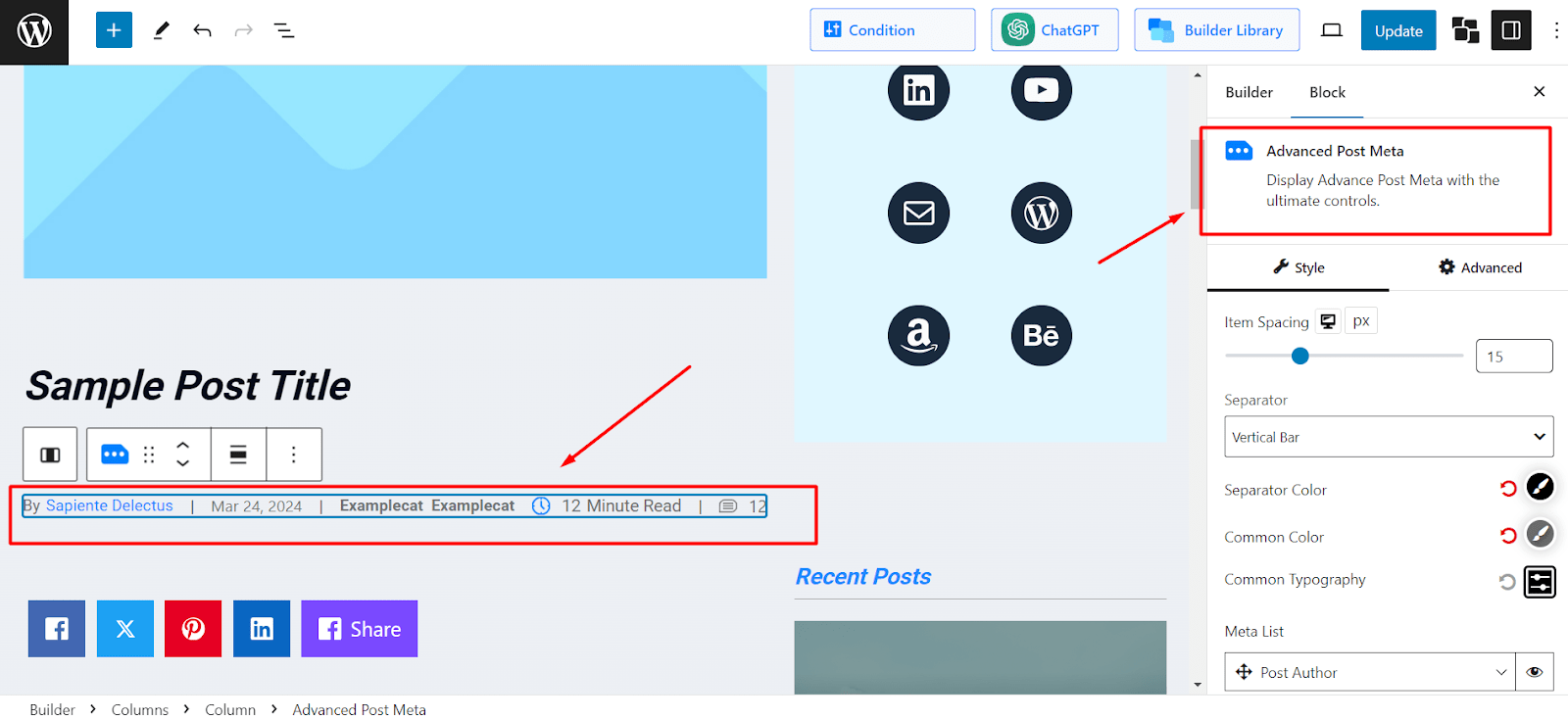
Post Meta Data in WordPress stores additional information about your blog posts. It includes details like author name, publication date, and custom fields. This data helps organize and display content effectively, enhancing user experience and search engine visibility.
Adding Meta Data
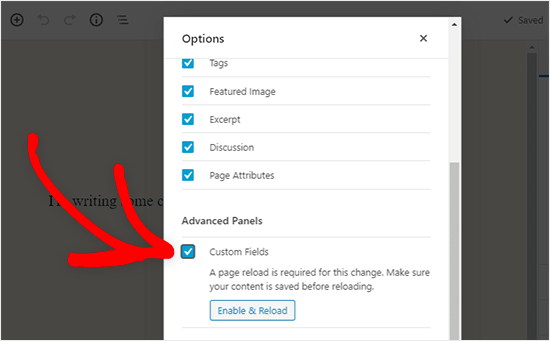
Adding meta data helps organize your posts. You can add custom fields to each post. These fields store extra information. For example, add the author’s name or publish date. Use the WordPress dashboard to do this. Go to the post editor. Look for the custom fields option. Enter your data and save. Now, your post has extra details.
Updating Meta Data
Update meta data to keep information correct. Go to your post editor. Find the custom fields section. Click on the field you want to change. Enter new data. Save your changes. Your post is now updated. This keeps your blog accurate and fresh.
Deleting Meta Data
Deleting meta data removes extra info from posts. Go to your post editor. Locate the custom fields section. Find the field you want to remove. Click on delete or remove option. Save your changes. This cleans up your post data. It is useful for old or incorrect information.
Credit: www.wpxpo.com
Best Practices For Post Meta Data
Using consistent meta tags helps search engines. Keep tags short and simple. Do not use too many tags. Update tags when needed. Use relevant keywords. Keywords help readers find your post. Check tags for errors before publishing. Add alt text for images. Alt text helps people who cannot see the image. It also helps search engines. Use clear descriptions for better understanding. Descriptions should match the content. Avoid using duplicate meta tags. Duplicates confuse search engines.
Protecting post meta data is important. Do not share sensitive data in meta tags. Avoid using personal information. Personal info can be misused. Keep WordPress updated. Updates fix security issues. Use strong passwords for your account. Strong passwords keep your data safe. Limit access to meta data. Only allow trusted users. Use security plugins for extra protection. Plugins alert you of potential threats. Check for suspicious activity regularly.
Common Uses Of Post Meta Data
Post meta data makes your content more useful. It adds extra information like author, date, and tags. These details help readers understand the content better. Meta data helps search engines find your posts. This can make your blog more popular. It’s like adding more details to a story.
Meta data helps users find what they need fast. It shows related posts or categories. This makes navigation easy. Users spend more time on your site. They find your content helpful. Meta data also helps in sorting and filtering posts. This improves the user’s journey on your site.
Plugins For Managing Post Meta Data
Post meta data in WordPress holds additional information about a post, like author or publication date. Plugins help organize and manage this data efficiently, enhancing website functionality.
Popular Plugins
Some plugins help with post meta data. Advanced Custom Fields is a favorite. It lets users add fields easily. Yoast SEO offers meta tag help. It makes posts rank better. Custom Post Type UI is another useful plugin. It makes custom post types simple.
Choosing The Right Plugin
Picking the right plugin is important. Think about needs and goals first. Check plugin reviews too. Are users happy? Look at plugin updates. Updated plugins work better. Always try plugins before using them. Testing helps find the best fit.
Credit: www.wpbeginner.com
Frequently Asked Questions
What Is Post Meta Data In WordPress?
Post meta data in WordPress refers to additional information stored with each post. It can include author name, date, categories, tags, and custom fields. This data helps in organizing, managing, and displaying content effectively on your website. Using meta data enhances user experience and SEO by offering structured and relevant information.
How Does Post Meta Data Affect Seo?
Post meta data improves SEO by providing structured information that search engines can easily understand. It helps in categorizing content, which can enhance visibility in search results. Properly formatted meta data, like keywords and descriptions, can increase click-through rates and improve your site’s ranking on search engines.
Can I Customize Post Meta Data?
Yes, you can customize post meta data in WordPress using custom fields and plugins. Custom fields allow you to add specific information relevant to your content. Plugins offer advanced options to manage and display meta data. Customizing meta data helps in tailoring content to meet your audience’s needs and improve SEO.
Why Is Post Meta Data Important?
Post meta data is important because it organizes content and enhances user experience. It provides crucial information like author details and publication dates. Meta data aids in SEO by helping search engines understand and categorize content. Well-structured meta data can improve your site’s visibility and engagement.
Conclusion
Understanding post meta data is crucial for managing WordPress sites. It stores important information about posts. You can customize it for specific needs. Meta data helps with organizing and displaying content. It improves user experience and site functionality. With meta data, you can add features like custom fields.
These enhance the site’s capabilities. Learning to use post meta data effectively benefits your WordPress projects. It ensures your site runs smoothly and offers better content management options. Start exploring meta data today. Enhance your WordPress skills and knowledge. Make your site more efficient and user-friendly.


