
Have you ever wondered how to make your WordPress site more user-friendly and engaging? If you’re looking to enhance your website’s functionality without diving into complex coding, you’re in the right place.
Understanding and using a Meta Widget in WordPress can be your secret weapon. This nifty tool is more than just a feature; it’s a gateway to streamlined site management and improved user experience. Imagine having quick access to essential links like your login page, RSS feed, and WordPress.
org directly from your site. Sounds convenient, right? But there’s more. You’ll discover how the Meta Widget can empower you to keep your site organized and accessible, ultimately drawing in more visitors and keeping them engaged. Stay with us to learn how to unlock the full potential of your WordPress site using the Meta Widget.
Meta Widget Basics
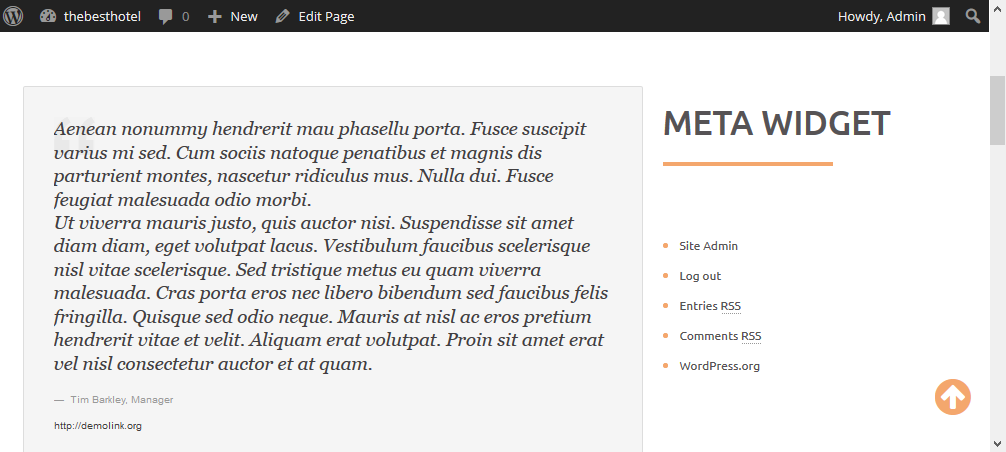
The Meta Widget is a tool in WordPress. It helps users manage their site. This widget shows important links like login, RSS feeds, and WordPress.org. It is easy to add to the sidebar. Users can drag and drop it in the widget area.
The Meta Widget is great for beginners. It provides quick access to admin functions. Users can log in or out with ease. It also helps connect with WordPress.org. Simple and helpful for managing your site.
Purpose Of Meta Widget
The Meta Widget in WordPress helps users manage their website. It provides links for login, logout, and RSS feeds. Users can easily access the admin panel using this widget. It is a helpful tool for both site owners and visitors. With the Meta Widget, you can find useful links quickly.
Adding this widget is simple. It improves site navigation greatly. It also helps in managing comments and posts. Both new and experienced users find it useful. The Meta Widget makes WordPress easier to use. Many websites include it for better control and efficiency.
Key Features
The Meta Widget offers easy login and logout links. Users can quickly access their accounts. This feature ensures smooth navigation. It is simple and user-friendly.
Admins can manage the site easily. The widget provides a direct link. This helps in fast site administration. It saves time and effort. Admins find it very useful.
The widget includes RSS Feeds. Readers can stay updated with new posts. RSS is simple and fast. This keeps followers engaged. They get new content quickly.
Users can access WordPress.org links. These links offer valuable resources. Users learn more about WordPress. Helpful for both beginners and experts. It enhances their knowledge.
Customization Options
Meta Widget in WordPress offers many display settings. You can choose which items to show. Options include login, RSS feed, and comments. Selecting the right settings is easy. A few clicks and you are done. This makes your site look neat. It also helps users find what they need. Simple and effective.
Changing the appearance of the Meta Widget is fun. You can adjust the colors. Fonts can also be changed. Make it match your site’s theme. This helps your site look better. Visitors will enjoy a nice design. Easy steps make big changes. Try different looks. Find the one that fits best.
Adding Meta Widget To Sidebar
The Meta Widget in WordPress allows users to easily access login, RSS, and WordPress. org links. Adding it to the sidebar enhances website navigation. It provides quick shortcuts to essential site functions.
Using WordPress Dashboard
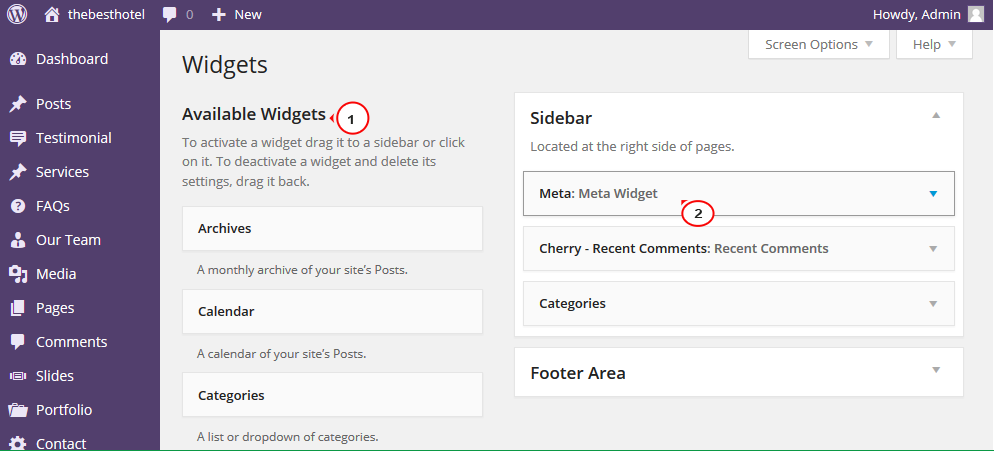
The WordPress dashboard is easy to use. First, find the Appearance tab. Click on it. Then, select Widgets. You will see many options. Look for the Meta Widget. Drag it to the sidebar area. Release the mouse button.
Utilizing Widgets Page
Widgets page shows all available widgets. Meta Widget is often used. It helps link to login, RSS, and WordPress.org. To add it, select the Meta Widget. Drag it to your desired sidebar location. You can rearrange widgets. Place Meta Widget where you want.
Credit: www.templatemonster.com
Benefits For Users
A Meta Widget is easy to use. It helps users access their WordPress dashboard quickly. You can log in and out with ease. This widget shows useful links. Users can find RSS feeds and WordPress.org links. It makes blog management simple. Visitors see the site’s login status. They can navigate with ease. It saves time for both users and site owners.
Meta Widgets are helpful for beginners. They don’t need coding skills. Widgets add functionality to the site. They enhance user experience. Easy to set up and modify. Every WordPress site benefits from these widgets. It’s a must-have tool. Enhance your site with Meta Widgets.
Potential Drawbacks
Meta Widgets in WordPress can be helpful. But they have drawbacks. They might display unwanted links. These links can confuse visitors. Some users find them cluttered. Too many links can be overwhelming. It may affect the site’s design. The website might look messy or unprofessional.
Customizing the widget is not always easy. Not all users know coding. This can be a challenge. The widget may not match the site’s theme. Users need to be careful. They should check how the widget appears. Testing on different devices is also important. This ensures a consistent look.
Alternatives To Meta Widget
WordPress offers many widgets besides the Meta Widget. Try the Recent Posts widget. It shows your latest blog posts. Very helpful for readers. Use the Categories widget. It organizes your content neatly. Makes finding topics easy. Add the Search widget. Helps users find specific content. Great for blogs with lots of posts.
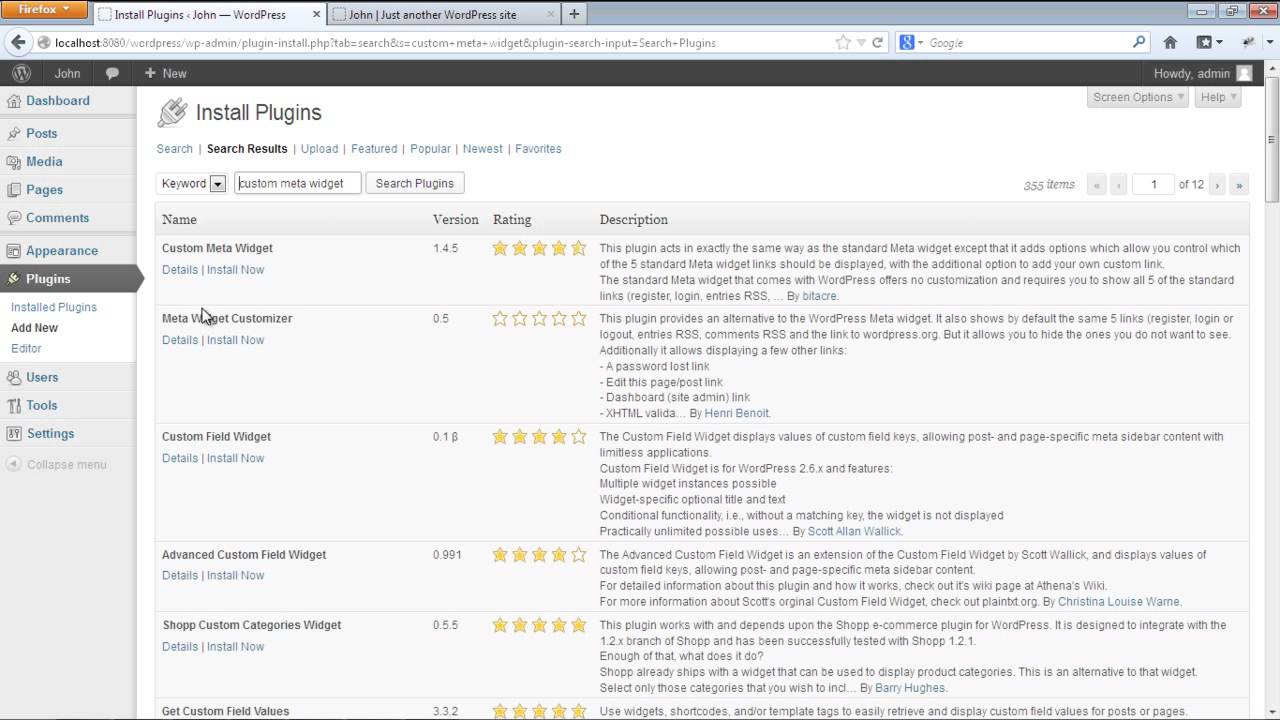
Plugins can expand features. Consider the Jetpack plugin. It offers many tools and widgets. Another option is Widget Options. This plugin adds visibility controls. Helps manage when widgets appear. Elementor is a powerful choice. It allows custom designs for widgets. Easy to use and flexible.
Tips For Effective Use
Meta Widgets are tools in WordPress. They help manage your site. These widgets show links like Log in, RSS feeds, and WordPress.org. A simple tool, yet very useful. It gives quick access to admin tasks. Place it in the sidebar for easy reach. Users can click and find links fast. It keeps the site organized.
Always keep your Meta Widget updated. This ensures smooth site operation. Choose a good spot for it on your page. A spot where it is visible. Sometimes, less is more. Do not overfill the widget area. Just include the most important links. This keeps it clean and neat. Let it serve its purpose effectively.
Credit: www.youtube.com
Credit: www.templatemonster.com
Frequently Asked Questions
What Is Meta Widget In WordPress?
The Meta Widget in WordPress provides useful links like login, RSS feeds, and site admin links. It helps users and administrators access essential site functionalities directly from the sidebar. This widget is beneficial for site management and user engagement, offering easy navigation and accessibility to important site features.
How Do I Add Meta Widget?
To add the Meta Widget in WordPress, navigate to Appearance > Widgets in your dashboard. Drag and drop the Meta Widget into your desired widget area. Customize it by selecting options for display. This process is straightforward and enhances site functionality with easy access to user login and admin links.
Can I Customize Meta Widget Options?
Yes, you can customize the Meta Widget options by accessing the widget settings in your WordPress dashboard. You can choose which links to display and adjust their order. This customization allows you to tailor the widget’s functionality to meet your site’s specific needs and improve user interaction.
Why Is Meta Widget Useful?
The Meta Widget is useful because it provides quick access to essential site functions like login and admin links. It simplifies navigation for both users and site administrators. By offering direct links, it improves site accessibility and enhances the overall user experience, making site management more efficient.
Conclusion
Understanding the Meta Widget in WordPress is crucial for beginners. It helps manage your website efficiently. This widget offers easy access to login, RSS feeds, and more. Exploring its features can simplify your website experience. Beginners find it useful for navigation and management.
Learning its functions boosts your WordPress skills. You can customize it to fit your needs. Simple and effective for every user. With practice, you’ll feel more confident in handling WordPress. Embrace the Meta Widget for a smoother website journey. Happy blogging!


