
Have you ever wondered what the term “format” means in the world of WordPress? If you’re looking to enhance your website’s appearance and functionality, understanding this concept is crucial.
Format in WordPress isn’t just about how your content looks; it’s about how it captivates your audience. Imagine having the power to transform plain text into a visually appealing experience that holds your readers’ attention. By mastering WordPress formats, you can engage visitors more effectively, encouraging them to stay longer and explore more of what you have to offer.
Dive into this article to discover how to leverage WordPress formats to elevate your website’s impact and keep your audience coming back for more.
WordPress Formats
WordPress offers different formats for blog posts. Each format changes how your post looks. You can choose from several options. Some popular formats include Standard, Gallery, and Quote. The Standard format is the most common. It is used for regular text posts. For images, the Gallery format is ideal. It showcases multiple pictures in a nice way. With the Quote format, you can highlight quotes. It makes quotes stand out.
Each format has its own style. These styles make your post unique. Choosing the right format is important. It helps convey your message better. Always think about your content. Pick the format that suits it best. This makes reading fun and interesting. Your readers will appreciate the effort.
Types Of Formats
The Standard Format is the most used. It is simple and basic. This format is perfect for regular posts. It includes text and images. It looks clean and neat.
The Gallery Format shows many pictures. All in one post. It is great for photographers. Or anyone with lots of images. It displays them in a nice layout.
The Image Format focuses on one picture. It makes the image stand out. Perfect for special photos. It draws attention to the picture.
The Quote Format is for sharing quotes. It highlights sayings from famous people. This format makes quotes look important. It helps them stand out.
The Video Format is for video content. It embeds videos in posts. This format is great for vlogs. Or any video-related content.
The Audio Format is for music and sounds. It lets you share audio clips. It is useful for podcasts. Or any audio-related content.
The Link Format shares links. It highlights the URL in the post. This format is good for directing traffic. Or sharing useful resources.
The Aside Format is for short notes. It adds extra information. It is like a sidebar. It gives quick updates or thoughts.
The Chat Format mimics a chat conversation. It is good for dialogue. Or sharing chat-like messages. It looks like a chat bubble.
Benefits Of Using Formats
Enhanced Content Presentation makes your posts look neat. Formats help in showing content in a clear way. Readers find it easy to understand. Using the right format adds to the beauty of your blog. It gives a professional touch. This attracts more readers.
Improved User Engagement keeps readers on your page longer. Engaging content encourages readers to interact more. They may comment or share your posts. This helps in building a community. Readers feel connected to your blog.
Streamlined Content Management saves time for bloggers. Formats help in organizing content quickly. You can easily change or update posts. This makes managing a blog less stressful. Bloggers can focus more on writing. Less time is spent on formatting. This helps in producing more quality content.

Credit: www.wpbeginner.com
How To Apply Formats
First, log into your WordPress dashboard. Look for the post editor. Find the toolbar above the text area. This toolbar has many formatting options. Click on the icon that looks like a letter “A”. This opens more choices. You will see options like bold and italic. These help you change your text’s look.
Each format serves a purpose. Bold text grabs attention. Italic text adds emphasis. Lists make information easy to read. Headers organize your content. Use them wisely. Pick a format that suits your message. Keep the reader in mind.
WordPress lets you customize formats. You can change colors. Adjust font sizes. Use different styles. Click on the format options. Select the settings you like. Preview your changes. Make sure it looks good. This helps your blog stand out.
Common Mistakes
Using many formats can confuse readers. Too many styles make text hard to read. Simple is often better. Stick to just a few styles. This keeps your page clean. Readers like easy-to-read content. Less is more in design.
Consistency is key in design. Text should look the same across pages. Different styles can look messy. Use the same font and size. This makes your site look professional. Readers notice when things match. They trust sites that look good.
Many people use phones to browse. Make sure your site works on mobile. Text should not be too small. Buttons should be easy to tap. A site that looks good on mobile is a must. People leave sites that are hard to use on phones.

Credit: wordpress.com
Best Practices
Choosing the right format is important. It helps content match its purpose. Each format has strengths. A photo tells a story quickly. A video gives deep details. Think about the audience. What do they need? Use formats they like. Keep it simple. Make sure the format matches the message. If it’s complex, simplify it. This helps everyone understand.
Testing is key. Try different formats. See what works best. Use simple tests. Ask friends for feedback. Check how people react online. Do they like it? Do they share it? Use the format that gets the best response. Keep track of results. This helps in making future choices.
Formats change over time. Trends come and go. Stay updated with new formats. Watch what others do. Learn from them. Use new ideas. Change formats when needed. Keep them fresh and interesting. This keeps the audience engaged. They like new things. Keep content updated for them.
Tools And Plugins
WordPress has many plugins for formatting. Yoast SEO helps with post structure. Elementor is good for design layouts. WPForms lets you create forms easily. These plugins make formatting simple. Choose the right plugin for your needs. Each plugin has unique features. Try them and see what works best. Don’t forget to read reviews. This helps in making a choice. Always keep plugins updated. This ensures better performance.
Integrating plugins with themes is important. Some plugins fit well with specific themes. Astra theme works well with many plugins. Divi is another popular theme for integration. Always check compatibility before installing. This helps avoid issues. Test on a demo site first. It keeps your main site safe. Follow these steps for smooth integration. Your site will look and work better.
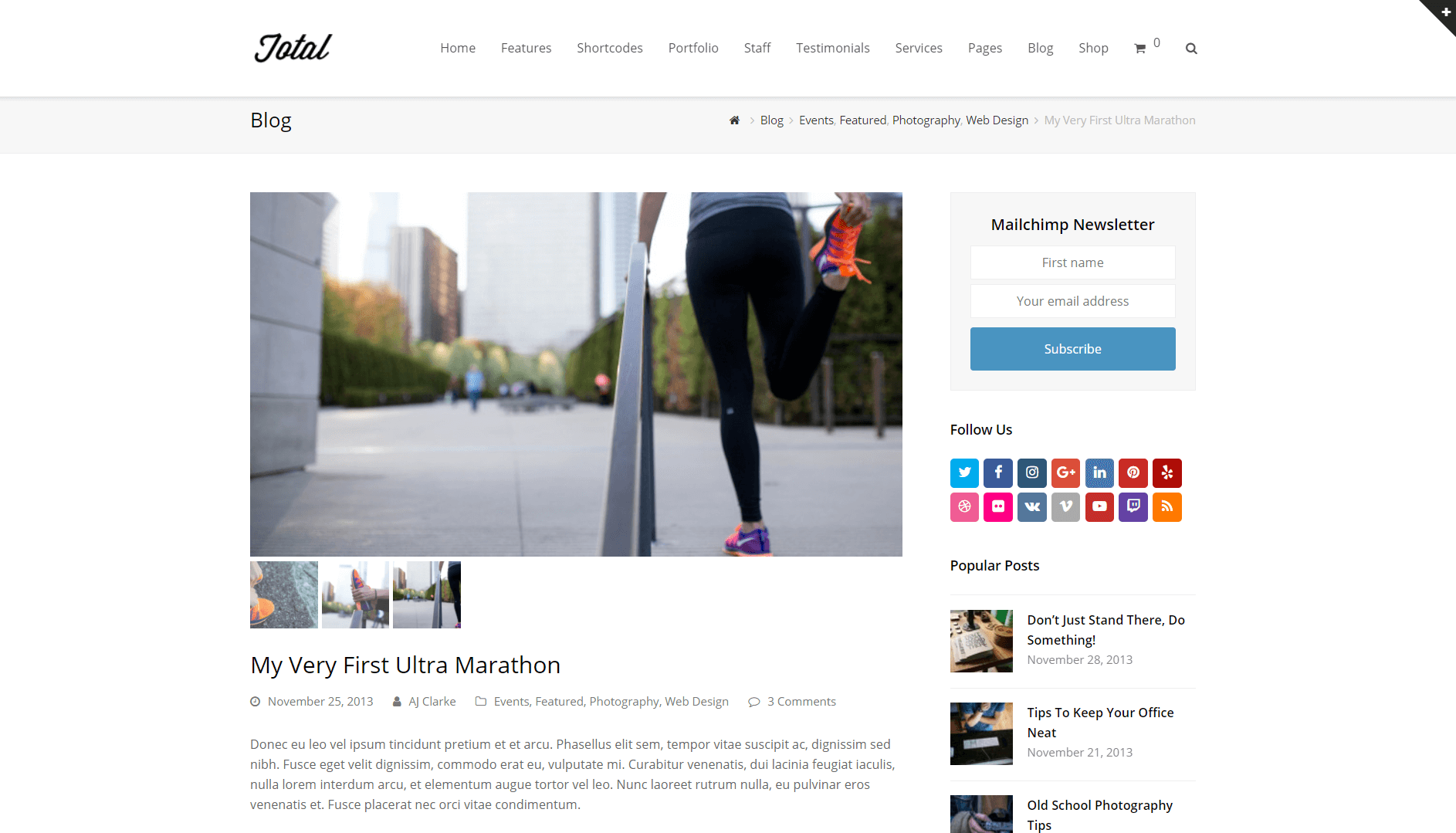
Credit: www.wpexplorer.com
Frequently Asked Questions
What Is A Format In WordPress?
In WordPress, a format refers to the predefined layout and style of posts. It helps in categorizing content visually, enhancing user experience. Formats can include standard, image, video, quote, and more, allowing customization of appearance based on the content type.
How Do I Change WordPress Post Format?
To change a post format in WordPress, edit your post and select a format from the Format box. This box is usually found in the sidebar. Different themes support different formats, impacting the visual presentation of your post.
Why Use Different Formats In WordPress?
Using different formats in WordPress improves content organization and user engagement. Formats tailor the post display to fit its nature, whether text, image, or video. This customization enhances readability and user experience, making your site visually appealing.
Are Formats Theme-dependent In WordPress?
Yes, formats are theme-dependent in WordPress. Not all themes support all formats. Themes define available formats and their visual presentation. Choosing a theme compatible with desired formats is essential for effective content display.
Conclusion
Understanding WordPress formats enhances your site’s appearance and functionality. They help organize your content efficiently. Formats provide a consistent look for your posts. This consistency makes it easier for readers to engage. Exploring different formats offers versatility in presentation. It allows you to tailor the content style to the message.
Simplifying format use can improve your WordPress experience. Beginners and experts alike benefit from mastering these basics. A well-organized site attracts more visitors. Ultimately, formats are a key element in web design. They contribute to a more engaging, user-friendly website.


