
Have you ever wondered how your favorite WordPress website looks so stunning and works so smoothly? The secret ingredient is CSS, or Cascading Style Sheets.
It’s the magic behind the curtain that gives websites their unique style and functionality. If you’re managing a WordPress site, understanding CSS can be your key to creating an impressive online presence. Imagine having the power to tweak every aspect of your website’s design to match your vision perfectly.
Sounds appealing, right? Stick around as we unravel the mysteries of CSS in WordPress and help you transform your site from ordinary to extraordinary.
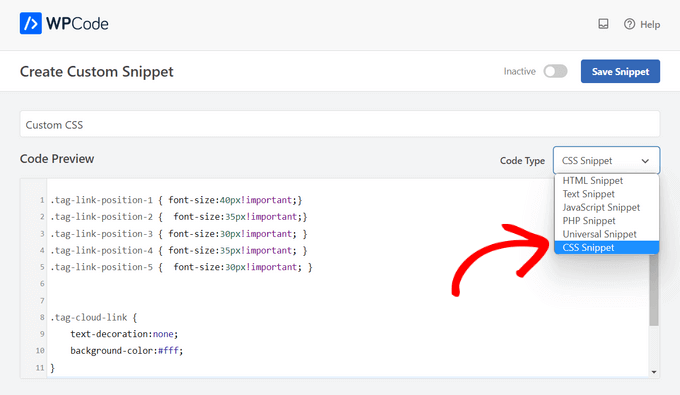
Credit: www.wpbeginner.com
Css Basics In WordPress
CSS makes websites look nice. It controls colors, fonts, and layouts. By changing CSS, you can update a website’s style. CSS is like a website’s makeup. It makes the site pretty. Without CSS, sites look plain. This is why CSS is important. It helps create beautiful web pages.
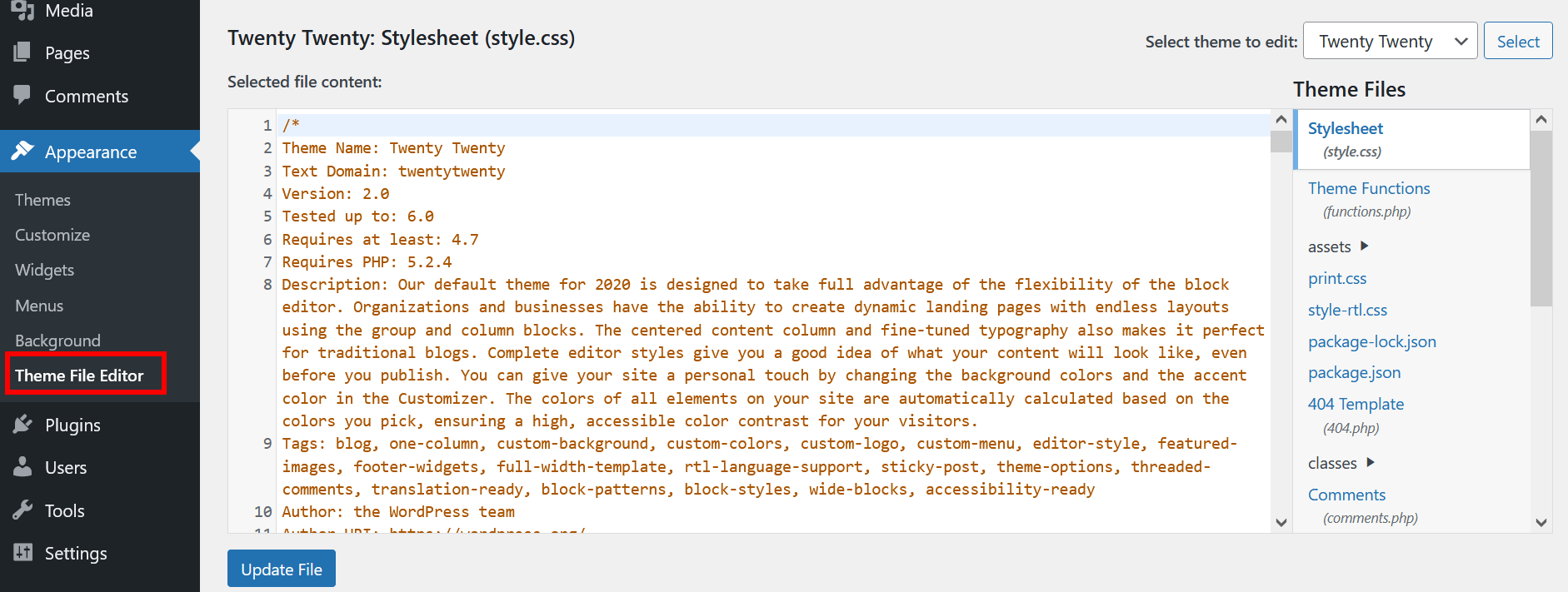
WordPress themes rely on CSS for design. Each theme has its own CSS file. These files control how the theme looks. Customizing a theme’s CSS changes its appearance. This is useful for personalizing your site. With CSS, you can make a theme look unique. It’s like choosing a new outfit for your website. The right CSS can make your site stand out.
Customizing WordPress With Css
The WordPress Customizer allows you to add custom CSS easily. This tool is found in the Appearance section. You can write CSS code to change how your site looks. It’s simple and quick. Try changing colors or fonts. You see changes right away.
Child themes are safe for CSS edits. They protect your changes from updates. Create a child theme and add your CSS there. This way, you keep your custom style. Child themes are great for big changes. Use them to change layouts or design.
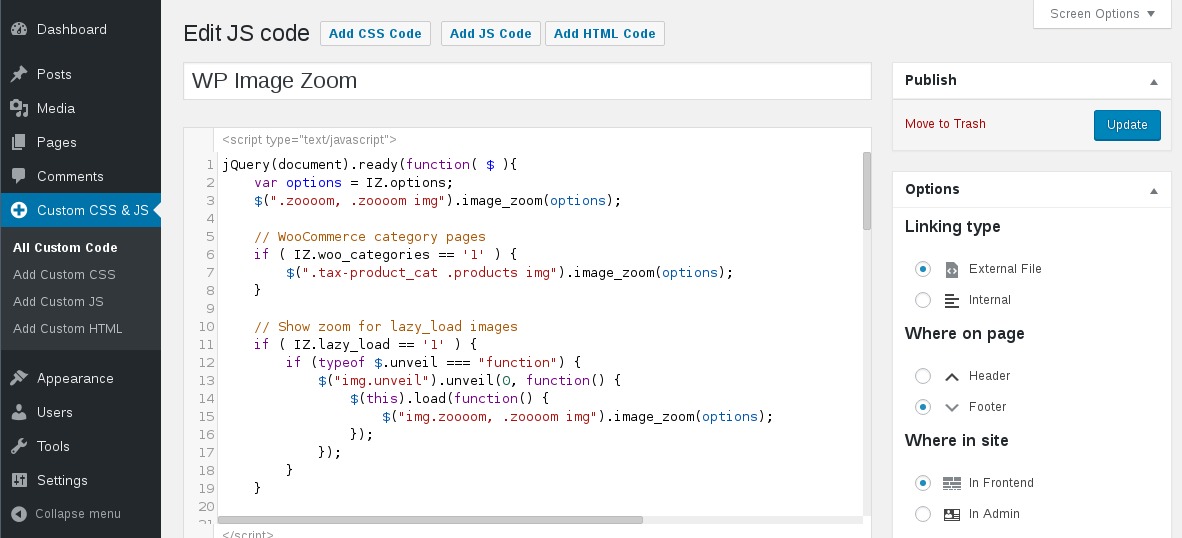
Some plugins help with CSS changes. They make it easy to customize without coding. These plugins offer settings for colors, fonts, and more. Popular choices include Simple Custom CSS. Plugins can save time. They are good for beginners.
Common Css Techniques For WordPress
Make websites look good on all devices. Use media queries to change styles. Adjust layouts for phones, tablets, and computers. Ensure images fit screens. Improve user experience. Keep text readable. Balance design across platforms. Create harmony with CSS.
Widgets make sites unique. Customize them with CSS. Change background colors and font sizes. Use borders to highlight areas. Control widget spacing and alignment. Make widgets match the site theme. Add CSS animations for fun effects. Enhance functionality with style.
Fonts tell stories. Choose clear fonts for easy reading. Use CSS to style text. Adjust letter spacing for readability. Set line height for comfort. Pick font colors that stand out. Use bold for emphasis. Combine fonts for variety. Typography creates mood.
Troubleshooting Css In WordPress
CSS problems can make your site look messy. First, check if the stylesheets are linked properly. Clear your browser cache to see updates. Use the browser’s developer tools to inspect elements. This helps find where the issue is. Look at the console tab for any errors.
CSS specificity decides which style rules apply. It is like a priority list. More specific rules win. IDs are stronger than classes. Classes are stronger than tags. Remember this order: ID, class, tag. Use this to fix style conflicts.
Missing a semicolon can break CSS. Each line should end with one. Another mistake is not closing brackets. Check that every bracket has a pair. Also, ensure file paths are correct. Wrong paths mean styles won’t load.
Advanced Css Features
CSS Grid and Flexbox help arrange things on a page. Grid is like a checkerboard. It lets you place items in neat rows and columns. Flexbox is like a rubber band. It helps items stretch and shrink to fit. Both are great for making WordPress sites look tidy. They are easy to learn and use.
Animations make things move. Items can slide, bounce, or fade. Transitions let changes happen smoothly. A button can change color when touched. These tools make websites fun and lively. They catch the eye and keep users interested. WordPress supports many animation styles.
Media Queries adjust layouts for different screens. They make sure sites look good on phones, tablets, and computers. You can set rules for screen size. Small screens might show one column. Big screens might show two columns. This makes sites easy to read and navigate.
Credit: www.ionos.com
Best Practices
Optimize CSS for faster loading. Minimize file size to improve speed. Remove unused styles to reduce clutter. Use inline styles for critical CSS. This helps with faster rendering. Compress CSS files to save bandwidth. Tools like CSSNano can help compress files. Avoid using large libraries if not needed. Keep CSS simple and efficient.
Organized CSS is crucial. Use comments to explain complex sections. Group related styles together for clarity. Use consistent naming conventions for classes. This makes it easier to read and edit. Break down CSS into sections. Use separate files for large projects. Avoid duplicate styles to save space. Keep everything tidy and easy to manage.
Browsers display CSS differently. Test styles on all major browsers. Use vendor prefixes for newer CSS features. This ensures compatibility across browsers. Check CSS on mobile devices too. Responsive design is important. Use tools like BrowserStack for testing. Fix issues early to avoid user frustration. Keep code simple for best results.
Credit: wordpress.org
Frequently Asked Questions
What Is Css In WordPress?
CSS, or Cascading Style Sheets, is used to style WordPress websites. It controls the design, layout, and appearance of web pages. WordPress themes come with built-in CSS files. Users can modify these files to customize the site’s look. Understanding CSS helps in making specific design changes easily.
How To Add Custom Css In WordPress?
To add custom CSS in WordPress, go to the WordPress dashboard. Navigate to Appearance > Customize > Additional CSS. Here, you can enter your custom CSS code. Changes are immediately visible in the preview. This method is safe and doesn’t alter theme files directly.
Why Is Css Important For WordPress Themes?
CSS is crucial for WordPress themes because it dictates the site’s visual presentation. It allows developers to style elements like fonts, colors, and layouts. With CSS, themes can be customized to fit brand identities. It also ensures a consistent design across different devices and browsers.
Can You Use Css With WordPress Plugins?
Yes, CSS can be used with WordPress plugins. Plugins often provide additional functionality and styling options. Users can modify the plugin’s appearance with custom CSS. This customization ensures the plugin seamlessly integrates with the website’s overall design, enhancing user experience.
Conclusion
Understanding CSS in WordPress enhances your site’s look and feel. It’s a tool for personalizing web design without coding expertise. CSS allows you to change colors, fonts, and layouts with ease. It’s crucial for creating a unique and responsive website.
Learning CSS basics helps you manage your WordPress site better. Practice and experimentation lead to skill improvement. Explore different styles and effects. Engage visitors through attractive design. CSS makes your WordPress site visually appealing and user-friendly. Regular updates and tweaks keep your site fresh.
Start using CSS for a more dynamic WordPress experience.


