
Are you ready to unlock the true potential of your WordPress site? Understanding CSS on WordPress might just be the key you’ve been missing.
Whether you’re a seasoned web developer or a curious beginner, CSS (Cascading Style Sheets) is what breathes life into your site’s design. It transforms plain text and images into an engaging, visually appealing experience. Imagine having the power to customize your website’s look and feel with just a few lines of code.
By the end of this article, you’ll discover how CSS can elevate your WordPress site, making it not just functional but truly memorable. Let’s dive in and explore how you can harness the magic of CSS to captivate your audience and stand out in the digital crowd.
Credit: wordpress.org
Basics Of Css
CSS changes how a website looks. It controls colors, fonts, and layouts. Think of CSS like clothes for a website. It makes things pretty and neat. Without CSS, websites look plain. It makes text easy to read. CSS can arrange items in rows or columns. This helps users find information quickly.
CSS syntax is simple. It uses selectors and properties. A selector points to an HTML element. Properties change how the element looks. Each property has a value. Example: color: red; makes text red. CSS rules are inside curly braces. They can change many things. Fonts, sizes, and backgrounds. CSS is powerful. It helps create beautiful pages.
Css In WordPress Themes
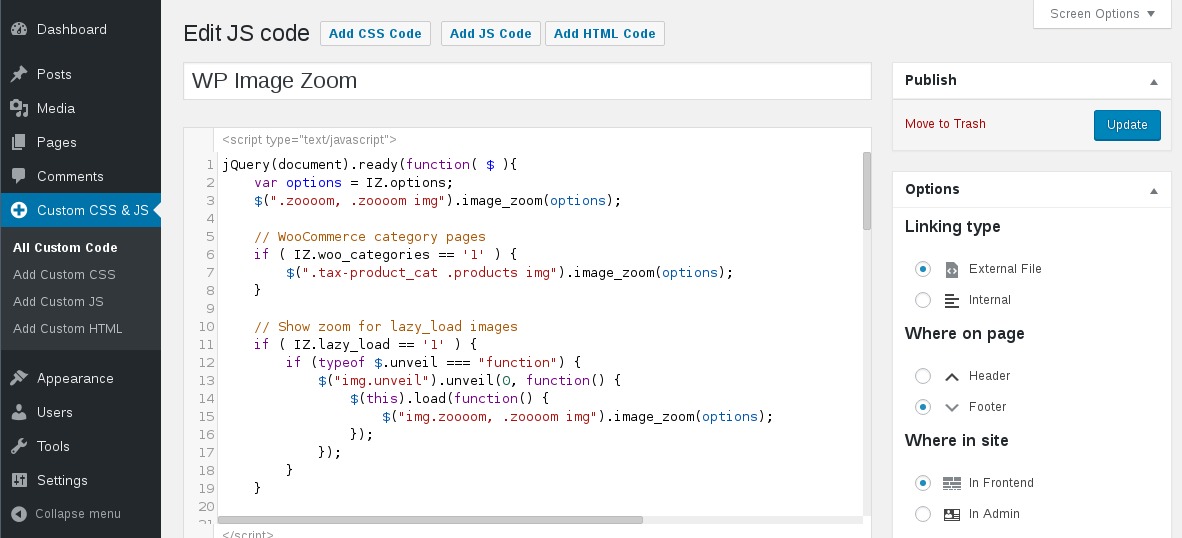
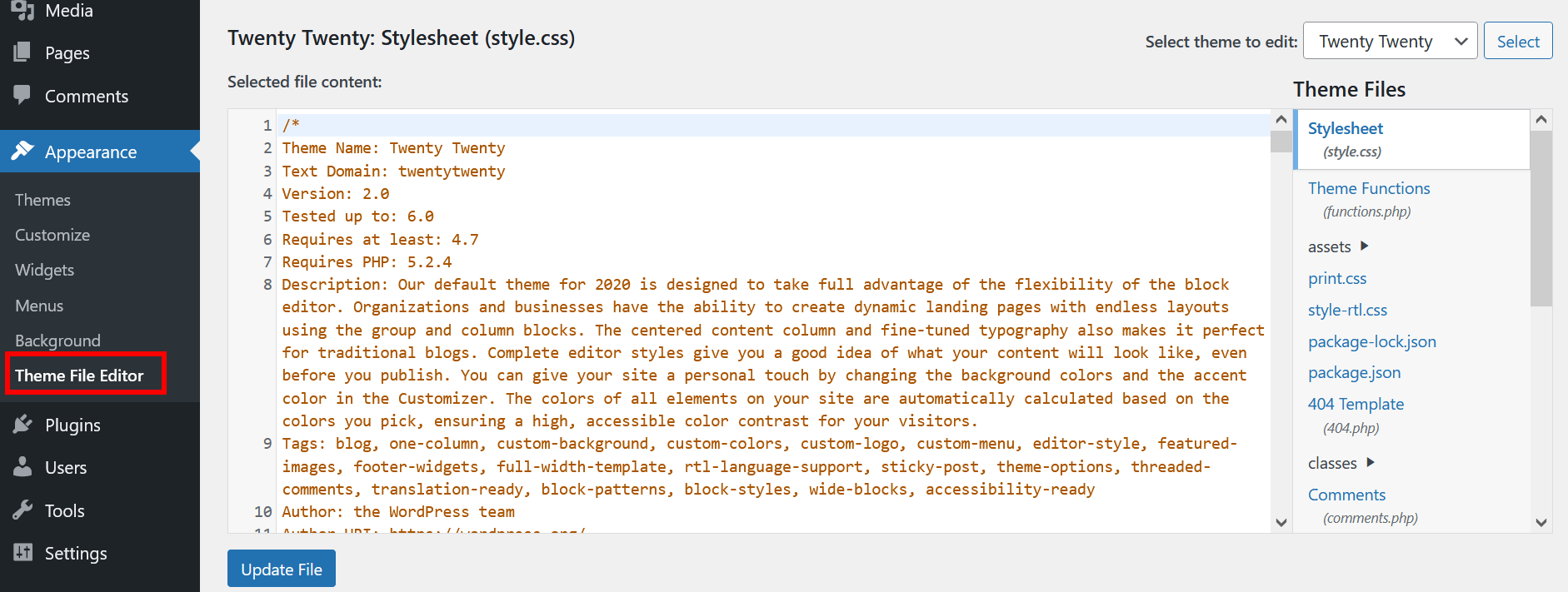
WordPress themes use CSS to style your site. You can change colors, fonts, and layout. CSS is like the clothes your website wears. Themes have a style.css file. It controls the look of your site. You can edit this file to make changes. Be careful when changing the theme’s CSS. Your edits might disappear with updates. Save your edits in a child theme. It protects your changes. You can also use the customizer in WordPress. It lets you change CSS without touching code. This tool is easy to use for beginners.
Some themes offer custom CSS options. These options are found in the theme settings. You can add your own CSS here. It is a safe way to change styles. Your changes stay even after updates. No need to worry about losing them. You can experiment with colors, fonts, and spacing. Try small changes first. See how they look on your site. This helps you learn CSS. It is fun to create a unique look for your site.
Using Css With WordPress Plugins
WordPress plugins often come with their own styles. These styles can change how your site looks. Sometimes, these styles do not fit your design. Plugin-generated styles might clash with your theme. They might use different colors or fonts. This can make your site look messy. You may want to change these styles for a cleaner look.
Plugin-generated Styles
Plugins have their own CSS. This CSS can affect your site. It can change buttons, headings, and more. Plugin styles might not be what you want. They can make your site look different. You can fix this with custom CSS.
Overriding Plugin Css
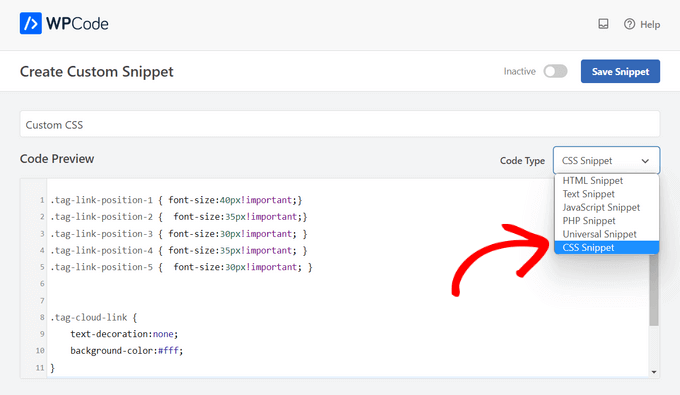
Custom CSS can override plugin styles. It helps you control the look of your site. Write your CSS in the theme’s stylesheet. Use !important to make sure it works. This tells the browser to use your style. Be careful; too much !important can cause issues. Test your site after changes. Check if everything looks good. This keeps your site neat and tidy.
Editing Css In WordPress
The WordPress Customizer is a tool for editing CSS. It helps change the look of your site. You can find it in the dashboard. Click on “Appearance” and then “Customize”. Look for the “Additional CSS” option. This is where you add or change your CSS code. Changes happen in real-time. You see them instantly. This makes it easy to test. No need to save and refresh each time. Always remember to save your changes. This keeps your work safe.
Child Themes let you modify a WordPress theme. Without changing the original theme. It’s like a copy. But it only holds your changes. This way, updates won’t erase your work. First, create a new folder for the child theme. Then, make a style.css file. Add your CSS rules here. Link the child theme to the main one. This is done in the style.css file. Child Themes are a safe way to customize your site.
Advanced Css Techniques
CSS in WordPress enhances website design by offering control over layout and style. Advanced techniques allow customization beyond themes, creating unique user experiences. It helps improve aesthetics and functionality, making websites visually appealing and engaging for visitors.
Media Queries
Media queries help websites look good on all devices. They adjust styles for different screen sizes. This makes websites responsive. No more zooming or scrolling. Just easy reading. They use simple rules. Widths and heights are set in pixels. This controls how content appears. CSS sees the screen size. Then it changes the layout. Small screens get different styles. Big screens get other styles. This keeps users happy.
Css Grid And Flexbox
CSS Grid is like a table. It arranges items in rows and columns. Flexbox is different. It organizes items in a line. Both make designs neat and tidy. Easy to use. Easy to learn. They help design layouts faster. Flexbox is great for one-dimensional layouts. CSS Grid shines with two-dimensional designs. Both are powerful tools. They give designers control. They make websites look professional.
Credit: www.wpbeginner.com
Troubleshooting Css Issues
CSS on WordPress controls website design and layout. Troubleshooting CSS issues involves identifying and fixing problems in code. Common issues include incorrect styles or conflicting rules that affect appearance.
Common Errors
CSS errors can make your site look broken. One common mistake is using the wrong selector. Double-check your selectors to ensure they match your HTML structure. Another problem is missing semicolons. This can break your CSS rules. Always end each CSS line with a semicolon. Incorrect syntax can also cause issues. Use correct curly braces to avoid syntax errors. Outdated CSS files can lead to display problems. Refresh your browser’s cache to see recent changes. These steps can help fix basic errors.
Debugging Tips
Inspect tool is very useful. Right-click on a web page and select “Inspect”. This tool shows real-time changes. Use it to test CSS modifications. Look for color changes, fonts, and layout adjustments. The tool helps you see what works and what doesn’t. Try changing CSS styles directly in the browser. Save the working styles in your CSS file. This makes debugging faster and easier.
Credit: www.ionos.com
Frequently Asked Questions
How Does Css Enhance WordPress Websites?
CSS allows you to control the visual appearance of WordPress sites. It helps in customizing layouts, colors, fonts, and more. This enhances user experience and branding. By using CSS, you can create a visually appealing website that aligns with your brand identity, improving engagement and retention.
Can I Add Custom Css In WordPress?
Yes, you can easily add custom CSS in WordPress. Use the WordPress Customizer under Appearance > Customize, then navigate to Additional CSS. This tool allows you to input your CSS code, enabling you to customize the design of your site without altering theme files directly.
Is Learning Css Necessary For WordPress?
While not mandatory, learning CSS is beneficial for WordPress users. It empowers you to make design tweaks without relying on plugins. Understanding CSS gives you more control over your site’s appearance, allowing for personalized customization and better alignment with your design vision.
What Are Common Css Issues In WordPress?
Common CSS issues include conflicts between themes and plugins, responsiveness problems, and browser compatibility. These issues can affect site appearance and functionality. Regular testing and using clean, organized CSS code can help mitigate these problems, ensuring a smoother user experience.
Conclusion
CSS enhances your WordPress site’s look and feel. It offers flexibility and style. You can customize colors, fonts, and layouts easily. This tool makes your website unique and appealing. Even beginners can learn basic CSS techniques. With practice, you can create a visually stunning site.
Start small, experiment, and watch your website transform. Remember, a well-designed site keeps visitors engaged. Keep learning and improving your skills. Your WordPress journey with CSS can be rewarding and fun. Use CSS to make your site stand out. Happy styling!


