
Have you ever wondered how some websites just seem to know how to get you to click, sign up, or even make a purchase? The secret often lies in a powerful tool called a Call to Action, or CTA.
If you’re using WordPress, understanding CTAs can transform your site from a simple webpage into a dynamic, engaging platform that drives your visitors to take action. Imagine your website as a conversation with your audience. CTAs are like the gentle nudges that guide your visitors to the next step in that conversation.
They’re the bridge between your content and the action you want your audience to take. Curious about how you can effectively use CTAs in WordPress to captivate and convert your audience? Let’s dive in and uncover how you can master this essential aspect of web design.

Credit: www.youtube.com
Call To Action Basics
A Call to Action (CTA) is a button or link. It asks users to do something. For example, “Sign Up” or “Buy Now”. CTAs guide users on what to do next. They help convert visitors into customers. A good CTA is clear and direct. It uses action words like “Join” or “Learn”. CTAs are usually bright and noticeable. They stand out on a webpage. You can find them on most websites. They are important for online success. Good CTAs can increase clicks and sales.
On WordPress, adding a CTA is simple. Use plugins or themes to add them. Many themes have built-in CTA options. Plugins can provide extra features too. They help customize the look and feel. Always test your CTAs. See which ones work best. Change colors or words if needed. This improves user interaction and results.
Importance Of Ctas
Call to actions, or CTAs, guide users. They help visitors know what to do. Click, buy, sign up—simple actions. CTAs boost engagement. Users find it easy to follow directions. They feel guided and cared for.
Good CTAs make websites clear. CTAs increase conversions. More users take action. Websites become successful. Words like “Buy Now” or “Subscribe” work well. They are clear and direct. Users understand quickly.
Placement is key. CTAs should be visible. Top of the page or after content works best. They must stand out. Bold colors help. CTAs must be noticeable but not annoying.
Types Of Ctas
Button CTAs are very popular in WordPress. They stand out on the page. These buttons often say things like “Buy Now” or “Learn More”. Users click them to take action. The color and size of the button matter. Bright colors like red or green work well. They catch the eye quickly.
Text Link CTAs are simple and easy. These are words or phrases you click. Often found in articles or blog posts. They may say “Click here” or “Read more”. The text is usually underlined. This shows it’s a link. Text links are less intrusive. But they can be effective too.
Form CTAs ask users to enter information. These forms can be for emails or other details. “Sign up now” is a common phrase. They encourage users to fill out fields. Forms often appear in pop-ups or on landing pages. They help collect user data. This data can be very valuable.
Creating Effective Ctas
A good call to action uses simple words. It tells the reader what to do. “Buy Now” or “Learn More” work well. Short phrases are best. Clear instructions make decisions easy. Use words that create excitement. Make them want to click.
Make CTAs stand out. Use bright colors. Contrast them with the background. This helps them get noticed. Use large buttons. They should be easy to click.
Add some white space around them. This draws eyes to the CTA. Keep designs simple. Too many elements confuse users.
Place CTAs above the fold. This means users see them without scrolling. Near the top is best. Repeat CTAs on long pages. Add them in the middle and at the end.
Test different spots. See where users click most. Adjust based on results. This helps improve engagement.
Using Ctas In WordPress
Plugins help add call to action buttons easily. Many plugins are free. They make adding buttons simple. Some plugins let you change button colors. Others let you change the size. Choose plugins that work with your theme. This makes your site look nice. Some popular plugins are Thrive Ultimatum and OptinMonster. These plugins give many options. You can test different styles.
Themes let you change the look of your site. Many themes have CTA options. Choose themes with built-in buttons. This saves time. You can change button text. You can change colors. Themes like Astra and OceanWP are good choices. They are easy to use. They work well with plugins.
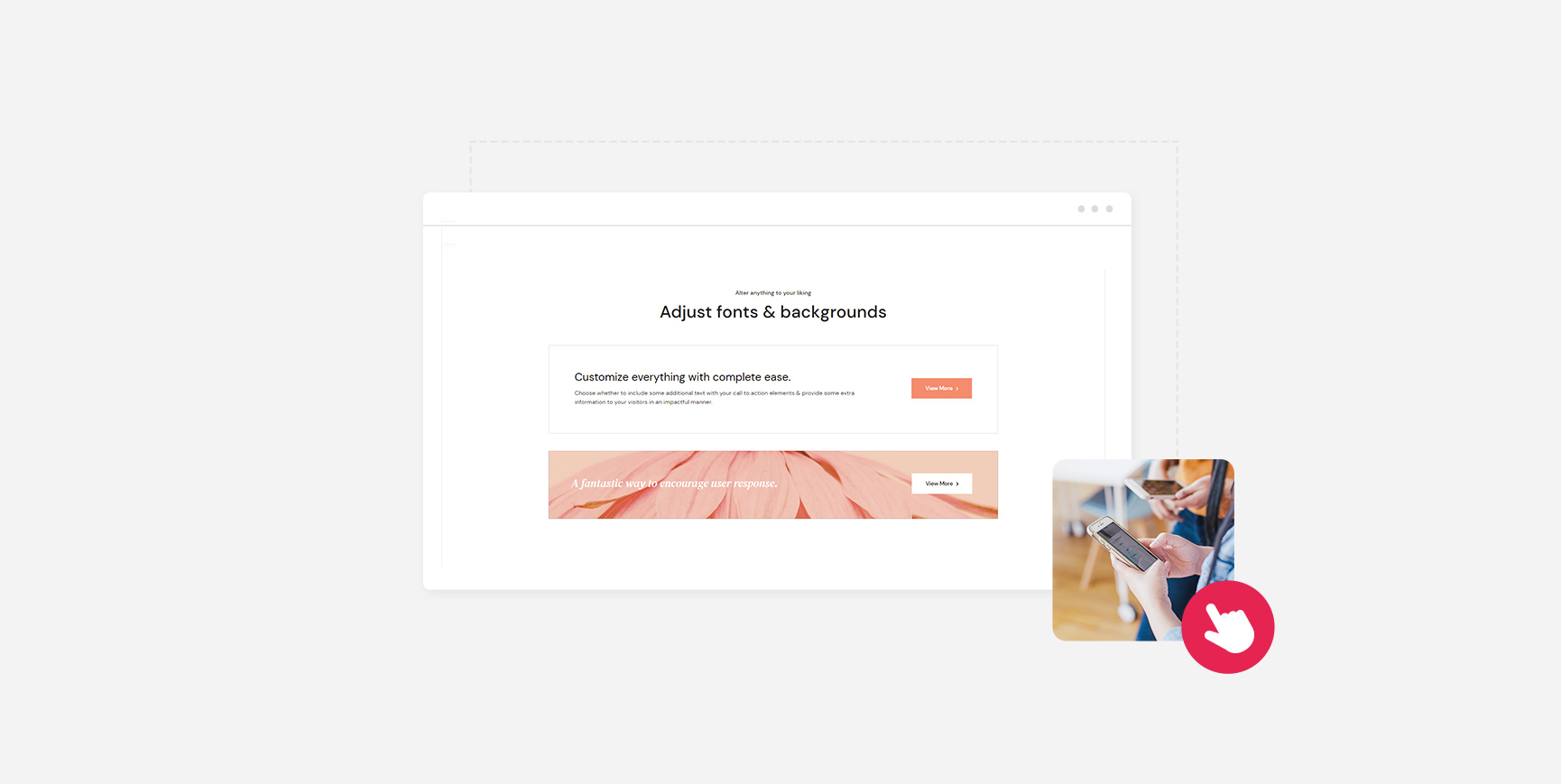
Page builders help make pages look nice. Many builders have CTA tools. Use builders like Elementor and Beaver Builder. They have drag-and-drop options. You can place buttons anywhere. Change button style in just a few clicks. Builders make it easy. They help you create engaging pages.
Credit: qodeinteractive.com
Analyzing Cta Performance
A Call to Action (CTA) in WordPress guides visitors towards desired actions like subscribing or purchasing. Analyzing CTA performance helps understand what attracts clicks and conversions. Optimizing these elements boosts engagement and enhances website effectiveness.
Tracking Click-through Rates
Click-Through Rates (CTR) measure how often users click your CTA. High CTR means users are interested. Low CTR means your CTA might need changes. Use tools to track these rates. Google Analytics is popular for tracking. Watch trends over time. See what works best. Adjust CTAs based on data. Make changes if CTR is low. These tweaks can improve results. Focus on what users like. This helps increase clicks.
A/b Testing Ctas
A/B testing compares two CTAs. Each has small changes. See which one performs better. Change colors, text, or placement. Test these changes. Track results carefully. Pick the CTA with better performance. This process helps find what users prefer. Keep testing regularly. It helps improve CTAs. Better CTAs lead to more clicks.
Optimizing For Better Results
Optimizing means making CTAs better. Use clear text. Keep it simple. Make sure CTAs stand out. Bright colors help. Placement is important. Put them where users see. Test different positions. Check results often. Adjust based on feedback. Keep improving CTAs. Better CTAs mean better results. More clicks mean more engagement.
Common Cta Mistakes
Overloading Pages with too many CTAs can confuse users. They don’t know where to click first. It leads to frustration. Keep it simple. One main CTA per page is ideal.
Unclear Messaging can turn visitors away. If users don’t understand what you offer, they leave. Use clear and simple words. Make sure your message is direct. Avoid jargon and complex terms.
Ignoring Mobile Users can hurt your website. Many people browse on phones. If your CTA doesn’t work on mobile, you lose visitors. Check if buttons are easy to tap. Ensure the text is readable.
Credit: ultimateblocks.com
Frequently Asked Questions
What Is A Call To Action In WordPress?
A Call to Action (CTA) in WordPress is a prompt for users to take a specific action. It could be a button, link, or banner. CTAs are crucial for conversions, guiding visitors towards goals like signing up, purchasing, or subscribing.
How Do I Add A Cta In WordPress?
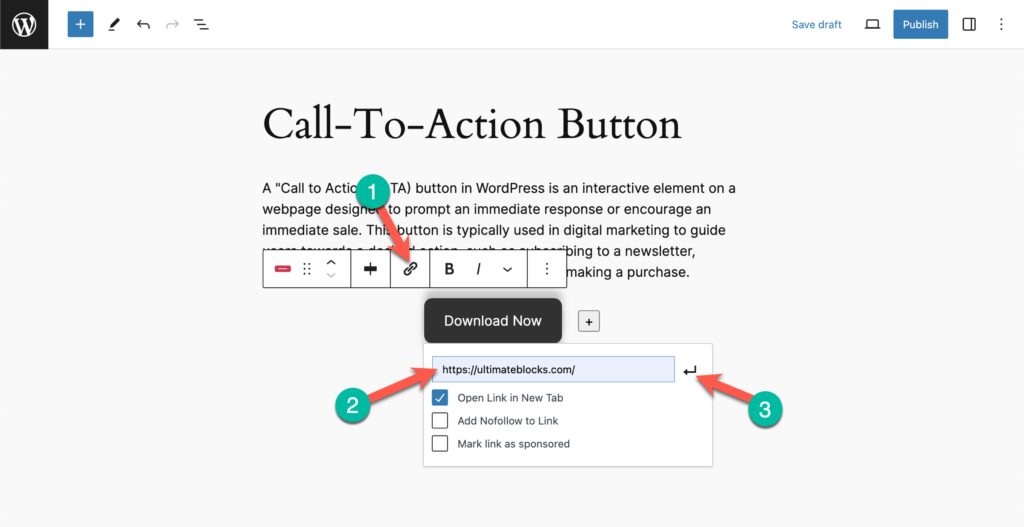
To add a CTA in WordPress, use a plugin or theme with CTA features. You can also add buttons or links directly in posts or pages. Ensure the CTA is visually appealing and clearly communicates the desired action.
Why Are Ctas Important For Websites?
CTAs guide visitors towards important actions, increasing engagement and conversions. They help in achieving business goals by directing users to sign up, purchase, or explore more content. Effective CTAs improve user experience and contribute to website success.
How Can I Optimize Ctas For Better Performance?
Optimize CTAs by using compelling text, contrasting colors, and strategic placement. Test different CTA designs and positions to see what works best. Regularly analyze performance metrics to refine your CTAs for maximum effectiveness and engagement.
Conclusion
Understanding the importance of a call to action in WordPress is crucial. It guides visitors towards specific actions on your site. This can boost engagement and conversions. Clear and compelling CTAs are vital for success. They help you communicate your goals effectively.
Use simple language for better understanding. Test different styles to find what works best. Keep your audience in mind when designing CTAs. Make them visible and easy to click. With practice, you can create effective calls to action that resonate with your audience.
Enhance your website’s performance today with strategic CTAs.


