
Imagine you’re navigating through a vast forest of information, searching for a specific path that leads you to your desired destination. Suddenly, you spot a series of breadcrumbs, guiding you effortlessly through the maze.
That’s exactly what breadcrumbs in WordPress do for your website. They create an intuitive path for your visitors to follow, enhancing their experience and making your content more accessible. Have you ever felt lost on a website, unsure of how to find your way back to a previous page or explore other sections?
With the clever use of breadcrumbs, you can transform your website into a user-friendly environment where your audience feels at ease. Not only do these digital breadcrumbs improve navigation, but they also boost your SEO, making your site more discoverable on search engines. Curious about how to implement this simple yet powerful feature on your WordPress site? Keep reading to unlock the secrets of breadcrumbs and learn how they can elevate your website’s usability and visibility.
Credit: kinsta.com
Breadcrumbs Concept
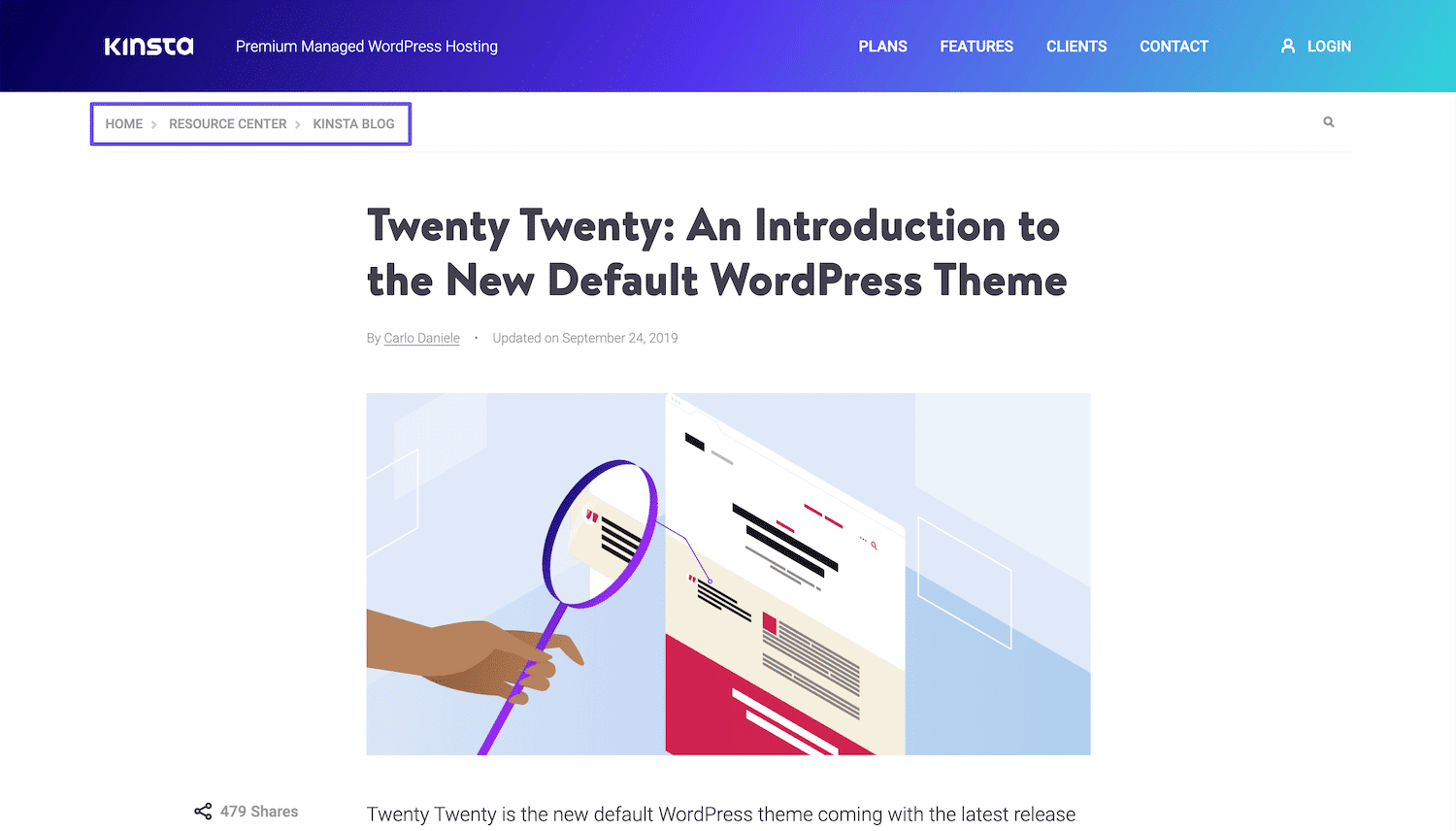
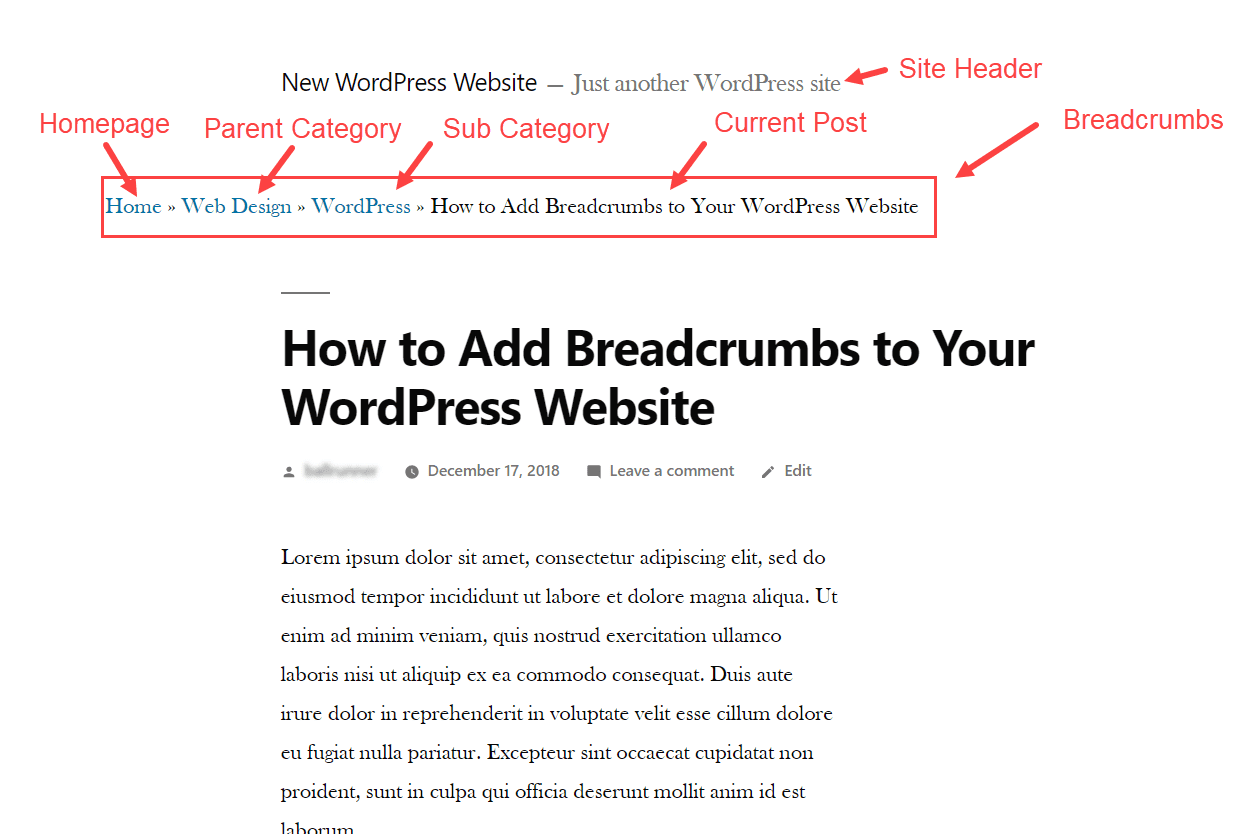
Breadcrumbs help users find their way on a website. They show the path taken from the homepage to the current page. This makes browsing easier and faster. Breadcrumbs are often seen at the top of a page. They look like links, usually separated by arrows or slashes. For example, Home > Blog > Post.
Websites with many pages benefit from breadcrumbs. They improve navigation and user experience. Breadcrumbs help users go back without using the back button. They also help search engines understand your website’s structure. This can improve SEO and make your site more visible.
Benefits Of Using Breadcrumbs
Improved Navigation: Breadcrumbs help users find their way. They show the path taken on a website. Users can easily return to previous pages. This makes browsing less confusing. It saves time and clicks.
SEO Advantages: Breadcrumbs boost search engine rankings. Search engines love clear paths. Breadcrumbs add structure to websites. They help search engines understand page hierarchy. This can lead to better visibility.
Enhanced User Experience: Websites become user-friendly with breadcrumbs. Visitors feel guided and supported. They know where they are. This builds trust and satisfaction. Happy users are likely to stay longer.
Types Of Breadcrumbs
Breadcrumbs in WordPress enhance navigation by displaying a trail of links on a webpage. There are several types, including hierarchical breadcrumbs, which show the path from the homepage, and attribute-based breadcrumbs, ideal for e-commerce sites to display product categories. Location-based breadcrumbs reflect the user’s current page within the site structure.
Location-based
Location-based breadcrumbs show where you are on a site. These breadcrumbs help users find their way. They usually display the site’s structure. For example, Home > Products > Shoes. This type of breadcrumb is common on websites with many pages. It makes navigation easy and clear.
Attribute-based
Attribute-based breadcrumbs focus on product features. They highlight the product’s attributes. For instance, Home > Shoes > Red > Size 7. These breadcrumbs are useful for e-commerce sites. Users can filter products by color or size. This helps them find items faster and easier.
Path-based
Path-based breadcrumbs show the journey a user took. They display the steps a user followed. For example, Home > Search > Red Shoes > Buy Now. These breadcrumbs are helpful for tracking user paths. They help users return to previous pages. They can retrace their steps easily.
Implementing Breadcrumbs In WordPress
Plugins make adding breadcrumbs easy in WordPress. They help you without coding. Popular plugins are Yoast SEO and Breadcrumb NavXT. First, install the plugin. Next, activate it. Then, go to the settings. Choose your breadcrumb style. Finally, save your changes. Your breadcrumbs are ready. Plugins are simple. They save time.
Coding breadcrumbs manually requires skill. You must edit your theme files. First, access your theme’s functions.php file. Next, add breadcrumb code snippets. You can find these snippets online. Finally, check your website. Ensure breadcrumbs show correctly. Manual coding gives you control. It’s more flexible than plugins. But, it’s harder for beginners.
Popular Breadcrumb Plugins
Yoast SEO is a popular plugin for breadcrumbs. It helps users with SEO tasks. This plugin is easy to use. It integrates well with WordPress themes. Yoast SEO offers customizable breadcrumb options. This makes navigation easy and clear.
Breadcrumb NavXT provides detailed breadcrumb paths. It is highly flexible. Users can customize breadcrumbs easily. It supports multiple languages. This plugin is ideal for websites with complex structures.
Rank Math is another great choice for breadcrumbs. It offers a user-friendly interface. This plugin enhances website navigation. It provides advanced SEO features. Rank Math ensures visitors find their way quickly.
Credit: www.elegantthemes.com
Customizing Breadcrumbs Appearance
Styling with CSS can make your breadcrumbs look better. Change colors, fonts, and sizes using CSS. Select the breadcrumb class or ID in your CSS file. Use properties like color, font-size, and background-color to style them. Make breadcrumbs match your site design. Try different styles to see what looks best. Test on different devices to ensure readability.
Adjusting Breadcrumb Structure helps users understand their path. You can change breadcrumb labels. Use plugins or code to customize structure. Rearrange items for clarity. Consider removing unnecessary links. Ensure breadcrumbs are not too long. Short and clear breadcrumbs help in navigation. Always update changes in the WordPress dashboard.
Common Issues And Solutions
Breadcrumbs in WordPress help users navigate websites efficiently. Common issues include incorrect breadcrumb paths and display errors. Solutions involve using plugins or customizing settings to ensure accurate paths and seamless user experience.
Breadcrumbs Not Displaying
Breadcrumbs might not show due to theme conflicts. Check your WordPress theme settings. Ensure the breadcrumbs option is enabled. Plugin conflicts can also hide breadcrumbs. Disable plugins one by one. Find the conflicting plugin. Update plugins regularly. Outdated plugins cause issues. Clear your browser cache. Sometimes, cache hides changes. Use a reliable breadcrumb plugin. Yoast SEO offers breadcrumb features. Test on different browsers. Some browsers display differently.
Incorrect Breadcrumb Paths
Incorrect paths confuse users. Ensure the breadcrumb structure matches the site map. Check the permalink settings. Wrong settings lead to incorrect paths. Use a breadcrumb plugin with customization options. Yoast SEO lets you tweak paths. Check the categories and tags. Misassigned categories cause errors. Review the hierarchy of pages. Proper hierarchy prevents path issues. Regularly update your WordPress version. Updates fix bugs and path problems. Always backup your site before changes.
Future Trends In Breadcrumbs
Breadcrumbs are getting smarter. Interactive breadcrumbs could change how users find information. Think of breadcrumbs that show more details when clicked. This helps users find related content quickly. They can explore without leaving the page.
Breadcrumbs may soon use AI integration. AI can make breadcrumbs smarter. It might suggest paths based on user behavior. This means users get a personalized experience. They find what they need faster.
Interactive and AI-powered breadcrumbs could become common. They offer better navigation. Users get more control over their journey. Websites become more friendly and easy to use.

Credit: blog.hubspot.com
Frequently Asked Questions
What Are Breadcrumbs In WordPress?
Breadcrumbs in WordPress are navigational aids that show users their path within a website. They enhance user experience by providing a clear trail back to previous pages. This improves site navigation and helps search engines understand site structure, boosting SEO.
How Do Breadcrumbs Improve Seo?
Breadcrumbs improve SEO by enhancing site navigation and structure. They help search engines understand content hierarchy, leading to better indexing. Additionally, they improve user experience by reducing bounce rates, as visitors can easily navigate back to previously viewed pages.
Can I Add Breadcrumbs Without Coding?
Yes, you can add breadcrumbs without coding by using WordPress plugins. Popular plugins like Yoast SEO and Breadcrumb NavXT offer easy setup options. They automatically generate breadcrumbs and integrate them into your site, enhancing navigation and SEO without technical expertise.
Are Breadcrumbs Necessary For All Websites?
Breadcrumbs are not mandatory but beneficial for most websites. They enhance user navigation and contribute to better SEO. For complex sites with multiple layers of content, they are especially useful in helping users and search engines understand site structure.
Conclusion
Breadcrumbs in WordPress make website navigation simple and effective. They guide users through your site effortlessly. Boosting user experience and reducing bounce rates. Breadcrumbs also enhance SEO by creating clear site structure. This helps search engines understand your content better.
Implementing breadcrumbs is straightforward with WordPress plugins. They offer customization options to fit your design needs. Start using breadcrumbs today to improve site usability. Remember, a well-organized site keeps visitors engaged. Explore WordPress tools for easy breadcrumb integration. Your audience will appreciate the clarity and simplicity.
Happy navigating!


