
Navigating through a website can sometimes feel like wandering through a maze, especially when you’re trying to find specific content or pages. That’s where breadcrumbs come in handy, acting like a trail of crumbs leading you back home.
But what exactly is a breadcrumb in WordPress, and how can it enhance your website? Imagine having a simple, yet powerful tool that improves user experience and boosts your site’s SEO without requiring much effort on your part. Sounds intriguing, right?
By the end of this article, you’ll have a clear understanding of breadcrumbs, how they work within WordPress, and why they’re essential for your website’s success. Let’s make your site easier to navigate and more appealing to search engines. Keep reading to discover how breadcrumbs can transform your WordPress site.
Breadcrumb Basics
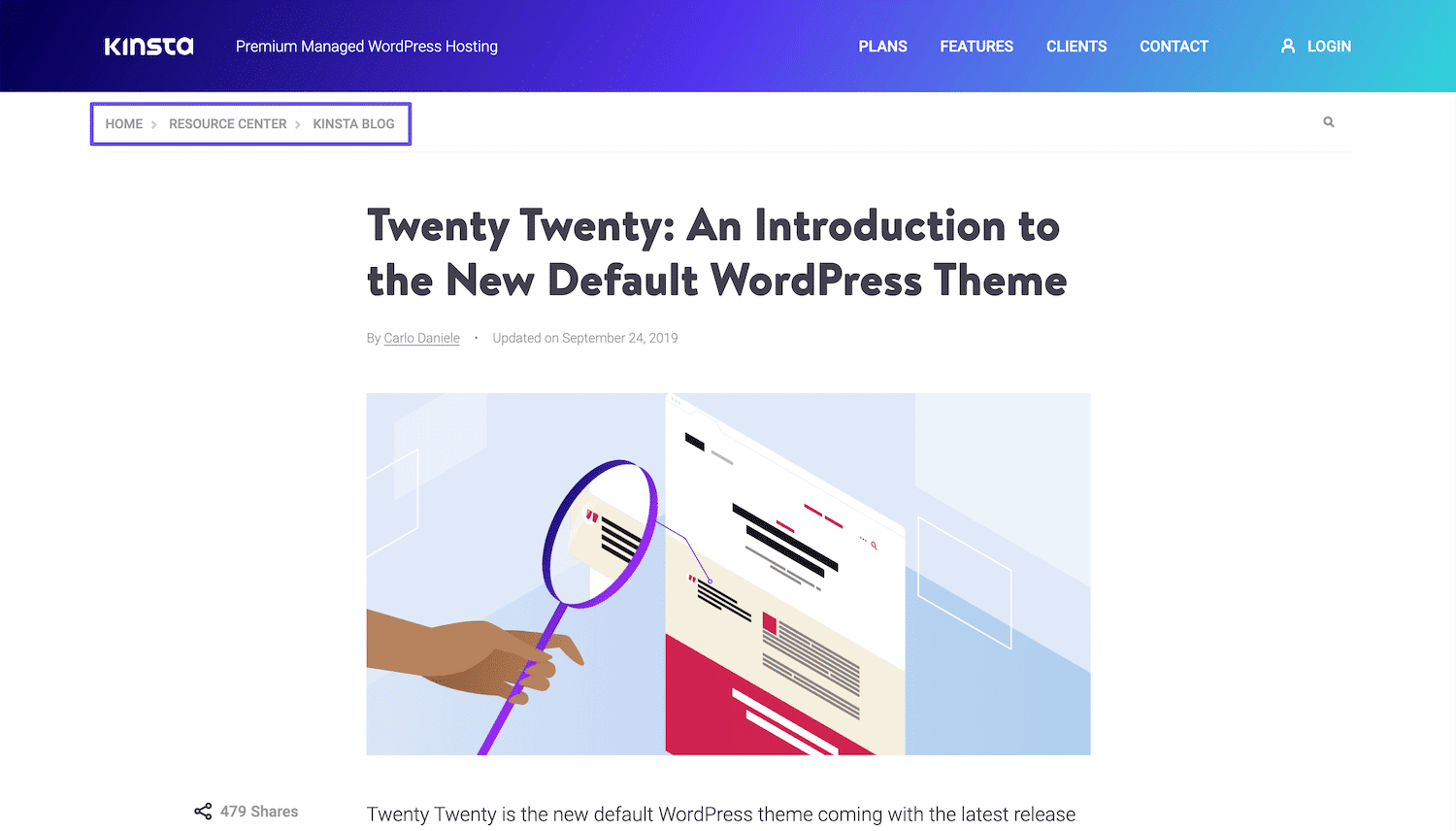
Breadcrumbs show the path of pages. They help users know where they are. Think of it like a map. Users can click back to old pages. This makes browsing easy.
Breadcrumbs make websites simple to use. They guide visitors step by step. Users find what they need faster. This keeps them happy and on your site. Plus, they help search engines understand your site better.
Credit: kinsta.com
Types Of Breadcrumbs
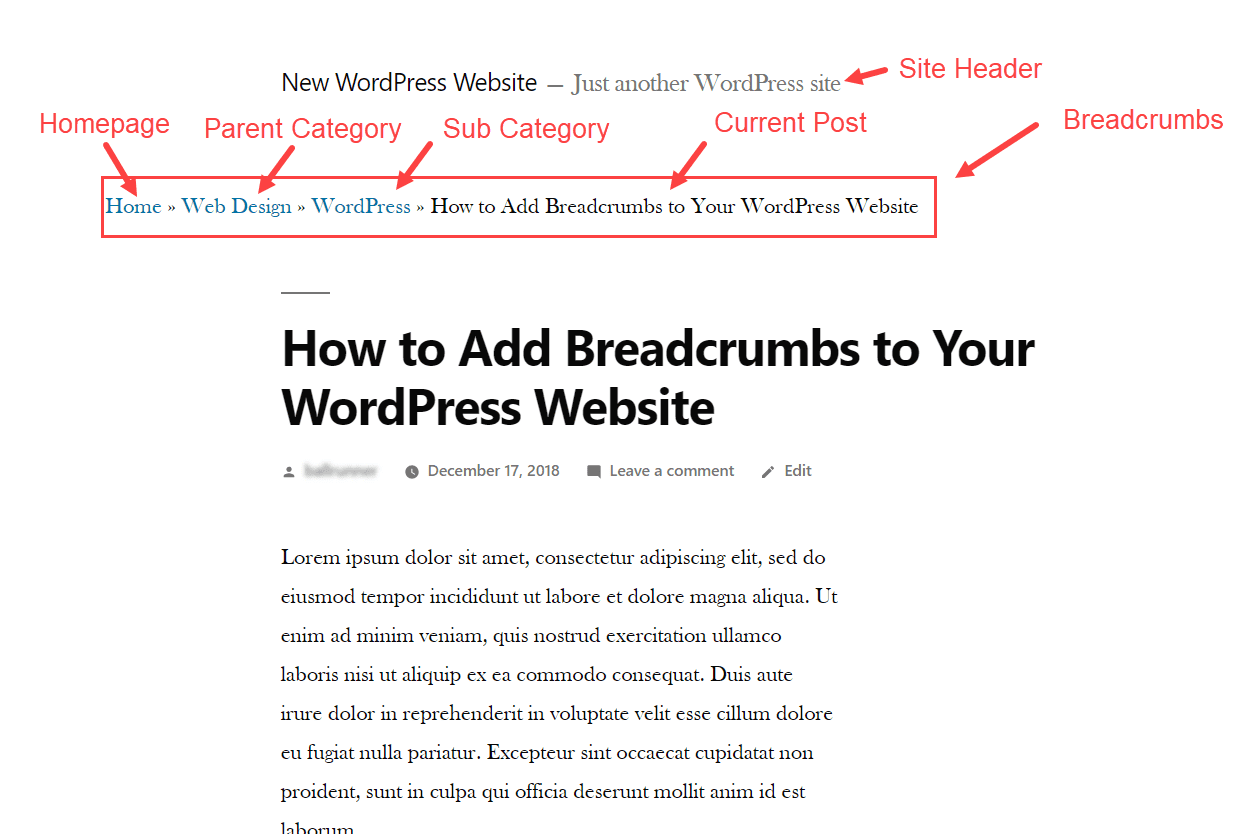
Hierarchy-based breadcrumbs show the structure of the website. They start with the home page and move to the current page. This helps users understand their location. It is like a map of the site. Very useful for navigation.
Attribute-based breadcrumbs are useful for e-commerce sites. They show product features and categories. For example, a breadcrumb might show color or size. This helps users find products with specific attributes. Makes shopping easier and quicker.
History-based breadcrumbs show the path a user has taken. They list pages visited in order. This type helps users go back to previous pages. It is like a back button. Good for finding your way again.
Benefits For Seo
Breadcrumbs help users know where they are on a site. This makes it easier to go back to earlier pages. Users can find what they want quickly. This saves time. A good user experience can lead to more time spent on your site. Happy users often come back. They may also tell others about your site. All this can help your website grow.
Breadcrumbs help search engines understand your site better. They show the structure of your website. This helps in better indexing. Well-indexed sites may rank higher. Search engines can find all your pages easily. This is good for SEO. A well-indexed site means more visibility. More visibility can lead to more visitors.
Implementing Breadcrumbs In WordPress
WordPress has built-in options for breadcrumbs. Users can use the theme settings. Many themes include breadcrumb features. Check your theme documentation. Themes like Genesis have breadcrumb settings. Activate them easily. Look in the customizer. Find breadcrumb settings there. Use them to improve navigation. This helps users find pages faster. Breadcrumbs show the path. They guide users to the right page. This makes browsing smooth. It enhances user experience. Breadcrumbs are useful for big sites. They are good for SEO too. Search engines understand site structure better.
Plugins add breadcrumbs to WordPress. Popular plugins are Yoast SEO and Breadcrumb NavXT. Install them easily. Go to the plugin page. Click install and activate. Once activated, find settings in the dashboard. Customize your breadcrumbs. Choose styles and paths. Plugins make it simple. They work with many themes. No coding needed. Plugins help with SEO too. They improve site visibility. Breadcrumbs make navigation better. Users find content quickly. They know where they are on the site. This boosts user satisfaction.
Popular Breadcrumb Plugins
Yoast SEO is a popular choice for breadcrumbs. It helps with easy navigation. This plugin is user-friendly. Setup is simple. Users can customize breadcrumbs. Breadcrumbs improve website structure. They help search engines understand pages. Yoast SEO also boosts SEO. Many websites prefer Yoast SEO. It’s trusted by many users.
Breadcrumb NavXT is another great plugin. It offers high customization. Users can change breadcrumb styles. It integrates well with WordPress themes. This plugin is easy to use. Breadcrumb NavXT helps with website navigation. It supports different languages. Many webmasters choose this plugin. It’s reliable and effective.
Rank Math is a strong competitor. It’s known for its SEO features. Breadcrumbs are part of its tools. Users find it easy to manage. Rank Math offers flexible settings. It improves site navigation. This plugin is packed with features. Many prefer Rank Math for its efficiency.
Customization Tips
Breadcrumbs help users know their place on a site. They make navigation easier. You can make them look nice too. Use CSS to style them. Change colors and fonts. Make them bold or italic. Add some spacing. This makes them look better. It also matches your site style. Keep the style simple. This way, it is easy to read. Users will appreciate the clear path they see.
Breadcrumbs show the path to a page. You can change this path. Use plugins or themes in WordPress. Add or remove parts as needed. Make the path short or long. Show only the important steps. This helps users find pages quickly. Simple structures are easy to understand. Clear paths guide users better. Adjust them to fit your site’s needs.
Common Issues And Troubleshooting
Breadcrumbs in WordPress improve navigation by showing users their path. Common issues include incorrect hierarchy and missing links. Troubleshooting involves checking plugin settings and theme compatibility to ensure proper display.
Breadcrumbs Not Displaying
Breadcrumbs might not show up due to theme issues. Some themes lack breadcrumb support. Check theme settings for breadcrumb options. Ensure the breadcrumb plugin is active. Plugins might have conflicts with other plugins. Deactivate other plugins to identify the issue. Re-enable them one by one. This helps find the conflicting plugin.
Incorrect Breadcrumb Paths
Sometimes, breadcrumb paths can be wrong. This can confuse users. Check the permalink structure in settings. Make sure it’s correct. Update permalinks if needed. This often fixes path issues. Also, review the taxonomy settings. Ensure categories and tags are set correctly. These settings affect breadcrumb paths.

Credit: blog.hubspot.com
Best Practices
Breadcrumb WordPress enhances navigation by displaying a trail of links. It shows users their path from homepage to current page. This improves user experience and assists search engines in understanding site structure.
Consistent Placement
Place breadcrumbs at the top of the page. This helps users find them easily. They guide users back to earlier sections. Consistency is key. Always place them in the same spot on every page. This builds user trust. It also improves navigation. Breadcrumbs should not move around. Keep them visible on all devices. Ensure they are easy to click. Users should not struggle to use them.
Clear And Concise Labels
Labels should be easy to understand. Use simple words. Avoid technical terms. Short labels are best. They should describe the page well. Users need to know where they are. Clear labels help with this. They make navigation easier. Users will not feel lost. Ensure labels are not confusing. They should guide users smoothly. Use familiar words for labels.
Credit: www.elegantthemes.com
Frequently Asked Questions
What Are Breadcrumbs In WordPress?
Breadcrumbs in WordPress are navigational aids that show users their location on a site. They enhance user experience by providing a clear path back to previously viewed pages. This feature improves site navigation and can positively impact SEO by helping search engines understand site structure.
How Do Breadcrumbs Benefit WordPress Sites?
Breadcrumbs improve site navigation, enhancing user experience and engagement. They provide clear paths for users, reducing bounce rates. Breadcrumbs also assist search engines in understanding site hierarchy, which can boost SEO. This feature is especially beneficial for content-rich sites, like e-commerce or blogs.
How To Add Breadcrumbs In WordPress?
You can add breadcrumbs in WordPress using plugins or code. Popular plugins like Yoast SEO and Breadcrumb NavXT offer easy integration. Alternatively, you can manually add breadcrumbs through coding. Both methods improve navigation and SEO, making it easier for users and search engines to navigate your site.
Are Breadcrumbs Necessary For Seo?
Yes, breadcrumbs are beneficial for SEO. They help search engines understand your site’s structure, improving indexation. Breadcrumbs enhance user experience by offering clear navigation paths. This can lead to lower bounce rates and higher engagement, indirectly boosting your site’s SEO performance.
Conclusion
Breadcrumbs in WordPress enhance user navigation and SEO. They show users their path on a site. This improves the overall experience. Search engines also benefit from breadcrumbs. They use it to understand site structure better. Implementing breadcrumbs is simple with plugins.
They are customizable to fit your design. Users find content easily, staying longer on your site. This leads to lower bounce rates. It’s a small feature with big benefits. For both users and search engines. Consider adding breadcrumbs to your WordPress site today.
It’s an effective way to improve site navigation and visibility.


