
Are you trying to make your WordPress site more dynamic and customized but feeling overwhelmed by the technical jargon? You’re not alone.
Many website owners and developers seek out tools that can enhance their site’s functionality without needing to be a coding expert. This is where Advanced Custom Fields, or ACF, for WordPress comes into play. Imagine being able to easily add extra fields to your posts, pages, or any content type, allowing you to tailor your site exactly to your needs.
Intrigued? Keep reading to discover how ACF can be the game-changer you’ve been searching for. This guide will demystify ACF, showing you how it can transform your WordPress experience and make your site truly unique.
Acf WordPress Basics
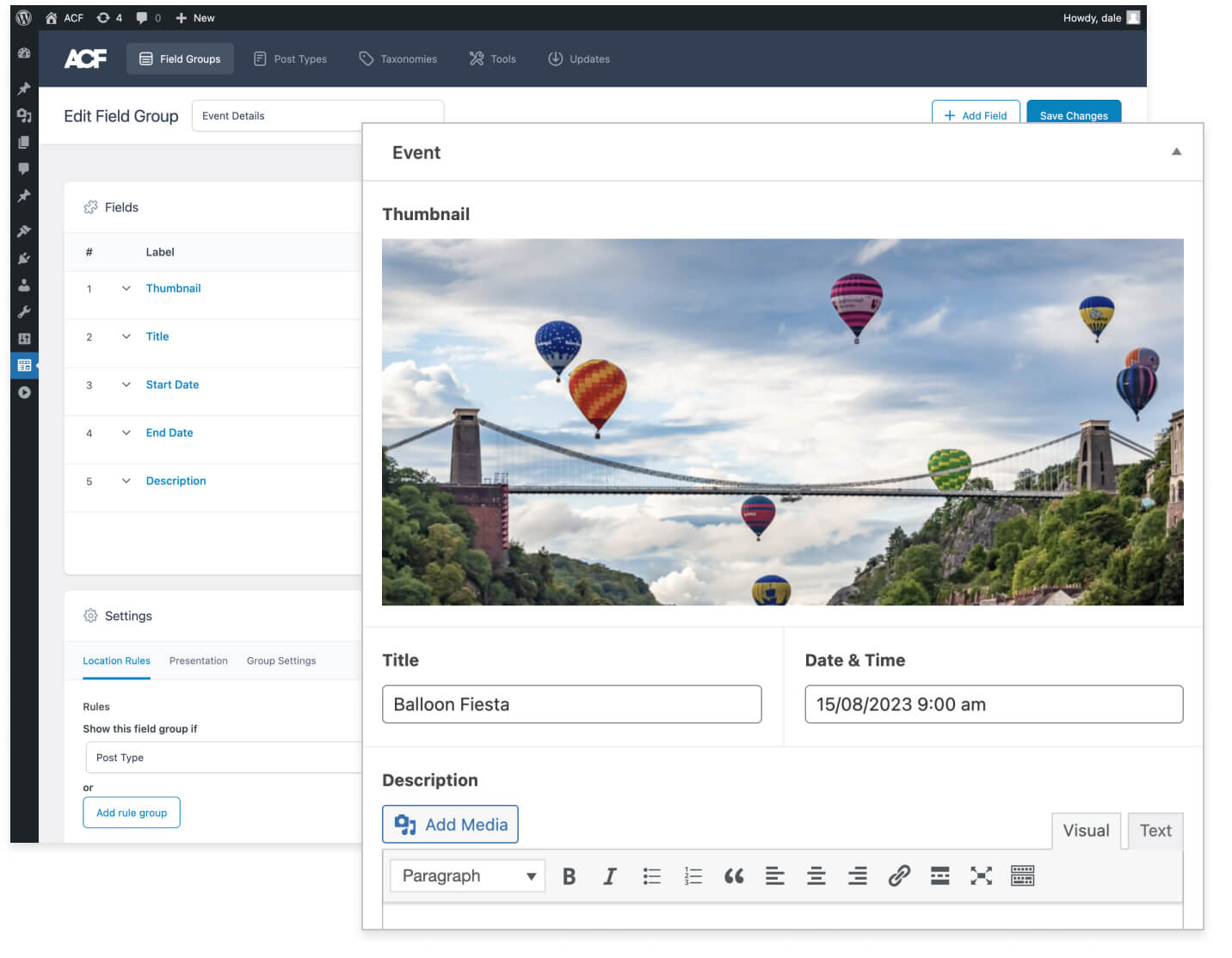
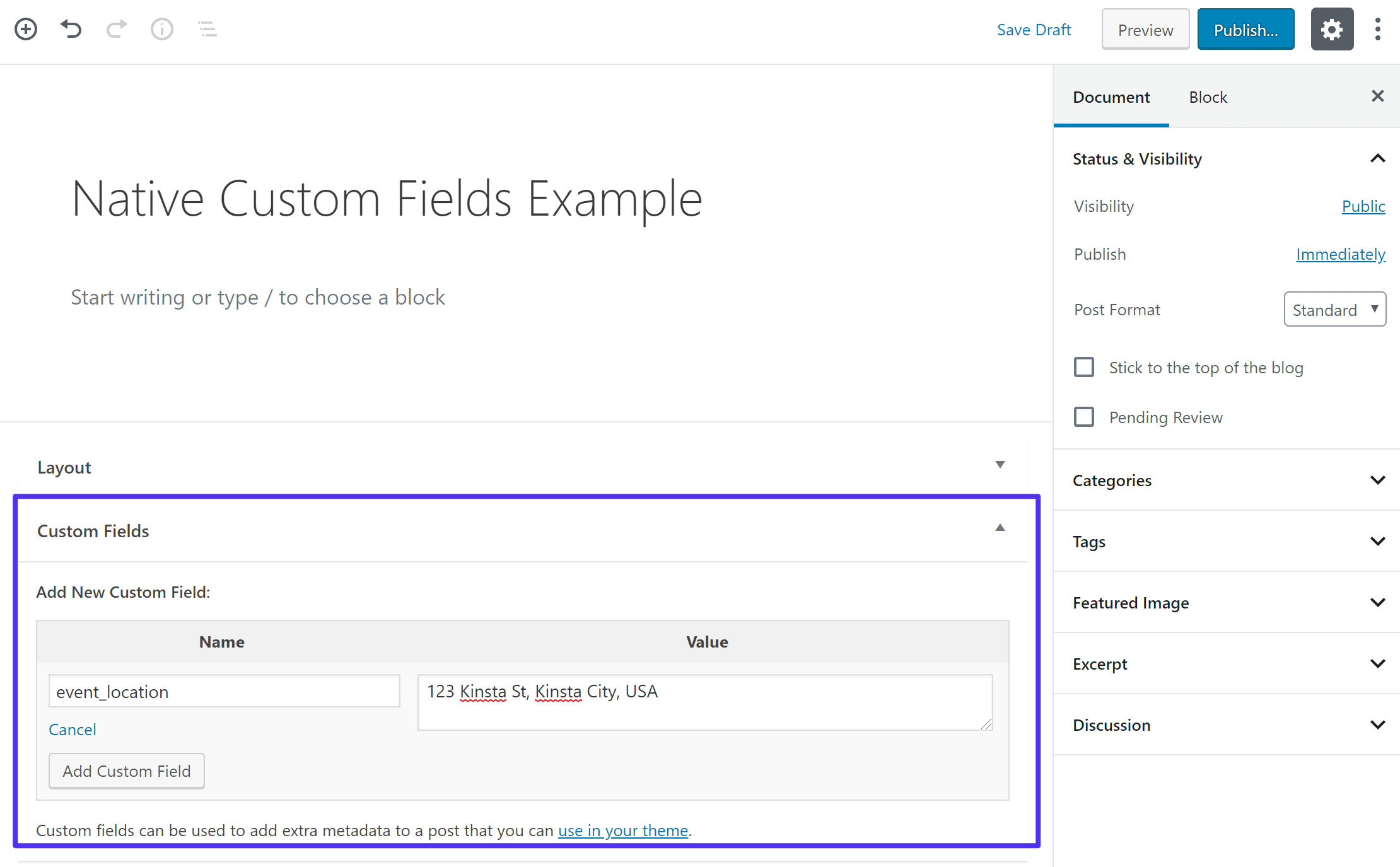
ACF stands for Advanced Custom Fields. It is a plugin for WordPress. ACF helps users add custom fields to their site. These fields help in storing extra information. This can be anything like text, images, or links. ACF makes WordPress more flexible. It allows users to create unique pages. Custom fields make content management easy. Users can also build different content layouts. ACF is popular among developers. It saves time and effort.
- Easy to Use: ACF is simple for beginners.
- Field Types: Offers many types like text, image, and date.
- Flexible Content: Helps create dynamic page layouts.
- Developer Friendly: Saves coding time and effort.
- Customizable: Users can tweak fields to fit needs.
Credit: www.advancedcustomfields.com
Installing Acf
Before installing ACF, check your WordPress version. It should be 5.0 or higher. PHP version must be at least 7.0. Ensure your server supports MySQL 5.6 or greater. These are the basic requirements. Meeting them ensures a smooth install.
Download the ACF plugin from the WordPress repository. Navigate to your WordPress dashboard. Click on “Plugins” then “Add New”. Upload the downloaded ACF plugin file. After uploading, click “Install Now”. Wait for the installation to complete. Once done, click “Activate”. ACF is now ready to use. Enjoy customizing fields.
Creating Custom Fields
ACF lets you make different kinds of fields. There are text fields for words. Number fields for numbers. You can have date fields. Also, there are image fields for pictures. Each field has a purpose. They help make your site better. You can choose the right field for your need. It’s easy and fun!
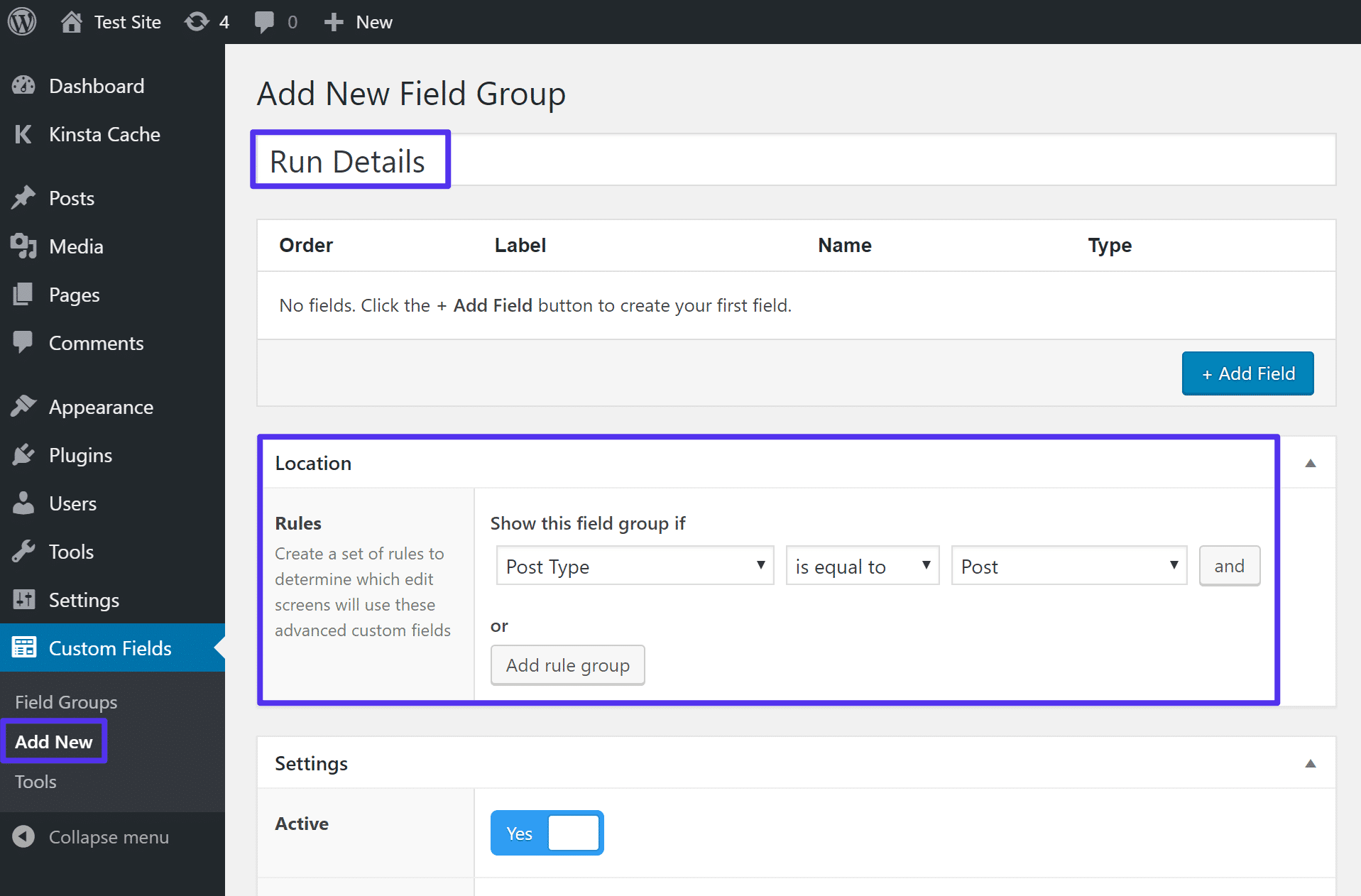
Field groups hold your fields. ACF lets you make these groups. You can put fields together. This helps keep things tidy. You decide where the fields show up. Maybe on a post? Or a page? It’s up to you. Setting up is simple. Just follow the steps. Soon, your fields will be ready.
Credit: kinsta.com
Using Acf In Templates
ACF makes adding content easy. You can use it in theme files. Place fields where needed. This helps in displaying custom content. Use the get_field() function. It retrieves values from fields. Another way is the_field(). It echoes the field value directly. These functions are simple to use.
Template tags work with ACF. They help in displaying custom fields. Some tags are built-in. Others are added by plugins. Functions make your site dynamic. They are bits of code. Place them in theme files. They make your site look good and work well.
Extending Acf Functionality
ACF, or Advanced Custom Fields, is a WordPress plugin enhancing content management. It allows users to create custom fields effortlessly. Extending ACF functionality can tailor websites to specific needs, offering flexibility in content design.
Add-ons And Plugins
ACF, or Advanced Custom Fields, is a powerful tool in WordPress. Add-ons and plugins make it even better. They add extra features. You can find many in the WordPress repository. Some help with design. Others improve functionality. Many developers create these tools. They share them with the community. This makes ACF very flexible. You can build what you need. No coding required. Just click and install. Customize your WordPress site easily.
Custom Post Types And Taxonomies
ACF works well with custom post types. It lets you create unique content. You can add fields to any post type. This helps organize your site. Taxonomies are also supported. They group posts together. You can create custom categories. This makes searching easier. Users find what they need fast. ACF gives you control. Your site becomes more dynamic. You can build anything you imagine.
Acf Pro Features
ACF Pro offers many advanced features for WordPress sites. It allows users to add custom fields to posts and pages. With ACF Pro, you can create repeating fields easily. This feature saves time and effort. Flexible content fields are another advantage. They let you design layouts with ease. You can also use ACF Pro for gallery fields. This helps in displaying images beautifully. The clone field feature is also useful. It allows you to reuse existing fields effortlessly.
Upgrading to ACF Pro offers several benefits. It provides premium support for users. This means help is always available. You can also access new updates regularly. These updates ensure your site runs smoothly. ACF Pro also offers more field types. This allows you to create unique sites easily. Upgrading gives you access to advanced tools. These tools help in managing content better.
Common Issues And Solutions
ACF WordPress plugin helps customize websites with ease, but users often face issues like field conflicts and data loss. Solutions include checking plugin compatibility and backing up data regularly to prevent unexpected errors.
Troubleshooting Common Errors
ACF WordPress may show errors sometimes. These can confuse users. One common issue is fields not showing. This happens when templates lack proper code. Adding correct code solves it. Another problem is missing field data. This occurs due to incorrect field names. Always double-check names to ensure accuracy. Slow loading pages can frustrate users. This might be due to many fields loading at once. Reducing field numbers can help speed up pages.
Performance Optimization
Optimizing performance is crucial for smooth user experience. Large field groups can slow websites. Reducing unnecessary fields boosts speed. Lazy loading images improve loading times. Keeping plugin versions updated prevents lag. Regularly check for updates. Minimize use of heavy plugins. They can slow down your site. Utilize caching to enhance speed. Faster sites attract more visitors. Efficient code improves overall performance. Always aim for a streamlined site.
Best Practices For Acf
ACF helps manage fields easily. Keep fields organized. Group similar fields together. This keeps things tidy. Use descriptive names for fields. This helps everyone understand. Avoid using too many fields. Too many fields can slow down the site. Test fields before using them. This ensures they work well.
SEO is important for ACF. Use keywords in field names. This helps search engines find your site. Write clear field descriptions. This helps users and search engines. Use images and alt text carefully. This boosts SEO. Keep pages fast. Fast pages rank higher. Regularly update content. Fresh content improves SEO.
Credit: kinsta.com
Frequently Asked Questions
What Is Acf In WordPress?
ACF stands for Advanced Custom Fields, a popular WordPress plugin. It allows users to add custom fields to posts and pages. This enhances the flexibility and functionality of WordPress sites. ACF is user-friendly and does not require coding skills. It’s an essential tool for developers and content creators.
How Does Acf Improve WordPress Functionality?
ACF enhances WordPress by enabling custom field creation without coding. It allows tailored content management and presentation. Users can design complex layouts with ease. This improves both site functionality and user experience. ACF’s intuitive interface makes it accessible for beginners and experts alike.
Can Acf Be Used With Any WordPress Theme?
Yes, ACF is compatible with all WordPress themes. It integrates seamlessly, enhancing theme functionality without altering the design. Whether using a free or premium theme, ACF works efficiently. It allows developers to extend theme capabilities. This ensures a consistent and customized user experience.
Is Acf Suitable For Beginners?
ACF is beginner-friendly, offering an intuitive interface for users. No coding skills are required to use its features. It simplifies the process of adding custom fields. Beginners can easily enhance their website’s functionality. ACF provides extensive documentation and support, making it accessible for all skill levels.
Conclusion
ACF enhances WordPress by making it more flexible. Users can customize layouts and create unique sites. No need for complex coding. It opens up endless possibilities for design. Easy for beginners and experts alike. ACF is a tool that boosts creativity.
It helps build sites that stand out. With ACF, WordPress becomes more powerful. Users enjoy more control over their site’s appearance. It’s a simple way to improve your website’s functionality. Perfect for those wanting a personalized touch. ACF is a valuable asset for WordPress users.


