
Imagine having a magic tool at your disposal that can transform your website with just a few clicks. That’s essentially what a WordPress widget is.
If you’ve ever wondered how some websites manage to look so interactive and organized, the answer often lies in the clever use of these handy widgets. They are the secret ingredients that can enhance your site’s functionality and aesthetic appeal, without requiring you to be a coding wizard.
By the end of this article, you’ll understand not only what a WordPress widget is but also how it can be a game-changer for your website’s performance and user experience. Whether you’re looking to add social media feeds, calendars, or interactive features, widgets make it possible. Stay with us to discover how you can leverage these powerful tools to elevate your site’s appeal and keep visitors engaged, coming back for more.

Credit: wordpress.org
WordPress Widgets Essentials
Widgets are small tools in WordPress. They help you add functions to your site. Drag and drop them to use. No coding needed. They make your site look better. Sidebars and footers often use widgets. You can add a search bar or calendar this way. Easy and quick.
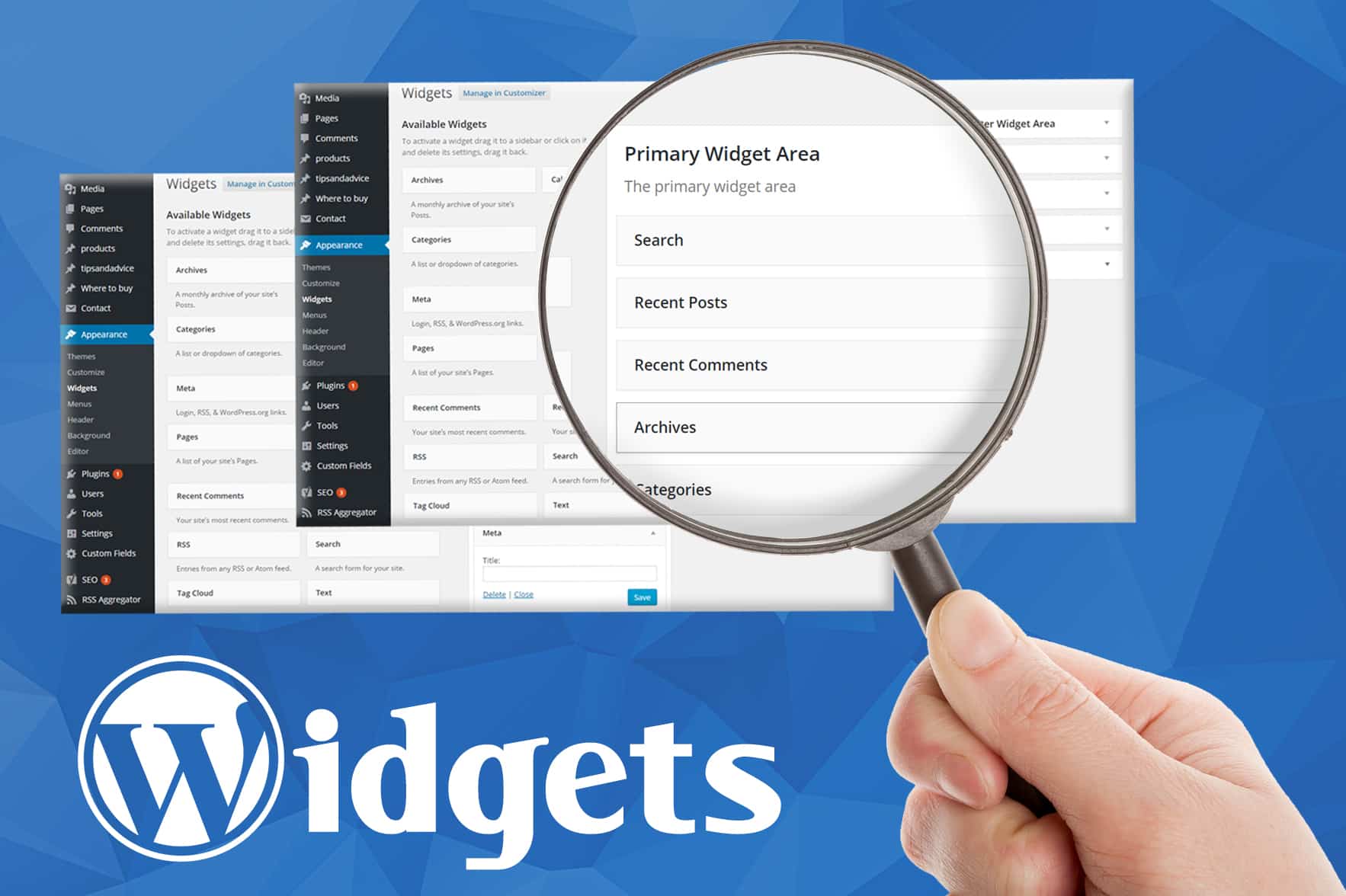
Each widget does something special. Some show recent posts. Others display social media links. You can find widgets in your WordPress dashboard. Look under “Appearance” and then “Widgets”. Try different ones. See what works best for your site. Make your site fun and useful.
Credit: www.greengeeks.com
Core Functions Of Widgets
Widgets make websites more useful and fun. They help show special content like recent posts or weather updates. Widgets can be added to the sidebar or footer. This helps make a website unique. Users can easily drag and drop them. No coding needed! Widgets help users interact with the website. They can search, subscribe, or see calendars. This makes the site friendly and easy to use. Widgets help organize content, making it neat and tidy. You can also customize widgets. Change their look to match your site. Add plugins to get more widgets. This way, your site can do more cool things!
Types Of WordPress Widgets
WordPress comes with many default widgets. These are easy to use. They help add features to your site. Some common ones include the Calendar and Search widgets. You can also use the Categories and Recent Posts widgets. These show important site info. Widgets make your site more interactive. They are like building blocks for your site.
Custom widgets are special. You can create them for your needs. They offer more control over your site’s look. With custom widgets, you can add unique functions. Want a weather widget? You can create one. Need a social media feed? Add it with a custom widget. They allow you to personalize your site. Make it stand out. Use them to tailor the site to your audience.
Adding Widgets To Your Site
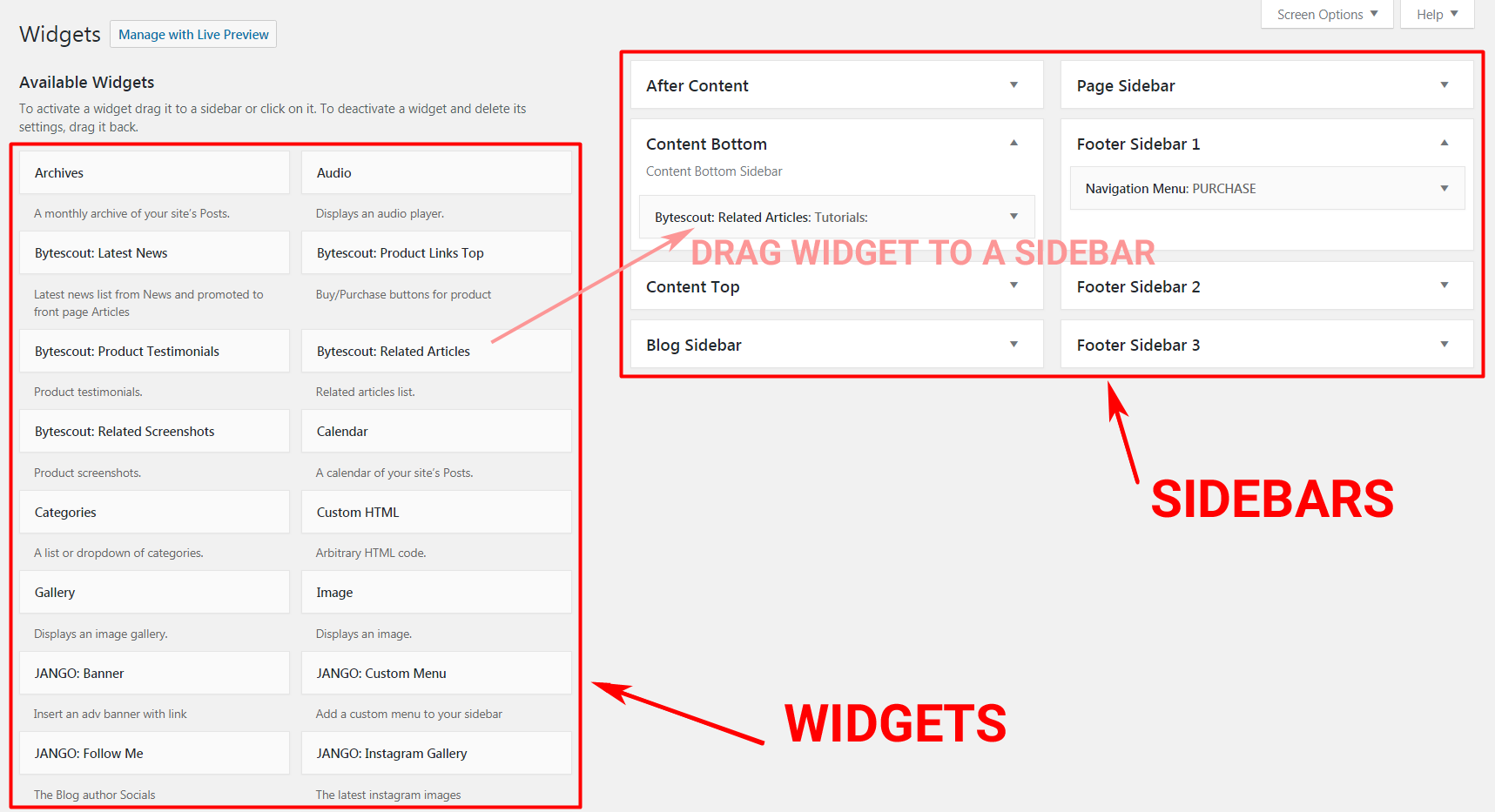
Widgets are tiny tools. They add features to your site. Open the dashboard to start. Look for “Appearance”. Click on it. Find the “Widgets” option. A list of available widgets will appear. Drag and drop them where you want. It’s simple. Choose a widget for your needs. It can be a calendar. Or a search bar. Customize each widget as you wish.
Open the customizer. Go to “Appearance” again. Click “Customize”. Look for “Widgets”. Click it. Choose a location for your widget. You can see changes live. Easy and fun. Adjust settings for each widget. Make your site unique. Use many widgets. They enhance your site. Engage visitors with useful tools.
Widget Areas
Widgets in the header are special tools. They help to show important items. You can add a menu, logo, or a search bar. These tools make it easy to find things on your site. Users like to see clear and helpful headers. A good header can make your site look neat and tidy. It helps users navigate quickly.
The sidebar is a great place for widgets. You can put ads, links, or lists here. It’s like a tool box on your site. Users can find extra information easily. A sidebar makes browsing simple. It holds things users might need. Sidebars are usually on the left or right of a page. They add more value to your website.
Footers are at the bottom of your site. Widgets here can show contact info or social links. They help users connect with you. A good footer has useful links. Users can find terms and privacy policies here. Footers are important for navigation. They wrap up the site nicely. A well-made footer keeps users informed.
Customizing Widgets
WordPress widgets are small blocks that add extra features to your site. They enhance functionality and user engagement. Customizing widgets allows you to tailor them to fit your site’s theme and needs.
Adjusting Settings
Widgets make websites look and work better. They are small tools. You can find them in the WordPress dashboard. Clicking on a widget opens its settings. Each widget has different options. Adjust these settings to fit your needs. You can change the title, size, or color. Some widgets show recent posts. Others show a calendar or search bar. Explore and adjust these settings. Make your website unique and functional.
Adding Personal Touches
Make your widgets stand out. Add personal touches to them. Use colors that match your brand. Pick fonts that are easy to read. Some widgets allow images. Add a logo or picture if possible. This makes the widget more appealing. Personal touches help connect with your audience. They feel more welcome on your site. Keep it simple and neat. Your site will look professional.
Popular WordPress Widgets
Social media widgets help connect your site to social networks. They allow visitors to follow your social pages. Icons for Facebook, Twitter, and Instagram are common. These widgets can boost engagement. They make sharing easy. Visitors can share your content quickly. This helps grow your audience.
Contact form widgets let users send messages easily. They are important for any website. Visitors can ask questions or give feedback. Forms are simple to set up. They usually require a name, email, and message. Contact forms improve communication. They help site owners connect with visitors.
Recent posts widgets display your latest blog posts. They keep content fresh on your site. Readers can see new content quickly. This helps them stay updated. These widgets encourage more reading. They make it easy to explore your site. Visitors find interesting articles without much effort.
Credit: bytescout.com
Troubleshooting Common Widget Issues
A WordPress widget adds functionality to your site without coding. Common issues might include display errors or incorrect settings. Fixing these involves checking compatibility, updating plugins, or adjusting widget settings for optimal performance.
Widgets Not Displaying
Widgets sometimes don’t show up as expected. This could happen due to theme problems. Check if your theme supports widgets. Some themes limit widget areas. Also, ensure that the widget is active. Go to the widget section in your dashboard. Make sure it’s placed in the right area. Refresh your page after changes. Don’t forget to clear your cache. A cached page might not show updates. If issues persist, switch themes temporarily. See if the widget appears in another theme. This helps identify theme-related problems.
Widget Conflicts
Widgets may clash with each other. Conflicts can cause display issues or errors. Always update your plugins and themes. Updates fix bugs and improve compatibility. Test your widgets one by one. Disable them to find the conflicting widget. Activate only essential widgets. Remove unnecessary ones. Check widget settings for errors. A wrong setting might cause trouble. If problems continue, seek help from the support forum. Developers can assist with specific issues.
Frequently Asked Questions
What Is A WordPress Widget Used For?
A WordPress widget is used to add functionality and content to your website’s sidebar or footer. Widgets can display recent posts, popular tags, or social media links. They enhance user experience by providing easy access to various features without needing extensive coding knowledge.
How Do I Add Widgets In WordPress?
To add widgets in WordPress, navigate to the Appearance menu and select Widgets. From there, you can drag and drop available widgets into desired widget areas like the sidebar or footer. This process allows you to customize your site layout and enhance functionality effortlessly.
Can Widgets Be Customized In WordPress?
Yes, widgets can be customized in WordPress to suit your website’s design and functionality needs. You can modify widget settings, change their titles, and adjust their content. Some plugins offer additional customization options, enabling you to style widgets according to your theme and branding.
Are WordPress Widgets Mobile-friendly?
Most WordPress widgets are mobile-friendly and adapt to different screen sizes automatically. Responsive themes ensure that widgets display correctly on smartphones and tablets. However, always test your site on various devices to ensure optimal widget performance and user experience.
Conclusion
WordPress widgets offer simple solutions for enhancing your website’s functionality. They are easy to use and manage, even for beginners. Customize your site without coding knowledge. Widgets help create a user-friendly experience. From search bars to social media feeds, options are endless.
Understanding widgets can boost your site’s interactivity. Experiment with different widgets to find what works best. Make your site engaging and accessible for your visitors. Widgets are valuable tools for any WordPress user. Keep exploring to discover more possibilities. Enhance your website with the right mix of widgets.
Your site deserves the best.


