
Have you ever wanted to customize your WordPress site without the fear of messing everything up? Imagine having the freedom to tweak your website’s design and functionality, while still being able to update your theme without losing those precious custom changes.
This is where a WordPress child theme becomes your secret weapon. By the end of this article, you’ll discover how a child theme empowers you to safely experiment and personalize your site, all while keeping your main theme intact. Get ready to unlock the potential of your website with confidence and creativity.
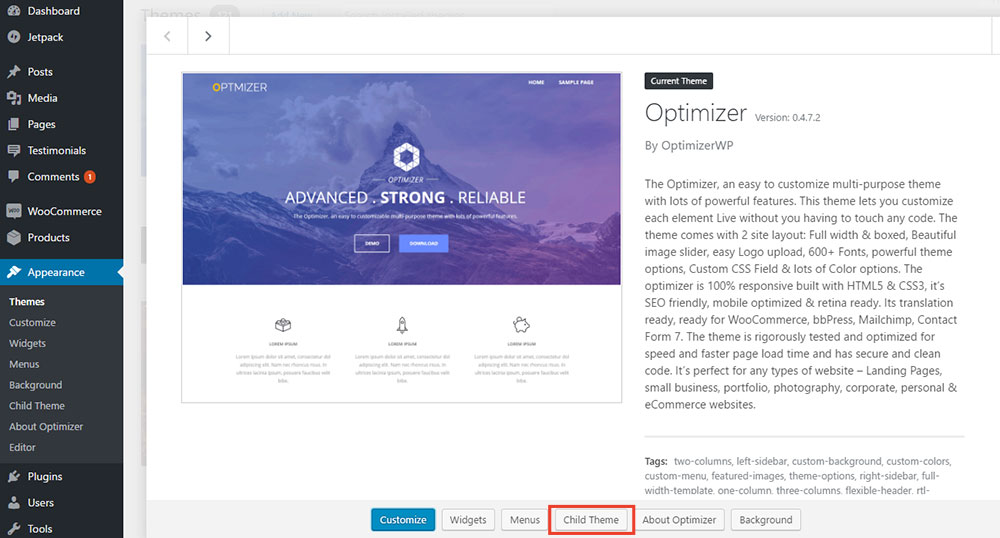
Credit: optimizerwp.com
Basics Of WordPress Themes
WordPress themes give your website its look and style. They control the layout and design. A parent theme is a complete theme. It includes all required files. These files handle the appearance of your site. Parent themes are ready to use. They can be installed and activated. They are often updated by developers. Updates keep your site secure and functional. Parent themes provide the foundation for child themes.
Child themes are like little helpers. They inherit features from parent themes. With child themes, you can change the design easily. You can add new styles or functions. Your changes stay safe during updates. They won’t be erased when the parent theme updates. This keeps your custom look intact. Using child themes is a smart way to customize. It allows flexibility and safety.
Benefits Of Using Child Themes
Child themes let you change the look of your site. You can do this without harming the original theme. This means your changes stay safe even when the main theme updates. You can add or remove features as you like. This makes your site unique without any risk. It’s like having a safety net. You can experiment freely. Mistakes won’t break your site.
Keeping your site updated is easy with child themes. Updates to the main theme won’t erase your custom changes. Your site stays fresh and secure. No need to redo your work after updates. This saves time and effort. Your site remains stable and up-to-date. It gives you peace of mind.
Creating A Child Theme
A child theme needs two files. The first is style.css. The second is functions.php. Create a new folder for your theme. Place these files inside. You can name the folder anything. But it should be easy to remember.
The style.css file is important. It holds the theme’s design. You must start with a header. The header tells WordPress about the theme. Include the theme name and author. Also, write the parent theme’s name. This helps connect the child to the parent theme.
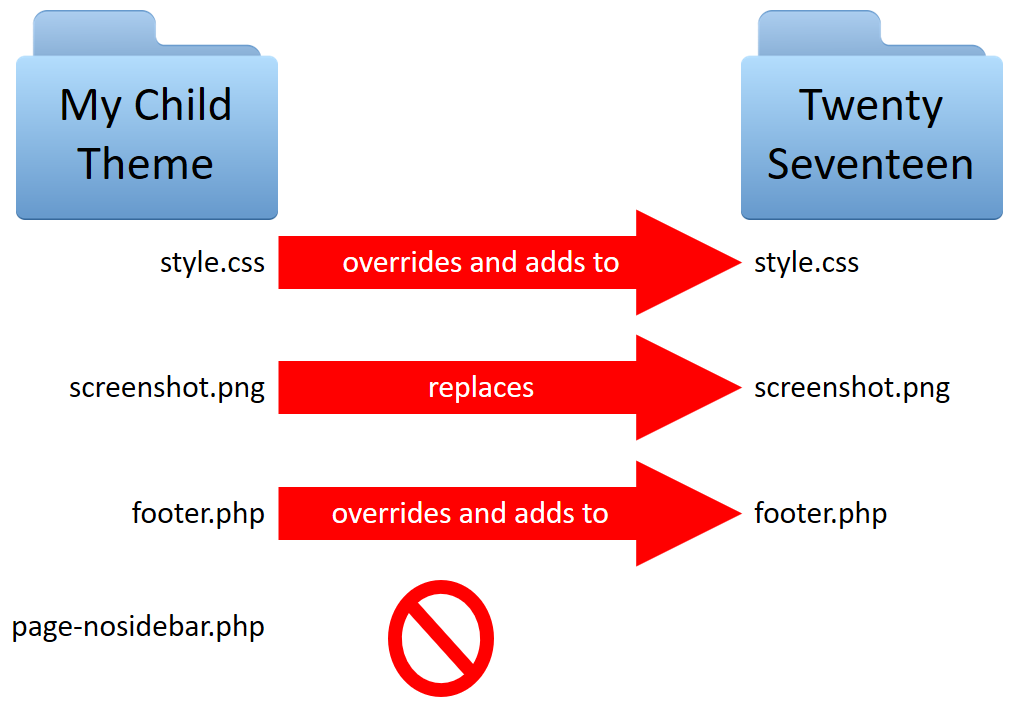
Linking styles is simple. Use functions.php for this. This file helps load the parent theme’s styles. Write a function to do this. Use the wp_enqueue_style function. This ensures styles load correctly. Now, your child theme will look like the parent theme.
Credit: learn.wordpress.org
Customizing A Child Theme
Child themes allow changes without touching the parent theme. This keeps updates safe. Templates control how pages look. You can change them easily. Copy the template file from the parent theme. Paste it into your child theme folder. Edit the file to make your changes. Always check your changes. Make sure they work right. This avoids errors.
Custom functions enhance your site. They add new features. Use the functions.php file in your child theme. Write code to create the function. Test the function on your site. This ensures it works. Keep your code simple. Easy to understand is best. Comment your code. It helps if you need to fix problems later.
Common Challenges And Solutions
Creating a WordPress child theme can be challenging due to code conflicts and customization errors. Solutions include using proper hooks and filters to ensure smooth integration. Backup original themes regularly to prevent data loss.
Handling Compatibility Issues
Themes and plugins sometimes cause problems. A child theme can fix this. It makes sure your site works well. Check if the parent theme needs updates. Update it regularly. This keeps everything running smoothly. Avoid using outdated plugins. Old plugins might break your site. Choose plugins that are popular and updated. They are more reliable. Compatibility is very important for smooth operation.
Debugging Common Errors
Errors can be tricky. They make your site behave strangely. Use debugging tools to find errors. These tools show where the problem is. Check error logs for details. Logs help you understand what went wrong. Sometimes errors are simple. Try disabling plugins one by one. This finds out which plugin causes the error. Make sure your WordPress version is up to date. Updates often fix bugs. Regular checks can prevent many problems.
Credit: www.wpbeginner.com
Tools And Resources
Discover the importance of WordPress child themes for website customization. These themes allow safe modifications without altering the parent theme. Preserve original designs while adding unique features effortlessly.
Recommended Plugins
Several plugins can help with a WordPress Child Theme. First, try using Child Theme Configurator. It makes creating child themes easy. Next, consider One-Click Child Theme for quick setups. Another option is Child Theme Wizard. It guides you through the process step-by-step. These plugins save time and reduce errors.
Helpful Online Guides
Many online guides help understand child themes better. The WordPress Codex is a good start. It offers detailed explanations. Check out WPBeginner for easy-to-follow tutorials. WPMU DEV also provides comprehensive guides. These resources make learning simple and fun.
Frequently Asked Questions
What Is The Purpose Of A Child Theme?
A child theme allows customization without altering the parent theme. It preserves changes during updates and offers flexibility. You can safely modify design and functionality while retaining the core features of the parent theme. This ensures your site remains unique and up-to-date without losing previous customizations.
How Do I Create A Child Theme In WordPress?
To create a child theme, first create a new folder in your themes directory. Add a style. css file with essential information. Include a functions. php file to enqueue the parent theme’s styles. Activate the child theme through your WordPress dashboard.
Follow detailed tutorials to ensure all steps are correctly executed.
Can A Child Theme Break My Website?
A child theme itself won’t break your website, but incorrect code might. Ensure compatibility with the parent theme and follow best practices. Test changes thoroughly on a staging site before deploying them live. Properly configured child themes enhance site functionality without causing disruptions or errors.
Is A Child Theme Necessary For Minor Changes?
While not always necessary, a child theme is beneficial for ongoing modifications. It safeguards your customizations during theme updates. For minor CSS tweaks, using the Customizer or Additional CSS is sufficient. A child theme is ideal for more extensive design or functional changes requiring code adjustments.
Conclusion
A WordPress child theme offers flexibility and safety for your site. It helps you customize without altering the main theme. This way, updates don’t erase your changes. Creating a child theme is simple and saves future work. It makes your site unique while keeping it secure.
Anyone can use child themes with a bit of effort. They’re a perfect choice for beginners and experts alike. So, try a child theme today. Your website will thank you for it. Happy customizing!


