
Have you ever noticed how some websites look incredibly sharp and clear, while others appear blurry or pixelated on your high-resolution device? The secret often lies in something called a “retina logo.”
If you’re using WordPress, understanding what a retina logo is and how it can enhance your website’s appearance is crucial. Imagine giving your site visitors an experience where every detail pops, creating a lasting impression. You’ll discover what a retina logo is, why it matters, and how you can effortlessly implement it on your WordPress site to ensure your brand stands out with crystal-clear quality.
Ready to make your website’s visuals as sharp as your content? Let’s dive in!
Credit: wpastra.com
Defining Retina Logos
Retina logos are special images. They look sharp on high-resolution screens. Retina displays have more pixels. This means they show more details. A regular logo might look blurry. But a retina logo stays clear and crisp.
WordPress supports retina logos. This helps your site look good on all devices. It’s important to use the right size for these logos. Double the size of a regular logo. This ensures it stays clear on retina screens. Many themes offer settings for retina logos. You just need to upload the right file.
Using retina logos enhances user experience. Visitors see a sharp and professional image. This makes your website more attractive. Always choose the right format and size. Your site will look great on every device.
Importance Of Retina Logos
Retina logos look clear and sharp on screens. Regular logos can appear blurry on high-resolution displays. Retina logos improve the visual appeal of a site. They give a professional impression. Visitors enjoy websites more with crisp images. A good logo attracts attention and keeps people interested.
Creating a retina logo involves using high-quality images. These images should be twice the size of regular ones. This ensures they look perfect on all devices. Many users use phones and tablets now. So, having a retina logo is very important.
Search engines notice when a site uses quality visuals. This can help improve SEO rankings. A retina logo is a simple way to enhance your site’s overall quality. It makes your brand look modern and reliable.
How Retina Displays Work
Retina displays show more pixels in the same space. This makes images sharper and more detailed. A regular screen might show 100 pixels per inch. A retina screen can show over 300 pixels per inch. So, everything looks clearer and nicer.
Retina displays have a higher pixel density. This means pictures look crisp and clear. Text is easier to read. Icons look smooth and not blurry.
Devices like iPhones and MacBooks use retina displays. These screens make your photos and videos look amazing. They give you a better viewing experience.
Retina logos are special for these displays. They ensure your logo looks good and clear. On both regular and retina screens. So, your website looks professional and attractive.
Benefits Of Retina Logos In WordPress
Retina logos make websites look better. They are clear and bright. This makes the site more attractive. A good logo can catch the eye. It can make visitors want to stay longer. A clear logo shows quality. It tells people your site is well-made.
A retina logo loads faster. It helps the site run smoothly. Users like this. They can find what they need quickly. It makes them happy. Happy users come back. They may tell others about your site. This is good for you.
Retina logos can help with search engine rankings. A clear image loads quickly. This makes search engines happy. They may rank the site higher. A higher rank means more visitors. More visitors can lead to more success. A good logo helps in many ways.
Creating A Retina Logo
Retina logos need high quality design. They look clear on screens with high resolution. Keep the design simple and clean. Avoid complex patterns. Use strong colors and bold fonts. This helps the logo stand out. Make sure the logo is easily recognizable.
Resolution is very important for retina logos. A standard logo might look blurry. Use a resolution of 2x or higher. This ensures clarity on retina displays. Check how the logo looks on different screens. Test it on computers and phones. Confirm it looks sharp everywhere.
Many tools help create retina logos. Adobe Illustrator and Photoshop are popular choices. They offer great design features. Canva is another option. It is easy to use. Choose software based on your skill level. Always save the logo in high resolution. This keeps it looking great.
Implementing Retina Logos In WordPress
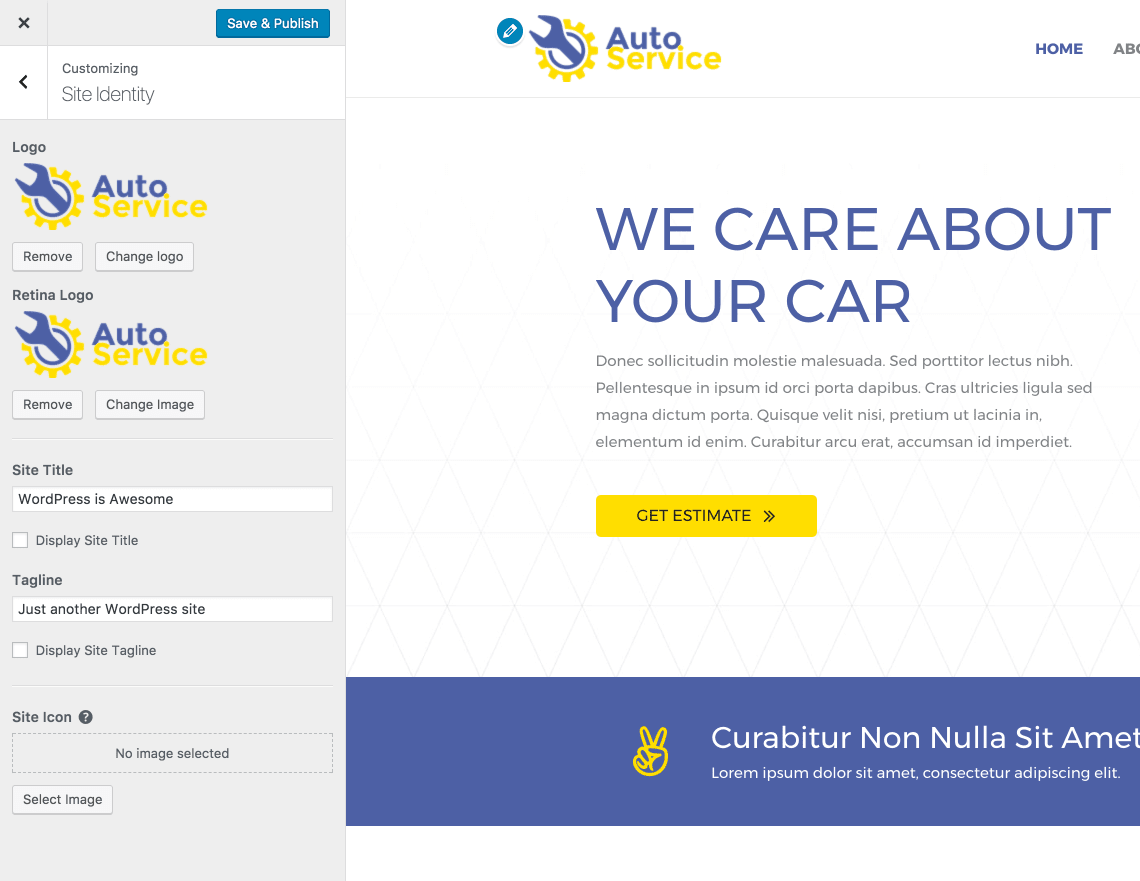
Retina logos look sharp and clear on high-resolution screens. Uploading them through WordPress is simple. First, go to the Media Library. Choose the Add New button. Select your Retina logo file. WordPress handles the rest. Make sure your logo is twice the size of regular logos. This ensures it looks great on Retina displays.
Plugins make adding Retina logos easy. Search for a Retina plugin in the Plugin Directory. Install and activate it. The plugin guides you through the setup. Some plugins even optimize your images. WP Retina 2x is a popular choice. It helps display logos on all devices. No coding needed. Just follow the steps and you’re done.
Advanced users might prefer custom code. This method gives you more control. Use code to specify image sizes. Add the code in your theme’s functions.php file. Ensure your logo has a 2x version. Use CSS to display the correct size. Custom code requires some coding skills. But it offers flexibility for unique designs.
Common Challenges
Compatibility issues may arise with retina logos. Some themes and plugins do not support these high-resolution images. This can lead to blurry or pixelated logos. Check your WordPress theme documentation. Ensure it supports retina displays. If not, consider updating or changing the theme. Some plugins can help with compatibility.
Performance impact is another concern. Retina logos are larger in file size. They can slow down your website’s loading speed. Slow sites may drive visitors away. Use image optimization tools. Compress your retina logo without losing quality. This keeps your site fast and efficient. Balance quality with performance for the best user experience.
Credit: wpastra.com
Tips For Optimizing Retina Logos
A retina logo in WordPress ensures crisp visuals on high-resolution screens. Optimize by using SVG formats for scalability. Double image dimensions for sharper appearance without pixelation.
Maintaining File Size
Retina logos look clear on high-resolution screens. Keep the file size small. This helps in faster loading. Use formats like PNG or SVG. They keep quality high. Compress images without losing details. This reduces bandwidth usage. A smaller file loads quicker. Check file size after saving. Aim for less than 200KB. Avoid large files, they slow sites down.
Ensuring Cross-device Compatibility
Logos must work on phones and computers. They should look sharp everywhere. Use responsive design techniques. Test the logo on different devices. Make sure it scales well. Retina displays need high-quality images. Check how the logo appears on tablets. Ensure it doesn’t blur or pixelate. Adjust settings for different screens. This keeps logos crisp and clear.

Credit: themezee.com
Frequently Asked Questions
What Is A Retina Logo In WordPress?
A retina logo in WordPress is a high-resolution image. It ensures your site logo looks crisp on retina displays. These displays have higher pixel density, offering better clarity. Uploading a larger logo image helps maintain quality on such screens.
How Do I Create A Retina Logo?
To create a retina logo, design it at twice its display size. Use vector-based design tools for scalability. Export the logo in high resolution, typically 2x the normal size. This ensures clarity on retina displays.
Why Is A Retina Logo Important?
A retina logo is crucial for maintaining visual clarity on high-resolution screens. It enhances user experience by ensuring your logo looks sharp. Without it, your logo might appear blurry or pixelated. This can negatively impact your site’s professionalism.
How Can I Add A Retina Logo In WordPress?
To add a retina logo, go to your WordPress theme settings. Upload the high-resolution version of your logo. Ensure it’s named appropriately, often with @2x. Some themes may have specific settings for retina logos.
Conclusion
Retina logos are essential for a crisp website appearance. They enhance visual quality, especially on high-resolution screens. Users appreciate clear and sharp images. This boosts your site’s professionalism and appeal. Implementing retina logos is straightforward in WordPress. The process involves uploading higher resolution images.
This ensures your branding stands out. Visitors get a better experience, leading to increased engagement. Always prioritize image quality. It’s crucial for creating a lasting impression. Retina logos help your website look modern and polished. Remember, a clear logo speaks volumes about your brand.


