
Have you ever wondered how visitors are landing on your WordPress site? The secret lies in understanding what a “referrer” is.
This might sound technical, but don’t worry—it’s simpler than you think. Knowing about referrers can unlock a treasure trove of insights for you. Imagine being able to pinpoint exactly where your traffic comes from. Whether it’s from social media, search engines, or other websites, understanding referrers gives you the power to optimize your content and strategies effectively.
By the end of this article, you’ll not only know what a referrer is but also how you can use this knowledge to boost your website’s performance. Curious to learn more? Let’s dive in and uncover the hidden paths that lead visitors straight to your content!
Referrer Basics
A referrer shows where a visitor came from. It tells the website which link was clicked to visit. In WordPress, referrers help track visitor paths. They are useful for understanding traffic sources. Websites use this information for analytics. Knowing where visitors come from is important. It helps improve website content and strategy.
Referrers are key in website analytics. They show which sites send traffic. This helps in identifying effective marketing channels. Websites can focus on sources that bring more visitors. Analytics tools use referrer data to track trends. These trends guide decision making. Better decisions lead to more traffic and success.
How Referrers Work On WordPress
Referrers tell where visitors came from. They help websites know the source of traffic. WordPress uses referrers to track this. It helps in understanding visitor behavior. This data is crucial for site owners. They can see what links bring the most visitors. It’s a key part of site analytics.
Referrers play a big role in traffic analysis. They help in knowing user interests. Site owners use this data for better content. It helps in improving site strategy. Understanding referrers can boost a site’s performance. Analyzing traffic is important for growth. Site owners can make smart decisions with this data.
Setting Up Referrer Tracking
Many plugins help track referrers in WordPress. These plugins show where visitors come from. They are easy to install and use. Popular plugins include MonsterInsights and Jetpack. These plugins offer simple steps for setup. They help you understand your traffic better. Install the plugin, then follow the instructions. You will see who links to your site. This helps you make better content decisions. Keep your plugins updated for best results.
Tracking referrers manually needs some coding skills. It’s not very hard. First, access your website’s code. Use Google Analytics for help. Paste the tracking code into your website. This code tracks visitor paths. It shows where they come from. You need to check this data often. It helps you learn about your audience. Make sure your code is correct. Errors can cause problems. Manual tracking is useful if you want more control.
Credit: www.malcare.com
Benefits Of Analyzing Referrers
Knowing where visitors come from is important. It helps to see what attracts them. Referrers show if they come from social media, search engines, or other websites. This helps understand their interests and needs. You can see which pages they visit often. This tells what they like the most. Such insights help improve the site for them. Make it better.
Analyzing referrers helps in planning better marketing strategies. Knowing which source brings the most visitors is key. It helps focus on what’s working best. Spend more on successful channels. If social media brings many visitors, make more posts there. This way, your efforts can have more impact. Reach more people who matter.
Common Referrer Sources
Search engines like Google and Bing send visitors to your site. People search for things. They find your site through search results. These engines track what people click. This helps them send more people your way.
Social media platforms such as Facebook and Twitter can be referrers. Users share links to your site. Their friends see and click on these links. This leads to more traffic for you. Each share can lead to new visitors.
External websites link to your content. These can be blogs or news sites. They write about your topics. They link back to your site. These links bring their readers to you. This can increase your visitor count.
Credit: www.monsterinsights.com
Referrer Spam And Prevention
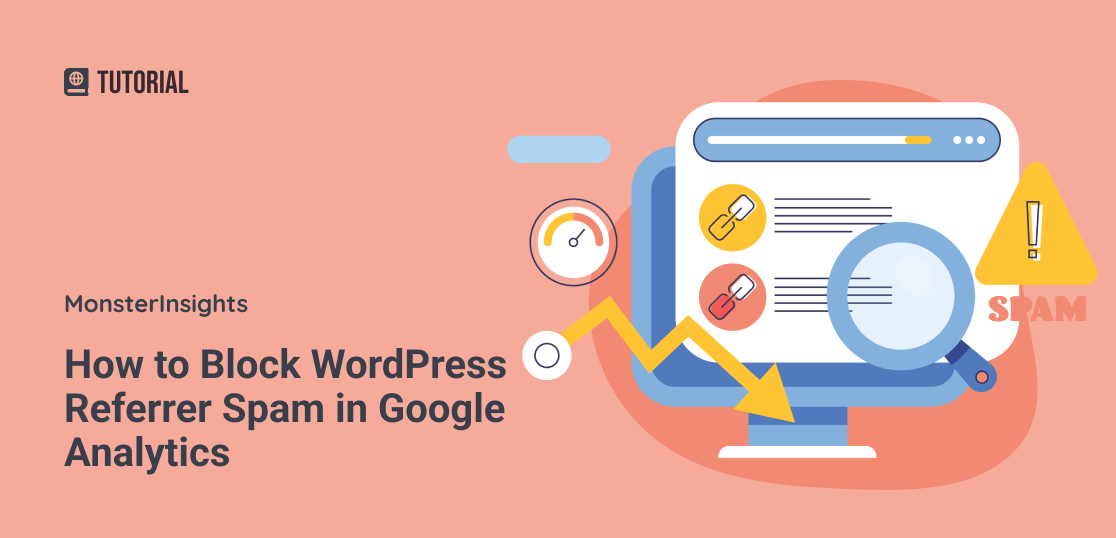
Referrer spam affects website analytics by sending fake traffic from misleading sources. A referrer in WordPress is a site URL that leads visitors to your page. Blocking spammy referrers helps maintain accurate data on genuine visitor activity.
Identifying Spam
Referrer spam can harm your website. It sends fake traffic. This can affect your data. Spam appears in analytics reports. It shows irrelevant sites as sources. Identifying these false entries is crucial. Spotting unusual traffic spikes helps. Check if referrals come from strange sites. Use tools to analyze web traffic. Confirm if the source is valid. Referrer spam often has high bounce rates. Watch for sudden visitor increases. Keep an eye on your analytics. Regular checks are important.
Implementing Filters
Filters help block referrer spam. They keep your data clean. Use plugins for WordPress. They can prevent fake referrals. Google Analytics has filter options. Set up filters to exclude spammy domains. Ensure filters are accurate. Add known spam sites to filter lists. This reduces fake entries. Regularly update your filters. Check reports for new spam sources. Filters require maintenance. Be proactive in managing them. Protect your site from unwanted traffic.
Best Practices For Referrer Management
Referrer management is very important. It helps keep a website healthy. Regular checks find problems early. Tools make this easy. They show how people find the site. You can see what works best. This helps make better choices.
Sometimes, bad links come from spam sites. These need quick action. Removing them keeps the site safe. Good links should be kept. They bring more visitors. Regular monitoring helps know which links are good. It also shows trends over time.
Data tells you many things. It shows which pages are popular. It helps learn where users come from. Use graphs to see patterns. Numbers alone can be confusing. Graphs make them easy to understand.
Look for changes over time. These can show success or trouble. Look at both good and bad data. Good data shows what’s working. Bad data shows what needs fixing. Understanding data is like reading a story. It tells what your site needs.

Credit: promincproductions.com
Frequently Asked Questions
What Is A Referrer In WordPress?
A referrer in WordPress is the source URL from where a visitor arrives at your site. It helps track traffic sources, enabling you to understand where your audience is coming from. Analyzing referrer data can improve your marketing strategies and optimize content based on user preferences.
How Do Referrers Impact Website Traffic?
Referrers impact website traffic by providing insights into which sites drive visitors to yours. Understanding referrer data helps identify successful partnerships and marketing channels. This knowledge allows you to tailor your content and strategies to attract more traffic from those sources, boosting overall engagement and conversions.
Can I Track Referrers In WordPress?
Yes, you can track referrers in WordPress using plugins like Google Analytics or Jetpack. These tools provide detailed reports on traffic sources. Monitoring referrers helps you understand visitor behavior and optimize your content accordingly to enhance user experience and improve site performance.
Why Are Referrer Statistics Important?
Referrer statistics are important because they reveal the effectiveness of your marketing efforts. They show which sources bring the most visitors. By analyzing these statistics, you can refine your strategies, improve user engagement, and maximize conversions, ultimately contributing to your site’s growth and success.
Conclusion
Understanding referrers on WordPress enhances your site’s traffic insights. It’s a key tool for tracking where visitors come from. With this knowledge, adjust strategies to improve engagement. Analyze referrer sources and refine your content accordingly. This helps in targeting the right audience.
Monitoring referrers also aids in identifying effective backlinks. It’s crucial for optimizing your site’s performance. A clear grasp of referrers can guide your SEO efforts. Keep exploring WordPress tools to leverage this feature. Enhance your site’s visibility. Stay informed and adapt to changes in referrer trends.
Your growth depends on it.


