
Imagine visiting a website and being instantly captivated by a series of images or content sliding smoothly across the screen. This engaging feature is called a post slider, and if you’re using WordPress, it’s a tool you might want to master.
But what exactly is a post slider in WordPress, and why should you care? If you’re looking to enhance your website’s visual appeal and improve user engagement, understanding post sliders can be a game-changer. They not only make your site more dynamic but also help in showcasing your content in a visually appealing manner.
This article will unravel the benefits and functionality of post sliders, showing you how they can transform your website into a more interactive and engaging platform. Keep reading to discover how you can leverage this feature to captivate your audience and keep them coming back for more.
Understanding Post Sliders
Post sliders show content in a dynamic way. They display one post at a time. This makes content easy to browse. Users can see many posts quickly. Sliders are often used on homepages.
Many blogs use them. They highlight popular or new posts. This keeps readers engaged. Sliders can be customized. Different styles and effects are available. Some sliders move automatically. Others need user input.
Images and text are common in sliders. They make posts stand out. Sliders improve site design. They give a modern look. WordPress has many slider plugins. Choose one that fits your needs.
Benefits Of Using Post Sliders
Post sliders make your site look more interactive. They can show many posts in one spot. This keeps your site tidy. Users can see more without scrolling too much. Pictures and headlines in the slider grab attention fast. This helps keep visitors on your site longer.
Sliders work well on both computers and phones. They change size to fit the screen. This makes your site look good everywhere. You can put important news or posts in the slider. This helps users find them quickly.
Users can click through easily. They can see what they want fast. This makes your site more user-friendly. Using a slider is a simple way to improve your site.
Types Of Post Sliders
Post sliders in WordPress display multiple images or content in a rotating fashion. Common types include carousel sliders, full-width sliders, and thumbnail sliders. These enhance website aesthetics and engage visitors effectively.
Image Sliders
Image sliders are very popular on websites. They show a series of images in a smooth sequence. Users can click or swipe to see the next image. Captions and buttons can be added for extra information. Image sliders are great for showcasing photos or products. They make websites look lively and engaging.
Content Sliders
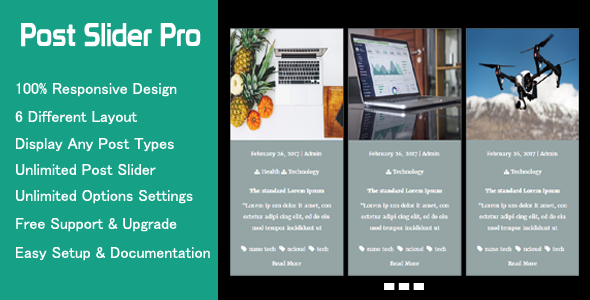
Content sliders display text and images together. They allow for more detailed information. Users can read a short summary or see a picture. Content sliders are perfect for news or blog posts. They help in organizing content neatly. This makes it easy for users to find what they need.
Video Sliders
Video sliders showcase multiple videos in a single space. Users can watch and enjoy different clips without leaving the page. Controls like play, pause, and volume are usually included. Video sliders are ideal for tutorials or product demos. They keep viewers engaged and interested.
Credit: codecanyon.net
Choosing The Right Post Slider Plugin
Picking a post slider plugin can be tricky. You want easy setup. Look for responsive design. This ensures it works on all devices. Customizable options are important. You can change the look to fit your style. Speed matters. A fast slider keeps visitors happy. Compatibility with your theme is key. It should work without issues. Support and updates are necessary. They help fix problems. User reviews can guide you. They show real experiences. Choose a plugin that fits your needs and is simple to use.
| Plugin Name | Main Features |
|---|---|
| Smart Slider 3 | Responsive design, easy to use |
| MetaSlider | SEO-friendly, customizable |
| Soliloquy | Fast and secure, drag and drop |
Installing A Post Slider Plugin
To begin, find a post slider plugin in the WordPress store. Click on the Plugins section in your dashboard. Search for a slider plugin. There are many options. Choose one with good reviews. Click Install Now to start the installation. Wait for it to finish. You must activate the plugin after installation. Click the Activate button. Now your plugin is ready. You can add sliders to your posts. Customize the settings. Choose images and text. Make your posts look great. Experiment with different styles. See what works best for your site. Enjoy your new sliders!
Customizing Post Sliders
A post slider in WordPress displays multiple posts in an interactive slideshow format. Users can view featured content easily. Customizing these sliders enhances website design and user engagement.
Design Options
Post sliders in WordPress offer many design options. You can choose between different styles and themes. Colors and fonts can also be changed. This makes your website look unique. Images can be added to make sliders more attractive. You can also add text on images. This helps in sharing important information quickly. Different animations can be used, like sliding or fading. These animations catch the viewer’s eye. Experiment with these options to find the best look for your site.
Layout Settings
Layout settings help you decide how your post slider appears. You can set the number of posts to show. Choose between showing one post or many. Adjust the height and width of the slider. This makes it fit well on your page. You can set the order of posts. Show the newest posts first or choose another order. Autoplay settings allow the slider to move on its own. This keeps the content fresh without user action.
Common Issues And Troubleshooting
Post sliders can have issues sometimes. Images might not load. Slides might not move. These problems can be confusing. Check your plugin settings first. Ensure your images are the right size. Sometimes, small images cause problems. Update your plugins regularly. Old plugins may not work well. Check if your theme supports sliders. Some themes can cause conflicts. Clear cache often. This can fix many display issues. Use a reliable slider plugin. There are many options. Choose one with good reviews.
Look for help online. Many websites have guides. Forums are useful too. Ask experts for advice. A lot of people face these issues. Solutions are often simple. Fixing sliders can be easy. Stay patient while troubleshooting.
Enhancing User Experience With Post Sliders
Post sliders show many posts in a small space. They make websites more engaging. Users see more content quickly. Post sliders help keep visitors on the page. They can see different posts without scrolling. This is fun and easy.
Images and text move smoothly. Sliders can be automatic or manual. Users can click arrows. This lets them control the slider. Sliders are useful for showing featured posts. They highlight important content. Visitors find interesting posts easily. This enhances the browsing experience.
Post Slider Best Practices
A post slider showcases your important posts in a smooth way. Always choose a slider that fits your website’s design. It should be easy to navigate and quick to load. Use high-quality images to grab attention. Make sure text is clear and readable. Limit the number of slides to keep user focus. Balance image size and text for better visibility. Ensure sliders work on all devices. They should adjust on phones and tablets.
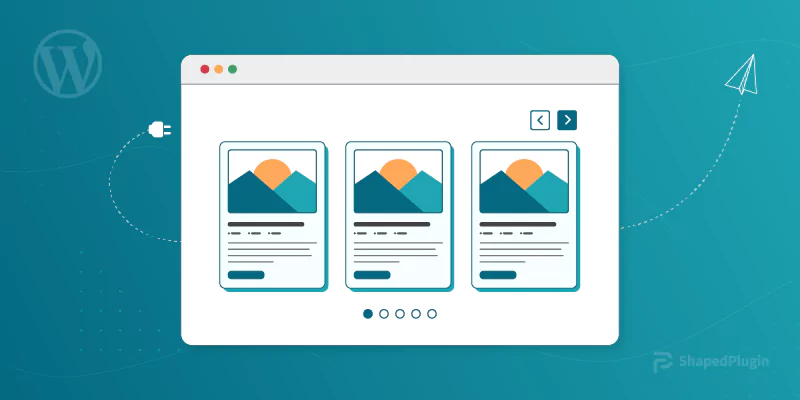
Use a strong call to action in each slide. Engage your audience with relevant content. Avoid too much animation; it can distract users. Check slider speed. Too fast or too slow can annoy visitors. Test your sliders often. Make sure they load properly and are responsive. Keep sliders updated with fresh content. A good slider enhances user experience and keeps them on your site longer.
Credit: shapedplugin.com
Future Of Post Sliders In WordPress
Post sliders will become more popular. They help users see many posts quickly. WordPress will add new slider features. These features will make sliders look good and work better. Sliders can show pictures, text, and even videos. Users will have more choices for their sliders. Mobile-friendly sliders will be important. Many people use phones for browsing. Sliders need to work well on small screens. Speed is crucial for sliders. Slow sliders make people leave sites. Fast sliders keep users happy.
People like interactive sliders. Sliders with buttons and links are engaging. They let users explore more. Customizable sliders will be key. Users want sliders that match their style. They can change colors, fonts, and sizes. Sliders should be easy to set up. Simple settings help all users. WordPress will offer more slider options. These options will make websites unique. Post sliders are here to stay.
Credit: wordpress.org
Frequently Asked Questions
What Is A Post Slider In WordPress?
A post slider in WordPress is a dynamic feature that displays multiple posts in a rotating manner. It enhances user engagement by showcasing featured content visually. Sliders are customizable, allowing you to adjust transition effects, display settings, and styles to match your site’s theme and layout.
How Do I Add A Post Slider In WordPress?
To add a post slider in WordPress, install a slider plugin like Slider Revolution or MetaSlider. After installation, create a new slider, select posts to display, and customize settings. Finally, embed the slider using a shortcode or widget in your desired page or post.
Why Use A Post Slider In WordPress?
Using a post slider in WordPress enhances user experience by visually presenting content. It boosts engagement by highlighting featured articles, promotions, or images. Sliders can also improve site aesthetics, making it more appealing and interactive, which can lead to increased page views and user retention.
Are Post Sliders Mobile-friendly?
Most modern post sliders are mobile-friendly and responsive. They automatically adjust to fit different screen sizes, ensuring optimal viewing on smartphones and tablets. Many slider plugins offer customization options to further enhance mobile compatibility, ensuring a seamless user experience across devices.
Conclusion
Post sliders in WordPress enhance your website’s visual appeal. They display content in an engaging, interactive way. Easy to use and customize, they fit any website style. Visitors enjoy dynamic experiences, boosting engagement. This tool suits bloggers, businesses, and creatives alike.
Whether sharing news or showcasing products, sliders effectively highlight content. Explore different plugins to find the best fit. Improve your site’s look and feel with a post slider. Enjoy creating eye-catching slides and watch your audience grow. Experiment, learn, and see the difference today.
Your website deserves a vibrant, engaging touch.


