
Imagine you’re trying to create a website that stands out. You want it to look professional, and you need it to be easy to manage.
That’s where understanding “Field Groups” in WordPress comes into play. If you’ve ever felt overwhelmed by the technical jargon thrown around in web development, you’re not alone. But here’s the secret: mastering Field Groups can transform how you interact with WordPress, making your site more dynamic and personalized without needing a coding degree.
Do you want to streamline your content management and enhance your site’s functionality? Dive into this guide. You’ll discover how Field Groups can simplify your workflow, allowing you to customize your website to meet your specific needs effortlessly. With this knowledge, you won’t just be another WordPress user; you’ll have the power to shape your digital space with precision and creativity. Curious how this works? Let’s explore the world of Field Groups together, and unlock the potential of your WordPress site.
Field Group Basics
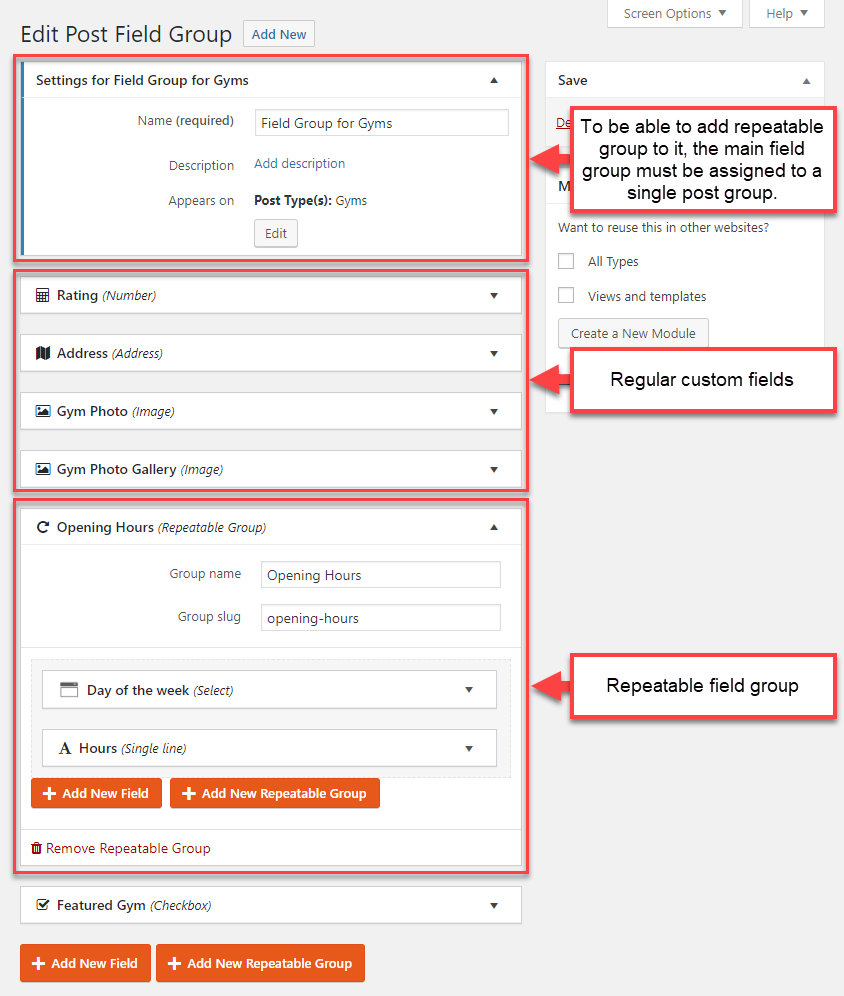
A Field Group is a set of fields. It helps organize information. Each field collects different data. You can store text, images, or numbers. Field Groups make your site more organized.
Field Groups are key for customization. They let you add custom data. This data enhances your site’s look. You can add fields to posts or pages. This gives more flexibility to your site. Field Groups help create dynamic content. They make your website unique.
Creating Field Groups
To create field groups in WordPress, special tools are helpful. Plugins make this task easy. Advanced Custom Fields (ACF) is a popular plugin. It helps add extra fields to posts and pages. Custom fields let you show extra information. This information can be text, images, or links.
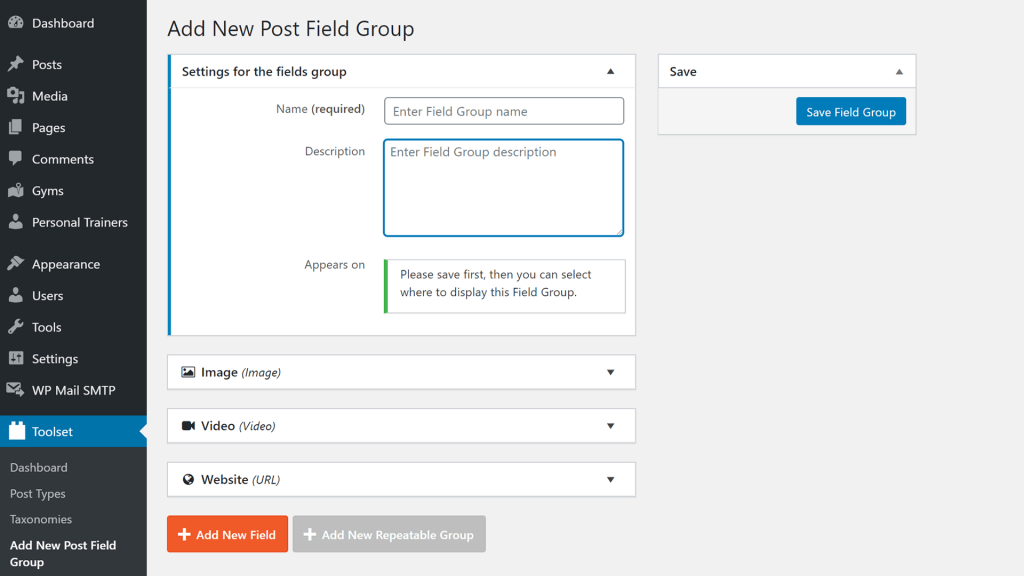
Follow a simple process to create field groups. First, install the ACF plugin. Next, go to the Custom Fields menu. Click on “Add New” to start. Give your field group a name. Choose the type of fields you need. These can be text, number, or date fields. Set the rules for where these fields show up. Finally, save your changes. Now, your field group is ready to use.
Types Of Fields
Text fields let users enter words and numbers. They are simple and easy to use. Websites use them for names, emails, and more. They help collect important information. Text fields are very common.
Image fields allow users to upload pictures. They are used for profile pictures or product images. Users can select images from their computer. Images make a website look lively and colorful. They are crucial for e-commerce sites.
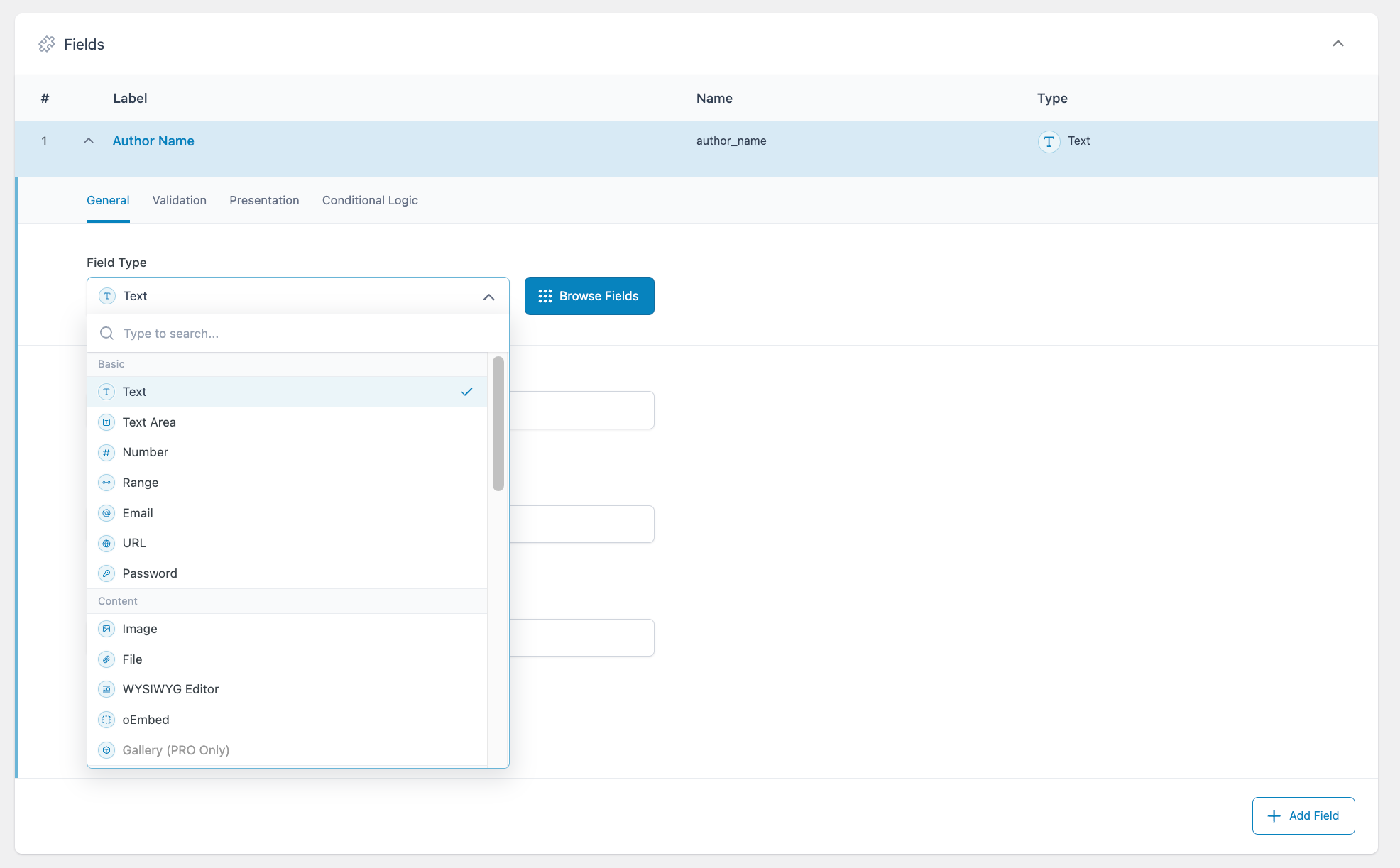
Select fields give users a list of choices. Users can pick one option from a dropdown. This is useful for choosing countries, colors, or sizes. Select fields keep the form neat and tidy. They make the user experience better.
Customizing Field Groups
Adding new fields in WordPress is easy. Choose the type of field you need. Examples are text, image, or date. These fields help collect specific information. Click “Add Field” to start. Enter a field label. This label will appear on your site. Set the field type. Each type serves a different purpose. Save your changes to see the new field. Repeat for more fields. Make your site more detailed and organized. Field groups simplify data collection. They make information easy to manage. Useful for blogs and business sites.
Rearranging fields is simple. Drag and drop to change order. The order affects how fields appear. It can improve user experience. Start by choosing the field you want to move. Drag it to the new location. Drop it when you are satisfied. This adjusts the layout. Reorder fields to highlight important information. Keep your site neat and tidy. Ensure logical flow of content. Rearranging helps keep information clear. It’s good for readability. Save changes to finalize the new order.
Integrating Field Groups
Field groups are parts of WordPress sites. They help add more content. Themes can use field groups to make sites special. Field groups make themes flexible. You can change them easily. They let themes have custom fields. These fields are useful for different types of content. For example, adding a gallery to a page. Or extra text boxes. Field groups make themes dynamic. They adapt to site needs. They are not hard to use. Even beginners can work with them. They give sites a personal touch.
Plugins enhance WordPress sites. They can use field groups too. These groups add extra features. Plugins become more useful with them. Field groups make plugins work better. They allow plugins to have custom options. This makes sites more interactive. You can add checkboxes, dropdowns, or text fields. Plugins with field groups are more powerful. They offer more choices. Users enjoy using them. Field groups help plugins create tailored experiences. They are easy to set up. You do not need to be an expert.
Credit: toolset.com
Benefits Of Using Field Groups
Field groups in WordPress add extra features to your website. They let you create custom fields. This means you can collect more data. You can have fields for text, images, or links. These fields make your site more dynamic. You can display different content on different pages. Field groups give you many choices for customizing. Your website can become more user-friendly. It helps you show the right information.
Users like websites that are easy to navigate. Field groups help in organizing content. Visitors find what they need quickly. This makes users happy. They stay longer on your site. A happy user might come back again. Using field groups can also make your site look clean and neat. This is important for keeping users interested. A good experience can lead to more traffic.
Common Challenges
Field groups in WordPress often confuse users due to their setup complexity. These groups help organize custom fields, enhancing content management. Understanding their function is crucial for efficient site customization and improved user experience.
Compatibility Issues
Field Groups in WordPress can have compatibility issues. Plugins may not work well together. This can cause errors. Some themes might not support certain fields. Always check for plugin updates. Updates often fix these issues. Sometimes, a plugin might be outdated. It’s wise to use popular plugins. They are usually well-maintained.
Troubleshooting Tips
Start by disabling each plugin one by one. This helps find the problem. If a plugin causes an issue, consider alternatives. Read plugin reviews for insights. Update your WordPress version regularly. This keeps your site secure. Back up your site before making changes. This protects your data. If unsure, seek help from WordPress forums. Many users share solutions there. Always test changes on a staging site first.
Credit: toolset.com
Future Of Field Groups
WordPress field groups organize custom fields for managing content efficiently. They enhance flexibility in customizing website layouts. This innovation in content management shows significant potential for simplifying complex WordPress setups.
Trends And Innovations
Field groups are changing fast in WordPress. New tools and features come out each year. They make building websites easier. Developers focus on making field groups more flexible. This helps users create better content. Designs are becoming more user-friendly. This means anyone can use them with ease. Improved templates offer more options. They save time and effort. It’s exciting to see these changes.
Evolving User Needs
Users want more from field groups. They need simple and quick solutions. This is why field groups are always improving. They are made to fit different needs. Users look for customization and ease. Field groups help by offering diverse choices. Simple interfaces are crucial. They ensure everyone can build a website. Field groups support this by being intuitive and straightforward. They adapt as user needs change.
Credit: www.advancedcustomfields.com
Frequently Asked Questions
What Are Field Groups In WordPress?
Field Groups in WordPress are collections of custom fields. They help organize and manage custom data. You can create and display them using plugins like Advanced Custom Fields. This enhances your site’s functionality by allowing personalized data input on posts, pages, and custom post types.
How Do I Create A Field Group?
To create a Field Group, install a custom fields plugin. Navigate to the plugin settings and click “Add Field Group. ” Define the fields you need and assign them to specific post types. This process allows for structured data entry and tailored content display.
Why Use Field Groups In WordPress?
Field Groups simplify data management and enhance content flexibility. They allow you to store and display custom information efficiently. This is useful for creating dynamic content layouts, improving user experience, and optimizing SEO. They are ideal for tailored site functionality and design.
Can Field Groups Improve Seo?
Yes, Field Groups can enhance SEO by structuring content. They allow for better data organization and presentation. Custom fields can be optimized with relevant keywords and metadata, improving search engine visibility. This structured approach can boost your site’s ranking and user engagement.
Conclusion
Field Groups in WordPress simplify content management. They organize fields efficiently. This tool makes your website more flexible. Customizing content becomes easier with Field Groups. Users can add, edit, or manage fields quickly. It’s perfect for non-technical users. No coding skills needed.
Just a few clicks and you’re set. This feature enhances your site’s functionality. It ensures content is well-structured and accessible. Field Groups save time and effort. They provide a streamlined experience for all users. Embrace this tool for a smoother WordPress experience.
Your site will benefit greatly from its use.


