
Imagine a tool that could transform your WordPress site into a hub of information, a place where users can easily find what they’re looking for. That’s exactly what a directory in WordPress can do for you.
A directory is like a digital map, guiding your visitors to the resources, businesses, or listings they need. Whether you’re managing a local business directory, a job listing site, or a real estate platform, directories streamline the process and enhance user experience.
But how exactly does this magic happen, and why is it so crucial for your site’s success? By understanding the power of directories, you can unlock new potentials for engagement and growth. Dive into this article, and you’ll discover how to set up, customize, and maximize the benefits of directories in WordPress. Let’s explore how you can make your website more organized and user-friendly, captivating your audience and keeping them coming back for more.
Directory Basics
A directory in WordPress is like a list. It helps to organize information. You can store files, images, or posts. Directories make websites neat and tidy. They act like folders on your computer. Each directory can hold related items. This makes finding things easy. Directories are important for site structure. They help with website navigation. People can find what they need quickly.
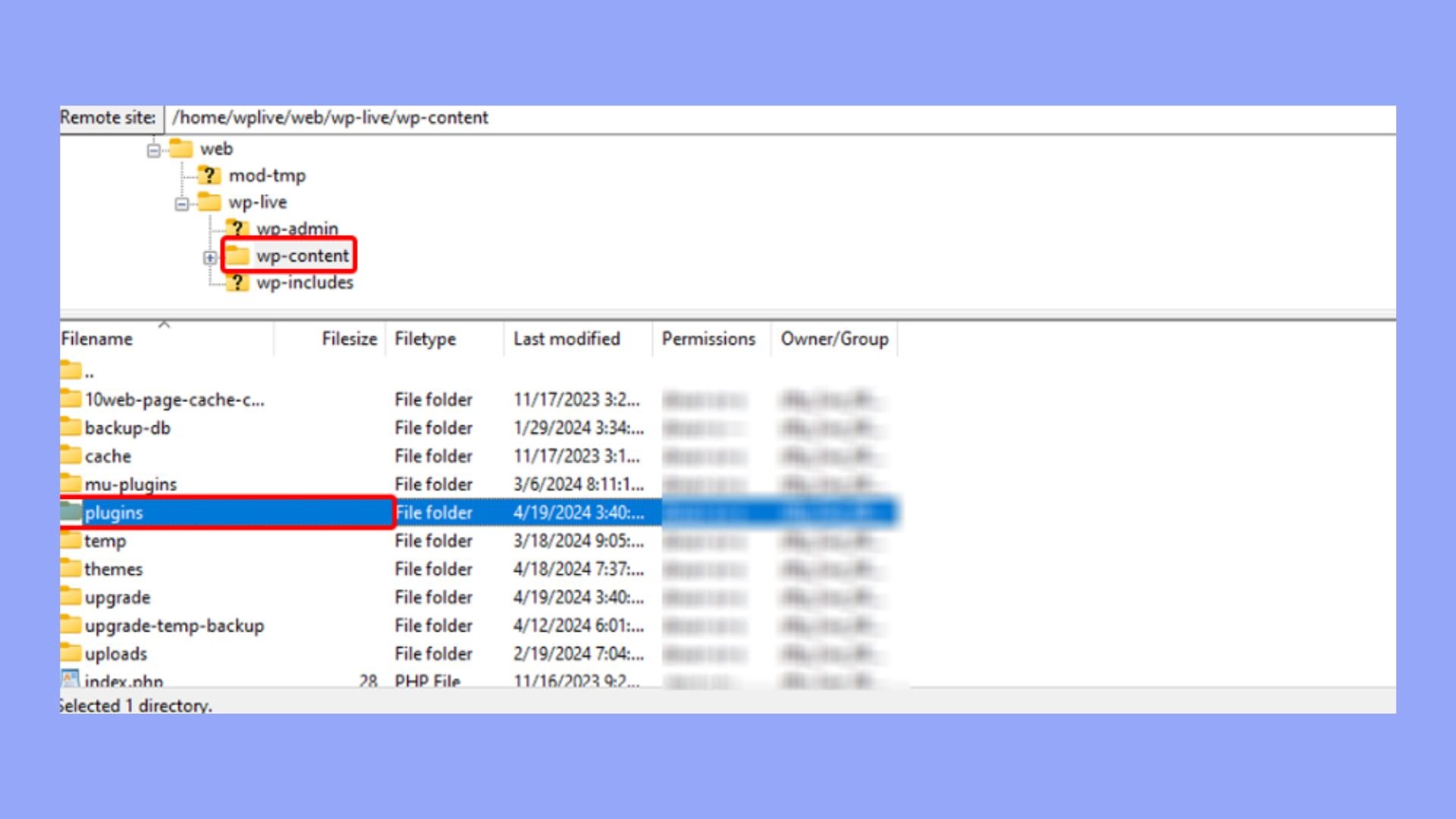
In WordPress, directories are useful. They manage plugins and themes. They store important data. Directories also help with media files. Photos and videos go into specific directories. This keeps content organized. Users can create custom directories. They can set them for special tasks. Like storing member profiles or client lists. Directories are a key part of WordPress. They simplify content management.
Credit: wordpress.org
Types Of Directories
Business directories help people find companies. They list businesses by category. This makes searching easy. Users can see company names, addresses, and phone numbers. Some directories have reviews too. Reviews help people choose the best business. Business directories help small businesses get noticed.
Local directories show businesses nearby. They focus on a specific area. Users find restaurants, shops, and services in their town. Local directories support the community. They help people find local events and deals. This boosts local economy and brings people together.
Event directories list upcoming events. Users find concerts, sports, and festivals. These directories show event dates, locations, and ticket info. People can plan fun activities. Event directories make it easy to stay informed about local happenings.
Job directories help people find work. They list jobs by industry and location. Users can search for jobs they want. Job directories show job details and application steps. This makes job hunting easier. Many people use these directories to start their careers.
Setting Up A Directory
Choosing the right plugin is very important. The plugin makes your job easier. Look for plugins with good reviews. Read reviews to know what others think. Check for features you need. Some plugins have extra features. Like maps or payment options. Pick one that fits your needs.
First, go to your WordPress dashboard. Click on the Plugins section. Then click Add New. Type the plugin name in the search box. Click on Install Now. Wait for it to finish. Now click Activate. The plugin is now ready to use. Configure the settings to fit your directory. This might take a few steps. Follow the instructions given by the plugin. Make sure to save your changes. Your directory is ready to work now.
Customizing Your Directory
Make your directory look good. Choose from different designs. Pick colors that match your site. Use fonts that are easy to read. Arrange content neatly. Keep things simple. Your design should help visitors find what they need. Create an organized layout. A clean look attracts more visitors.
Add information to each listing. Use custom fields for this. These fields help show details. You can add phone numbers, addresses, or ratings. Custom fields make listings more useful. Add important data that your users need. Customize fields for your directory’s purpose.
Keep your listings updated. Add new entries often. Remove old or incorrect listings. Use tools to help manage them. Check listings for errors. Make sure information is right. Organize listings by categories. This helps users find things easily. An updated directory is very helpful.
Seo For Directories
SEO is important for directories in WordPress. It helps them rank better. Search engines like Google find them easily. Use keywords that describe your content. Place them in titles, URLs, and headings. Good keywords make your directory more visible.
Avoid using too many keywords. This can hurt your ranking. Keep content clear and simple. Use short sentences and easy words. This helps people read your directory. Also, use internal links. They connect pages within your site. This helps users find more information.
Visibility makes your directory easy to find. Use descriptive meta tags. These are short snippets about your page. They appear in search results. Good meta tags attract more clicks.
Add alt text to images. This describes the image for search engines. It also helps people who can’t see images. Finally, make sure your directory is mobile-friendly. Many people use phones to search. A mobile-friendly site is easy to use on any device.
Credit: 10web.io
Monetizing Your Directory
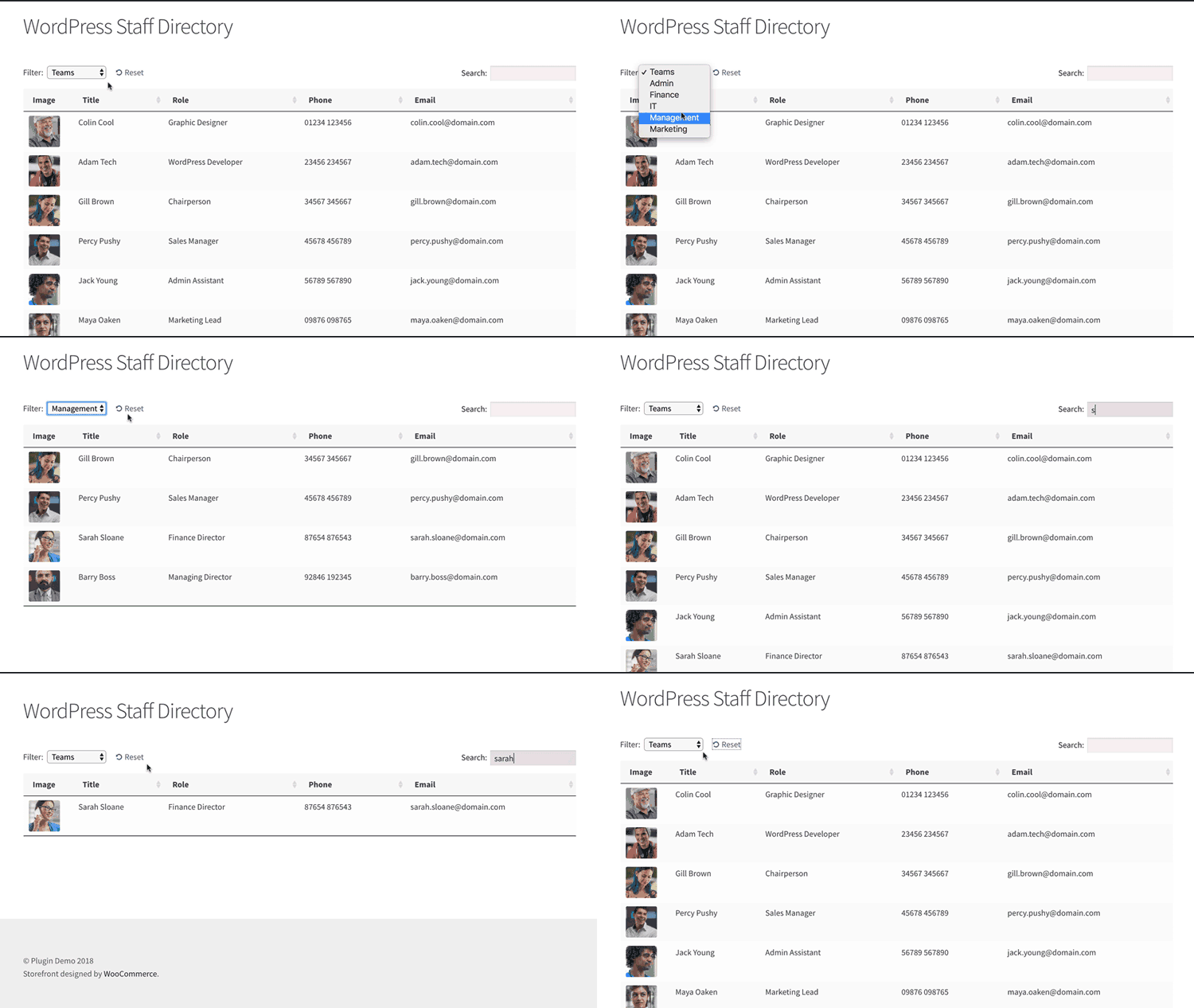
A directory in WordPress organizes and displays listings, such as businesses or services, in a structured format. Users can easily search and filter through the entries. This setup enhances user experience, making it simpler to find desired information quickly.
Paid Listings
Adding paid listings is a smart way to earn money. Businesses can pay to be seen by more people. This means more eyes on their ads. Make sure to set a fair price. Too high and they won’t buy. Too low and it’s not worth your time.
Advertising Opportunities
Offering advertising space can boost your earnings. Companies love to show their ads to many people. You can charge for this space. More visitors mean higher rates. Make your directory busy and active. This attracts more advertisers.
Membership Models
Creating a membership model can bring steady income. Members pay a fee to join. They get extra benefits for this. It could be special offers or more features. Keep the fee fair and benefits clear. This encourages more sign-ups.
Maintaining Your Directory
A directory in WordPress organizes and manages information, such as business listings or member profiles. It helps users find specific details quickly. Regular updates ensure accuracy and relevance, enhancing user experience.
Regular Updates
Keeping your directory updated is very important. Fresh content makes users happy. It also helps in ranking better in search engines. Always check for outdated information. Remove or update it. New entries should be added often. This keeps the directory lively and useful. Regular updates show that you care. This can build trust with your users.
User Feedback And Support
Listening to users is key. Feedback can tell what needs fixing. It can also show what users like best. Always be ready to help users. Offer support if they face problems. Make it easy for them to reach you. Respond quickly to their concerns. Happy users can bring more traffic. They also help in spreading good word about your directory.
Popular Directory Plugins
A directory in WordPress organizes and displays listings of businesses, services, or individuals. Directory plugins provide tools to create custom directories with searchable and filterable lists. These plugins enhance website functionality and user experience by efficiently managing large sets of data.
Features And Benefits
Directory plugins help list businesses or services on your site. They make it easy for users to find information. Some plugins come with search and filter options. This helps users find what they need quickly. Other plugins allow adding maps or images. This makes the directory more attractive. Many plugins offer customizable templates. This feature helps match the directory with your site’s design. Plugins can also support user reviews. Reviews build trust among your audience. These features together enhance user experience.
Comparing Options
| Plugin | Customizable | Search Feature | User Reviews |
|---|---|---|---|
| Plugin A | Yes | Yes | No |
| Plugin B | No | Yes | Yes |
| Plugin C | Yes | No | Yes |
Case Studies
Some websites use directories very well. One example is Yelp. It lists businesses and lets users leave reviews. Yelp helps people find good restaurants or services nearby. Another great example is Yellow Pages. This site provides contact details for many businesses. It is easy to use and very helpful for finding local businesses. TripAdvisor is also a well-known directory. It offers reviews and ratings for hotels and travel spots. Many people use it to plan their trips. These websites show how powerful a directory can be.
Directories must be easy to navigate. Users should find what they need quickly. Information must be up-to-date. Old information can confuse users. User feedback is very important. It helps improve the site. Good directories often have clear categories. This helps users find information faster. Learning from users is key. Listening to feedback makes a directory better.
Credit: barn2.com
Frequently Asked Questions
What Is A Directory In WordPress?
A directory in WordPress is a system for organizing content. It helps users navigate through posts, pages, and custom post types easily. Directories can enhance site structure, making it user-friendly and SEO optimized. They are crucial for managing large volumes of content effectively.
How Do Directories Benefit WordPress Sites?
Directories benefit WordPress sites by improving navigation and structure. They help users find content easily and increase engagement. Well-structured directories can boost SEO performance by enhancing site organization and internal linking. They are essential for managing diverse content types efficiently.
Can Directories Improve Seo In WordPress?
Yes, directories can improve SEO in WordPress. They enhance site structure and navigation, which search engines favor. Organized directories help with internal linking, boosting page authority. They make content more accessible to users and search engines, potentially increasing visibility and rankings.
How To Create A Directory In WordPress?
To create a directory in WordPress, use plugins like GeoDirectory or Directories Pro. These plugins offer customizable features for directory management. You can also manually organize content using custom post types and taxonomies. Ensure your directory is user-friendly and well-organized for best results.
Conclusion
Understanding WordPress directories is essential for website management. They store important files and data. Each directory serves a specific purpose. Knowing their functions aids in troubleshooting issues. It also enhances website customization and performance. Beginners can easily learn directory basics.
This knowledge simplifies WordPress tasks. Keep exploring to expand your skills further. Practice makes perfect. Use this understanding to improve your site. A well-managed directory ensures smooth operation. Happy website building!


