
Imagine having the power to tailor your WordPress site exactly to your needs, making it uniquely yours. That’s where custom field values come into play.
If you’re seeking a way to add extra information to your posts or pages, then you’re in the right place. Custom field values allow you to add personalized data to your WordPress content, enhancing its functionality and appearance. Ever wondered how some websites manage to incorporate rich, dynamic content that seems to know precisely what you want to see?
It’s all about using custom field values smartly. By the end of this article, you’ll not only understand what custom field values are but also how they can transform your WordPress site into an engaging and interactive experience for your audience. Keep reading to discover how you can leverage these powerful tools to elevate your website to new heights.
Custom Fields In WordPress
Custom fields let users add extra information to posts or pages. This information is known as metadata. Users can add details like author name, date, or location. These fields are not visible by default. They need to be enabled in the WordPress settings.
Custom fields make websites unique. They help in organizing data better. Users find it easier to manage content with these fields. For example, a movie site can add ratings or release dates. This makes content more informative for visitors.
Purpose Of Custom Field Values
Custom field values help you add extra details to your WordPress posts. They allow you to store specific data for each post. This data can be a date, a color, or a number. These fields can make your post more informative.
They are useful for organizing your content. For example, if you have a recipe blog, you might use a custom field for cooking time. In a book review blog, it could be the book’s author. Custom fields offer a way to personalize your WordPress site.
How To Add Custom Field Values
First, locate the custom fields meta box on your WordPress post editor. It might be hidden. Check the screen options at the top. Ensure the custom fields checkbox is ticked. This will make the meta box visible.
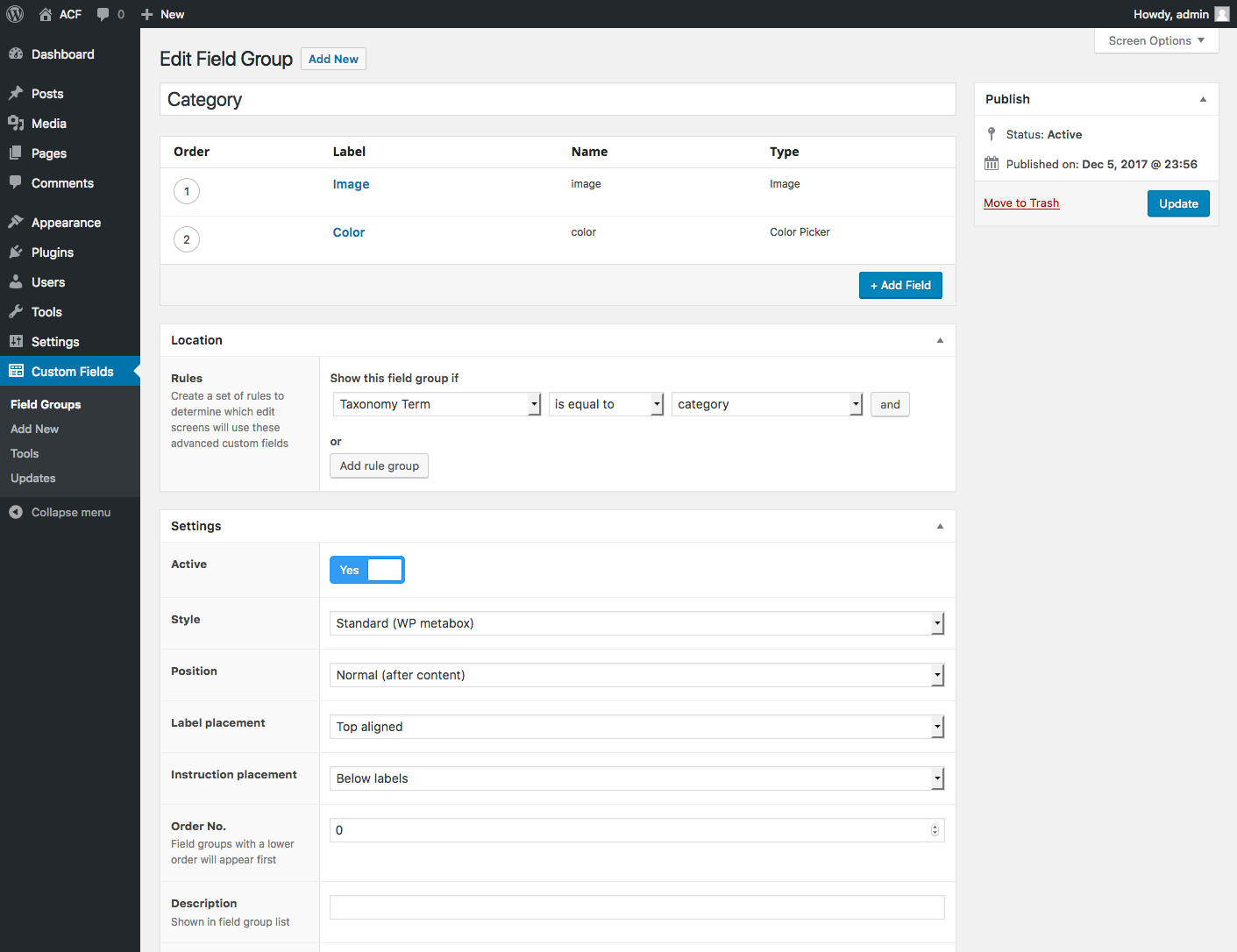
Once visible, enter your data in the custom fields section. Add a name for your field. Type the value next to it. Click add custom field to save. Remember to update or publish your post. This ensures the data is saved. Custom fields add extra info to your posts. They enhance your site’s capabilities.
Credit: www.advancedcustomfields.com
Displaying Custom Field Values
Theme files help show custom fields. These files are PHP templates. You can edit them to display extra data. Add a small PHP code in the file. This code shows the custom field. It is simple to change the look. You just need basic coding skills. Be careful while editing files. A small mistake can break the site. Always make a backup before changes.
Plugins can show custom fields easily. They are safe and user-friendly. No coding is needed with plugins. Just install and activate the plugin. Plugins can do more than just display. They can also help organize data. Some plugins are free, while others need payment. Always read reviews before picking a plugin. Good plugins have many downloads and stars.
Benefits Of Using Custom Field Values
Custom field values help make content unique. They allow users to add extra information. This means each post can have special features. Bold text, colors, or images can be added. It makes the post stand out. Custom fields let you create a special look. They are great for adding details.
Data management becomes easier with custom fields. They help organize information well. You can sort and filter data. This makes finding details simple. Custom fields store extra data safely. They keep content neat and tidy. Easy to manage and update. Perfect for handling many posts.

Credit: css-tricks.com
Common Use Cases
Custom fields can show important product details. These include size, color, and material. Each product can have its own unique fields. This helps buyers find what they need. It also keeps the online store organized. Easy for both sellers and customers.
Custom fields can store event information. For example, date, time, and location. Each event page can have its own details. This helps people know when and where to go. It is simple to update the information if anything changes. Makes planning events easier.
Troubleshooting Common Issues
Custom Field Values in WordPress store extra information about posts. Users can add specific details like author bios or product IDs. These fields enhance content management by providing customizable data options.
Missing Custom Fields Box
Sometimes, the Custom Fields box is not visible. This can be confusing. To fix this, go to the top of the screen. Click on the Screen Options tab. Make sure the Custom Fields option is checked. This will make the box appear. Always check the Screen Options first. It helps to solve many problems.
Data Not Displaying Correctly
Data might not show as expected. Ensure the Custom Field key is correct. Check the value too. Even small mistakes can cause issues. Use the right code in your theme files. Always double-check your entries. Sometimes, themes need updates. Keep them updated for best results.

Credit: wordpress.org
Best Practices For Custom Field Values
Use clear and simple names for custom fields. This helps others understand them easily. Avoid using long or complex names. Choose names that describe what the field does. This reduces confusion. It also makes future updates easier. Keep a list of all custom fields used. This helps in managing them better. Consistency is key. It keeps things organized.
Custom fields need care. Check them often to ensure they work well. Remove fields you do not use anymore. This keeps your site fast. Update fields if your needs change. This helps in keeping data relevant. Always back up your data. This prevents loss during changes. Regular maintenance keeps your site healthy.
Frequently Asked Questions
What Are Custom Field Values In WordPress?
Custom field values in WordPress allow users to add extra information to posts. They enhance content by storing metadata. Users can define specific attributes that aren’t standard in WordPress. This enables more customized and dynamic content management. It’s useful for creating unique post types and improving website functionality.
How Do Custom Fields Enhance WordPress?
Custom fields enhance WordPress by adding additional metadata to posts. They allow users to store extra information specific to their needs. This flexibility leads to more dynamic and personalized content. It helps tailor websites to individual preferences, improving user experience and functionality.
Can Custom Fields Improve Seo?
Yes, custom fields can improve SEO by adding unique metadata. They allow for more detailed content descriptions. This can help search engines better understand page content. Enhanced metadata can lead to improved search rankings. It’s a strategic way to boost visibility and reach.
How To Add Custom Fields In WordPress?
To add custom fields in WordPress, go to the post edit screen. Look for the ‘Custom Fields’ section. Click ‘Add New’ to create a field. Enter a name and value, then save. This process enhances content with additional metadata, improving customization and functionality.
Conclusion
Custom Field Value in WordPress offers flexibility and control. Users can personalize their site easily. It enhances content management by storing additional data. This feature suits bloggers, businesses, and developers. Customization improves website functionality and user experience. Beginners can start using it with simple steps.
Advanced users find it useful for complex tasks. Exploring this feature can lead to creative solutions. With practice, managing custom fields becomes intuitive. Take advantage of this powerful WordPress tool. It helps tailor your site to specific needs. Experiment and see how it transforms your WordPress journey.


