
Imagine navigating through a dense forest without a map. Sounds daunting, right?
Now, think of your website as that forest and your visitors as explorers trying to find their way. This is where breadcrumbs come into play. If you’ve ever wondered, “What is a breadcrumb in WordPress? ” You’re not alone. Breadcrumbs are more than just a catchy term—they are essential tools that help guide your visitors smoothly through your website.
They enhance user experience, making your site easier to navigate and more engaging. But what exactly are they, and how can they transform your WordPress site? Stick around as we unravel the mystery behind breadcrumbs and reveal why they’re a must-have for your website.
Breadcrumbs Explained
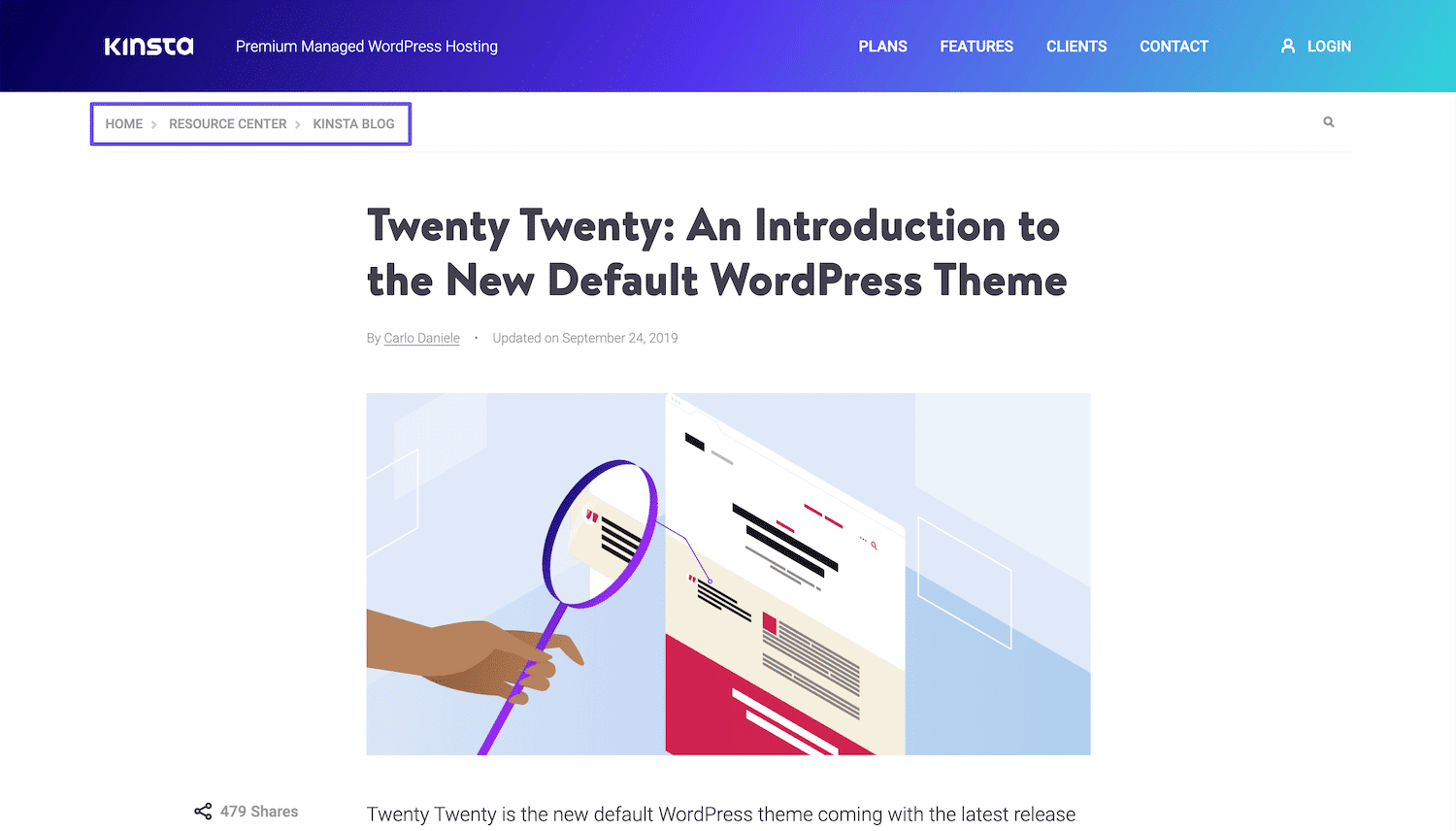
Breadcrumbs are small links on websites. They show where you are on the site. Breadcrumbs help users find their way back. They look like a path or trail. For example, Home > Blog > Post. Breadcrumbs are like a map for the site. They make it easier to explore. Users feel less lost with breadcrumbs. They can jump back to a main page quickly. This is helpful for big sites with many pages.
Breadcrumbs also help search engines. They tell search engines how pages relate. This can make your site appear better in search results. Breadcrumbs are good for both users and search engines. They improve the experience for everyone. Adding breadcrumbs to your site is a smart choice.
Credit: kinsta.com
Importance Of Breadcrumbs
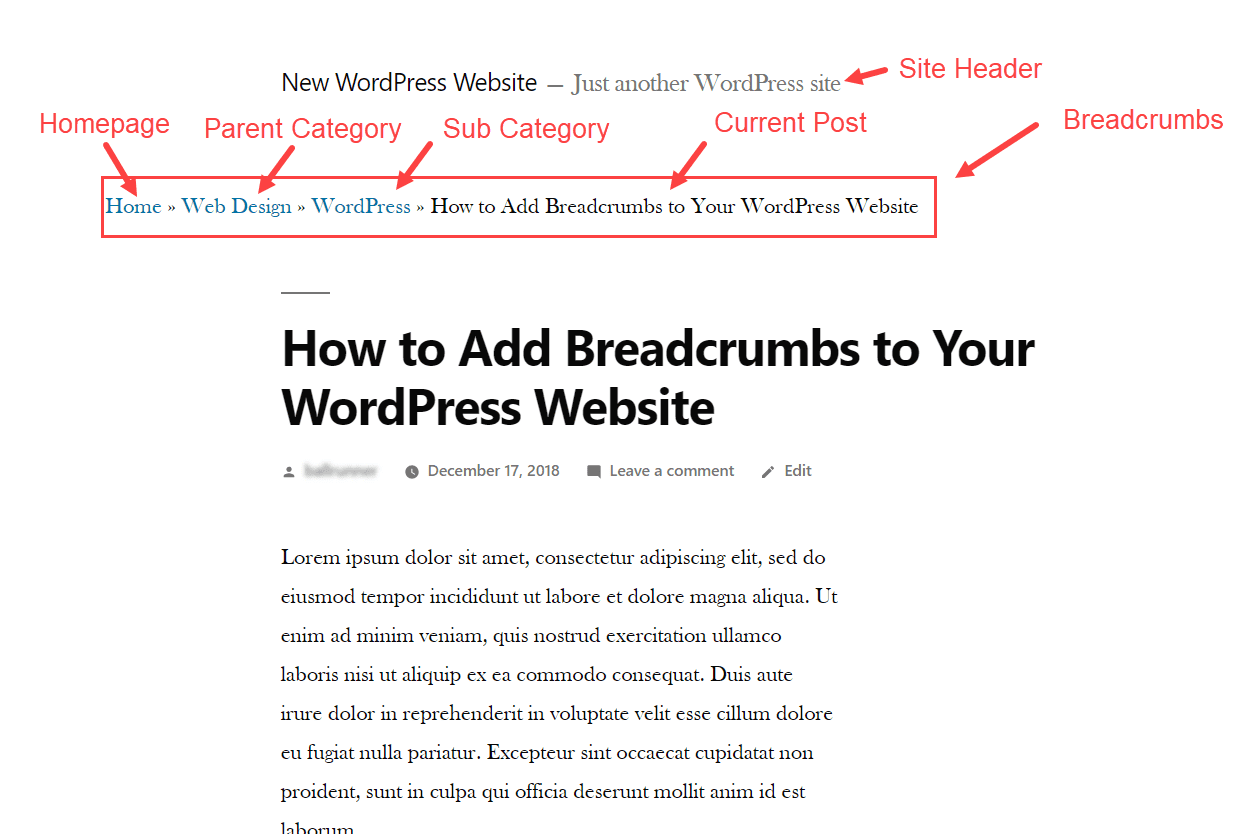
Breadcrumbs help users know where they are on a website. They show a path from the homepage to the current page. This makes navigation simple. Users can go back to previous pages easily. This improves the user experience. Search engines like breadcrumbs too. They use breadcrumbs to understand website structure. This can lead to better rankings. Breadcrumbs also reduce the bounce rate. Users stay longer on sites with clear paths. They find information faster.
Breadcrumbs are especially useful on large websites. Sites with many pages need breadcrumbs more. They help keep users engaged. It’s important to use clear and simple breadcrumbs. Avoid complex words. Make them easy to read.
Types Of Breadcrumbs
Hierarchy-based breadcrumbs show the structure of a website. They help users see where they are on the site. For example, a path could be Home > Category > Subcategory > Product. This type is common in e-commerce. It helps users go back to broader categories easily. It enhances the user experience by simplifying navigation.
Attribute-based breadcrumbs focus on product features. They are ideal for sites with many product options. For instance, a path might be Home > Shoes > Red > Size 10. They guide users to specific product details. This makes searching for specific items easier. It improves the user’s journey through the site.
History-based breadcrumbs show the user’s path. They remember the steps taken to reach a page. An example is Home > Search > Results > Clicked Product. They help users retrace their steps. This is helpful if users want to revisit previous pages. They enhance user control over navigation.

Credit: blog.hubspot.com
Benefits For Seo
Breadcrumbs help users find their way on a website. They show the path from the homepage to the current page. This makes it easy for users to go back and explore other pages. Search engines love breadcrumbs too. They make your site easier to understand. This can improve your site’s search ranking. Breadcrumbs also make your site look neat and organized. Users will spend more time on your site. This can reduce the bounce rate. Lower bounce rates can also boost your SEO. Breadcrumbs improve user experience and search engine friendliness.
Setting Up Breadcrumbs In WordPress
Plugins make adding breadcrumbs easy in WordPress. Many plugins are free. Yoast SEO is popular for this task. It helps with breadcrumbs and SEO. To start, install the plugin. Go to your WordPress dashboard. Click on ‘Plugins’. Select ‘Add New’. Search for Yoast SEO. Click ‘Install Now’. Activate the plugin after installation.
After activation, go to the plugin settings. Find the breadcrumbs option. Click to enable. You can customize breadcrumb settings. Change separator symbols. Choose whether to show homepage link. Save changes when done. Breadcrumbs are now active on your site. Check your pages to see them in action.
Manual coding gives more control. It needs some coding skills. Open your theme files. Find header.php or single.php file. Add breadcrumb code there. Use PHP code for breadcrumbs. Code can be found online. Add code carefully to avoid errors. Save changes and check your site. Breadcrumbs should appear now.
Popular Breadcrumb Plugins
Breadcrumbs in WordPress guide users through site navigation, showing their location within the hierarchy. Popular plugins simplify breadcrumb creation, enhancing user experience and SEO. They offer customizable options to fit various themes and needs, aiding in seamless website navigation.
Yoast Seo
Yoast SEO is a popular plugin. It helps with breadcrumbs. This plugin makes navigation easy. It improves your site’s structure. Many people use it for SEO. It is simple and effective. Yoast makes your site easier to explore. It organizes pages neatly. Users find what they need quickly.
Breadcrumb Navxt
Breadcrumb NavXT is another choice. It adds breadcrumb trails easily. This plugin is user-friendly. It offers many settings. You can customize the trails. It helps visitors see their path. This plugin supports your site’s hierarchy. It works well with many themes. It is a reliable tool for navigation.
Rank Math
Rank Math is not just for SEO. It includes breadcrumb features too. This plugin is powerful. It helps websites rank better. Breadcrumbs are part of its tools. Rank Math is easy to set up. It guides users through your site. It enhances the user experience. Many sites prefer Rank Math for its features.
Customizing Breadcrumbs
Breadcrumbs in WordPress help users navigate a website by showing their location within the site hierarchy. Customizing these breadcrumbs enhances user experience and improves site navigation. They guide visitors back to previous pages effortlessly.
Styling With Css
CSS makes breadcrumbs look better. You can change the color and size. Start by finding the breadcrumb class in your theme. Use Chrome’s inspect tool for help. Then, add CSS rules in your theme’s customizer. Try changing the background-color to make it stand out. Increase the font-size for easier reading. Use padding to add space around the text. Simple tweaks can make breadcrumbs look neat.
Custom Code Modifications
Sometimes, default breadcrumbs don’t fit your needs. You can change them with custom code. First, check if your theme supports hooks. Hooks let you add code without changing core files. Use a child theme for safety. Add PHP snippets to your functions.php file. This can change breadcrumb structure. Be careful. Wrong code can break your site. Always back up your site first. Custom code gives more control over breadcrumbs.
Common Issues And Fixes
Breadcrumbs help users find their way. But sometimes, they don’t show up. This could be because of a missing plugin. Or maybe the theme does not support breadcrumbs. Check if the breadcrumb plugin is active. Make sure your theme supports them. Sometimes, a simple theme update solves the problem. Adjust the settings in your WordPress dashboard. This might help too.
Breadcrumbs may show the wrong path. This confuses users. Incorrect page linking can cause this. Check the breadcrumb settings in the plugin. Ensure pages link correctly. Sometimes, a cache problem causes errors. Clear the cache to fix it. Update the breadcrumb plugin if needed. This often resolves path issues.
Best Practices
Breadcrumbs help users find their way on a website. They show the path to the current page. Keep them simple and clear. Use short words. Avoid long phrases. Place them at the top of the page. Users see them quickly there. Make sure they are clickable. Each part should link to a page. Use arrows or slashes as separators. It looks neat and tidy.
Mobile users need breadcrumbs too. Ensure they fit on small screens. Test how they look on different devices. Consider the color and style. They should match the site design. Use contrast so they stand out. Breadcrumbs help with SEO. They make pages easier for search engines to understand. Always update them if the site structure changes.
Credit: www.elegantthemes.com
Frequently Asked Questions
What Is A Breadcrumb In WordPress?
A breadcrumb is a navigation aid in WordPress that shows users their location on a website. It typically appears as a horizontal list of links, often at the top of a page. Breadcrumbs improve user experience and SEO by helping users and search engines understand the site structure.
How Do Breadcrumbs Benefit WordPress Websites?
Breadcrumbs enhance user experience by providing easy navigation paths. They help users backtrack through categories or pages. Moreover, breadcrumbs improve SEO by giving search engines a better understanding of site hierarchy. This can lead to better indexing and potentially improved search rankings.
How Can I Add Breadcrumbs To WordPress?
You can add breadcrumbs to WordPress using plugins like Yoast SEO or Breadcrumb NavXT. These plugins offer easy integration and customization options. Alternatively, some WordPress themes come with built-in breadcrumb functionality. Ensure your breadcrumbs are visually appealing and placed where users can easily see them.
Are Breadcrumbs Important For Seo In WordPress?
Yes, breadcrumbs are important for SEO in WordPress. They help search engines understand site structure and hierarchy. This can enhance site indexing and visibility. Breadcrumbs also improve user experience, potentially reducing bounce rates. This combination of benefits can positively impact your site’s search rankings.
Conclusion
Breadcrumbs guide users through your website easily. They improve navigation. Users find content faster. Search engines understand site structure better with breadcrumbs. This boosts your site’s visibility. Breadcrumbs enhance user experience. Visitors stay longer when they navigate smoothly. Simple to set up in WordPress.
Many plugins available for breadcrumbs. Choose one that suits your needs. Creating an organized site benefits everyone. Breadcrumbs simplify paths for users and search engines. They are a small but effective tool. Improve your website’s functionality today. Make navigation clear and straightforward.
Your audience will appreciate it. So will search engines.


